Image Ruler - Measures
Camera Photo Measure Tape
iPhone, iPad, iPod touch için tasarlandı
Ücretsiz · Uygulama içi satın alma
- Yaş sınırı4+
- KategoriÜretkenlik
- GeliştiriciMartin Schurmann
- Dillerİngilizce+ 16 dil daha
- Boyut47,3 MB
Resmi App Store sayfasına bağlanır
Download.org, Image Ruler - Measures için hiçbir dosya barındırmaz. Düğme, uygulamanın App Store üzerindeki sayfasını açar; uygulamayı orada Martin Schurmann yayınlar. Sayfanın son kontrolü: 13.11.2026.
Ekran görüntüleri

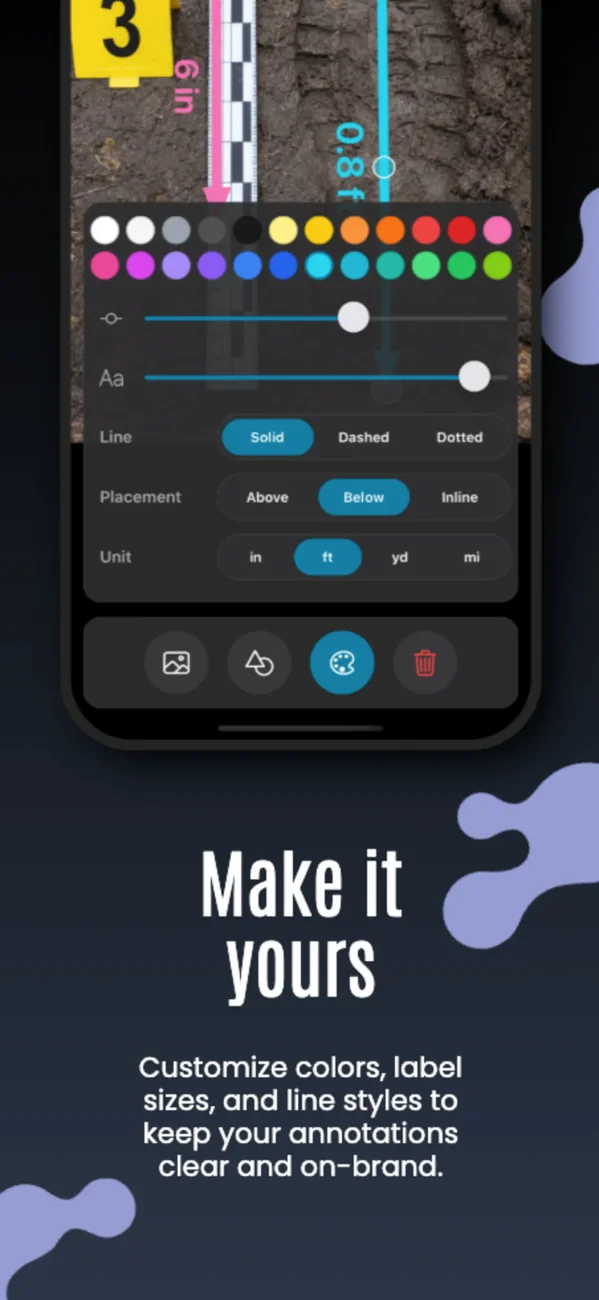
Hakkında
Geliştirici bu metni dilinizde sunmamış.
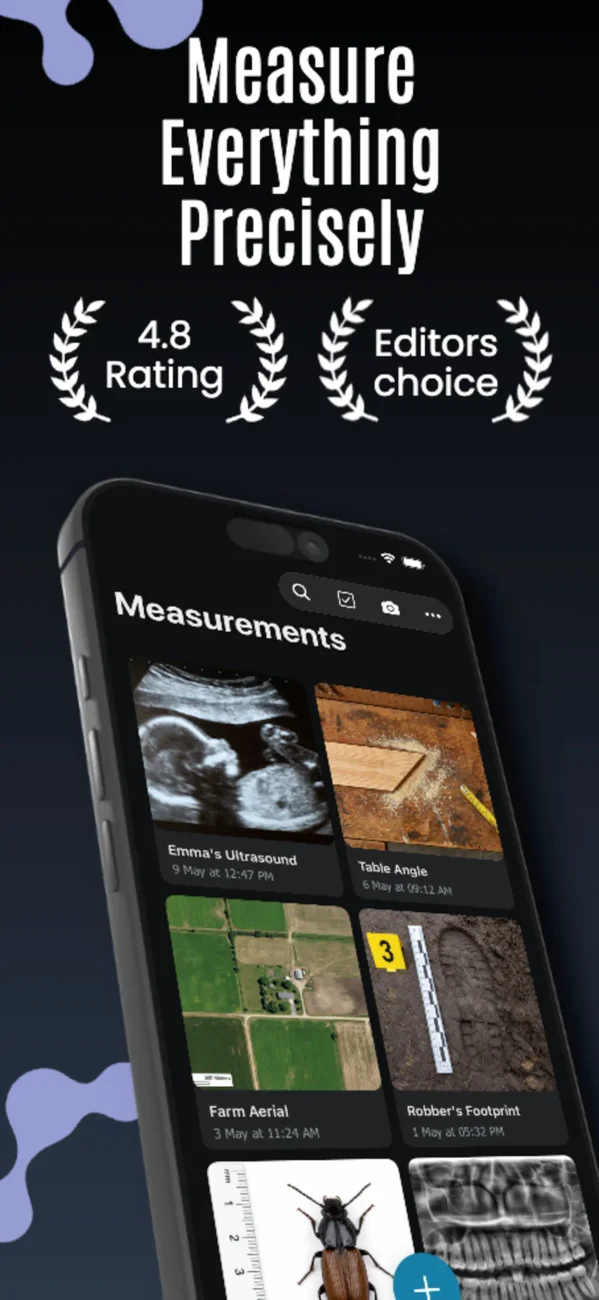
Measure anything in any photo.
Take a photo or import one from your library, place a reference object you already know the size of, and instantly calculate real-world measurements — lengths, angles, and areas — directly on the image.
How it works
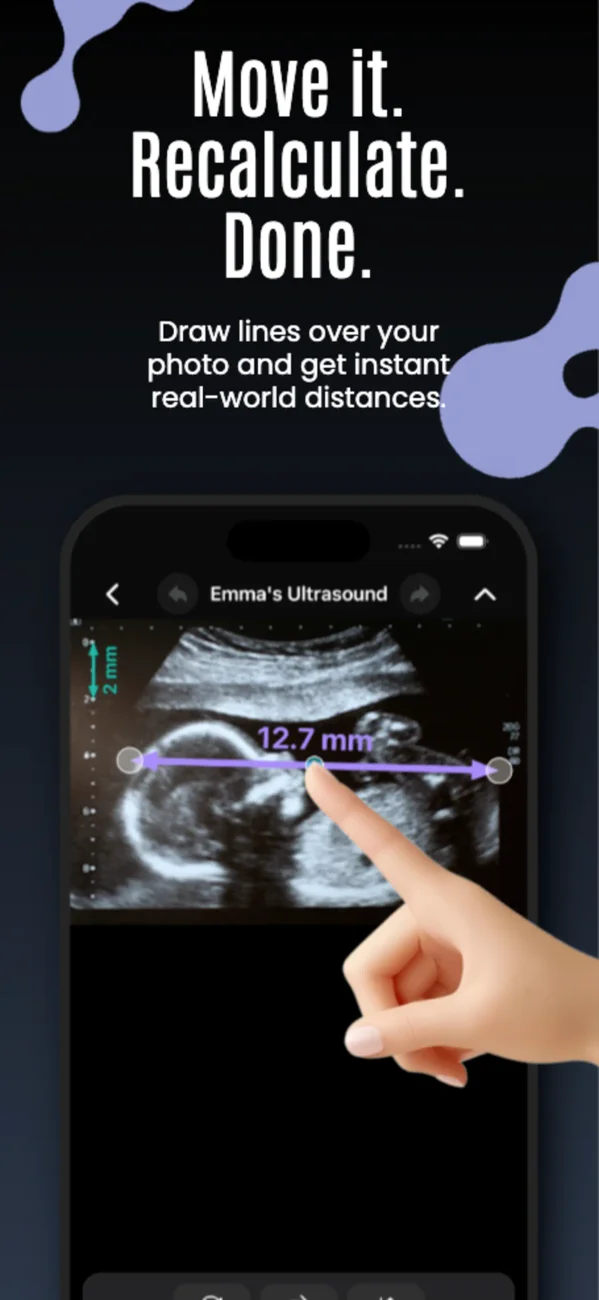
Set a reference line on a known object in your photo. From there, every measurement you draw is automatically calculated in real scale.
What you can measure
Ruler — measure distances and lengths
Arrow — annotate with directional measurements
Angle — measure the angle between any two lines
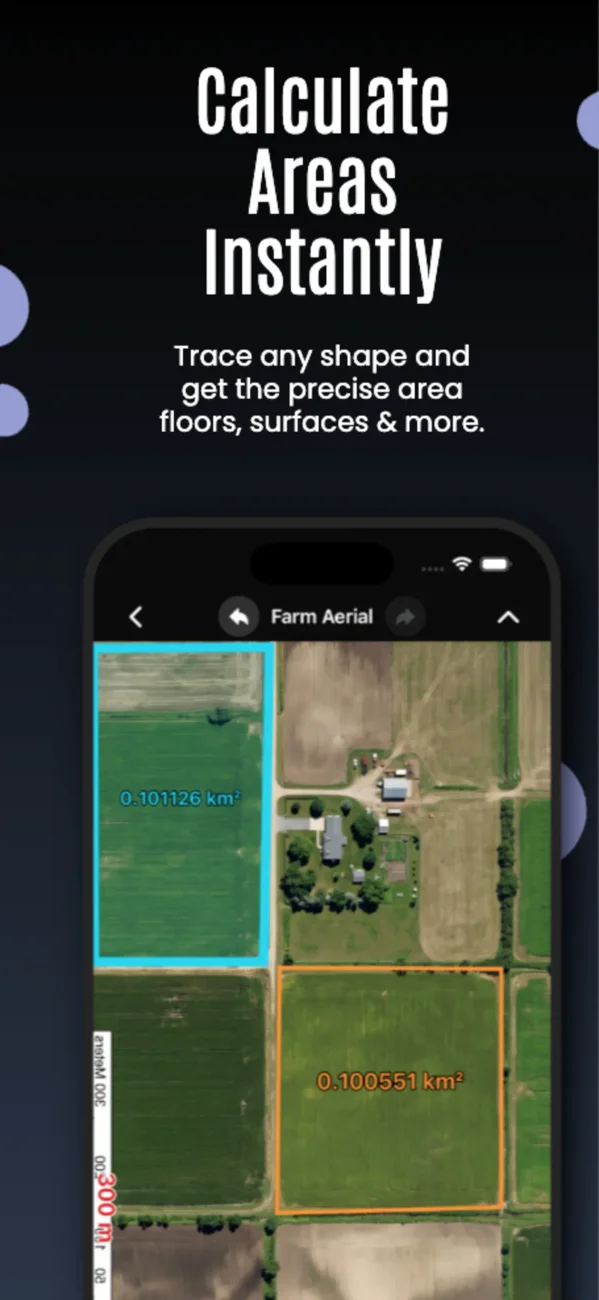
Area — tap points to outline a surface and calculate its area
Built for precision
Works entirely offline — no internet required
Metric and imperial units
Pinch to zoom for precise point placement
Undo and redo any change
Hide or show your reference line at any time
Tips for accurate results
For best accuracy, make sure your reference object and the object you're measuring are in the same plane, and that the camera was parallel to both when the photo was taken. Perspective distortion affects results.
Measurements are estimates based on the reference you provide.
Yenilikler
Sürüm 1.2.10 · 10.10.2026
This is the biggest update yet — rebuilt from the ground up with a completely new look and powerful new tools.
Refreshed UI
A cleaner, more intuitive interface designed to get out of your way and let you focus on measuring. Everything is faster and easier to reach.
New: Angles & Areas
Go beyond straight lines. Measure the angle between any two surfaces, or outline a surface to calculate its area — all in real scale.
New: Export & Share
Share your measurements as an image with all annotations overlaid, or copy individual values directly to your clipboard. Perfect for sending to clients, collaborators, or keeping for your records.
New: Flip & Rotate
Imported a photo in the wrong orientation? Fix it instantly before you start measuring.
Uygulama gizliliği
Bu uygulamanın verileri nasıl işlediği hakkında Martin Schurmann tarafından App Store üzerinde yapılan beyan.
-
Sizi izlemek için kullanılan veriler
Başka şirketlere ait uygulamalarda ve web sitelerinde sizi izlemek için kullanılabilir.
- Tanımlayıcılar
-
Sizinle ilişkilendirilmeyen veriler
Toplanabilir ancak kimliğinizle ilişkilendirilmez.
- Tanımlayıcılar
Gizlilik uygulamaları, örneğin kullandığınız özelliklere veya yaşınıza göre değişiklik gösterebilir.
Bilgiler
- Satıcı
- Martin Schurmann
- Kategori
- Üretkenlik
- Sürüm
- 1.2.10
- Güncellendi
- 10.10.2026
- Yayın tarihi
- 18.08.2019
- Boyut
- 47,3 MB
- Gereksinim
- iOS 15.1 veya sonrası
- Yaş sınırı
- 4+
- Fiyat
- Ücretsiz
- Uygulama içi satın alma
- Evet
- Diller
- İngilizce, Danca, Hollandaca, Fransızca, Almanca, Endonezce, İtalyanca, Japonca, Korece, Lehçe, Portekizce, Rusça + 5 dil daha
- Telif hakkı
- © MaartenLabs
Bunları da beğenebilirsiniz
-
 Photo Measures LiteÜretkenlik
-
 My Measures + AR MeasureStore & Share Measurements
-
 Screenshot Pixel Measure ToolÜretkenlik
-
 Photo MeasuresÜretkenlik
-
 Cetvel Uygulaması: MezuraMetre ölçer, su terazisi
-
 Metre ölçer・ölçüm ölçü・cetvelNesneleri kamera ile ölçün 3D
-
 ImageMeterÜretkenlik
-
 Boy ölçme - ölçüm uygulamasıHeight Measurement Digital Cam
-
 Tape Measure Camera Ruler 3DÜretkenlik
-
 3D Snap: AR Ölçüm ve MezuraÖlçer Cetveli ile Kat Planı