
iomatrix
Matrix Task Manager
Entwickelt für iPhone, iPad, Mac
Kostenlos · In-App-Käufe
- Altersfreigabe4+
- KategorieProduktivität
- EntwicklerJoonhee Cho
- SprachenEnglisch+ 4 weitere
- Größe30,6 MB
Verlinkt auf die offizielle App Store-Seite
Download.org hostet keine Datei von iomatrix. Die Schaltfläche öffnet die App-Seite bei App Store, wo Joonhee Cho die App veröffentlicht. Eintrag zuletzt geprüft am 25.11.2026.
Screenshots

Info
Der Entwickler hat diesen Text nicht in Ihrer Sprache bereitgestellt.
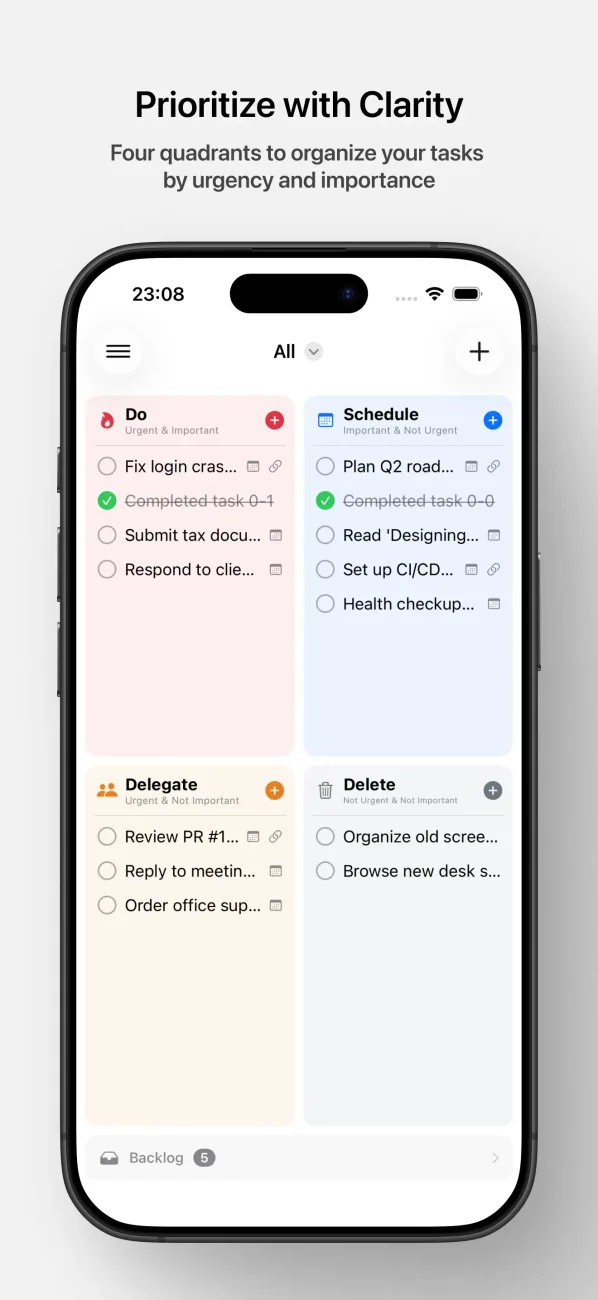
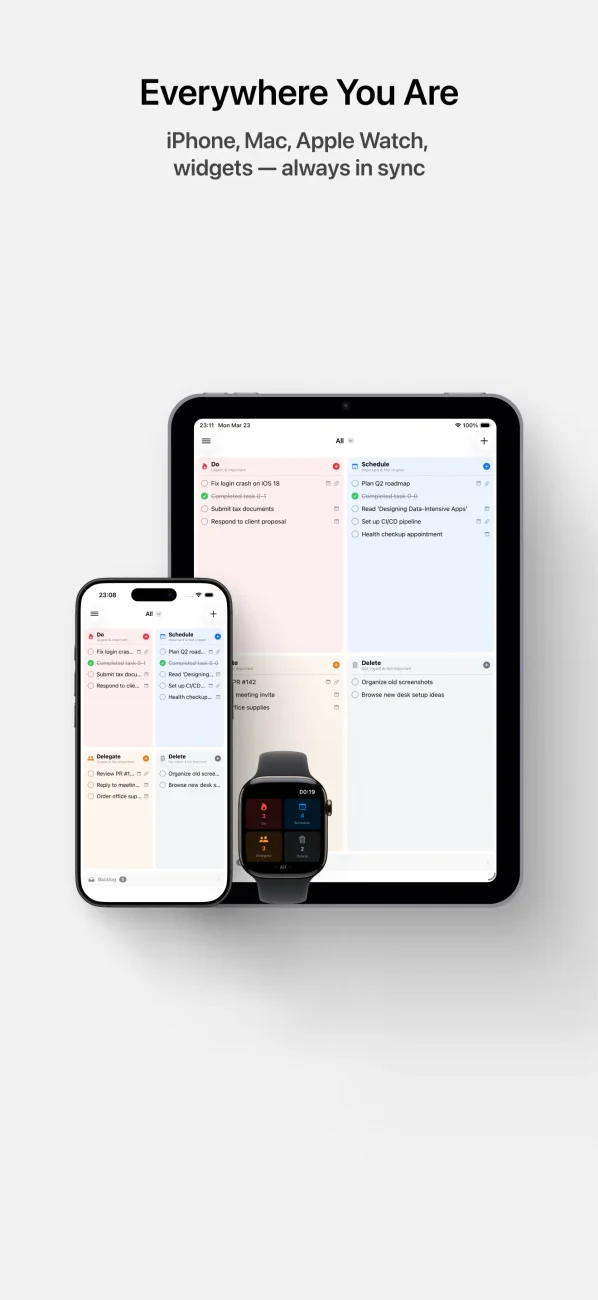
iomatrix is an Eisenhower Matrix task manager that helps you stop reacting and start prioritizing. Sort every task into four quadrants — Do, Schedule, Delegate, Delete — and focus on what matters. Native on iPhone, iPad, Mac, and Apple Watch, with widgets and on-device Apple Intelligence.
THE EISENHOWER MATRIX
- Do — Urgent & Important: handle these first
- Schedule — Important, Not Urgent: plan ahead
- Delegate — Urgent, Not Important: hand off
- Delete — Neither: let it go
TASK MANAGEMENT
- Quick add with quadrant, workspace, due date, notes, and links with auto-fetched titles
- Drag between quadrants, or into Notes, Mail, and Messages as text
- Add a task from any app: share a link or text, or drag it onto a quadrant
- Backlog for undecided tasks, Archive for finished ones
- Calendar in four views, with your Apple Calendar events beside your tasks
- Due dates are a day, with a time only when you need one
- Day timeline on an hour grid with the current time: tap an empty hour to schedule a task and it lands in Apple Calendar
- Daily reminder for today's due and overdue tasks
SIRI & APPLE INTELLIGENCE
- "Add a task to iomatrix" — Apple Intelligence turns a sentence into structured tasks, on device
- Say several tasks at once; quadrant, due date, and workspace are inferred
- Find and complete tasks by voice; every action works in Shortcuts
- Without Apple Intelligence, your phrase is still saved as a task
WORKSPACES
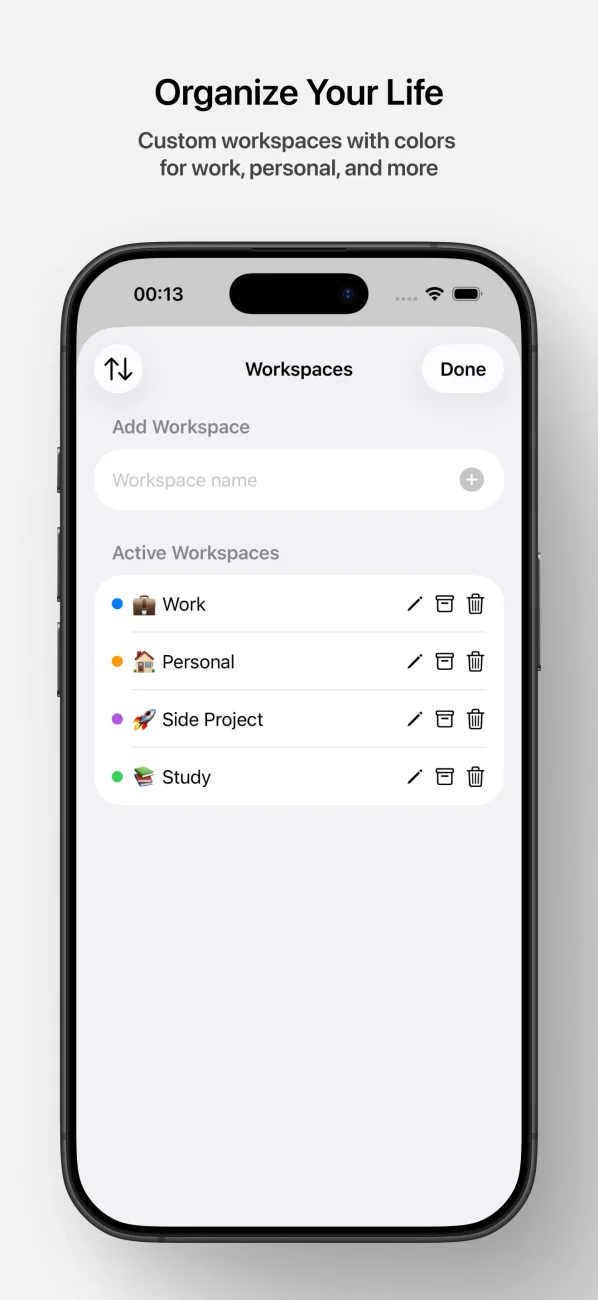
- Separate work, personal, and projects, and filter the whole matrix by one
- 10-color palette; archive a workspace when the project wraps
- Three workspaces free; more with Pro
HEATMAP & WIDGETS
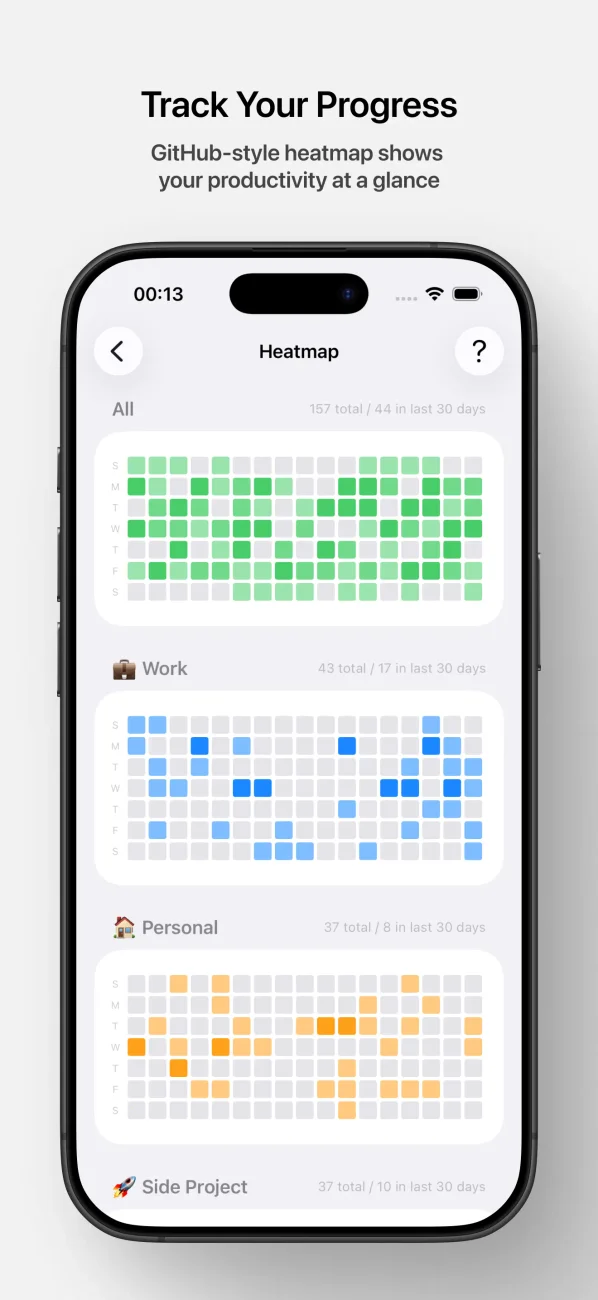
- GitHub-style completion heatmap that fits any screen and scrolls back two years
- Widgets: matrix summary, quadrant lists, 2×2 grid, and heatmaps, including an extra large size that fills a Home Screen page
- Lock Screen widgets and Apple Watch complications
IOMATRIX PRO — ONE-TIME PURCHASE
Everything above is free. Pay once, with no subscription, to unlock on iPhone, iPad, and Mac:
- Routines — repeating tasks that come back on schedule, at a set time if you like (your first routine is free)
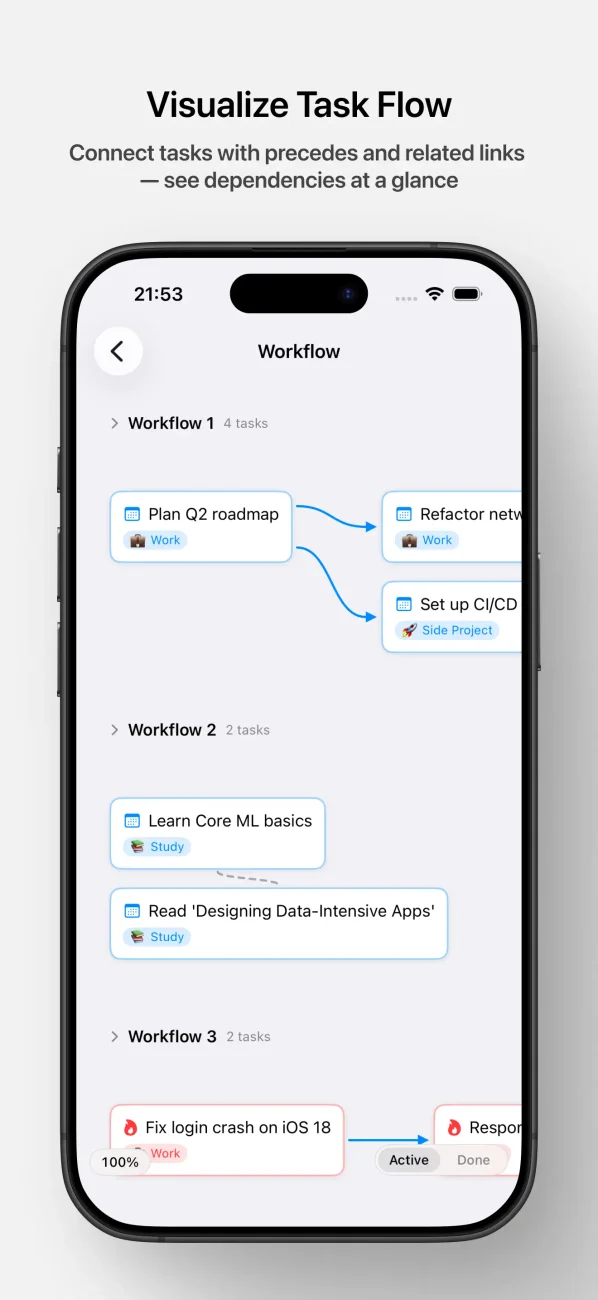
- Workflow — break a task into subtasks as a mind map or outline, and link tasks as before / after / related
- Pairwise Prioritization — compare two tasks at a time, then apply the ranking to your matrix
- Voice Capture — speak freely and on-device transcription turns it into a task
- Unlimited workspaces and custom workspace colors
- Quadrant customization — rename and recolor quadrants, and choose from nine color themes (two are free)
Used iomatrix before version 1.14? Every Pro feature stays free for you.
EVERYWHERE YOU WORK
- iPhone & iPad: drag-and-drop matrix with gesture shortcuts
- Mac: menu bar widget, a separate Workflow window, and keyboard shortcuts
- Apple Watch: matrix, backlog, quick add, and edit on your wrist
- CLI: add, list, complete, move, edit, and delete from the terminal
SYNC & PRIVACY
- iCloud sync across your devices through your personal iCloud account
- No data collected by the developer, no third-party servers, no ads
- Works offline; purchases are handled by Apple
Available in English, Korean, Japanese, Simplified Chinese, and Spanish. A short walkthrough on first launch shows you around.
Build better focus habits — one quadrant at a time.
Terms of Use:
https://www.apple.com/legal/internet-services/itunes/dev/stdeula/
Privacy Policy:
https://ioxyz.io/products/iomatrix/privacy
Neue Funktionen
Version 1.17.0 · 23.11.2026
- Share a link or text from another app to add it as a task. (iPhone, iPad)
- Drag a link or text from another app onto a quadrant or the Backlog to add it as a task.
- Tasks you add, complete or edit with Siri or Shortcuts now show in the open app right away.
- Fixed a crash when deleting a task with Shortcuts.
- When a task you have open is deleted on another device or with Shortcuts, its screen now closes on its own.
- Attach an existing task as a subtask, or create a new parent task, from a task's screen. (Pro)
- Choose a parent and subtasks while creating a task. (Pro)
- Fixed the Connections rows looking like gray buttons in the task forms on Mac.
App-Datenschutz
Was Joonhee Cho im App Store zum Umgang dieser App mit Daten angibt.
-
Keine Daten erfasst
Der Entwickler erfasst keine Daten von dieser App.
Die Datenschutzpraktiken können variieren, zum Beispiel je nach den von Ihnen verwendeten Funktionen oder Ihrem Alter.
Informationen
- Anbieter
- Joonhee Cho
- Kategorie
- Produktivität
- Version
- 1.17.0
- Aktualisiert
- 23.11.2026
- Veröffentlicht
- 16.03.2026
- Größe
- 30,6 MB
- Erfordert
- iOS 26.0 oder neuer
- Altersfreigabe
- 4+
- Preis
- Kostenlos
- In-App-Käufe
- Ja
- Sprachen
- Englisch, Japanisch, Koreanisch, Vereinf. Chinesisch, Spanisch
- Copyright
- © 2026 Joonhee Cho
Das könnte Ihnen auch gefallen
-
 TRIX: Eisenhower Task PlannerProduktivität
-
 GSD Task ManagerProduktivität
-
 두두 - 아이젠하워 매트릭스Produktivität
-
 버딩 - 습관 형성 캘린더Produktivität
-
 Prioritäten: Eisenhower-MatrixAufgaben in vier Quadranten
-
 Productivity MatrixProduktivität
-
 Taskrix: Eisenhower MatrixProduktivität
-
 NEMO – Eisenhower Matrix MemoProduktivität
-
 Todo Matrix - Task ReminderProduktivität
-
 Be Like IkeProduktivität