
iomatrix
Matrix Task Manager
Conçue pour iPhone, iPad, Mac
Gratuit · Achats intégrés
- Classification d’âge4+
- CatégorieProductivité
- DéveloppeurJoonhee Cho
- LanguesAnglais+ 4 de plus
- Taille30,7 Mo
Renvoie vers la page App Store officielle
Download.org n’héberge aucun fichier de iomatrix. Le bouton ouvre la page de l’application sur App Store, où Joonhee Cho la publie. Fiche vérifiée pour la dernière fois le 26/11/2026.
Captures d’écran


À propos
Le développeur n’a pas fourni ce texte dans votre langue.
iomatrix is an Eisenhower Matrix task manager that helps you stop reacting and start prioritizing. Sort every task into four quadrants — Do, Schedule, Delegate, Delete — and focus on what matters. Native on iPhone, iPad, Mac, and Apple Watch, with widgets and on-device Apple Intelligence.
THE EISENHOWER MATRIX
- Do — Urgent & Important: handle these first
- Schedule — Important, Not Urgent: plan ahead
- Delegate — Urgent, Not Important: hand off
- Delete — Neither: let it go
TASK MANAGEMENT
- Quick add with quadrant, workspace, due date, notes, and links with auto-fetched titles
- Drag between quadrants, or into Notes, Mail, and Messages as text
- Add a task from any app: share a link or text, or drag it onto a quadrant
- Backlog for undecided tasks, Archive for finished ones
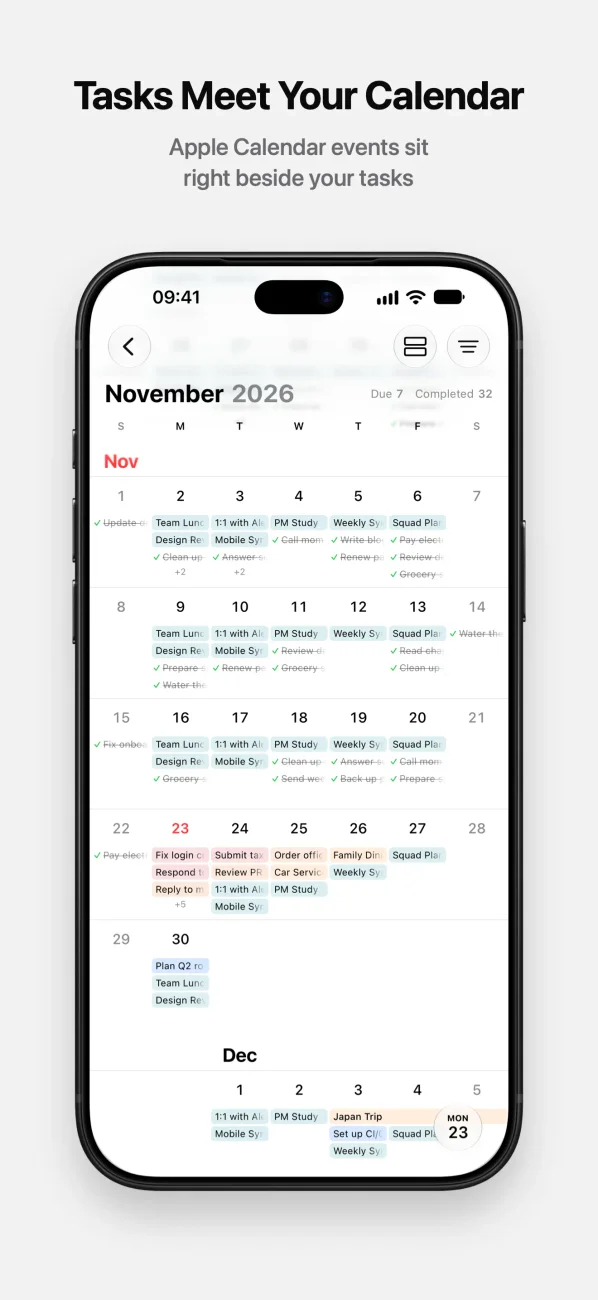
- Calendar in four views, with your Apple Calendar events beside your tasks
- Due dates are a day, with a time only when you need one
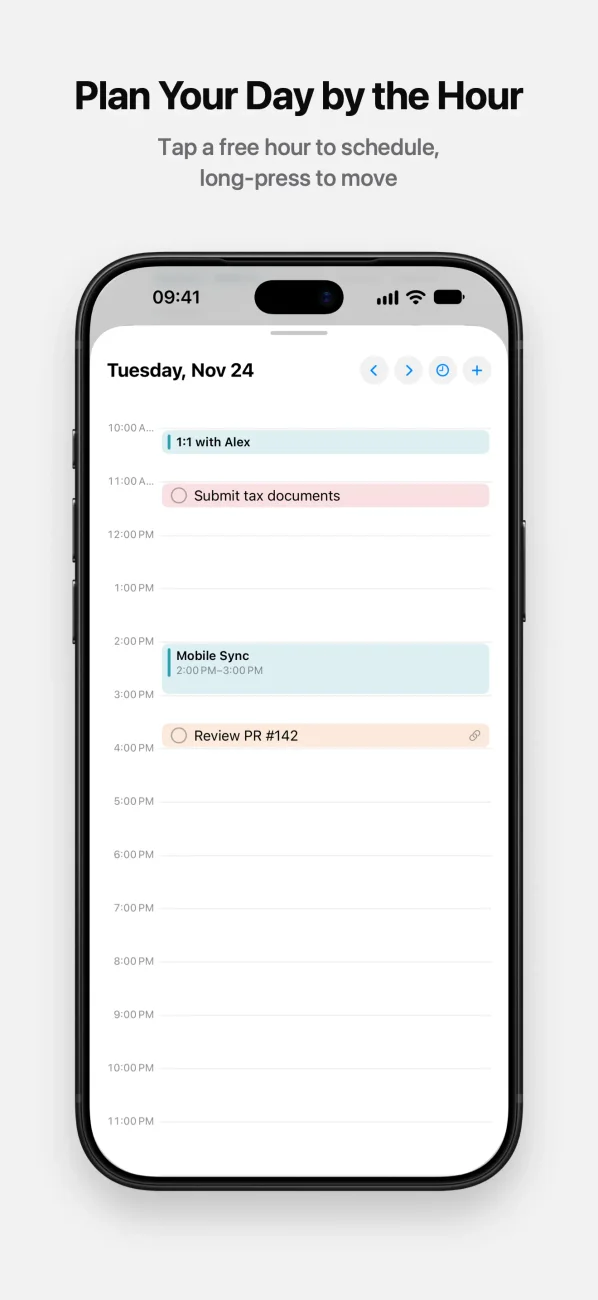
- Day timeline on an hour grid with the current time: tap an empty hour to schedule a task and it lands in Apple Calendar
- Daily reminder for today's due and overdue tasks
SIRI & APPLE INTELLIGENCE
- "Add a task to iomatrix" — Apple Intelligence turns a sentence into structured tasks, on device
- Say several tasks at once; quadrant, due date, and workspace are inferred
- Find and complete tasks by voice; every action works in Shortcuts
- Without Apple Intelligence, your phrase is still saved as a task
WORKSPACES
- Separate work, personal, and projects, and filter the whole matrix by one
- 10-color palette; archive a workspace when the project wraps
- Three workspaces free; more with Pro
HEATMAP & WIDGETS
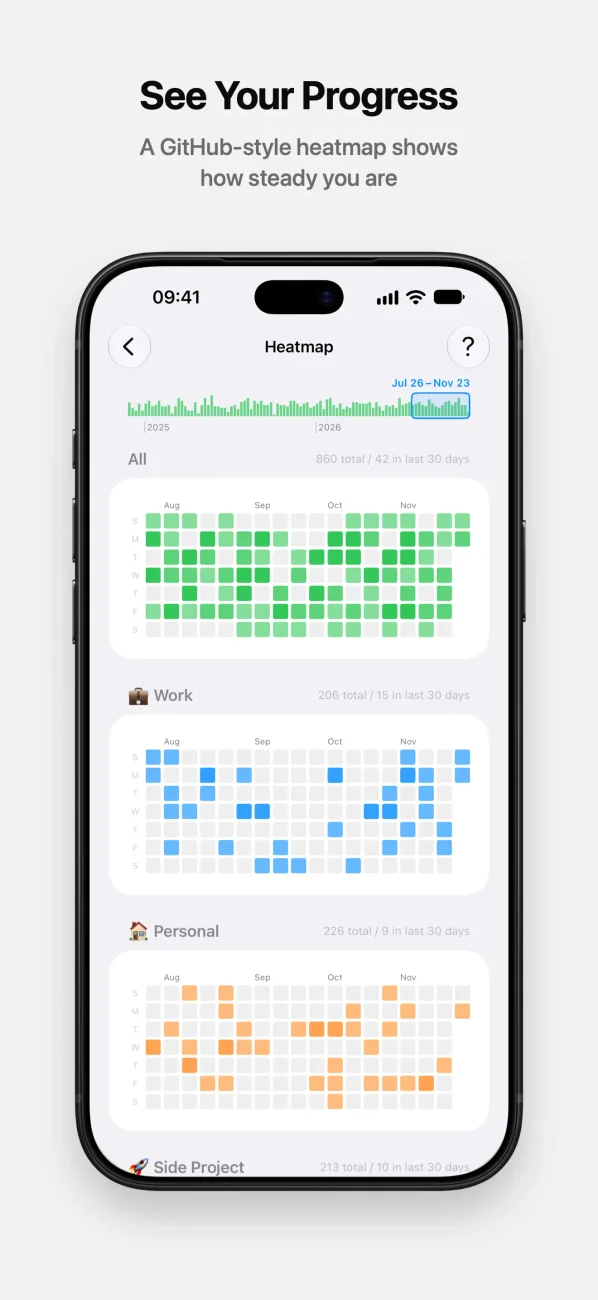
- GitHub-style completion heatmap that fits any screen and scrolls back two years
- Widgets: matrix summary, quadrant lists, 2×2 grid, and heatmaps, including an extra large size that fills a Home Screen page
- Lock Screen widgets and Apple Watch complications
IOMATRIX PRO — ONE-TIME PURCHASE
Everything above is free. Pay once, with no subscription, to unlock on iPhone, iPad, and Mac:
- Routines — repeating tasks that come back on schedule, at a set time if you like (your first routine is free)
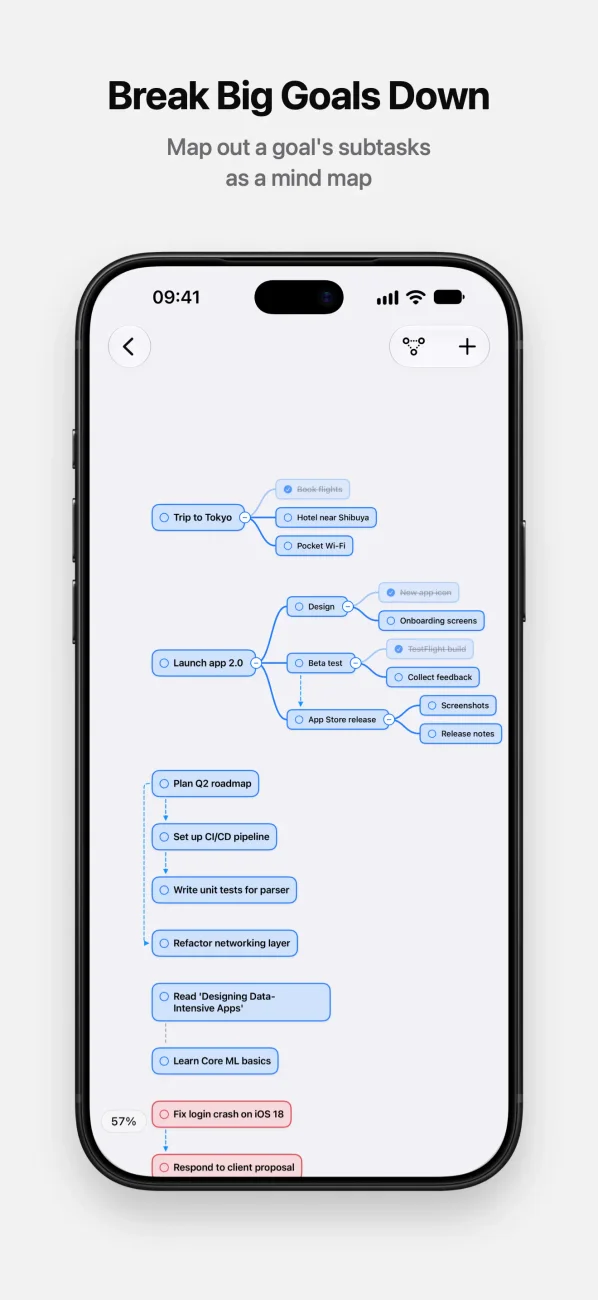
- Workflow — break a task into subtasks as a mind map or outline, and link tasks as before / after / related
- Pairwise Prioritization — compare two tasks at a time, then apply the ranking to your matrix
- Voice Capture — speak freely and on-device transcription turns it into a task
- Unlimited workspaces and custom workspace colors
- Quadrant customization — rename and recolor quadrants, and choose from nine color themes (two are free)
Used iomatrix before version 1.14? Every Pro feature stays free for you.
EVERYWHERE YOU WORK
- iPhone & iPad: drag-and-drop matrix with gesture shortcuts
- Mac: menu bar widget, a separate Workflow window, and keyboard shortcuts
- Apple Watch: matrix, backlog, quick add, and edit on your wrist
- CLI: add, list, complete, move, edit, and delete from the terminal
SYNC & PRIVACY
- iCloud sync across your devices through your personal iCloud account
- No data collected by the developer, no third-party servers, no ads
- Works offline; purchases are handled by Apple
Available in English, Korean, Japanese, Simplified Chinese, and Spanish. A short walkthrough on first launch shows you around.
Build better focus habits — one quadrant at a time.
Terms of Use:
https://www.apple.com/legal/internet-services/itunes/dev/stdeula/
Privacy Policy:
https://ioxyz.io/products/iomatrix/privacy
Nouveautés
Version 1.17.1 · 25/11/2026
- The calendar's List view now remembers whether you left it on Week or Month.
Confidentialité de l’application
Ce que Joonhee Cho déclare sur l’App Store au sujet du traitement des données par cette application.
-
Données non collectées
Le développeur ne collecte aucune donnée à partir de cette application.
Les pratiques en matière de confidentialité peuvent varier, notamment en fonction des fonctionnalités que vous utilisez ou de votre âge.
Informations
- Vendeur
- Joonhee Cho
- Catégorie
- Productivité
- Version
- 1.17.1
- Mis à jour
- 25/11/2026
- Publié
- 16/03/2026
- Taille
- 30,7 Mo
- Nécessite
- iOS 26.0 ou version ultérieure
- Classification d’âge
- 4+
- Prix
- Gratuit
- Achats intégrés
- Oui
- Langues
- Anglais, Japonais, Coréen, Chinois simplifié, Espagnol
- Copyright
- © 2026 Joonhee Cho
Vous aimerez peut-être aussi
-
 TRIX: Eisenhower Task PlannerProductivité
-
 GSD Task ManagerProductivité
-
 두두 - 아이젠하워 매트릭스Productivité
-
 버딩 - 습관 형성 캘린더Productivité
-
 Urgent or Important - MatrixProductivité
-
 Productivity MatrixProductivité
-
 Taskrix: Eisenhower MatrixProductivité
-
 NEMO – Eisenhower Matrix MemoProductivité
-
 Todo Matrix - Task ReminderProductivité
-
 Be Like IkeProductivité