
- Altersfreigabe4+
- KategorieDienstprogramme
- EntwicklerNoah M
- SprachenEnglisch
- Größe51,4 MB
Verlinkt auf die offizielle App Store-Seite
Download.org hostet keine Datei von keyboardSTT. Die Schaltfläche öffnet die App-Seite bei App Store, wo Noah M die App veröffentlicht. Eintrag zuletzt geprüft am 20.11.2026.
Screenshots
Info
Der Entwickler hat diesen Text nicht in Ihrer Sprache bereitgestellt.
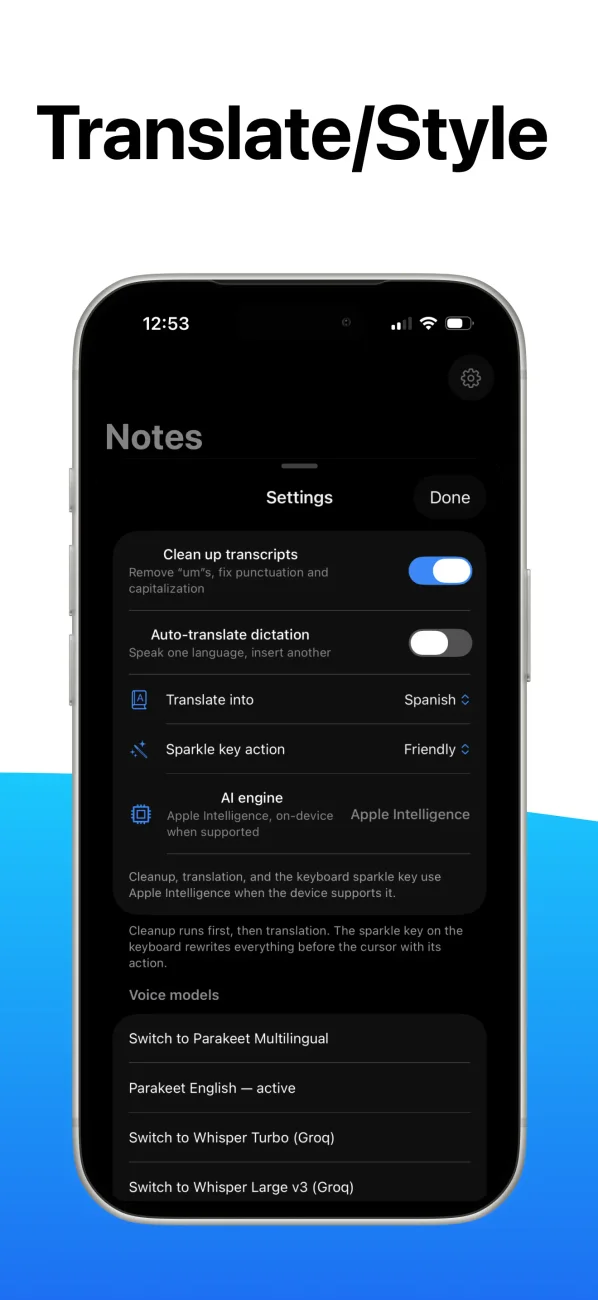
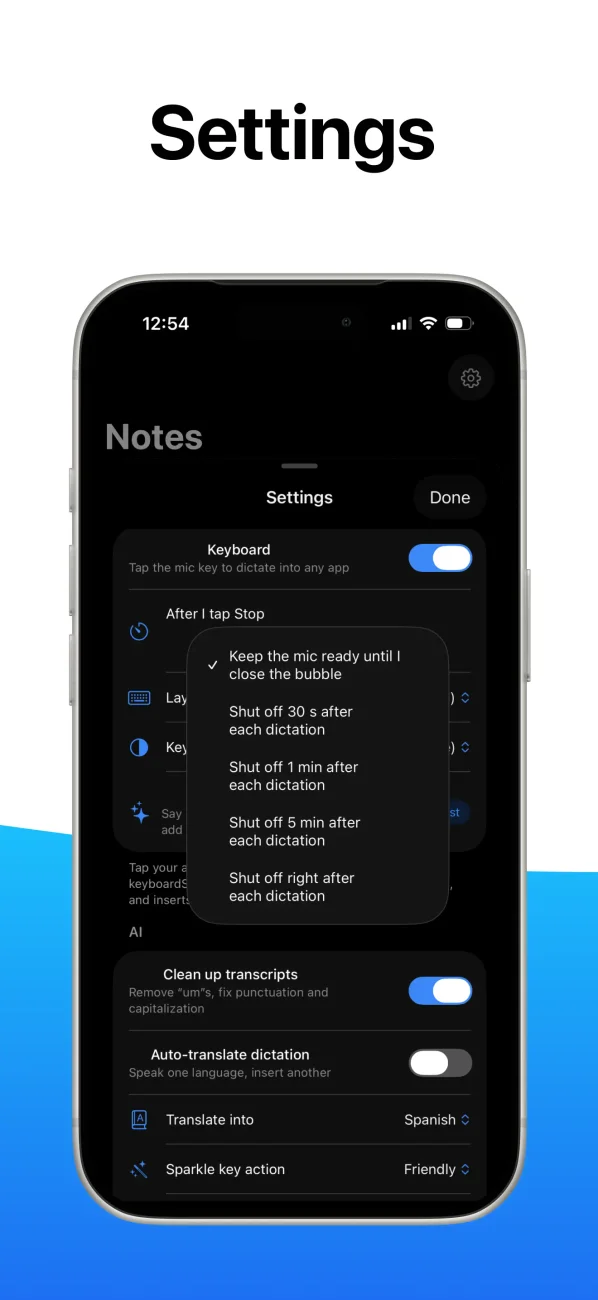
Type with your voice, anywhere on iPhone.
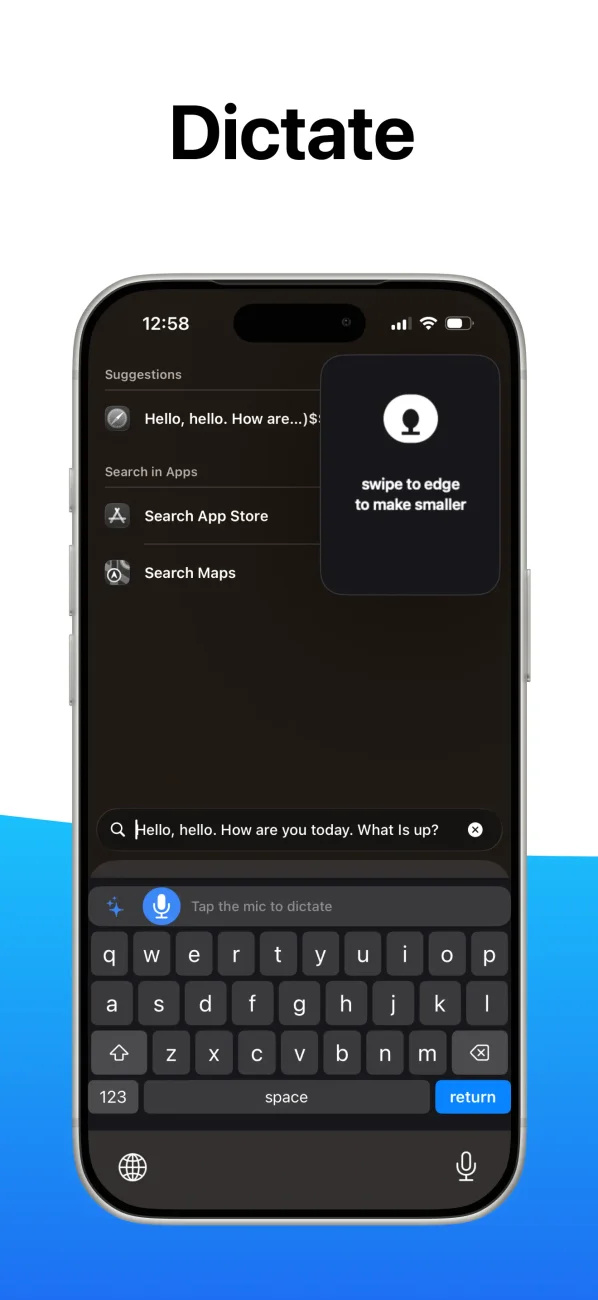
keyboardSTT is a private, on-device dictation keyboard. Tap the mic and speak in any app — Messages, Mail, Notes,
Safari, Slack — and get fast, accurate text inserted right at the cursor. No cloud uploads, no account, no
subscription. It just works, even in airplane mode.
BUILT FOR SPEED & PRIVACY
• 100% on-device speech-to-text powered by Parakeet running on the Apple Neural Engine
• Works offline — perfect for flights, bad Wi-Fi, or private thoughts
• No account, no tracking, your audio never leaves your iPhone
• 25+ languages with automatic detection (Multilingual model) or ultra-accurate English-only mode
DICTATE YOUR WAY
• Dictation Keyboard: full QWERTY keyboard with mic key — type and dictate in any app
• Siri + Action Button: say “Hey Siri, dictate with keyboardSTT” or press your Action Button to start instantly
• Floating Overlay: keep talking while you switch apps — text is copied to your clipboard automatically
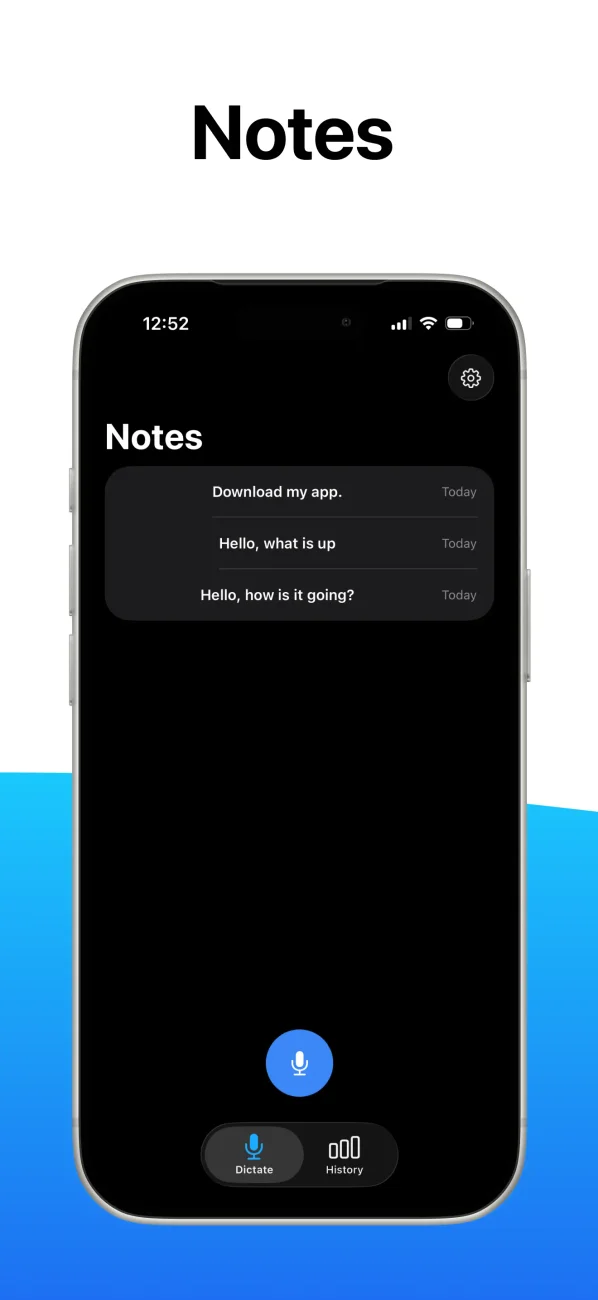
• Notes Inbox: every dictation is saved as a searchable note with titles, previews, and one-tap copy
MADE FOR IPHONE
• Native iOS design with large titles, swipe-to-delete, system search, and Dark Mode
• Haptic feedback on every tap (with mute toggle)
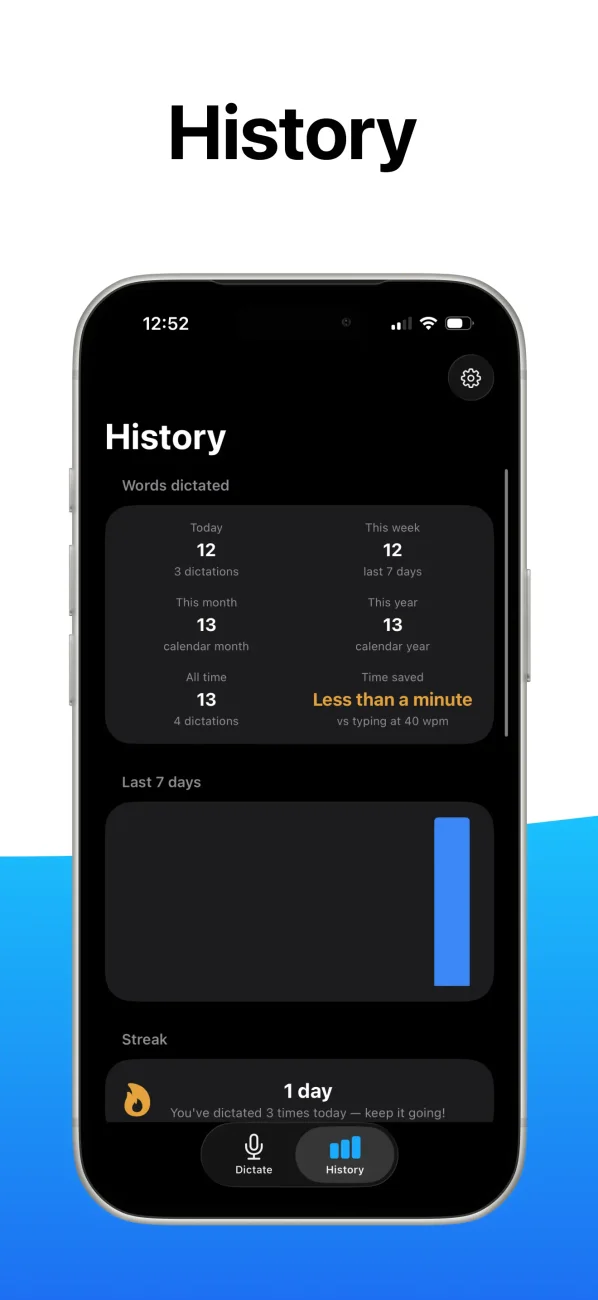
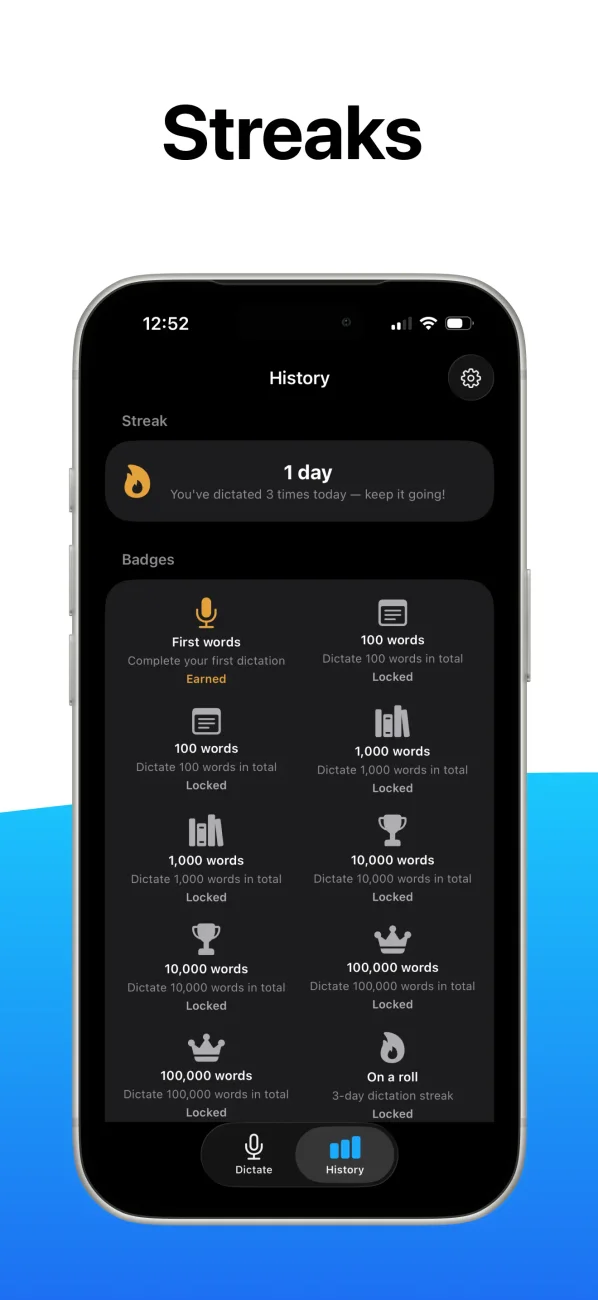
• Words-per-day stats, streaks, time saved, and earnable badges
• System / Light / Dark appearance picker
HOW TO ENABLE THE KEYBOARD
1. Open iPhone Settings > General > Keyboard > Keyboards > Add New Keyboard > keyboardSTT
2. Turn on Allow Full Access
3. In any app, tap the globe key to switch to keyboardSTT, then tap the mic to dictate
Private. Fast. Offline. Download keyboardSTT and stop typing.
Requires iPhone or iPad running iOS 17 or later. First launch downloads the on-device AI model once (~480 MB over
Wi-Fi), then everything runs locally forever.
App-Datenschutz
Was Noah M im App Store zum Umgang dieser App mit Daten angibt.
-
Keine Daten erfasst
Der Entwickler erfasst keine Daten von dieser App.
Die Datenschutzpraktiken können variieren, zum Beispiel je nach den von Ihnen verwendeten Funktionen oder Ihrem Alter.
Informationen
- Anbieter
- Noah M
- Kategorie
- Dienstprogramme
- Version
- 1.0
- Aktualisiert
- 18.09.2026
- Veröffentlicht
- 18.09.2026
- Größe
- 51,4 MB
- Erfordert
- iOS 17.0 oder neuer
- Altersfreigabe
- 4+
- Preis
- Kostenlos
- Sprachen
- Englisch
- Copyright
- © 2026 Nodog
Das könnte Ihnen auch gefallen
-
 Glassly - Smartglasses appDienstprogramme
-
 OnBoardAIDienstprogramme
-
 SafePulse BrowserDienstprogramme
-
 Dateikonverter - LocalConvertBild zu PDF & Formatwechsel
-
 Haptic Focus TimerDienstprogramme
-
 KI-NutzungKI-Nutzung verfolgen
-
 ETH Gas Tracker & AlertsDienstprogramme
-
 TransloaderDownloads auf Macs verwalten
-
 Text editor-PWEditorDienstprogramme
-
 dtac OneCallDienstprogramme