LIFE/CTRL: Reminders & Tasks
Build your day from parts
Entwickelt für iPhone
Kostenlos
- Altersfreigabe4+
- KategorieProduktivität
- EntwicklerYUKIYA SHIMODA
- SprachenJapanisch+ 4 weitere
- Größe8,8 MB
Verlinkt auf die offizielle App Store-Seite
Download.org hostet keine Datei von LIFE/CTRL: Reminders & Tasks. Die Schaltfläche öffnet die App-Seite bei App Store, wo YUKIYA SHIMODA die App veröffentlicht. Eintrag zuletzt geprüft am 12.11.2026.
Screenshots

Info
Der Entwickler hat diesen Text nicht in Ihrer Sprache bereitgestellt.
Most days follow a familiar flow.
In LIFE/CTRL you build that flow first as a pattern, a LIFE, then add each day's plans on top of it.
Make as many LIFEs as you like: weekdays, days off, days out and more.
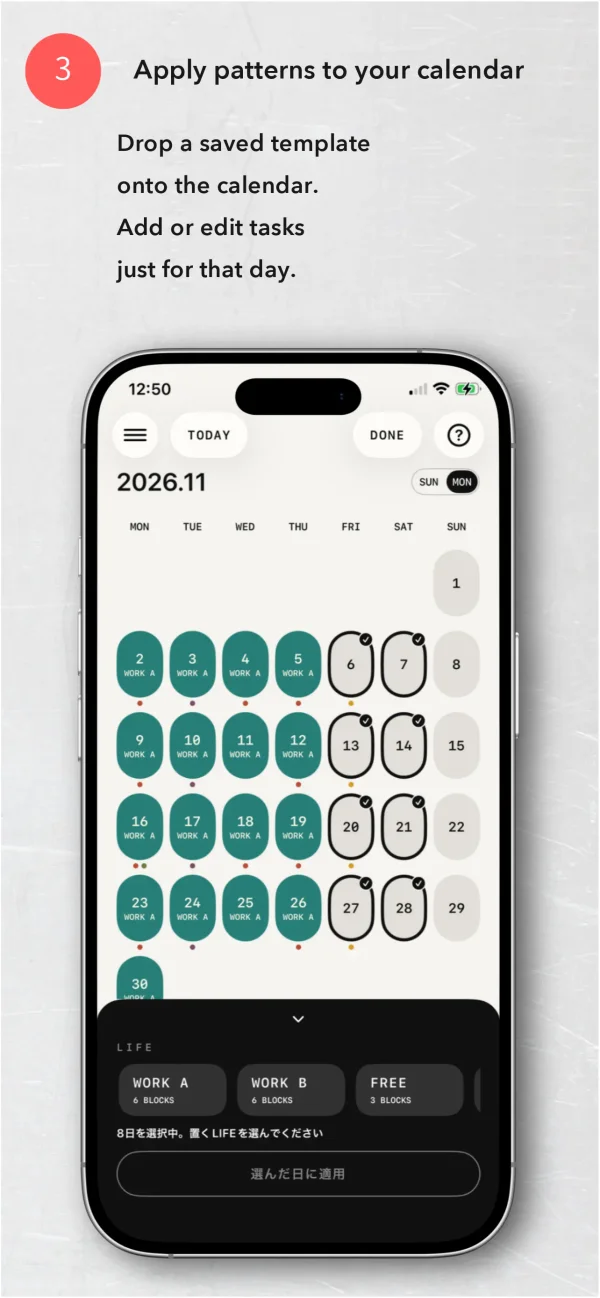
Put a LIFE on a calendar date and it becomes that day's plan.
Add plans or changes for just that day, and the pattern stays as it is.
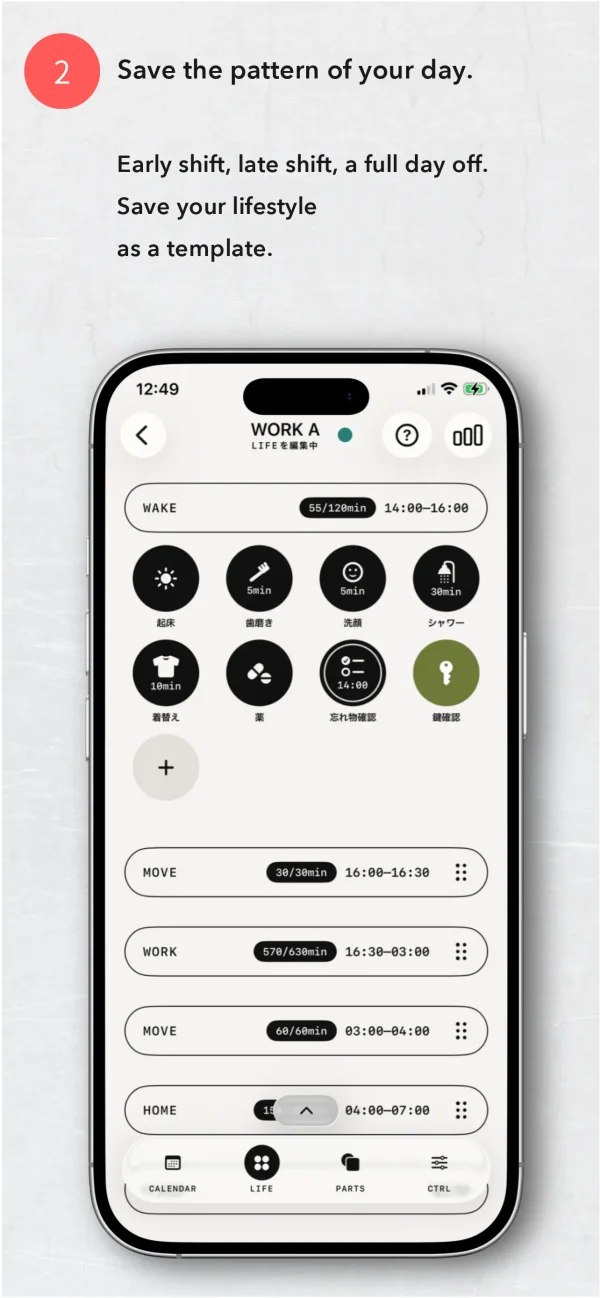
Inside a LIFE, the day is divided into blocks by time and task, and you add parts, your actions, to each block.
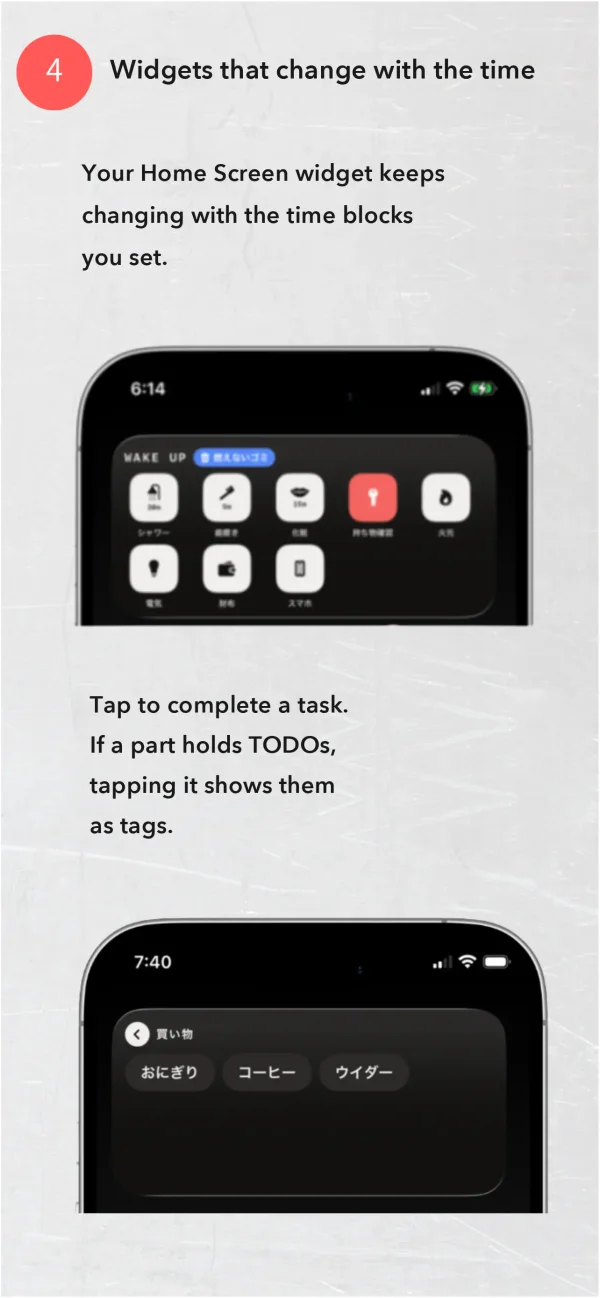
Your Home Screen widget keeps showing the tasks you need right now.
《How it works》
■ Create with CTRL
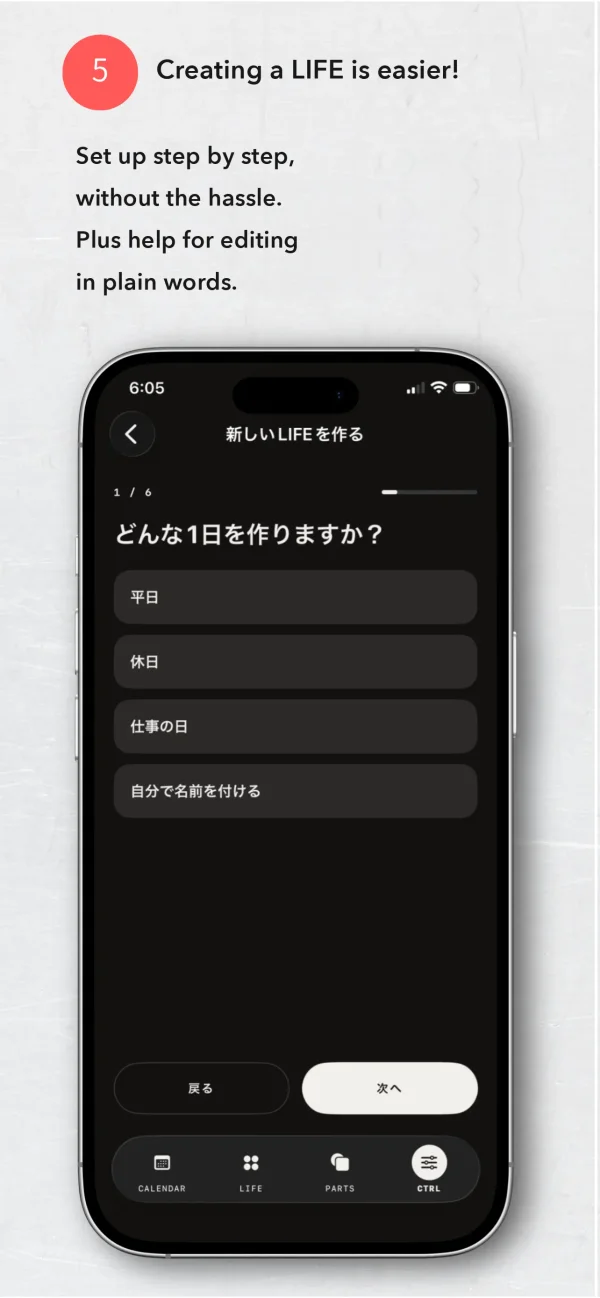
Answer a few questions and CTRL builds a day from wake-up to sleep. You can also type a request to adjust an existing LIFE, create a part, or add TODO items and alarms.
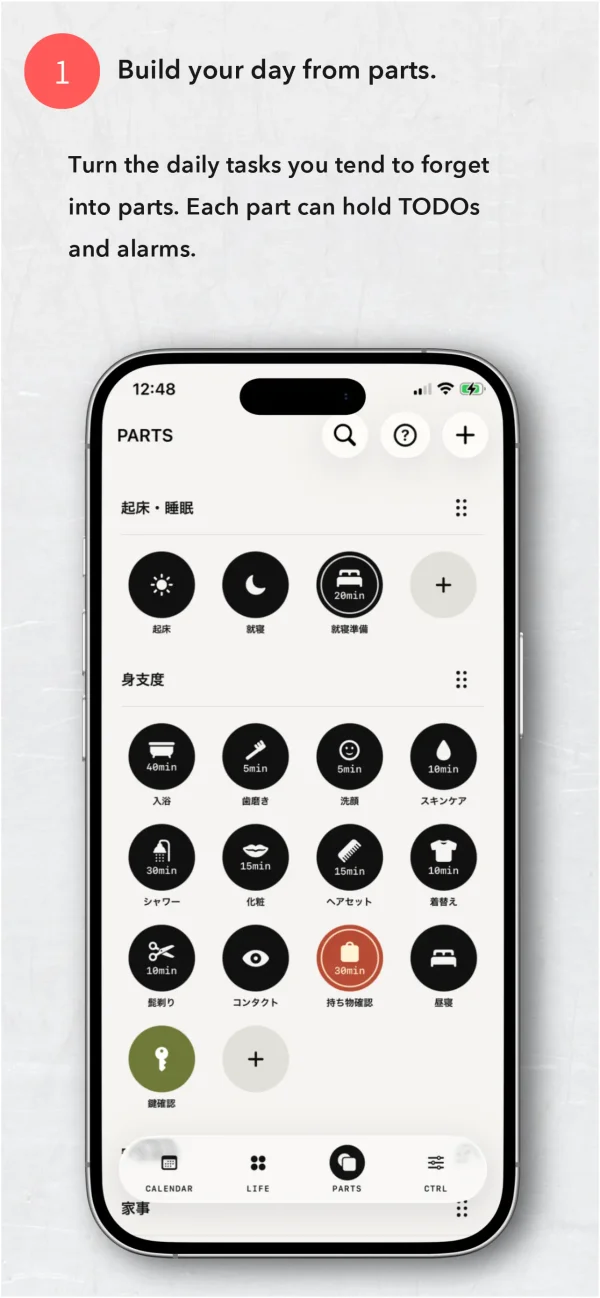
■ Build reusable parts
Turn brushing your teeth, meals, work, shopping and other activities into timed parts. Choose an icon and colour, then reuse each part across multiple LIFE templates.
■ Arrange your day
Place parts inside blocks such as WAKE, WORK, HOME and SLEEP. Since wake-up starts the day and sleep ends it, schedules that cross midnight, including night shifts, work naturally.
■ Assign LIFE templates to dates
Assign a LIFE to a calendar date to create that day. Keep settings that apply every time separate from changes for one specific date.
■ Run the day from widgets
Home Screen and Lock Screen widgets show the current block and its parts. Mark actions complete without opening the app.
■ TODO items and alarms
Store belongings or steps inside a part as TODO items. Alarms support sound, snooze and vibration-only options.
Available in Japanese, English, Simplified Chinese, Korean and Spanish.
Free, with no ads or in-app purchases. Your routine data is stored on your device. Only if you allow CTRL's input interpretation is the text you type sent through our server to Google Gemini.
Alarm features require iOS 26 or later.
Neue Funktionen
Version 1.6.2 · 08.10.2026
• You can now see what you ticked on past dates. Ticks are kept for each day, so ticking a part today no longer clears the day before.
* Ticks are kept by date from this update on. Because of an earlier bug, past ticks that were overwritten before this update cannot be restored. We apologize for the inconvenience.
• Parts and blocks can now tell you with a notification instead of an alarm. Choose it in their time settings. Notifications also reach your Apple Watch and work on iPhones before iOS 26.
• When editing a LIFE, parts set for other days of the week are now shown too, faded and labeled with their days.
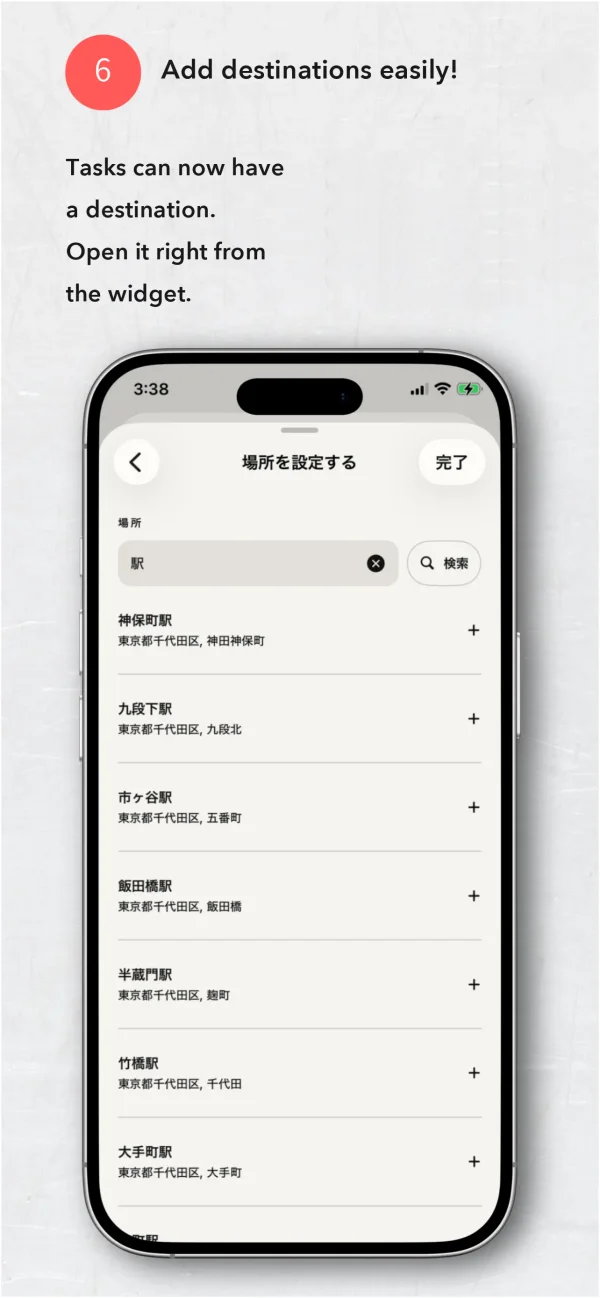
• Parts can now hold a contact (name, phone and email). Choose one from Contacts or share a card from a business card app, then call or email right from the board. You can also attach a contact when creating plans in CTRL.
App-Datenschutz
Was YUKIYA SHIMODA im App Store zum Umgang dieser App mit Daten angibt.
-
Nicht mit Ihnen verknüpfte Daten
Können erfasst werden, sind aber nicht mit Ihrer Identität verknüpft.
- Benutzerinhalte
Die Datenschutzpraktiken können variieren, zum Beispiel je nach den von Ihnen verwendeten Funktionen oder Ihrem Alter.
Informationen
- Anbieter
- YUKIYA SHIMODA
- Kategorie
- Produktivität
- Version
- 1.6.2
- Aktualisiert
- 08.10.2026
- Veröffentlicht
- 23.09.2026
- Größe
- 8,8 MB
- Erfordert
- iOS 17.0 oder neuer
- Altersfreigabe
- 4+
- Preis
- Kostenlos
- Sprachen
- Japanisch, Spanisch, Vereinf. Chinesisch, Englisch, Koreanisch
- Copyright
- © 2026 GRAFF.
Das könnte Ihnen auch gefallen
-
 nonDo: Task & Habit ManagerProduktivität
-
 easyDone Sperrbildschirm-To-doAlles im Blick: Dynamic Island
-
 Logline: Tagebuch & NotizenNotiert, wie es passiert
-
 SabologAufgaben für faule Tage
-
 MAMONAKU!Produktivität
-
 easyDays: Kalender & WetterWidgets & Sperrbildschirm
-
 Wasurena: ErinnerungenAufgaben per Text planen
-
 Nesk: タスク管理アプリProduktivität
-
 Fin - 終わる時刻がわかるタスク管理Produktivität
-
 Queue: Copy & PasteProduktivität