LIFE/CTRL: Reminders & Tasks
Build your day from parts
Được thiết kế cho iPhone
Miễn phí
- Độ tuổi4+
- Danh mụcHiệu Suất
- Nhà phát triểnYUKIYA SHIMODA
- Ngôn ngữTiếng Nhật+ 4 ngôn ngữ khác
- Kích thước8,8 MB
Liên kết đến trang App Store chính thức
Download.org không lưu trữ tệp nào của LIFE/CTRL: Reminders & Tasks. Nút này mở trang ứng dụng trên App Store, nơi YUKIYA SHIMODA phát hành ứng dụng. Trang được kiểm tra lần cuối: 12/11/2026.
Ảnh chụp màn hình

Giới thiệu
Nhà phát triển chưa cung cấp nội dung này bằng ngôn ngữ của bạn.
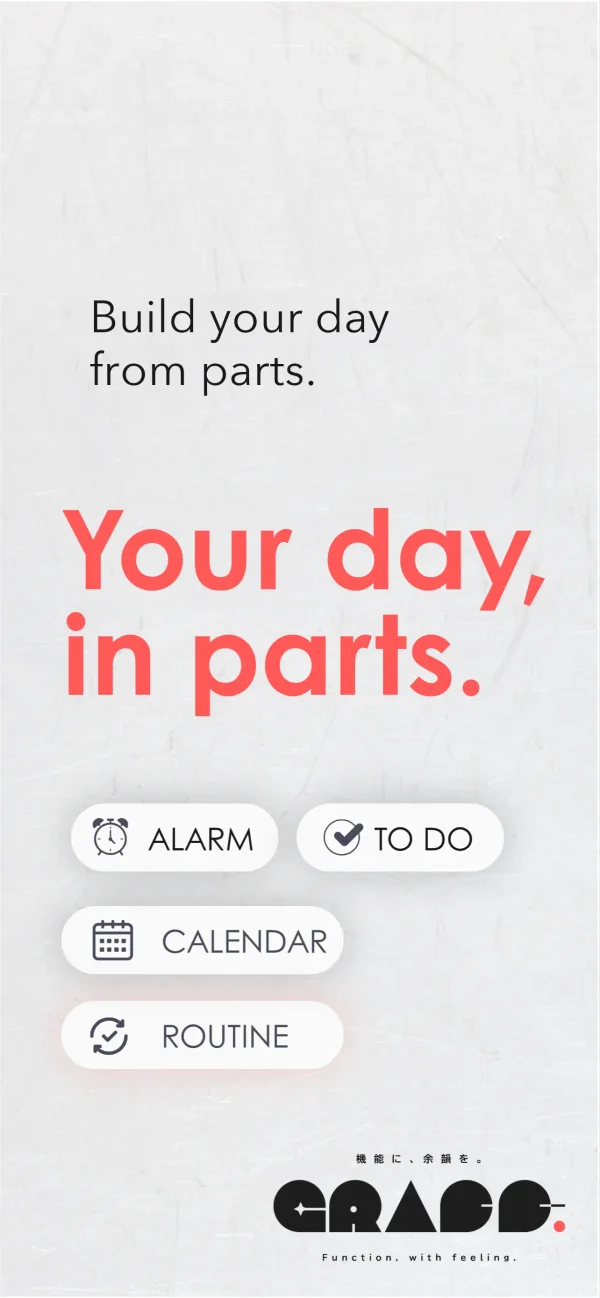
Most days follow a familiar flow.
In LIFE/CTRL you build that flow first as a pattern, a LIFE, then add each day's plans on top of it.
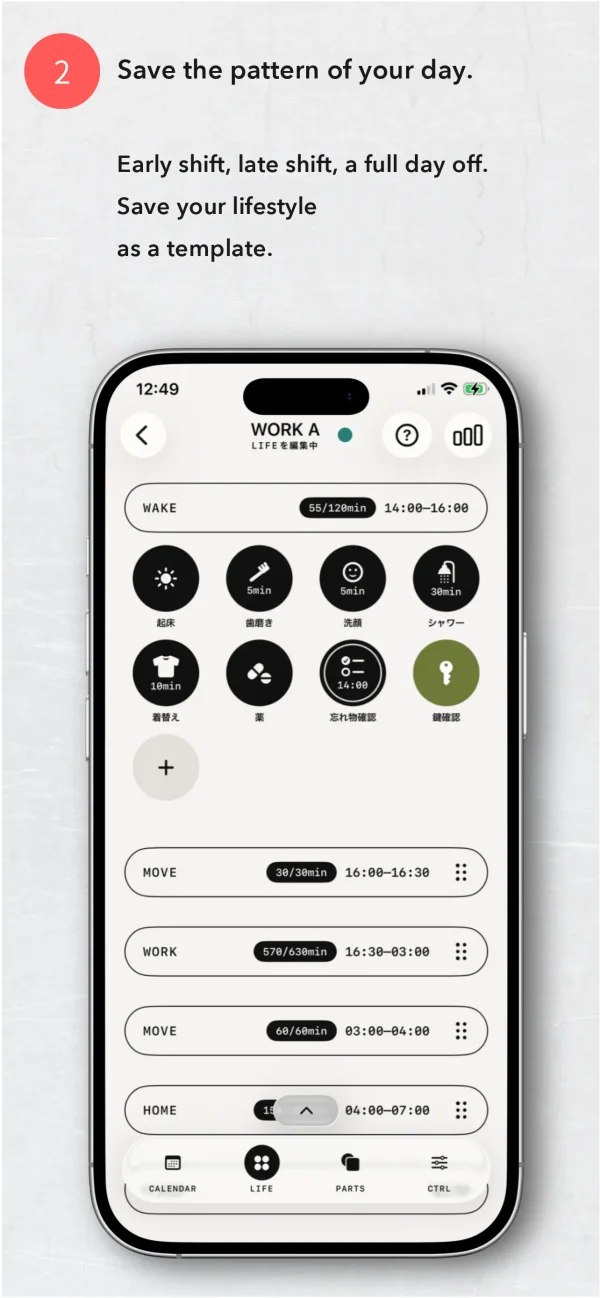
Make as many LIFEs as you like: weekdays, days off, days out and more.
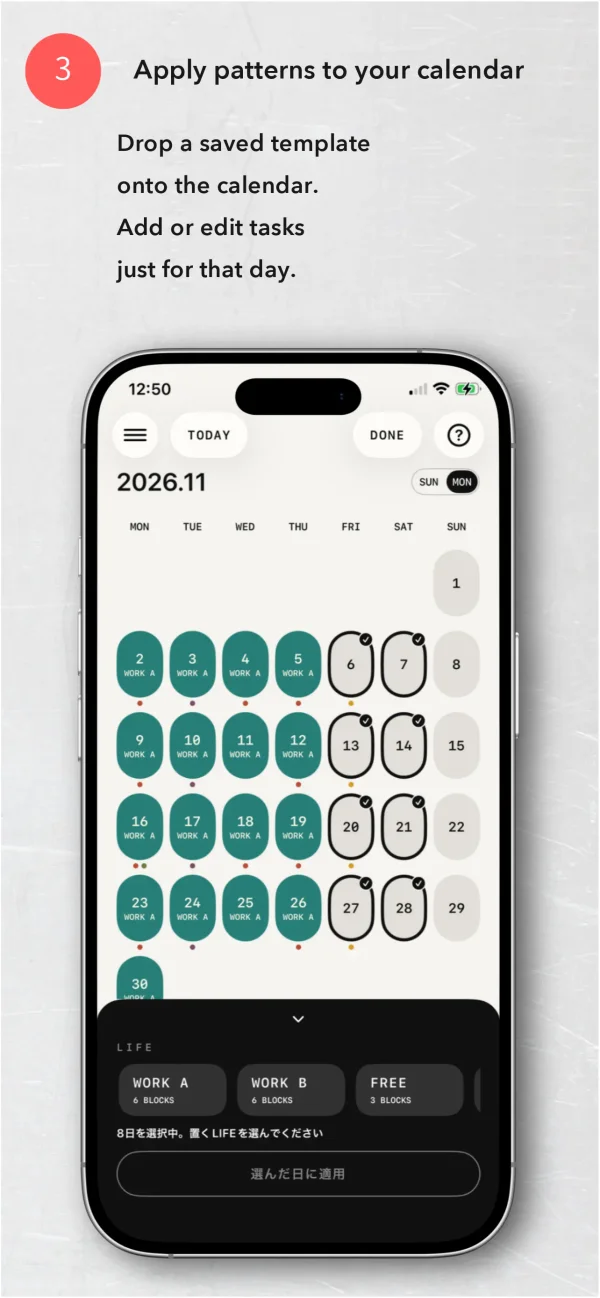
Put a LIFE on a calendar date and it becomes that day's plan.
Add plans or changes for just that day, and the pattern stays as it is.
Inside a LIFE, the day is divided into blocks by time and task, and you add parts, your actions, to each block.
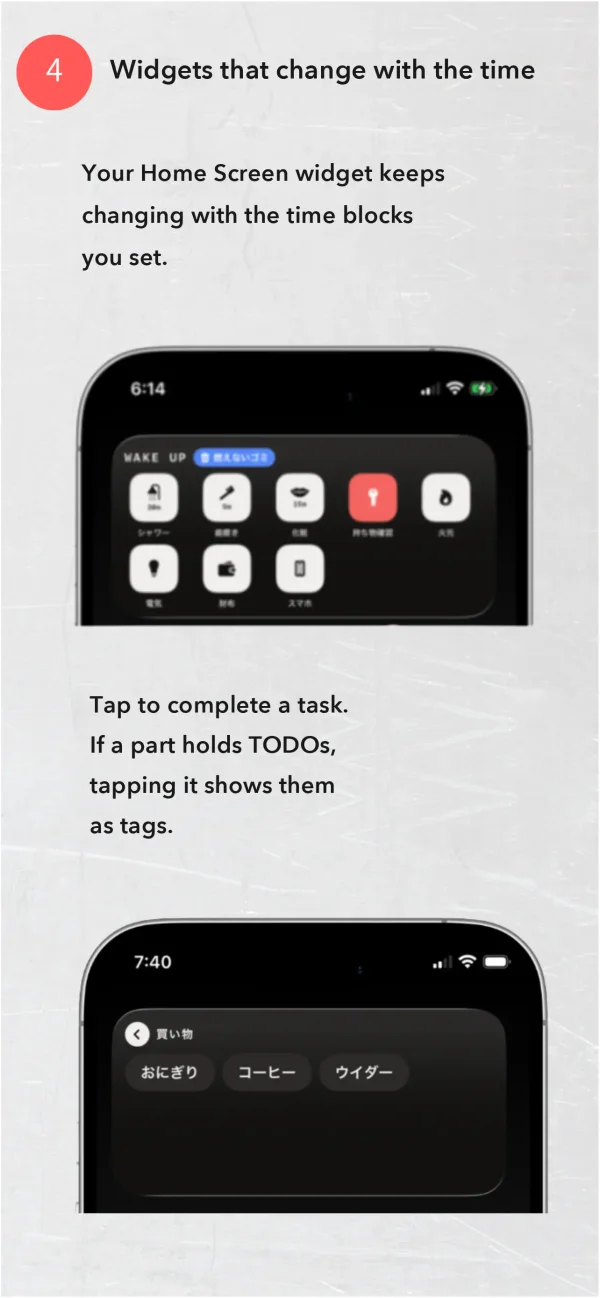
Your Home Screen widget keeps showing the tasks you need right now.
《How it works》
■ Create with CTRL
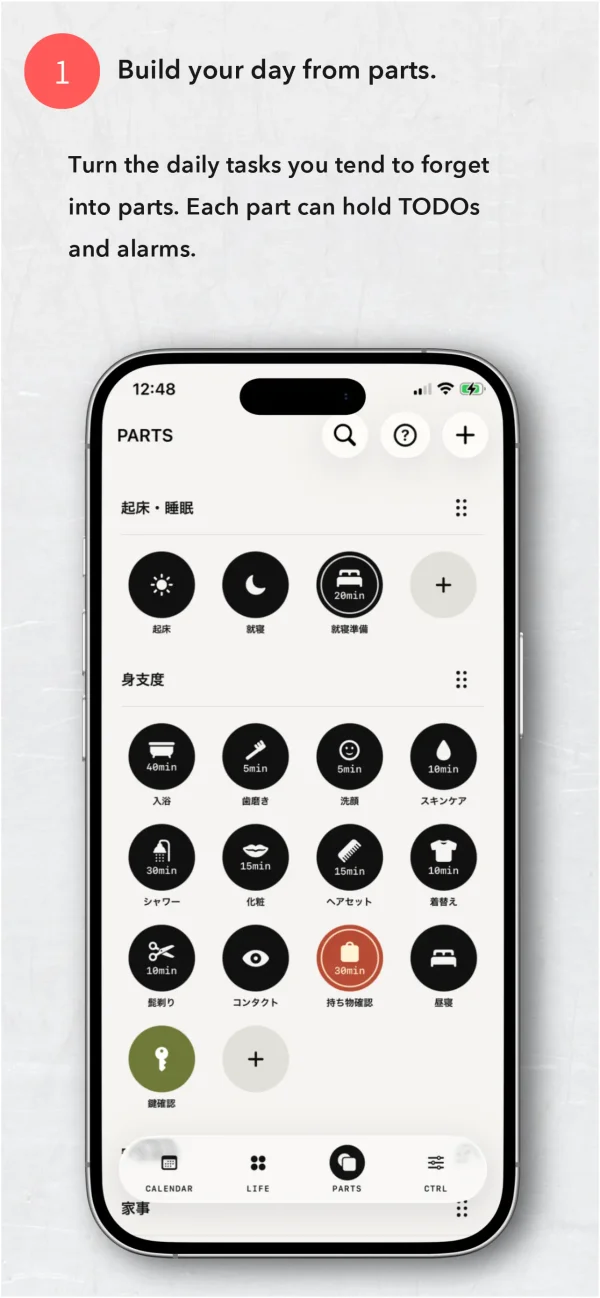
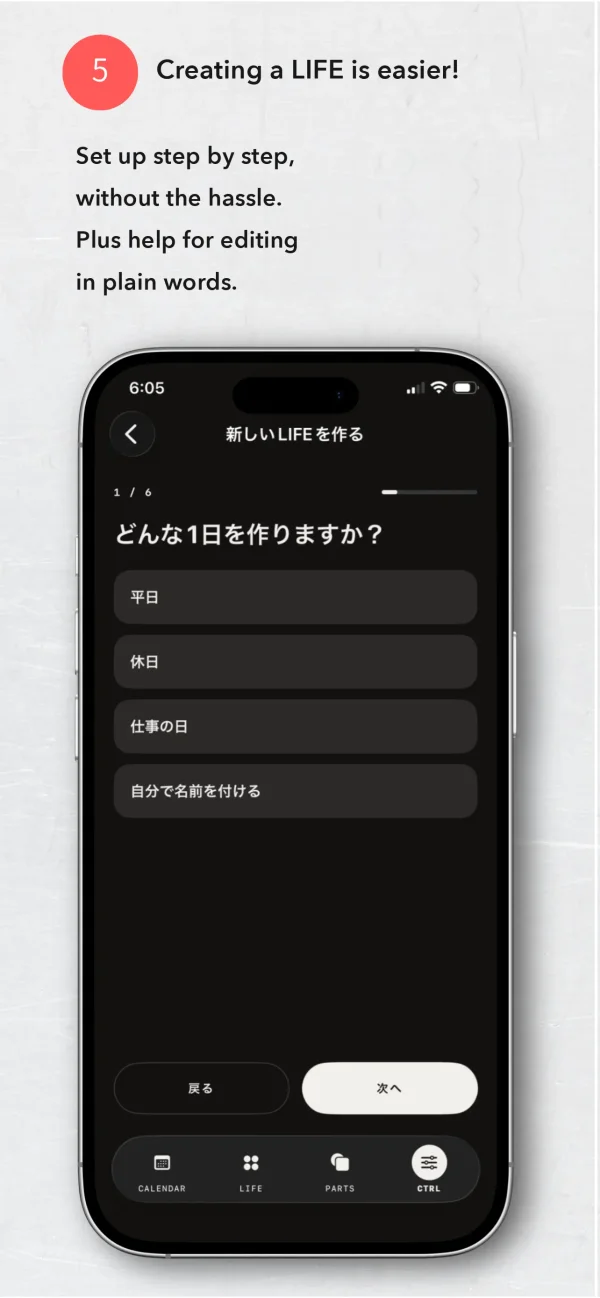
Answer a few questions and CTRL builds a day from wake-up to sleep. You can also type a request to adjust an existing LIFE, create a part, or add TODO items and alarms.
■ Build reusable parts
Turn brushing your teeth, meals, work, shopping and other activities into timed parts. Choose an icon and colour, then reuse each part across multiple LIFE templates.
■ Arrange your day
Place parts inside blocks such as WAKE, WORK, HOME and SLEEP. Since wake-up starts the day and sleep ends it, schedules that cross midnight, including night shifts, work naturally.
■ Assign LIFE templates to dates
Assign a LIFE to a calendar date to create that day. Keep settings that apply every time separate from changes for one specific date.
■ Run the day from widgets
Home Screen and Lock Screen widgets show the current block and its parts. Mark actions complete without opening the app.
■ TODO items and alarms
Store belongings or steps inside a part as TODO items. Alarms support sound, snooze and vibration-only options.
Available in Japanese, English, Simplified Chinese, Korean and Spanish.
Free, with no ads or in-app purchases. Your routine data is stored on your device. Only if you allow CTRL's input interpretation is the text you type sent through our server to Google Gemini.
Alarm features require iOS 26 or later.
Có gì mới
Phiên bản 1.6.2 · 08/10/2026
• You can now see what you ticked on past dates. Ticks are kept for each day, so ticking a part today no longer clears the day before.
* Ticks are kept by date from this update on. Because of an earlier bug, past ticks that were overwritten before this update cannot be restored. We apologize for the inconvenience.
• Parts and blocks can now tell you with a notification instead of an alarm. Choose it in their time settings. Notifications also reach your Apple Watch and work on iPhones before iOS 26.
• When editing a LIFE, parts set for other days of the week are now shown too, faded and labeled with their days.
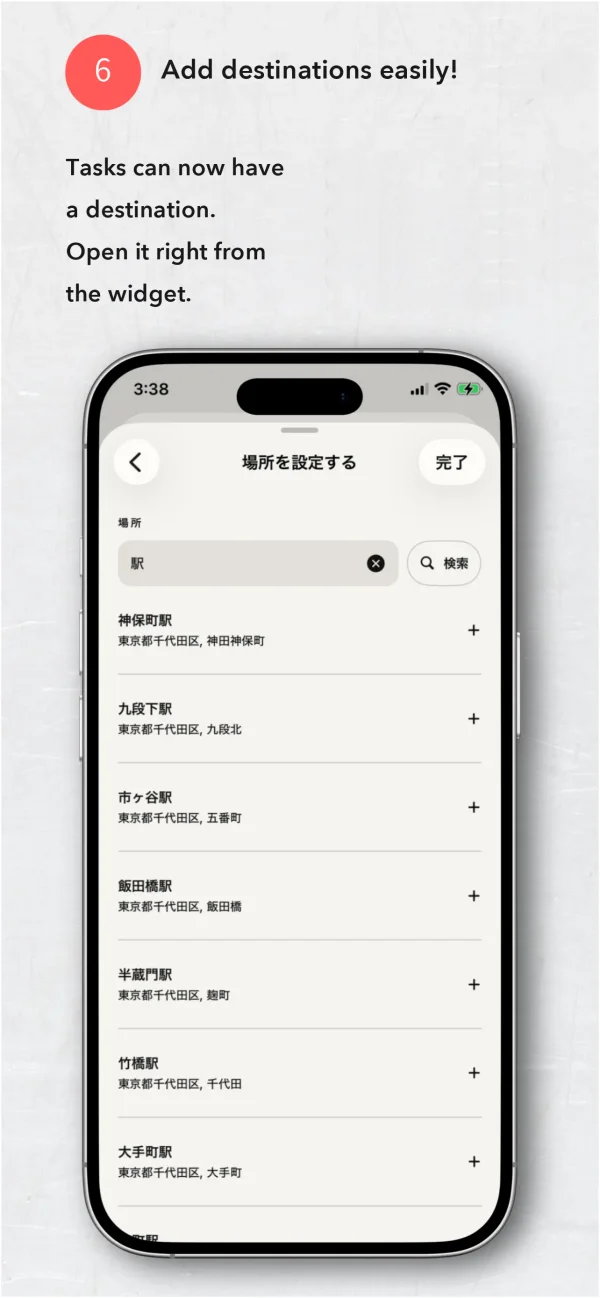
• Parts can now hold a contact (name, phone and email). Choose one from Contacts or share a card from a business card app, then call or email right from the board. You can also attach a contact when creating plans in CTRL.
Quyền riêng tư của ứng dụng
Những gì YUKIYA SHIMODA khai báo trên App Store về cách ứng dụng này xử lý dữ liệu.
-
Dữ liệu không liên kết với bạn
Có thể được thu thập nhưng không liên kết với danh tính của bạn.
- Nội dung của người dùng
Phương thức đảm bảo quyền riêng tư có thể khác nhau, chẳng hạn như tuỳ theo các tính năng bạn sử dụng hoặc độ tuổi của bạn.
Thông tin
- Người bán
- YUKIYA SHIMODA
- Danh mục
- Hiệu Suất
- Phiên bản
- 1.6.2
- Cập nhật
- 08/10/2026
- Phát hành
- 23/09/2026
- Kích thước
- 8,8 MB
- Yêu cầu
- iOS 17.0 trở lên
- Độ tuổi
- 4+
- Giá
- Miễn phí
- Ngôn ngữ
- Tiếng Nhật, Tiếng Tây Ban Nha, Tiếng Trung Giản thể, Tiếng Anh, Tiếng Hàn
- Bản quyền
- © 2026 GRAFF.
Có thể bạn cũng thích
-
 nonDo: Task & Habit ManagerHiệu Suất
-
 easyDone Todo·Màn hình khóaNhìn là nhớ · Dynamic Island
-
 Logline: Timeline Notes & LogHiệu Suất
-
 SabologDanh sách việc cho ngày lười
-
 MAMONAKU!Hiệu Suất
-
 easyDays: Lịch & thời tiếtTiện ích đẹp & màn hình khóa
-
 Wasurena: Nhắc nhở & ViệcGõ nhanh, hẹn lịch, không quên
-
 Nesk: タスク管理アプリHiệu Suất
-
 Fin - 終わる時刻がわかるタスク管理Hiệu Suất
-
 Queue: Copy & PasteHiệu Suất