- Altersfreigabe4+
- KategorieProduktivität
- EntwicklerSatoshi Takezawa
- SprachenJapanisch+ 1 weitere
- Größe7,5 MB
Verlinkt auf die offizielle App Store-Seite
Download.org hostet keine Datei von Lucid Note. Die Schaltfläche öffnet die App-Seite bei App Store, wo Satoshi Takezawa die App veröffentlicht. Eintrag zuletzt geprüft am 17.11.2026.
Screenshots

Info
Der Entwickler hat diesen Text nicht in Ihrer Sprache bereitgestellt.
Lucid Note is a simple note-taking app that lets you annotate any PDF with Apple Pencil.
■ Write on Password-Protected PDFs
Open and annotate PDFs protected with edit restrictions — company documents, study materials, and more — without any extra steps. Files that other apps can't open work seamlessly in Lucid Note.
■ Intuitive Writing
• Handwriting on PDFs — Write notes and draw diagrams directly on any PDF using Apple Pencil. Adjust pen width and color freely with the tool palette.
• Smooth zoom — Pinch to zoom in and out, two-finger scroll to pan. Write comfortably even in the finest details.
• Easy page navigation — Tap the left or right edge of the screen to flip pages.
• Stamps — Press date frames, daily schedule frames, and task checkbox frames as stamps onto your pages. Drag with a finger to reposition them anywhere.
■ Note and Page Management
• Create new notes — Choose a background style (blank, lined, grid, dot grid, legal pad) and paper size (A4 / A5 / US Letter) to start a fresh notebook.
• Add, delete, and reorder pages — Freely add pages to a note, or rearrange them by dragging in the thumbnail grid.
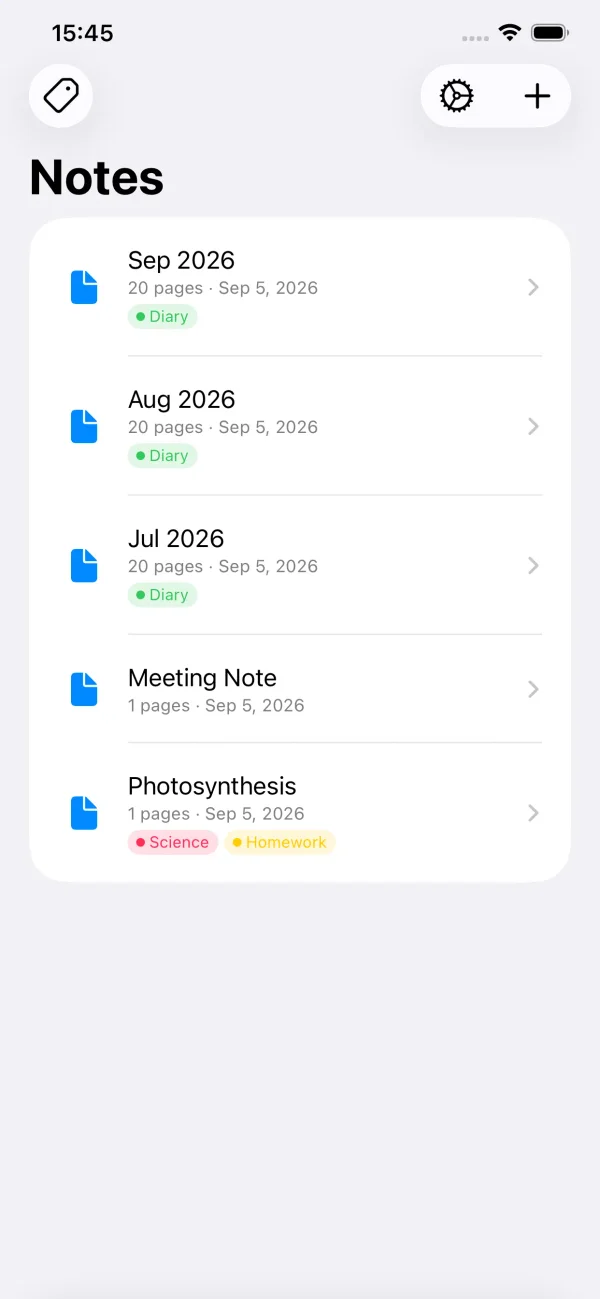
• Tag-based file management — Create custom tags to organize your files. Filter by tag instantly from the sidebar.
• Simple file management — Rename or delete files right from the list.
■ Sharing and Productivity
• Export annotated PDFs — Export a PDF with your handwriting, backgrounds, and stamps all merged in, ready to share.
• Handwriting recognition and search (experimental) — Using Apple's handwriting recognition technology, your notes are converted to text so you can search by keyword. Accuracy may vary by handwriting style and language.
• iCloud backup — Your imported PDFs and annotations are backed up automatically.
Open a PDF and start writing — it's that simple.
Neue Funktionen
Version 1.1 · 27.10.2026
- Compatible with iPhone Duo
- Fixed an issue where users would unintentionally return to the list view while viewing notes or PDFs
App-Datenschutz
Was Satoshi Takezawa im App Store zum Umgang dieser App mit Daten angibt.
-
Keine Daten erfasst
Der Entwickler erfasst keine Daten von dieser App.
Die Datenschutzpraktiken können variieren, zum Beispiel je nach den von Ihnen verwendeten Funktionen oder Ihrem Alter.
Informationen
- Anbieter
- Satoshi Takezawa
- Kategorie
- Produktivität
- Version
- 1.1
- Aktualisiert
- 27.10.2026
- Veröffentlicht
- 15.09.2026
- Größe
- 7,5 MB
- Erfordert
- iOS 17.0 oder neuer
- Altersfreigabe
- 4+
- Preis
- Kostenlos
- Sprachen
- Japanisch, Englisch
- Copyright
- © 2026 Satoshi Takezawa
Das könnte Ihnen auch gefallen
-
 P&P PDF ReaderProduktivität
-
 Eve - PDF EditorProduktivität
-
 Reader Ink: PDF EditorPDF Viewer, Scanner & Konvert
-
 YukiNote 手書きノートProduktivität
-
 Noteleaf: Handwritten NotesProduktivität
-
 Nib - Handwritten DiaryProduktivität
-
 PDF Viewer: Reader & MarkupProduktivität
-
 Papyrus - notes, PDFProduktivität
-
 FolikPDFProduktivität
-
 ForNoteProduktivität