- Age rating4+
- CategoryProductivity
- DeveloperSatoshi Takezawa
- LanguagesJapanese+ 1 more
- Size7.5 MB
Links to the official App Store page
Download.org hosts no file of Lucid Note. The button opens its official App Store page, published by Satoshi Takezawa. Listing last checked on Nov 17, 2026.
Screenshots

About
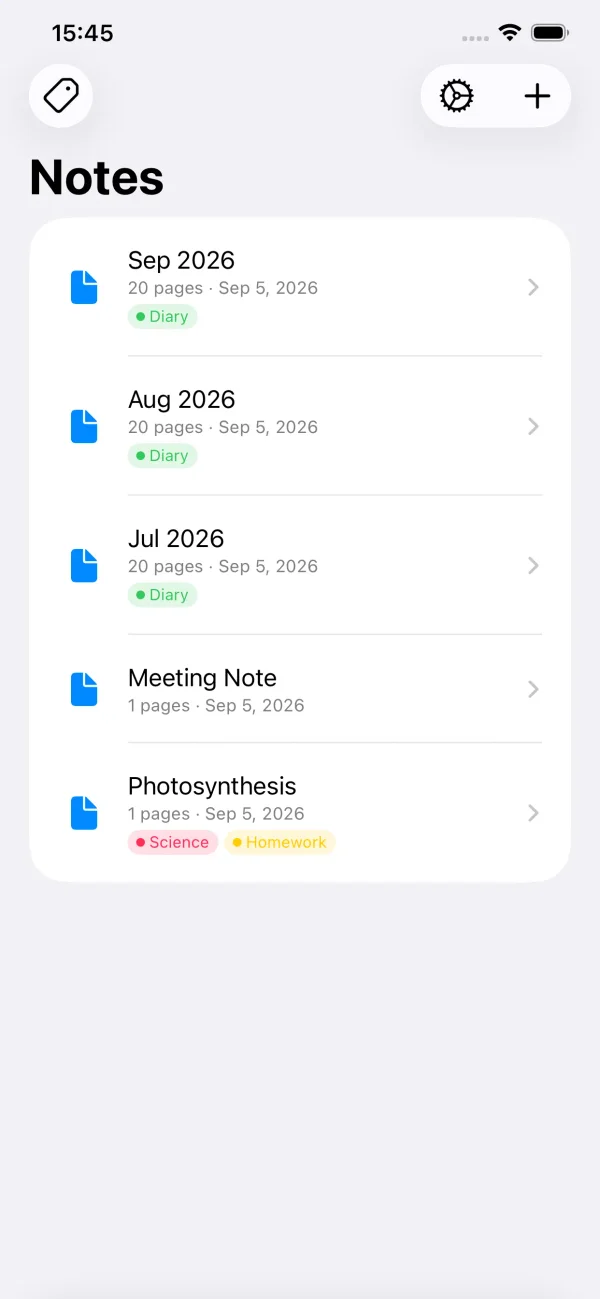
Lucid Note is a simple note-taking app that lets you annotate any PDF with Apple Pencil.
■ Write on Password-Protected PDFs
Open and annotate PDFs protected with edit restrictions — company documents, study materials, and more — without any extra steps. Files that other apps can't open work seamlessly in Lucid Note.
■ Intuitive Writing
• Handwriting on PDFs — Write notes and draw diagrams directly on any PDF using Apple Pencil. Adjust pen width and color freely with the tool palette.
• Smooth zoom — Pinch to zoom in and out, two-finger scroll to pan. Write comfortably even in the finest details.
• Easy page navigation — Tap the left or right edge of the screen to flip pages.
• Stamps — Press date frames, daily schedule frames, and task checkbox frames as stamps onto your pages. Drag with a finger to reposition them anywhere.
■ Note and Page Management
• Create new notes — Choose a background style (blank, lined, grid, dot grid, legal pad) and paper size (A4 / A5 / US Letter) to start a fresh notebook.
• Add, delete, and reorder pages — Freely add pages to a note, or rearrange them by dragging in the thumbnail grid.
• Tag-based file management — Create custom tags to organize your files. Filter by tag instantly from the sidebar.
• Simple file management — Rename or delete files right from the list.
■ Sharing and Productivity
• Export annotated PDFs — Export a PDF with your handwriting, backgrounds, and stamps all merged in, ready to share.
• Handwriting recognition and search (experimental) — Using Apple's handwriting recognition technology, your notes are converted to text so you can search by keyword. Accuracy may vary by handwriting style and language.
• iCloud backup — Your imported PDFs and annotations are backed up automatically.
Open a PDF and start writing — it's that simple.
What’s new
Version 1.1 · Oct 27, 2026
- Compatible with iPhone Duo
- Fixed an issue where users would unintentionally return to the list view while viewing notes or PDFs
App privacy
What Satoshi Takezawa declares on the App Store about how this app handles data.
-
Data not collected
The developer does not collect any data from this app.
Privacy practices may vary, for example with the features you use or your age.
Information
- Seller
- Satoshi Takezawa
- Category
- Productivity
- Version
- 1.1
- Updated
- Oct 27, 2026
- Released
- Sep 15, 2026
- Size
- 7.5 MB
- Requires
- iOS 17.0 or later
- Age rating
- 4+
- Languages
- Japanese, English
- Copyright
- © 2026 Satoshi Takezawa
You might also like
-
 P&P PDF ReaderPDF Reader & Annotator
-
 Eve - PDF EditorRead, mark up, pick up again
-
 Reader Ink: PDF Editor & SignPDF Viewer, Scanner & Convert
-
 YukiNote 手書きノートProductivity
-
 Noteleaf: Handwritten NotesGrid, A3, pages you can swap
-
 Nib - Handwritten DiaryYour daily writing companion
-
 PDF Viewer: Reader & MarkupAnnotate, Sign & Read Aloud
-
 Papyrus - notes, PDFBig notes & PDFs, fluid
-
 FolikPDFPrivate PDF Reader & Editor
-
 ForNoteHandwrite Notes, Annotate PDFs