
Madorimo - Floor Plan Notes
Room sizes, furniture fit & 3D
Entwickelt für iPhone, iPad
Kostenlos · In-App-Käufe
- Altersfreigabe4+
- KategorieProduktivität
- Entwicklertasuku nayuki
- SprachenEnglisch+ 1 weitere
- Größe5,0 MB
Verlinkt auf die offizielle App Store-Seite
Download.org hostet keine Datei von Madorimo - Floor Plan Notes. Die Schaltfläche öffnet die App-Seite bei App Store, wo tasuku nayuki die App veröffentlicht. Eintrag zuletzt geprüft am 24.11.2026.
Screenshots

Info
Der Entwickler hat diesen Text nicht in Ihrer Sprache bereitgestellt.
Madorimo is a quick way to sketch a room floor plan on the spot.
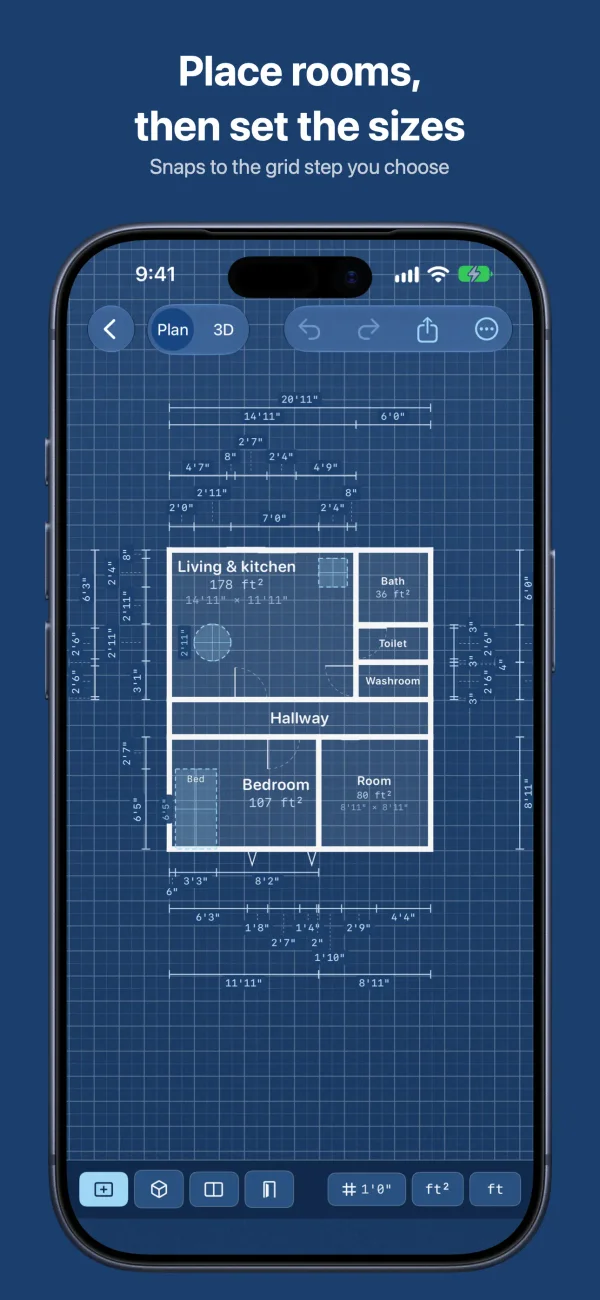
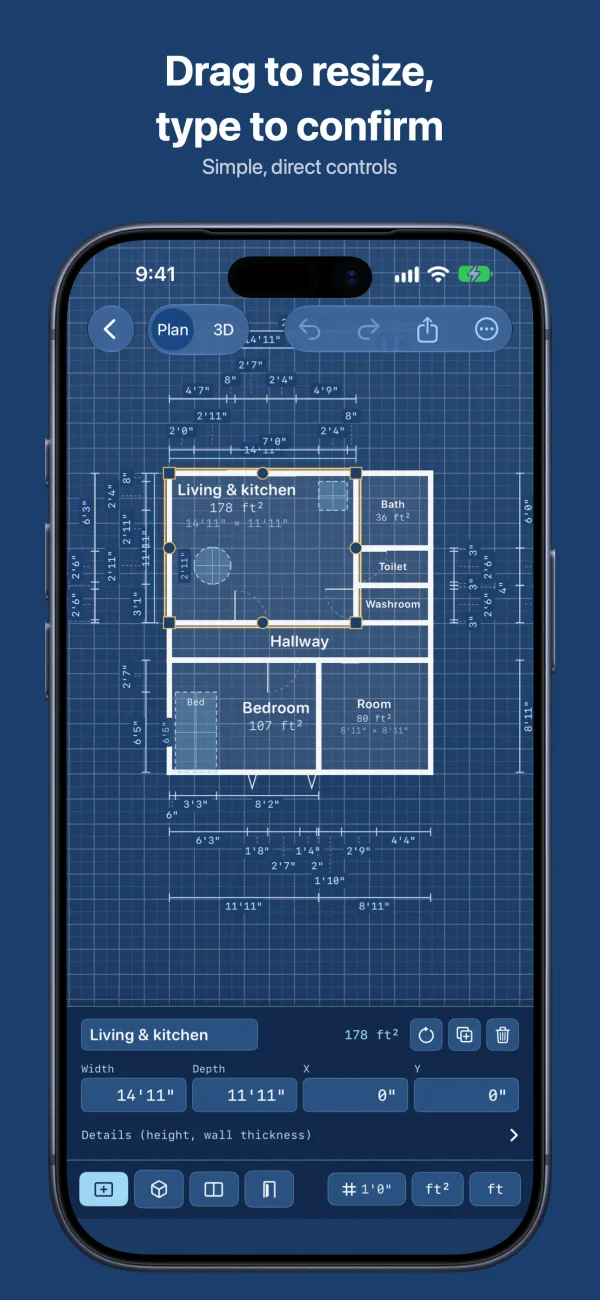
Place rooms, stretch them with your finger, and type exact dimensions. Everything snaps to a grid, so walls stay straight and sizes stay clean. Then switch to 3D to see how it all fits together.
WHAT YOU CAN DO
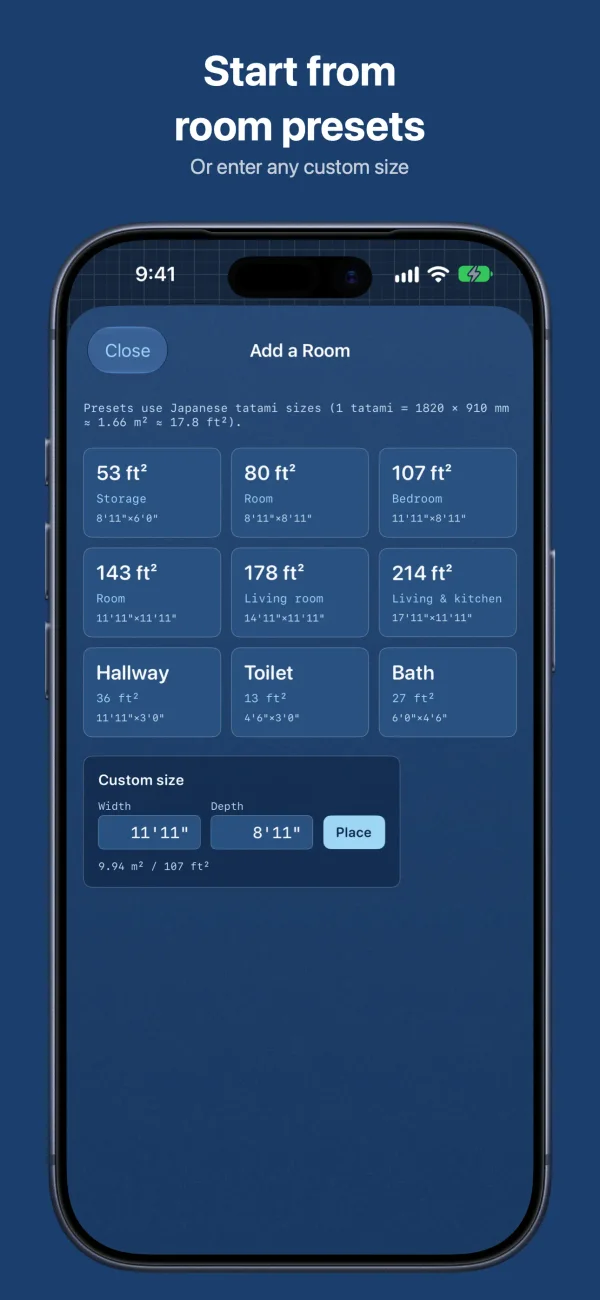
• Place rooms from presets (based on Japanese tatami sizes), plus hallway, toilet and bath — or enter any custom size
• Drag an edge to resize, or type the exact number
• Snap to a grid step you choose, or turn snapping off
• Bring rooms close and their edges snap together
• Add partition walls inside a room (they move with the room)
• Add doors and openings: swing, double, sliding, bypass, bifold and more
• Place boxes and cylinders as furniture to check what fits
• Switch between the plan and a 3D view with walls (perspective, axonometric from 4 directions, or top)
• Undo and redo (40 steps)
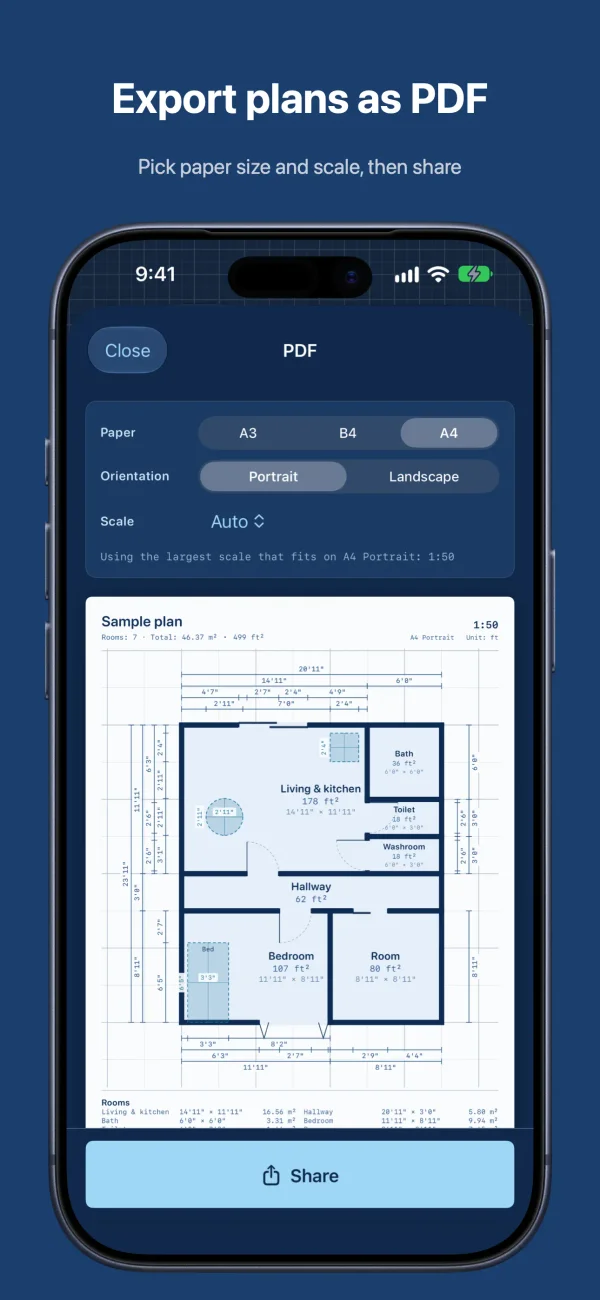
• Export images and PDFs to share
UNITS
Lengths in mm, cm, m or feet and inches (12'6"). Areas in m², ft² or tatami. Tap the buttons at the bottom of the plan to switch.
EXPORT
Choose A3, B4 or A4, portrait or landscape, and a scale from 1:10 to 1:500 — or let Madorimo pick the largest scale that fits. Drawings include dimensions, a title block and a room list. You can also export an image of the 3D view.
NO ACCOUNT NEEDED
Your plans are saved only on your device and, if you are signed in, in your own iCloud. There is no developer server and no usage analytics.
A small ad appears only at the bottom of the plan list, never on the drawing screen. A one-time purchase removes ads.
Note: Dimensions are calculated from the numbers you enter. Drawings made with Madorimo are not suitable as the basis for design or contracts.
Terms of Use: https://nayukitecture.com/works/madorimo-terms-of-use.html
Privacy Policy: https://nayukitecture.com/works/madorimo-privacy-policy.html
Neue Funktionen
Version 1.7.1 · 16.11.2026
- Updated the App Store listing. No changes to the app itself.
App-Datenschutz
Was tasuku nayuki im App Store zum Umgang dieser App mit Daten angibt.
-
Daten, die zum Tracking Ihrer Person verwendet werden
Können verwendet werden, um Sie über Apps und Websites anderer Unternehmen hinweg zu verfolgen.
- Kennungen
- Nutzungsdaten
-
Nicht mit Ihnen verknüpfte Daten
Können erfasst werden, sind aber nicht mit Ihrer Identität verknüpft.
- Kennungen
- Nutzungsdaten
Die Datenschutzpraktiken können variieren, zum Beispiel je nach den von Ihnen verwendeten Funktionen oder Ihrem Alter.
Informationen
- Anbieter
- tasuku nayuki
- Kategorie
- Produktivität
- Version
- 1.7.1
- Aktualisiert
- 16.11.2026
- Veröffentlicht
- 09.09.2026
- Größe
- 5,0 MB
- Erfordert
- iOS 17.0 oder neuer
- Altersfreigabe
- 4+
- Preis
- Kostenlos
- In-App-Käufe
- Ja
- Sprachen
- Englisch, Japanisch
- Copyright
- © 2026 Tasuku Nayuki
Das könnte Ihnen auch gefallen
-
 PonDraftProduktivität
-
 Plantekn - Grundriss zeichnenRaumplaner & Innenarchitektur
-
 JZ Draft AIProduktivität
-
 FieldSketch: Camera SitePlansProduktivität
-
 ZumenXProduktivität
-
 Task Rainbow: Time TrackerProduktivität
-
 VIZDOProduktivität
-
 Drawery: Inventar & UmzugUmzugskartons, Kisten, Ordnung
-
 Photo Report: Before & AfterProduktivität
-
 Sumica - 間取り作成Produktivität