
Madorimo - Floor Plan Notes
Room sizes, furniture fit & 3D
iPhone, iPad için tasarlandı
Ücretsiz · Uygulama içi satın alma
- Yaş sınırı4+
- KategoriÜretkenlik
- Geliştiricitasuku nayuki
- Dillerİngilizce+ 1 dil daha
- Boyut5,0 MB
Resmi App Store sayfasına bağlanır
Download.org, Madorimo - Floor Plan Notes için hiçbir dosya barındırmaz. Düğme, uygulamanın App Store üzerindeki sayfasını açar; uygulamayı orada tasuku nayuki yayınlar. Sayfanın son kontrolü: 24.11.2026.
Ekran görüntüleri

Hakkında
Geliştirici bu metni dilinizde sunmamış.
Madorimo is a quick way to sketch a room floor plan on the spot.
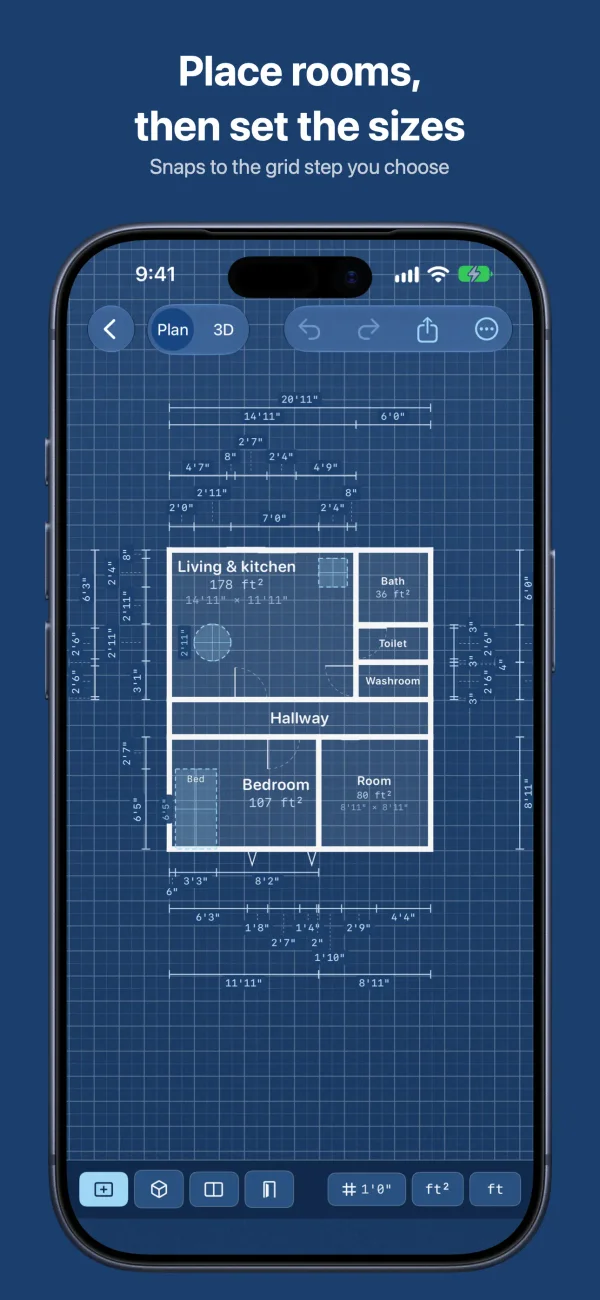
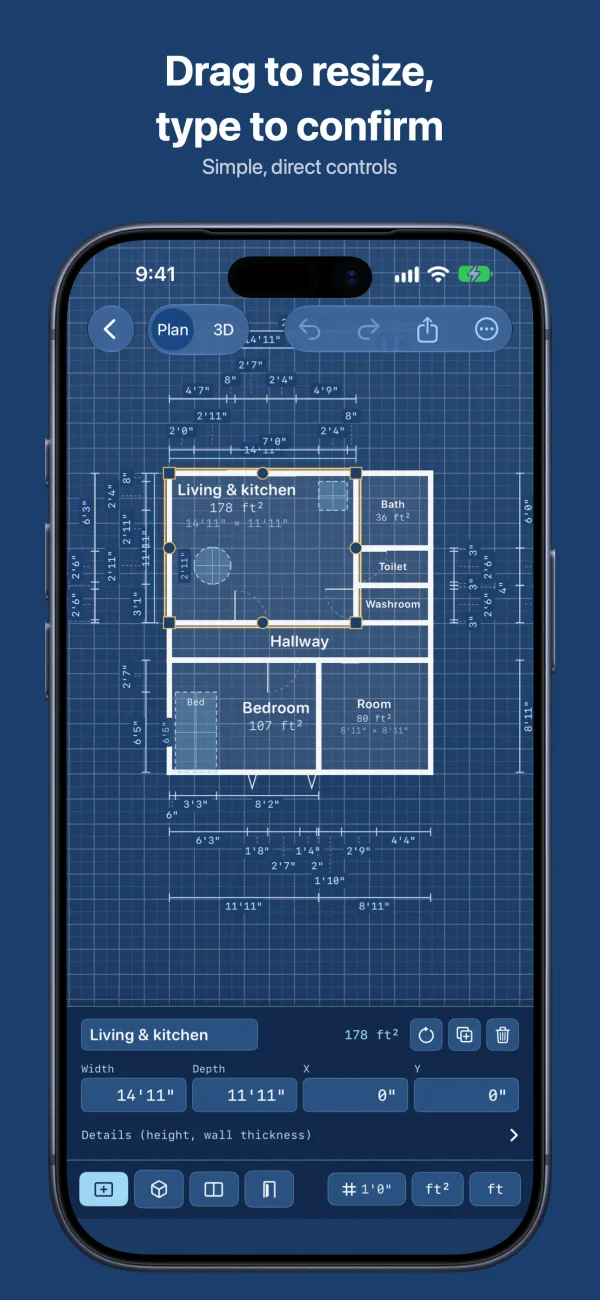
Place rooms, stretch them with your finger, and type exact dimensions. Everything snaps to a grid, so walls stay straight and sizes stay clean. Then switch to 3D to see how it all fits together.
WHAT YOU CAN DO
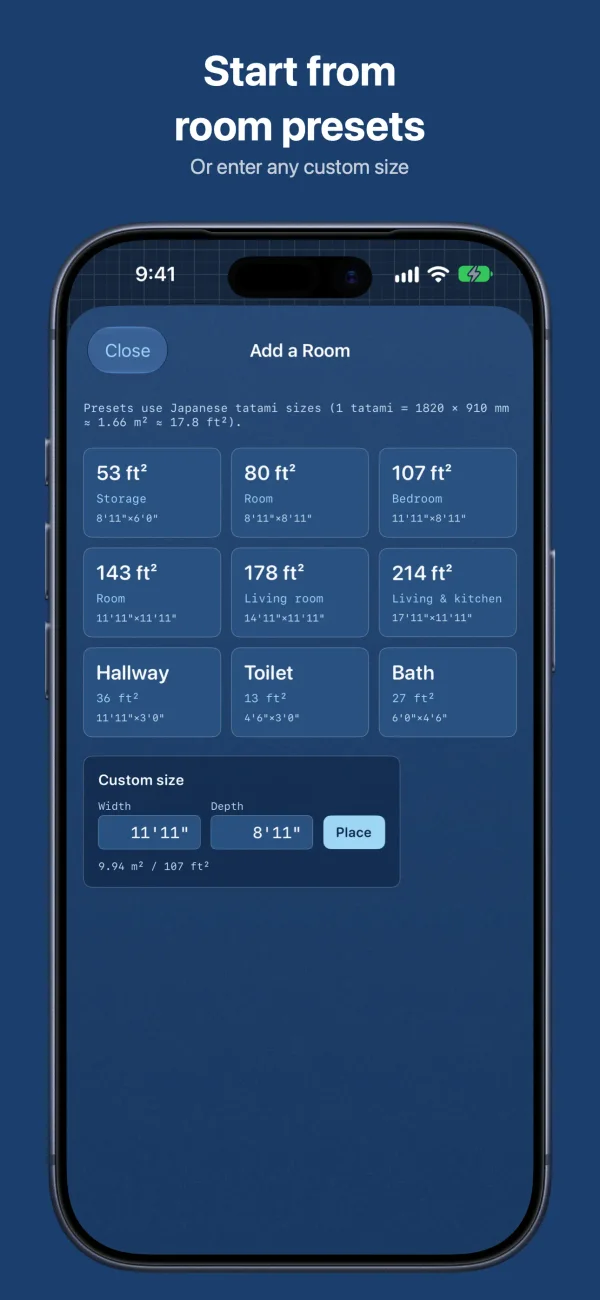
• Place rooms from presets (based on Japanese tatami sizes), plus hallway, toilet and bath — or enter any custom size
• Drag an edge to resize, or type the exact number
• Snap to a grid step you choose, or turn snapping off
• Bring rooms close and their edges snap together
• Add partition walls inside a room (they move with the room)
• Add doors and openings: swing, double, sliding, bypass, bifold and more
• Place boxes and cylinders as furniture to check what fits
• Switch between the plan and a 3D view with walls (perspective, axonometric from 4 directions, or top)
• Undo and redo (40 steps)
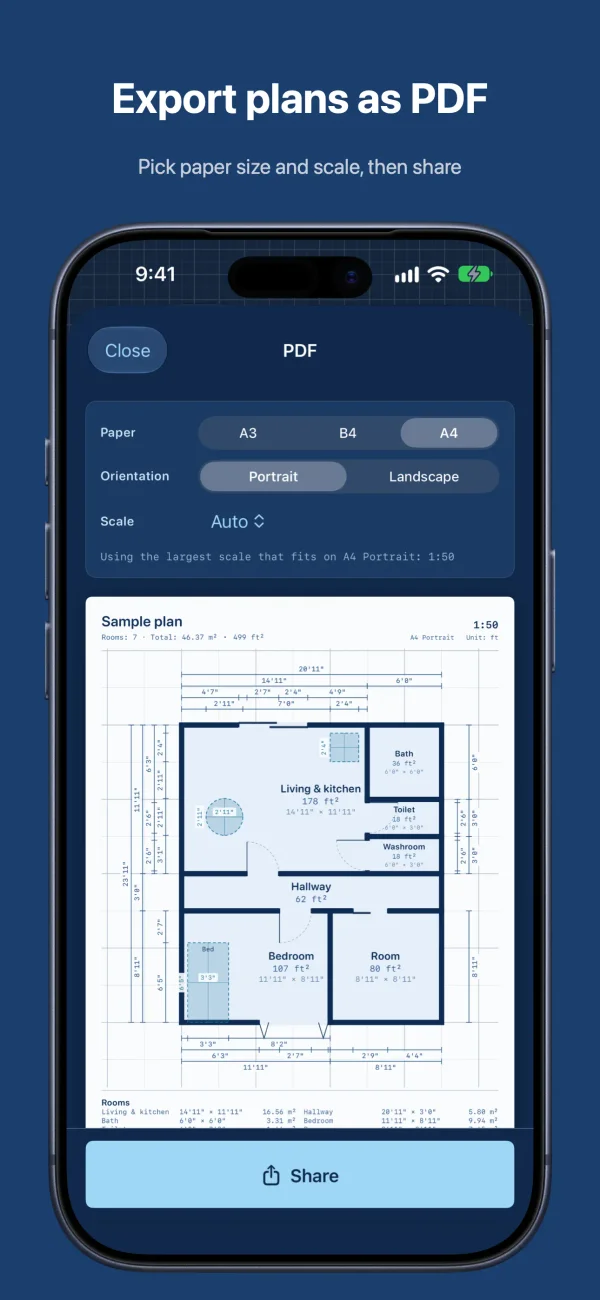
• Export images and PDFs to share
UNITS
Lengths in mm, cm, m or feet and inches (12'6"). Areas in m², ft² or tatami. Tap the buttons at the bottom of the plan to switch.
EXPORT
Choose A3, B4 or A4, portrait or landscape, and a scale from 1:10 to 1:500 — or let Madorimo pick the largest scale that fits. Drawings include dimensions, a title block and a room list. You can also export an image of the 3D view.
NO ACCOUNT NEEDED
Your plans are saved only on your device and, if you are signed in, in your own iCloud. There is no developer server and no usage analytics.
A small ad appears only at the bottom of the plan list, never on the drawing screen. A one-time purchase removes ads.
Note: Dimensions are calculated from the numbers you enter. Drawings made with Madorimo are not suitable as the basis for design or contracts.
Terms of Use: https://nayukitecture.com/works/madorimo-terms-of-use.html
Privacy Policy: https://nayukitecture.com/works/madorimo-privacy-policy.html
Yenilikler
Sürüm 1.7.1 · 16.11.2026
- Updated the App Store listing. No changes to the app itself.
Uygulama gizliliği
Bu uygulamanın verileri nasıl işlediği hakkında tasuku nayuki tarafından App Store üzerinde yapılan beyan.
-
Sizi izlemek için kullanılan veriler
Başka şirketlere ait uygulamalarda ve web sitelerinde sizi izlemek için kullanılabilir.
- Tanımlayıcılar
- Kullanım verileri
-
Sizinle ilişkilendirilmeyen veriler
Toplanabilir ancak kimliğinizle ilişkilendirilmez.
- Tanımlayıcılar
- Kullanım verileri
Gizlilik uygulamaları, örneğin kullandığınız özelliklere veya yaşınıza göre değişiklik gösterebilir.
Bilgiler
- Satıcı
- tasuku nayuki
- Kategori
- Üretkenlik
- Sürüm
- 1.7.1
- Güncellendi
- 16.11.2026
- Yayın tarihi
- 09.09.2026
- Boyut
- 5,0 MB
- Gereksinim
- iOS 17.0 veya sonrası
- Yaş sınırı
- 4+
- Fiyat
- Ücretsiz
- Uygulama içi satın alma
- Evet
- Diller
- İngilizce, Japonca
- Telif hakkı
- © 2026 Tasuku Nayuki
Bunları da beğenebilirsiniz
-
 PonDraftÜretkenlik
-
 Plantekn - Draw Floor PlansÜretkenlik
-
 JZ Draft AIÜretkenlik
-
 FieldSketch: Camera SitePlansÜretkenlik
-
 ZumenXÜretkenlik
-
 Task Rainbow: Time TrackerÜretkenlik
-
 VIZDOÜretkenlik
-
 Drawery: Ev EnvanteriEşya, kutu ve dolap düzeni
-
 Photo Report: Before & AfterÜretkenlik
-
 Sumica - 間取り作成Üretkenlik