Madorimo - Floor Plan Notes
Room sizes, furniture fit & 3D
Được thiết kế cho iPhone, iPad
Miễn phí · Mua hàng trong ứng dụng
- Độ tuổi4+
- Danh mụcHiệu Suất
- Nhà phát triểntasuku nayuki
- Ngôn ngữTiếng Anh+ 1 ngôn ngữ khác
- Kích thước5,0 MB
Liên kết đến trang App Store chính thức
Download.org không lưu trữ tệp nào của Madorimo - Floor Plan Notes. Nút này mở trang ứng dụng trên App Store, nơi tasuku nayuki phát hành ứng dụng. Trang được kiểm tra lần cuối: 24/11/2026.
Ảnh chụp màn hình

Giới thiệu
Nhà phát triển chưa cung cấp nội dung này bằng ngôn ngữ của bạn.
Madorimo is a quick way to sketch a room floor plan on the spot.
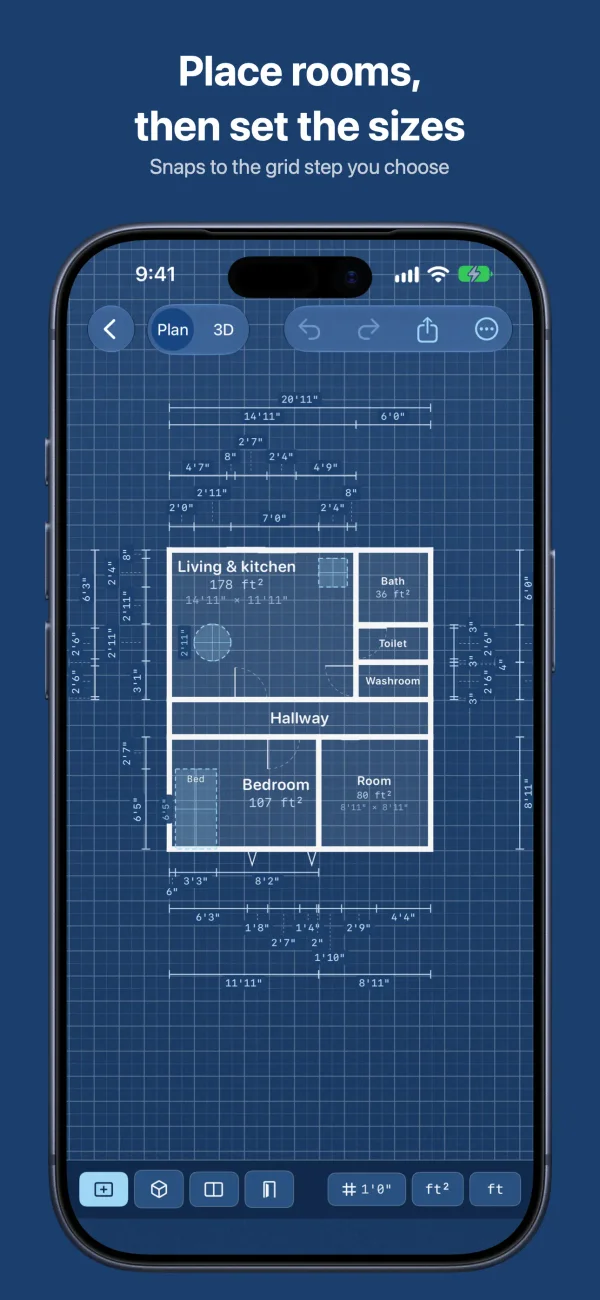
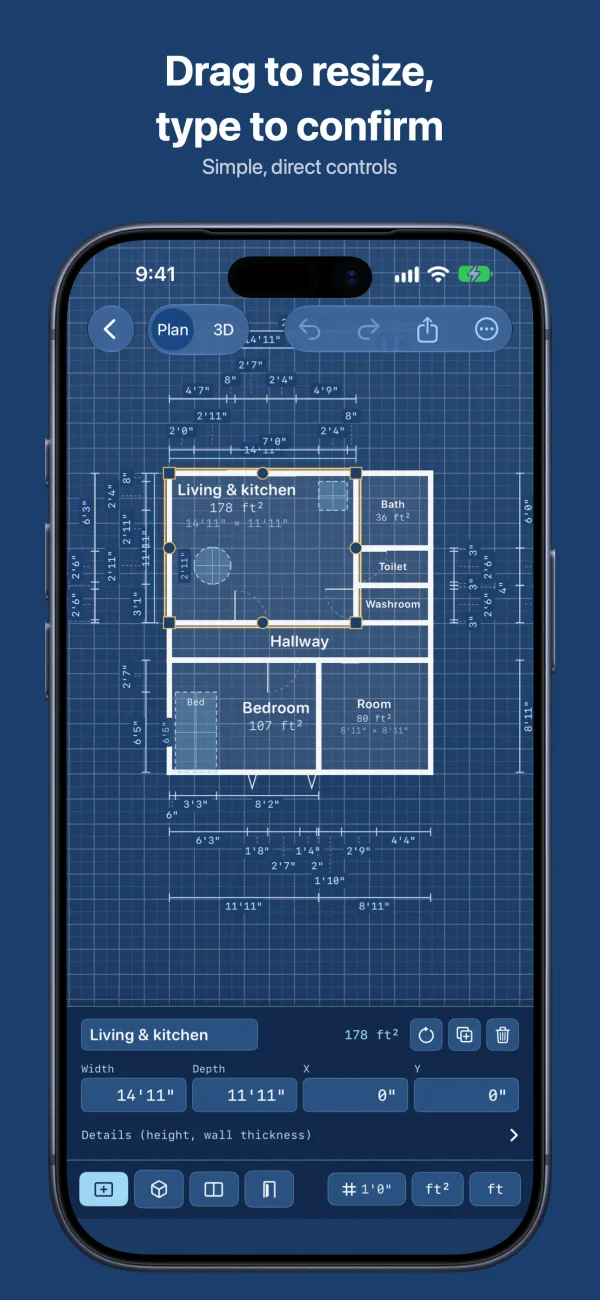
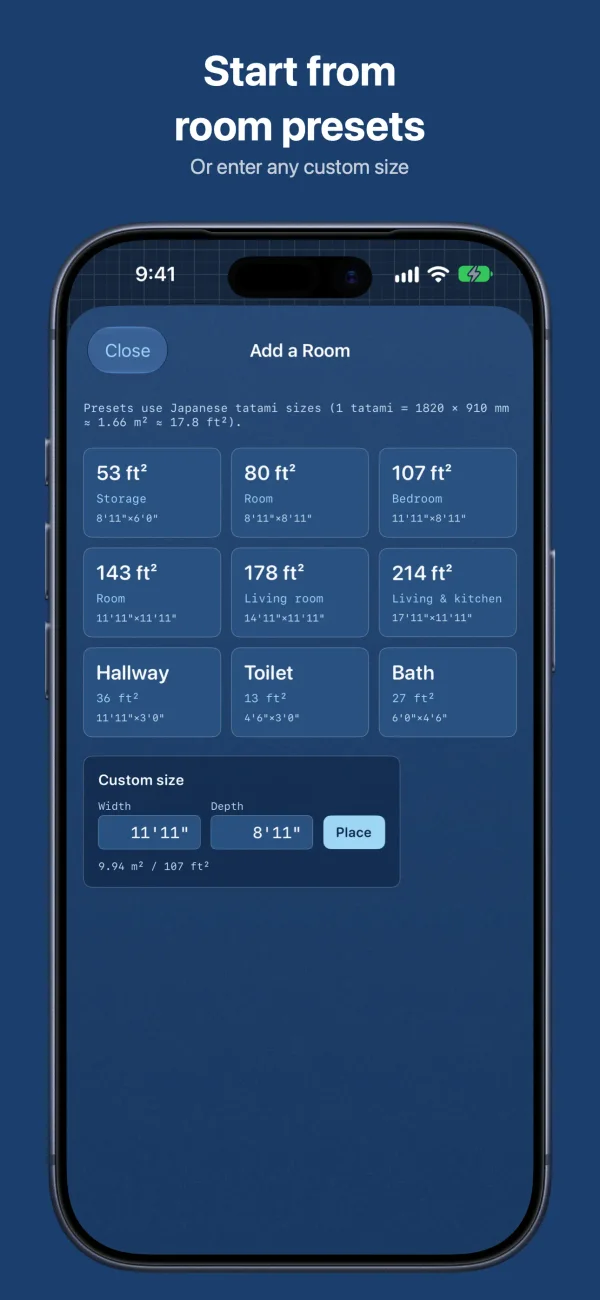
Place rooms, stretch them with your finger, and type exact dimensions. Everything snaps to a grid, so walls stay straight and sizes stay clean. Then switch to 3D to see how it all fits together.
WHAT YOU CAN DO
• Place rooms from presets (based on Japanese tatami sizes), plus hallway, toilet and bath — or enter any custom size
• Drag an edge to resize, or type the exact number
• Snap to a grid step you choose, or turn snapping off
• Bring rooms close and their edges snap together
• Add partition walls inside a room (they move with the room)
• Add doors and openings: swing, double, sliding, bypass, bifold and more
• Place boxes and cylinders as furniture to check what fits
• Switch between the plan and a 3D view with walls (perspective, axonometric from 4 directions, or top)
• Undo and redo (40 steps)
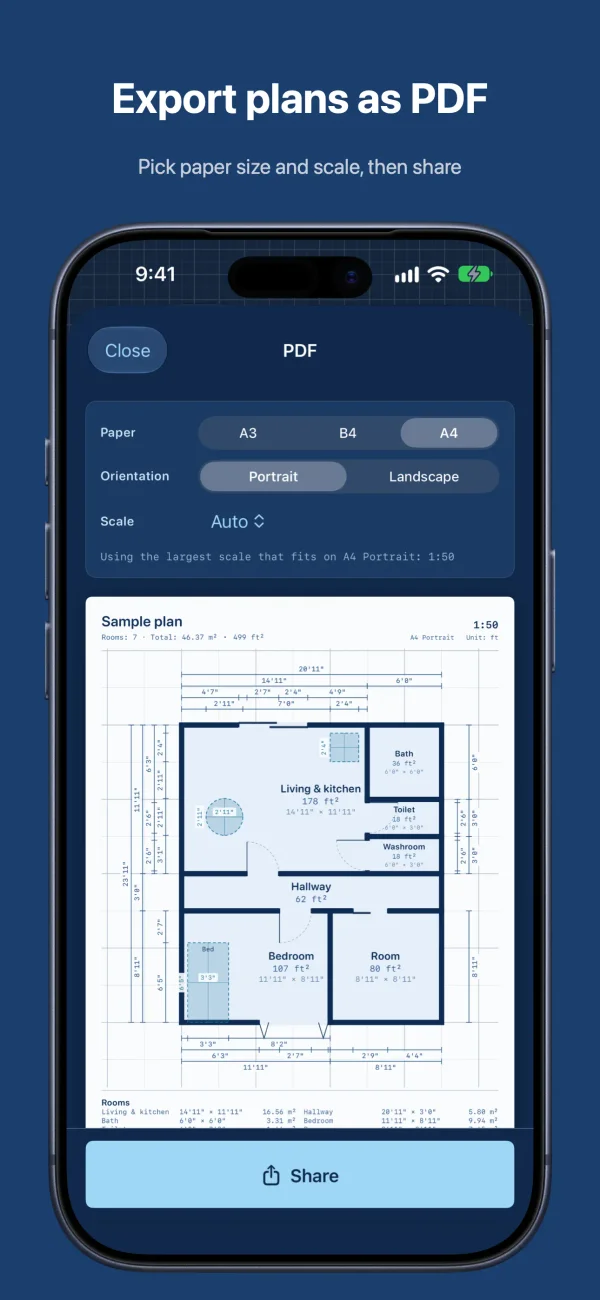
• Export images and PDFs to share
UNITS
Lengths in mm, cm, m or feet and inches (12'6"). Areas in m², ft² or tatami. Tap the buttons at the bottom of the plan to switch.
EXPORT
Choose A3, B4 or A4, portrait or landscape, and a scale from 1:10 to 1:500 — or let Madorimo pick the largest scale that fits. Drawings include dimensions, a title block and a room list. You can also export an image of the 3D view.
NO ACCOUNT NEEDED
Your plans are saved only on your device and, if you are signed in, in your own iCloud. There is no developer server and no usage analytics.
A small ad appears only at the bottom of the plan list, never on the drawing screen. A one-time purchase removes ads.
Note: Dimensions are calculated from the numbers you enter. Drawings made with Madorimo are not suitable as the basis for design or contracts.
Terms of Use: https://nayukitecture.com/works/madorimo-terms-of-use.html
Privacy Policy: https://nayukitecture.com/works/madorimo-privacy-policy.html
Có gì mới
Phiên bản 1.7.1 · 16/11/2026
- Updated the App Store listing. No changes to the app itself.
Quyền riêng tư của ứng dụng
Những gì tasuku nayuki khai báo trên App Store về cách ứng dụng này xử lý dữ liệu.
-
Dữ liệu được sử dụng để theo dõi bạn
Có thể được sử dụng để theo dõi bạn trên các ứng dụng và trang web do công ty khác sở hữu.
- Mã định danh
- Dữ liệu sử dụng
-
Dữ liệu không liên kết với bạn
Có thể được thu thập nhưng không liên kết với danh tính của bạn.
- Mã định danh
- Dữ liệu sử dụng
Phương thức đảm bảo quyền riêng tư có thể khác nhau, chẳng hạn như tuỳ theo các tính năng bạn sử dụng hoặc độ tuổi của bạn.
Thông tin
- Người bán
- tasuku nayuki
- Danh mục
- Hiệu Suất
- Phiên bản
- 1.7.1
- Cập nhật
- 16/11/2026
- Phát hành
- 09/09/2026
- Kích thước
- 5,0 MB
- Yêu cầu
- iOS 17.0 trở lên
- Độ tuổi
- 4+
- Giá
- Miễn phí
- Mua hàng trong ứng dụng
- Có
- Ngôn ngữ
- Tiếng Anh, Tiếng Nhật
- Bản quyền
- © 2026 Tasuku Nayuki