- Altersfreigabe4+
- KategorieProduktivität
- EntwicklerHeechan Kang
- SprachenEnglisch
- Größe24,9 MB
MapBrief ist bei App Store derzeit möglicherweise nicht verfügbar
Bei unserer letzten Prüfung war der Store-Eintrag nicht erreichbar. Der Link führt weiterhin zur offiziellen App Store-Seite.
Screenshots

Info
Der Entwickler hat diesen Text nicht in Ihrer Sprache bereitgestellt.
[Draw Your Thoughts and Memories on the Map, Map Brief]
Sometimes, simply saving a location isn't enough. Details like "Enter through this alley for the entrance" or "The view is best from this exact spot" are hard to capture with text alone.
Map Brief is the most intuitive map recording app that lets you sketch directly on the map with a pen and pin photos to specific spots to capture the moment.
[Key Features]
- Freeform Map Drawing
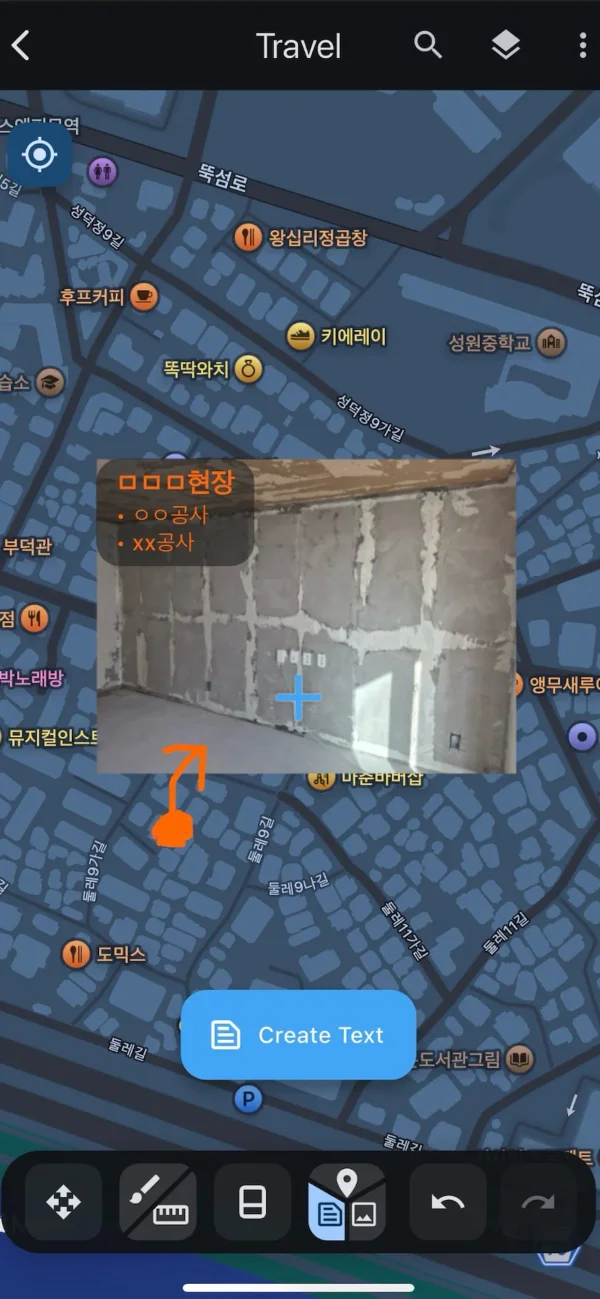
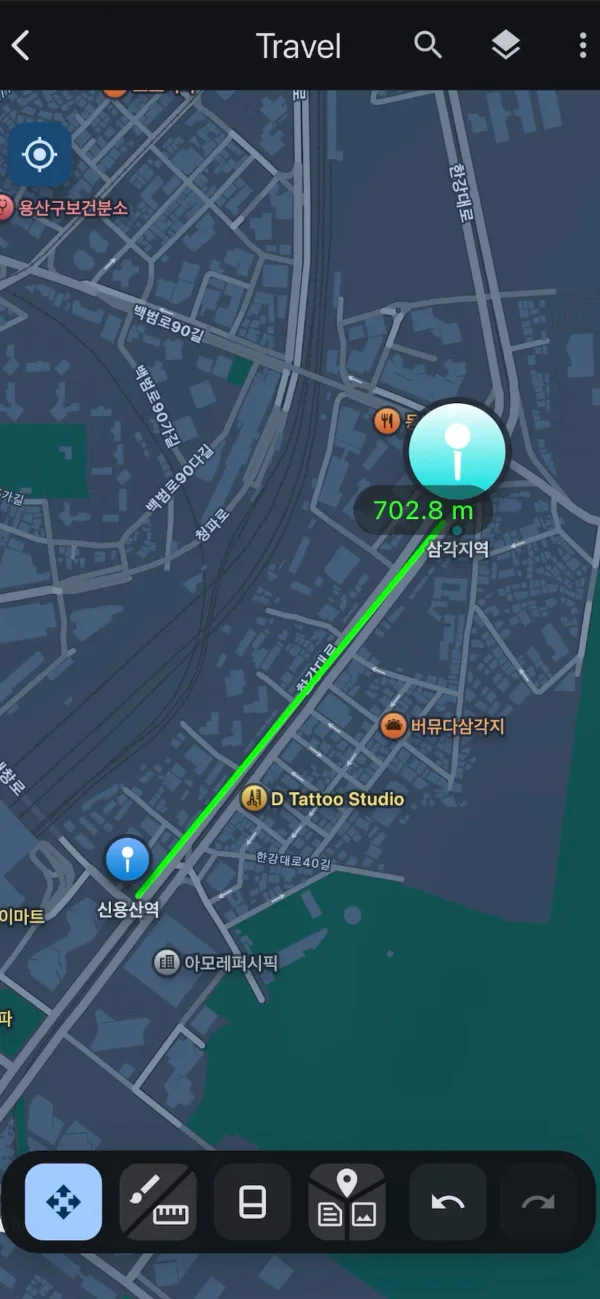
Draw paths, zones, and notes freely on the map using your Apple Pencil or finger.
Intuitively visualize complex directions, hiking trails, or your personal walking courses.
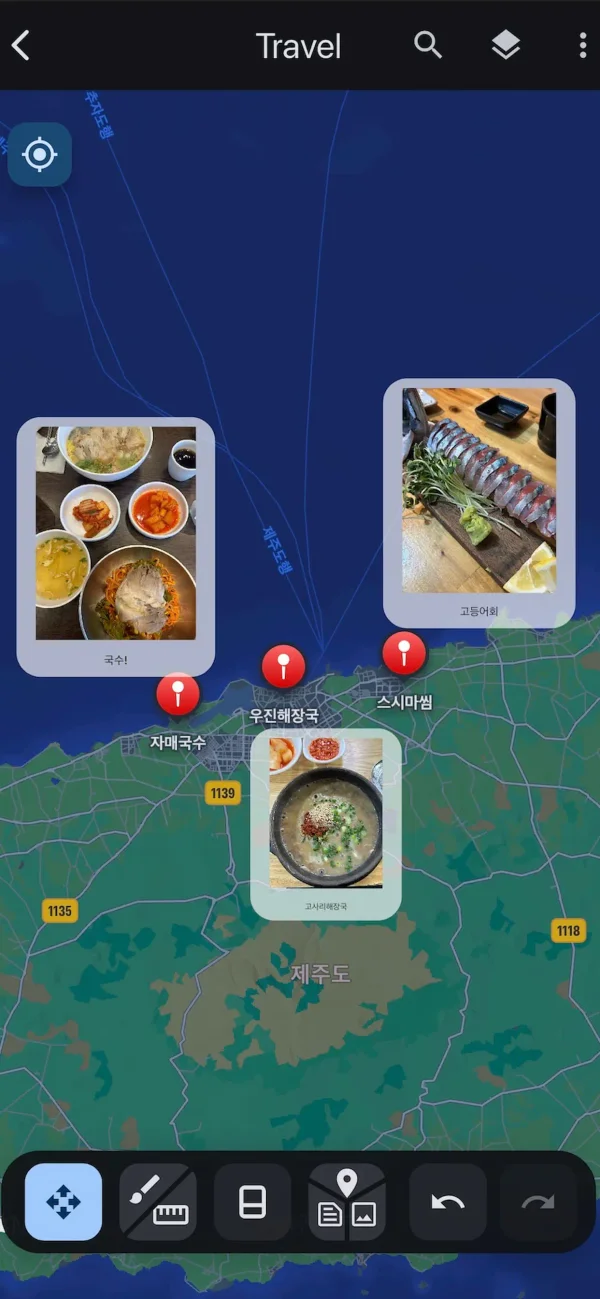
- Vivid Photo Markers
Drag and drop photos to pin them to specific locations.
Check restaurant menus, travel sceneries, or site conditions exactly where they happened on the map.
- Various Map Modes
Choose the map that fits your needs, from clean standard maps for clarity to immersive satellite views for reality.
[Recommended For]
Foodie Explorers: Those who want to build their own restaurant map complete with menu photos.
Travel Planners: Those who want to visually organize travel routes and key spots.
Field & Site Surveyors: Those who need to note real estate locations or site specifics directly on the map.
Complete your own personal map with Map Brief today.
Neue Funktionen
Version 1.3.6 · 19.10.2026
This version adds support for MIL-STD-2525D military symbols. In the pin editor, choose "Military symbol" to place a unit symbol on the map with its affiliation, branch, and echelon.
It also adds 11 standard control points, including coordinating point, contact point, checkpoint, rally point, start point, release point, decision point, and observation post. Freehand lines can now end with an arrowhead.
This update also places pins exactly on the center crosshair and fixes issues where undo history carried over to another project, lines deleted from the list came back, a cleared pin description was not saved, and a reopened project changed its zoom level.
App-Datenschutz
Was Heechan Kang im App Store zum Umgang dieser App mit Daten angibt.
-
Keine Daten erfasst
Der Entwickler erfasst keine Daten von dieser App.
Die Datenschutzpraktiken können variieren, zum Beispiel je nach den von Ihnen verwendeten Funktionen oder Ihrem Alter.
Informationen
- Anbieter
- Heechan Kang
- Kategorie
- Produktivität
- Version
- 1.3.6
- Aktualisiert
- 19.10.2026
- Veröffentlicht
- 10.01.2026
- Größe
- 24,9 MB
- Erfordert
- iOS 15.0 oder neuer
- Altersfreigabe
- 4+
- Sprachen
- Englisch
- Copyright
- © 2026 Heechan Kang
Das könnte Ihnen auch gefallen
-
 Topilo NotesProduktivität
-
 Grid Notes AppProduktivität
-
 Jinnang NotesLokale Wissensnotizen
-
 Aluring AIProduktivität
-
 SatheiaProduktivität
-
 iFoundIt: Home InventoryProduktivität
-
 MemoNoteProduktivität
-
 GeoMaps - Map Your DataProduktivität
-
 Map Note - Places to GoProduktivität
-
 Zeichnen auf der KarteNotizen, Skizzen, Anmerkungen