- Batasan usia4+
- KategoriProduktivitas
- PengembangHeechan Kang
- BahasaInggris
- Ukuran24,9 MB
Tertaut ke halaman resmi App Store
Download.org tidak menyimpan file MapBrief apa pun. Tombol ini membuka halaman aplikasi di App Store, tempat Heechan Kang menerbitkannya. Halaman terakhir diperiksa pada 12/11/2026.
Tangkapan layar

Tentang
Pengembang belum menyediakan teks ini dalam bahasa Anda.
[Draw Your Thoughts and Memories on the Map, Map Brief]
Sometimes, simply saving a location isn't enough. Details like "Enter through this alley for the entrance" or "The view is best from this exact spot" are hard to capture with text alone.
Map Brief is the most intuitive map recording app that lets you sketch directly on the map with a pen and pin photos to specific spots to capture the moment.
[Key Features]
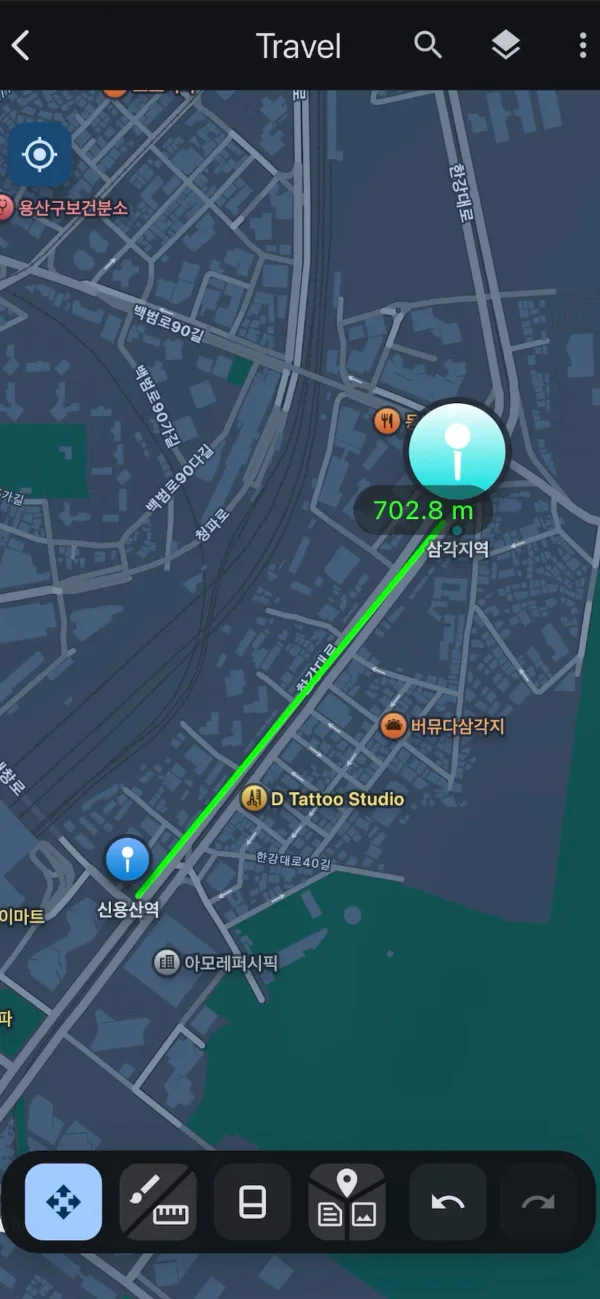
- Freeform Map Drawing
Draw paths, zones, and notes freely on the map using your Apple Pencil or finger.
Intuitively visualize complex directions, hiking trails, or your personal walking courses.
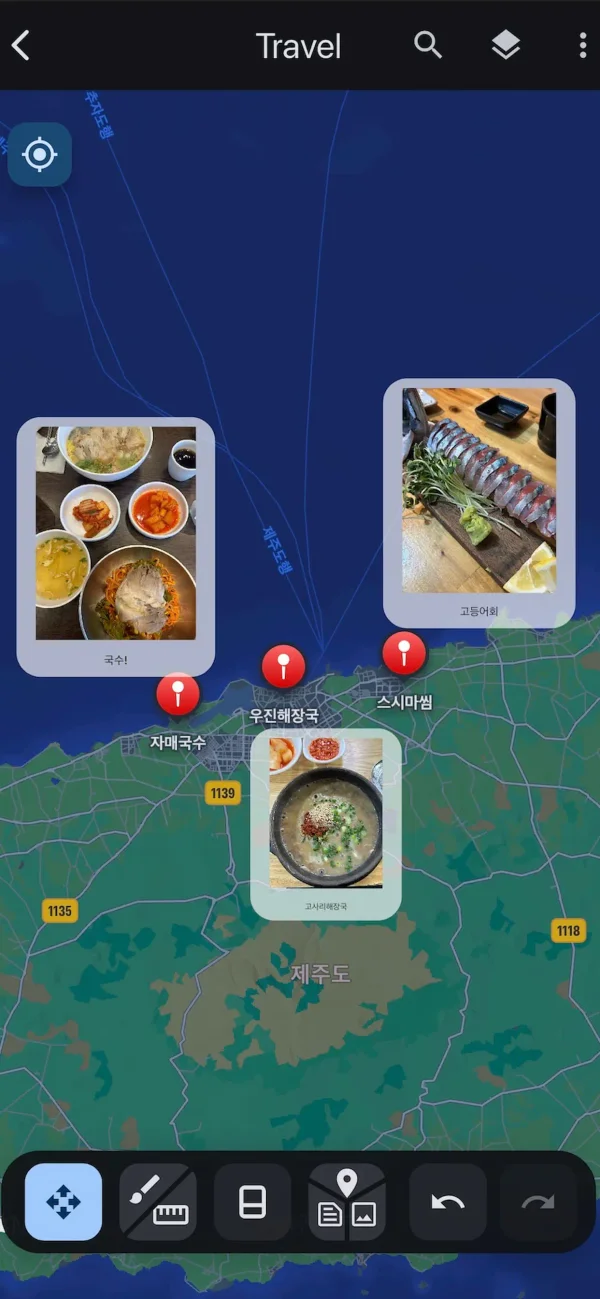
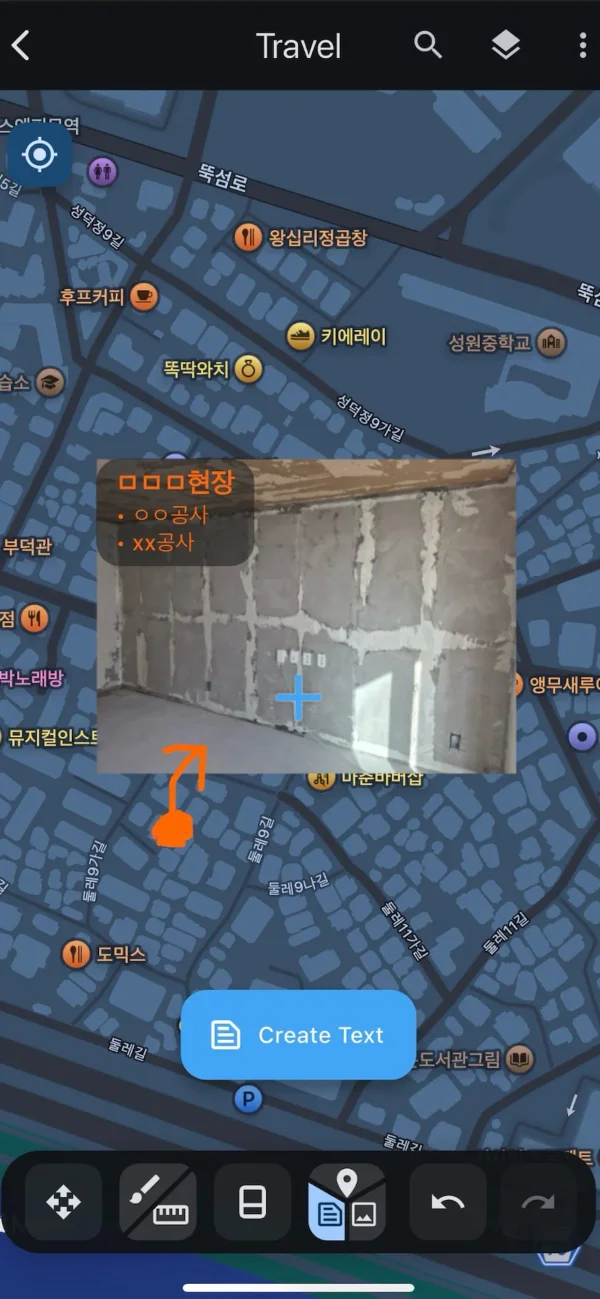
- Vivid Photo Markers
Drag and drop photos to pin them to specific locations.
Check restaurant menus, travel sceneries, or site conditions exactly where they happened on the map.
- Various Map Modes
Choose the map that fits your needs, from clean standard maps for clarity to immersive satellite views for reality.
[Recommended For]
Foodie Explorers: Those who want to build their own restaurant map complete with menu photos.
Travel Planners: Those who want to visually organize travel routes and key spots.
Field & Site Surveyors: Those who need to note real estate locations or site specifics directly on the map.
Complete your own personal map with Map Brief today.
Yang baru
Versi 1.3.6 · 19/10/2026
This version adds support for MIL-STD-2525D military symbols. In the pin editor, choose "Military symbol" to place a unit symbol on the map with its affiliation, branch, and echelon.
It also adds 11 standard control points, including coordinating point, contact point, checkpoint, rally point, start point, release point, decision point, and observation post. Freehand lines can now end with an arrowhead.
This update also places pins exactly on the center crosshair and fixes issues where undo history carried over to another project, lines deleted from the list came back, a cleared pin description was not saved, and a reopened project changed its zoom level.
Privasi aplikasi
Yang dinyatakan Heechan Kang di App Store tentang cara aplikasi ini menangani data.
-
Data tidak dikumpulkan
Pengembang tidak mengumpulkan data apa pun dari aplikasi ini.
Praktik privasi dapat bervariasi, misalnya berdasarkan fitur yang Anda gunakan atau usia Anda.
Informasi
- Penjual
- Heechan Kang
- Kategori
- Produktivitas
- Versi
- 1.3.6
- Diperbarui
- 19/10/2026
- Dirilis
- 10/1/2026
- Ukuran
- 24,9 MB
- Memerlukan
- iOS 15.0 atau yang lebih baru
- Batasan usia
- 4+
- Harga
- Gratis
- Bahasa
- Inggris
- Hak cipta
- © 2026 Heechan Kang
Mungkin Anda juga suka
-
 Topilo NotesProduktivitas
-
 Grid Notes AppProduktivitas
-
 Knowledge NotesProduktivitas
-
 Aluring AIProduktivitas
-
 SatheiaProduktivitas
-
 iFoundIt: Home InventoryProduktivitas
-
 MemoNoteProduktivitas
-
 GeoMaps - Map Your DataProduktivitas
-
 Catatan Peta - TempatSimpan tempat di peta
-
 Menggambar di Peta.Catatan, Sketsa, Anotasi