- Độ tuổi4+
- Danh mụcHiệu Suất
- Nhà phát triểnHeechan Kang
- Ngôn ngữTiếng Anh
- Kích thước24,9 MB
Liên kết đến trang App Store chính thức
Download.org không lưu trữ tệp nào của MapBrief. Nút này mở trang ứng dụng trên App Store, nơi Heechan Kang phát hành ứng dụng. Trang được kiểm tra lần cuối: 12/11/2026.
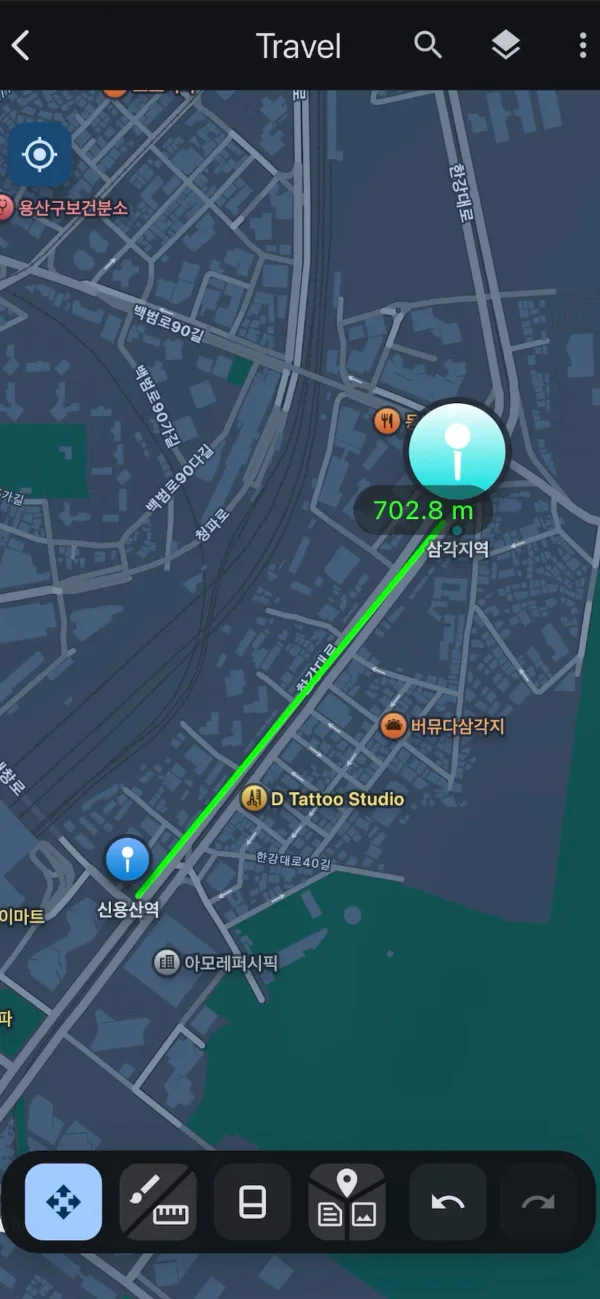
Ảnh chụp màn hình

Giới thiệu
Nhà phát triển chưa cung cấp nội dung này bằng ngôn ngữ của bạn.
[Draw Your Thoughts and Memories on the Map, Map Brief]
Sometimes, simply saving a location isn't enough. Details like "Enter through this alley for the entrance" or "The view is best from this exact spot" are hard to capture with text alone.
Map Brief is the most intuitive map recording app that lets you sketch directly on the map with a pen and pin photos to specific spots to capture the moment.
[Key Features]
- Freeform Map Drawing
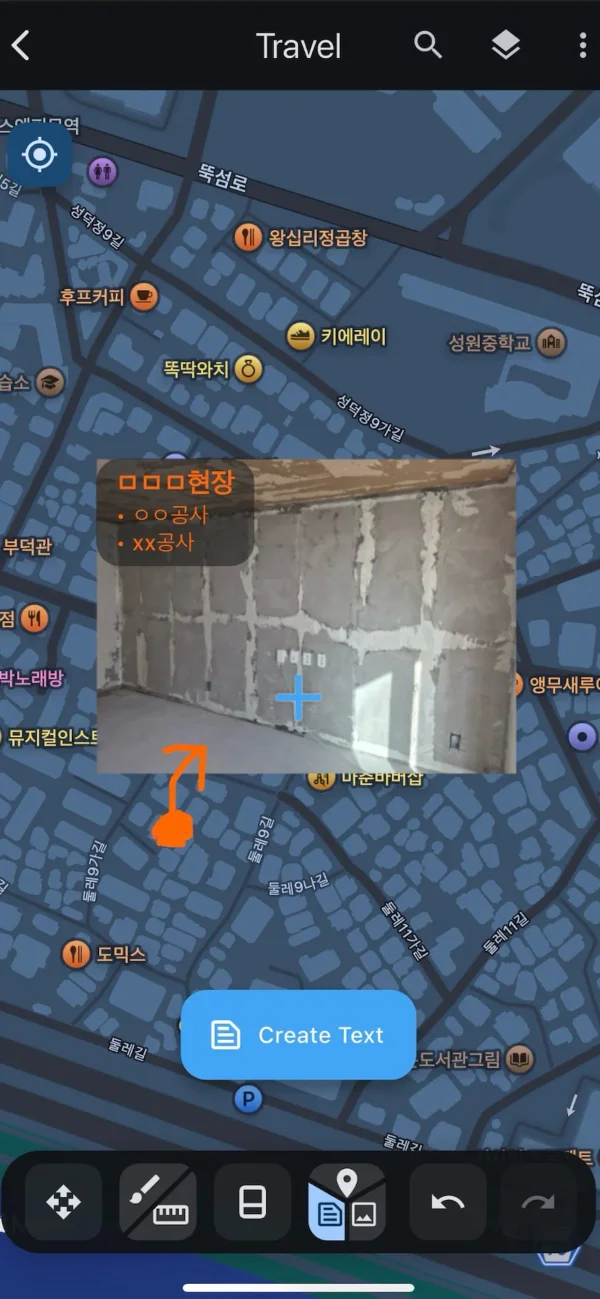
Draw paths, zones, and notes freely on the map using your Apple Pencil or finger.
Intuitively visualize complex directions, hiking trails, or your personal walking courses.
- Vivid Photo Markers
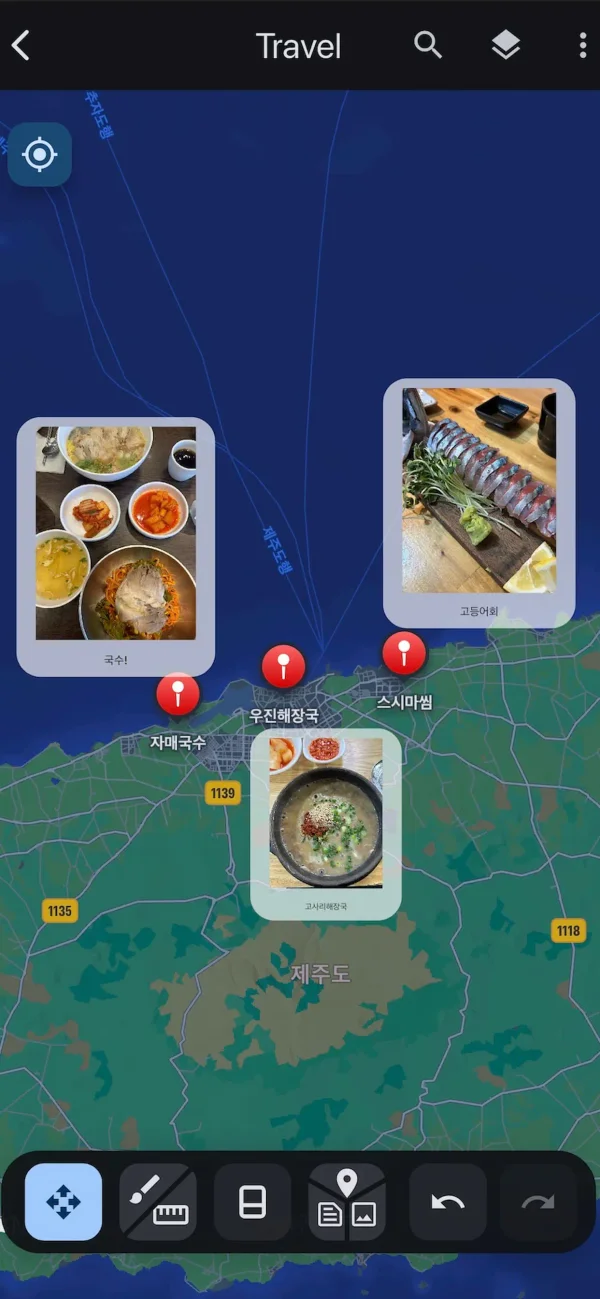
Drag and drop photos to pin them to specific locations.
Check restaurant menus, travel sceneries, or site conditions exactly where they happened on the map.
- Various Map Modes
Choose the map that fits your needs, from clean standard maps for clarity to immersive satellite views for reality.
[Recommended For]
Foodie Explorers: Those who want to build their own restaurant map complete with menu photos.
Travel Planners: Those who want to visually organize travel routes and key spots.
Field & Site Surveyors: Those who need to note real estate locations or site specifics directly on the map.
Complete your own personal map with Map Brief today.
Có gì mới
Phiên bản 1.3.6 · 19/10/2026
This version adds support for MIL-STD-2525D military symbols. In the pin editor, choose "Military symbol" to place a unit symbol on the map with its affiliation, branch, and echelon.
It also adds 11 standard control points, including coordinating point, contact point, checkpoint, rally point, start point, release point, decision point, and observation post. Freehand lines can now end with an arrowhead.
This update also places pins exactly on the center crosshair and fixes issues where undo history carried over to another project, lines deleted from the list came back, a cleared pin description was not saved, and a reopened project changed its zoom level.
Quyền riêng tư của ứng dụng
Những gì Heechan Kang khai báo trên App Store về cách ứng dụng này xử lý dữ liệu.
-
Dữ liệu không được thu thập
Nhà phát triển không thu thập bất kỳ dữ liệu nào từ ứng dụng này.
Phương thức đảm bảo quyền riêng tư có thể khác nhau, chẳng hạn như tuỳ theo các tính năng bạn sử dụng hoặc độ tuổi của bạn.
Thông tin
- Người bán
- Heechan Kang
- Danh mục
- Hiệu Suất
- Phiên bản
- 1.3.6
- Cập nhật
- 19/10/2026
- Phát hành
- 10/01/2026
- Kích thước
- 24,9 MB
- Yêu cầu
- iOS 15.0 trở lên
- Độ tuổi
- 4+
- Giá
- Miễn phí
- Ngôn ngữ
- Tiếng Anh
- Bản quyền
- © 2026 Heechan Kang