
SyncThemCalendars
Sync Google, Outlook & iCloud
Entwickelt für iPhone, iPod touch
Kostenlos · In-App-Käufe
- Altersfreigabe4+
- KategorieProduktivität
- EntwicklerMONKEY CUBE STUDIO PTE. LTD.
- SprachenEnglisch
- Größe30,9 MB
Verlinkt auf die offizielle App Store-Seite
Download.org hostet keine Datei von SyncThemCalendars. Die Schaltfläche öffnet die App-Seite bei App Store, wo MONKEY CUBE STUDIO PTE. LTD. die App veröffentlicht. Eintrag zuletzt geprüft am 26.11.2026.
Screenshots
Info
Der Entwickler hat diesen Text nicht in Ihrer Sprache bereitgestellt.
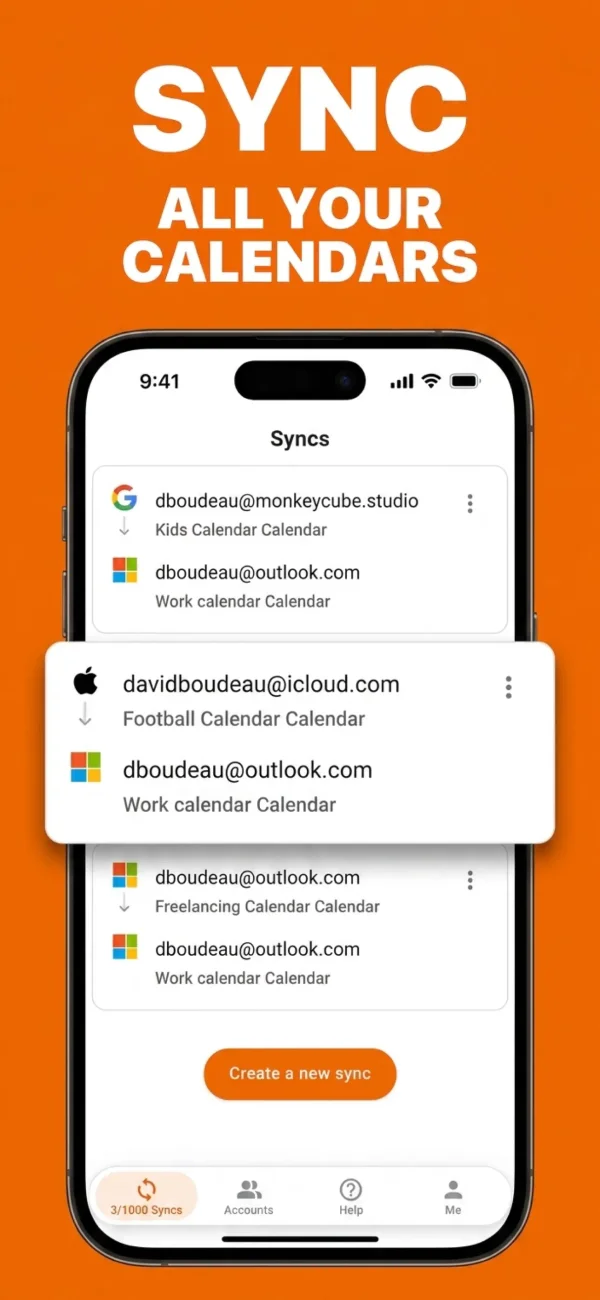
SyncThemCalendars automatically keeps two or more of your calendars in sync by copying events between them — filling the gap that Google Calendar, Outlook and Apple Calendar leave open.
Connect your calendars once, choose a source and a target, and we handle the rest: every upcoming event is copied and kept up to date in real time, with a set-and-forget approach.
WHAT YOU CAN DO
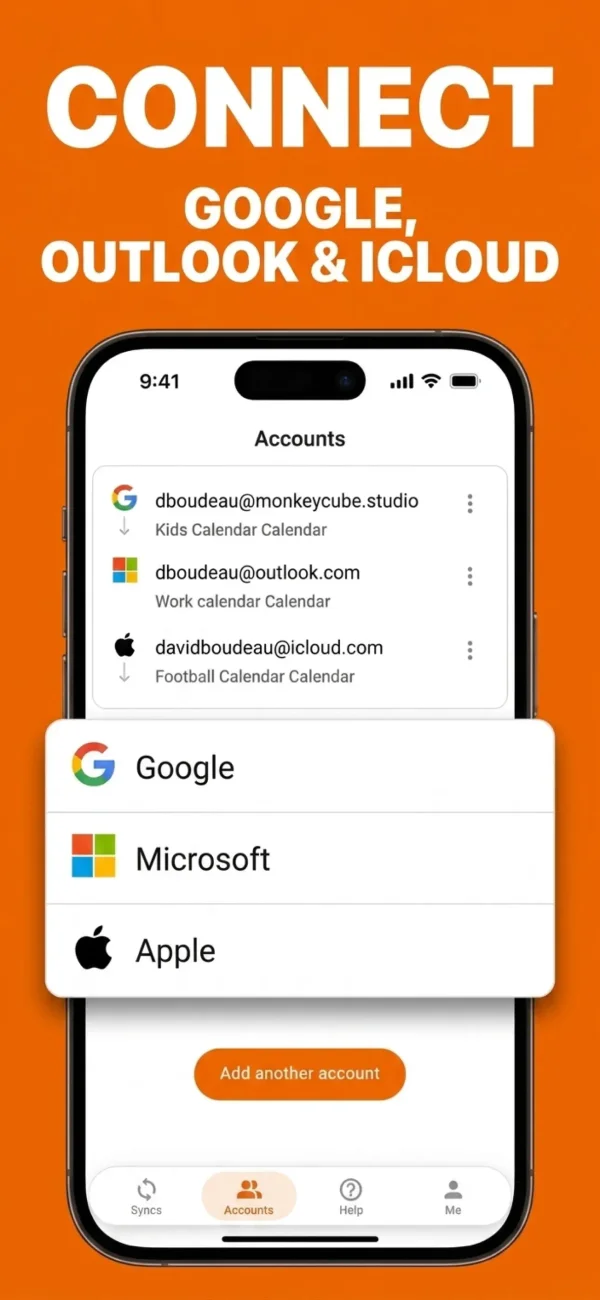
• Sync across providers: Google Calendar, Microsoft Outlook / Office 365, and Apple Calendar (iCloud) — any combination, in any direction.
• One-way or two-way syncs: mirror events both ways, or only copy from one calendar to another. It's entirely up to you.
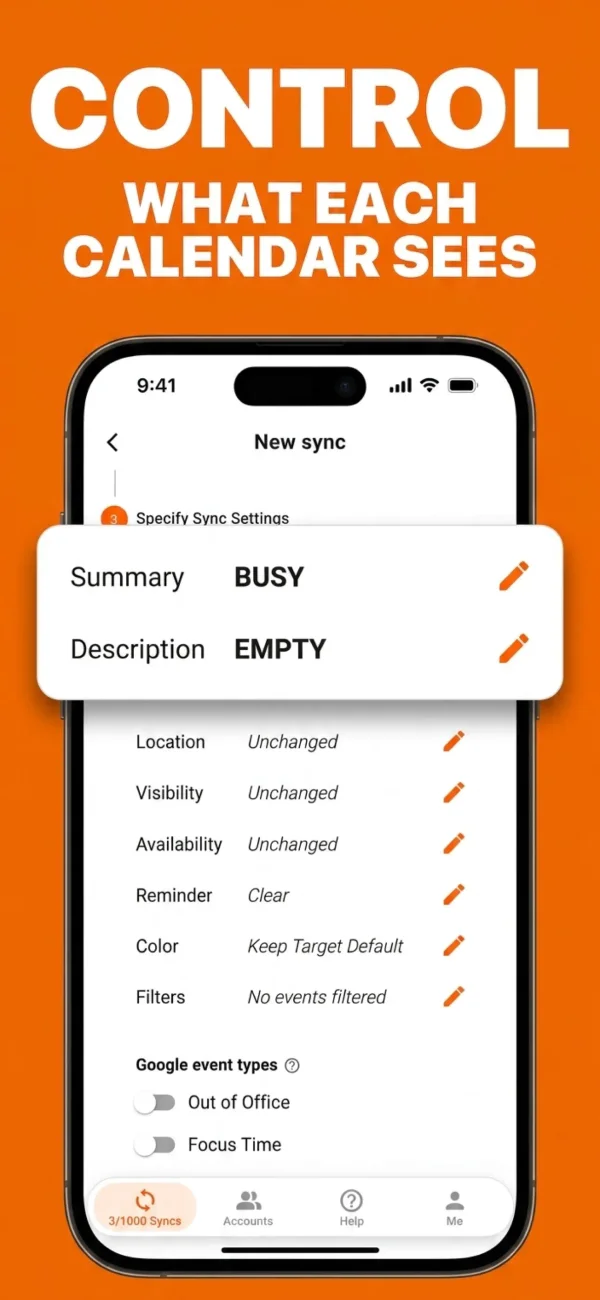
• Protect your privacy: hide the details of any field in the copied event — title, description, location and more — behind a simple "Busy" block.
• Real-time updates: changes, reschedules and deletions propagate automatically.
• Manage everything from the app: create, pause, edit or delete syncs, and connect or remove calendar accounts.
WHO IT'S FOR
• Professionals juggling a work calendar and a personal calendar who want colleagues to see when they're busy — without revealing why.
• Consultants and freelancers managing multiple client calendars.
• Founders and teams running several businesses, each with its own calendar.
• Anyone tired of double bookings caused by scattered calendars.
HOW IT WORKS
1. Sign in with Apple, Google or Microsoft.
2. Connect the calendar accounts you want to sync.
3. Create a sync: pick a source calendar, a target calendar, and your privacy options.
Setup takes about 2 minutes. Syncing runs in the cloud, so it keeps working even when the app is closed.
FREE TRIAL & SUBSCRIPTIONS
Start with a 14-day free trial — no payment required. After the trial, a subscription keeps your syncs running. Auto-renewable subscription options (monthly or yearly):
• Basic — 5 calendar syncs: $4.99/month or $47.88/year
• Premium — 16 calendar syncs: $9.99/month or $95.88/year
• Professional — 36 calendar syncs: $19.99/month or $215.88/year
All plans include unlimited events, unlimited calendars and all three providers. Payment is charged to your Apple ID account at confirmation of purchase. Subscriptions renew automatically unless cancelled at least 24 hours before the end of the current period. You can manage or cancel your subscription in your App Store account settings at any time.
Privacy Policy: https://syncthemcalendars.com/privacy-policy
Terms of Service: https://syncthemcalendars.com/terms-of-service
Your calendar data is only ever used to copy events across your calendars. We never sell it or use it for anything else.
Questions? Reach us at contact@syncthemcalendars.com — a real person replies, usually within one business day.
Neue Funktionen
Version 1.2 · 25.11.2026
What's new in 1.2:
• "Hide details" preset: copy your events as simple "Busy" blocks in one tap.
• More filters: choose which Google event types to copy (out of office, focus time, events from Gmail…), or filter by Outlook category and by availability.
• Reminder setting for Outlook target calendars.
• Organizations: members can pause and resume the syncs their organization manages.
• "Resync" on a paused sync now resumes it.
• Bug fixes and performance improvements.
App-Datenschutz
Was MONKEY CUBE STUDIO PTE. LTD. im App Store zum Umgang dieser App mit Daten angibt.
-
Mit Ihnen verknüpfte Daten
Können erfasst und mit Ihrer Identität verknüpft werden.
- Kontaktinformationen
- Benutzerinhalte
- Nutzungsdaten
-
Nicht mit Ihnen verknüpfte Daten
Können erfasst werden, sind aber nicht mit Ihrer Identität verknüpft.
- Diagnose
Die Datenschutzpraktiken können variieren, zum Beispiel je nach den von Ihnen verwendeten Funktionen oder Ihrem Alter.
Informationen
- Anbieter
- MONKEY CUBE STUDIO PTE. LTD.
- Kategorie
- Produktivität
- Version
- 1.2
- Aktualisiert
- 25.11.2026
- Veröffentlicht
- 14.08.2026
- Größe
- 30,9 MB
- Erfordert
- iOS 15.0 oder neuer
- Altersfreigabe
- 4+
- Preis
- Kostenlos
- In-App-Käufe
- Ja
- Sprachen
- Englisch
- Copyright
- © 2026 MONKEY CUBE STUDIO PTE. LTD.
Das könnte Ihnen auch gefallen
-
 Marginalia Notes & PlannerProduktivität
-
 Atomic CalendarProduktivität
-
 Hush: Quiet Your PhoneProduktivität
-
 Equerry - Your AssistantProduktivität
-
 FairLedger: Expenses & CustodyProduktivität
-
 PenciloProduktivität
-
 WFN: Widgets for NotionProduktivität
-
 NetNoteProduktivität
-
 Nemos: Zweites GehirnLinks & Screenshots speichern
-
 DayJournal: Planner & NotesProduktivität