
Mark Draft: Screenshot Markup
Numbered callouts & feedback
Entwickelt für iPhone, iPad
Kostenlos · In-App-Käufe
- Altersfreigabe4+
- KategorieProduktivität
- Entwickler勇强 温
- SprachenEnglisch+ 3 weitere
- Größe7,7 MB
Verlinkt auf die offizielle App Store-Seite
Download.org hostet keine Datei von Mark Draft: Screenshot Markup. Die Schaltfläche öffnet die App-Seite bei App Store, wo 勇强 温 die App veröffentlicht. Eintrag zuletzt geprüft am 17.11.2026.
Screenshots

Info
Der Entwickler hat diesen Text nicht in Ihrer Sprache bereitgestellt.
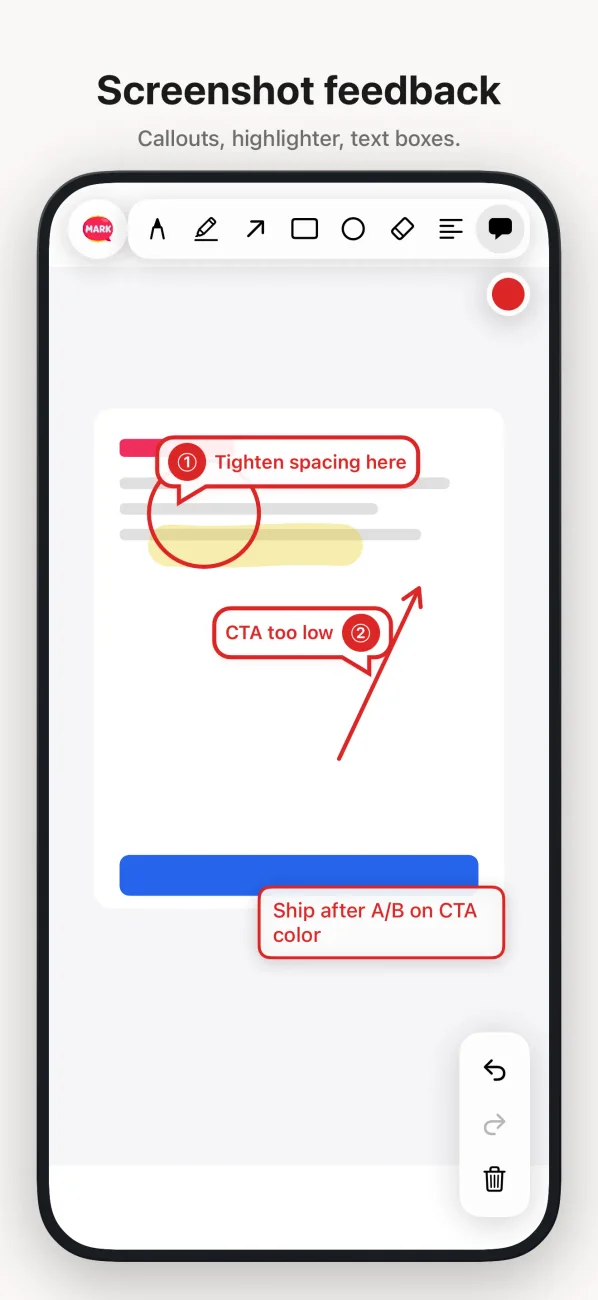
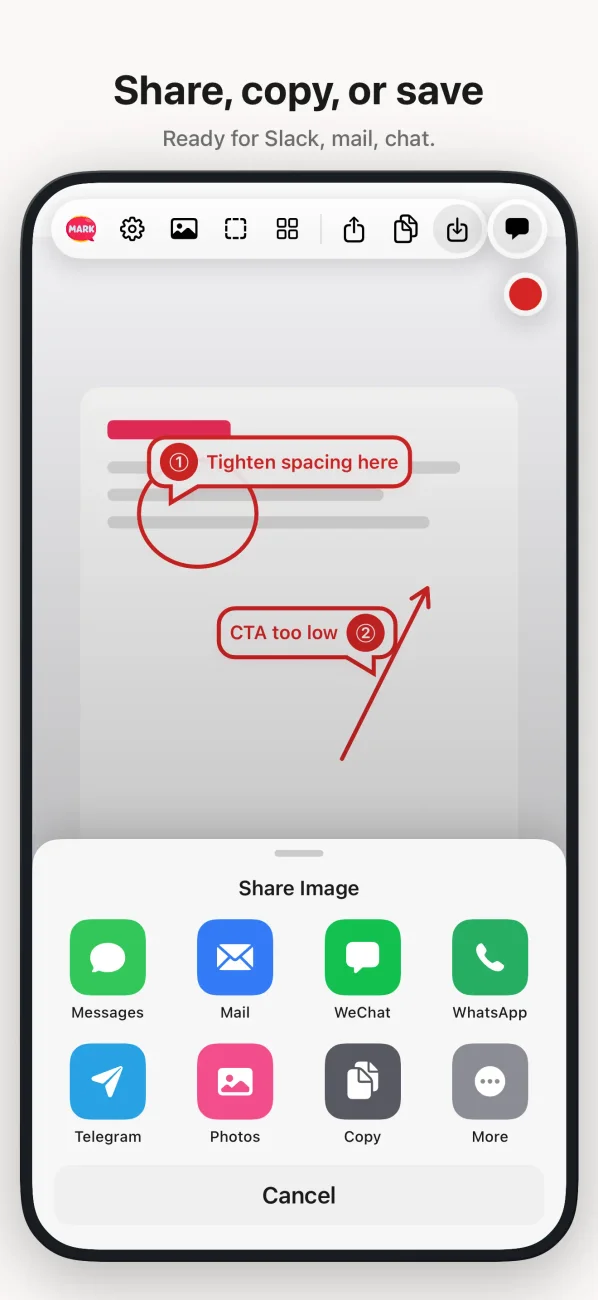
Mark Draft helps you leave clear, numbered notes on screenshots and photos — then save a draft, pick up later, and share, copy, or save to Photos when you are ready.
Open a photo from your library (or hand off from the Share Extension). Place numbered callouts, draw with pen or highlighter, add arrows and shapes, type text boxes, and edit short labels. Hold to peek the original under your markup. Everything stays on your device until you export it.
FEATURES
• Numbered callouts with editable labels
• Pen, highlighter, arrow, rectangle, ellipse, text box, and eraser
• Adjustable stroke size and color palette
• Hold to peek the original photo under markup
• On-device drafts — continue where you left off
• Share Extension — send a screenshot into Mark Draft
• Share, copy, or save the finished image to Photos
• Undo / redo and clear markup (keeps your photo)
• English, Simplified Chinese, Traditional Chinese, and Japanese
• Optional one-time purchase to remove ads (not a subscription)
Core markup, drafts, and sharing stay available without buying anything. Ads help keep Mark Draft free; remove them anytime with a single purchase tied to your Apple ID.
Built for quick visual feedback — UI review, bugs, design notes — without a heavy editor.
Neue Funktionen
Version 3.1 · 28.09.2026
• Text boxes for longer notes on screenshots
• Highlighter restored — soft mark without covering detail
• Hold to peek the original photo under your markup
• Save finished images to Photos, plus share & copy
• Clearer first-run path: pick a photo → mark → send
• Optional one-time Remove Ads (not a subscription)
App-Datenschutz
Was 勇强 温 im App Store zum Umgang dieser App mit Daten angibt.
-
Daten, die zum Tracking Ihrer Person verwendet werden
Können verwendet werden, um Sie über Apps und Websites anderer Unternehmen hinweg zu verfolgen.
- Kennungen
- Nutzungsdaten
-
Nicht mit Ihnen verknüpfte Daten
Können erfasst werden, sind aber nicht mit Ihrer Identität verknüpft.
- Käufe
- Standort
- Kennungen
- Nutzungsdaten
- Diagnose
Die Datenschutzpraktiken können variieren, zum Beispiel je nach den von Ihnen verwendeten Funktionen oder Ihrem Alter.
Informationen
- Anbieter
- 勇强 温
- Kategorie
- Produktivität
- Version
- 3.1
- Aktualisiert
- 28.09.2026
- Veröffentlicht
- 28.06.2016
- Größe
- 7,7 MB
- Erfordert
- iOS 17.0 oder neuer
- Altersfreigabe
- 4+
- Preis
- Kostenlos
- In-App-Käufe
- Ja
- Sprachen
- Englisch, Japanisch, Vereinf. Chinesisch, Tradit. Chinesisch
- Copyright
- © Yongqiang Wen
Das könnte Ihnen auch gefallen
-
 JobMarkup: Photo MarkupProduktivität
-
 CarryOver: Für späterLinks, Notizen & Erinnerungen
-
 Fast Jot for Notion: WidgetProduktivität
-
 Snapnote: Quick Image AnnotateProduktivität
-
 TapClip for NotionProduktivität
-
 Annotate: Screenshot EditorVerpixeln, Pfeile, Zeichnen
-
 FlashNotion - Fast EntryProduktivität
-
 MeasureKeep: Foto messenMaße, Winkel & Notizen im Bild
-
 StepGuard: Walk to Unlock AppsProduktivität
-
 StowQR: Stauraum-OrganizerKI-Inventar & QR-Etiketten