
Mark Draft: Screenshot Markup
Numbered callouts & feedback
Designed for iPhone, iPad
Free · In-app purchases
- Age rating4+
- CategoryProductivity
- Developer勇强 温
- LanguagesEnglish+ 3 more
- Size7.7 MB
Links to the official App Store page
Download.org hosts no file of Mark Draft: Screenshot Markup. The button opens its official App Store page, published by 勇强 温. Listing last checked on Nov 17, 2026.
Screenshots

About
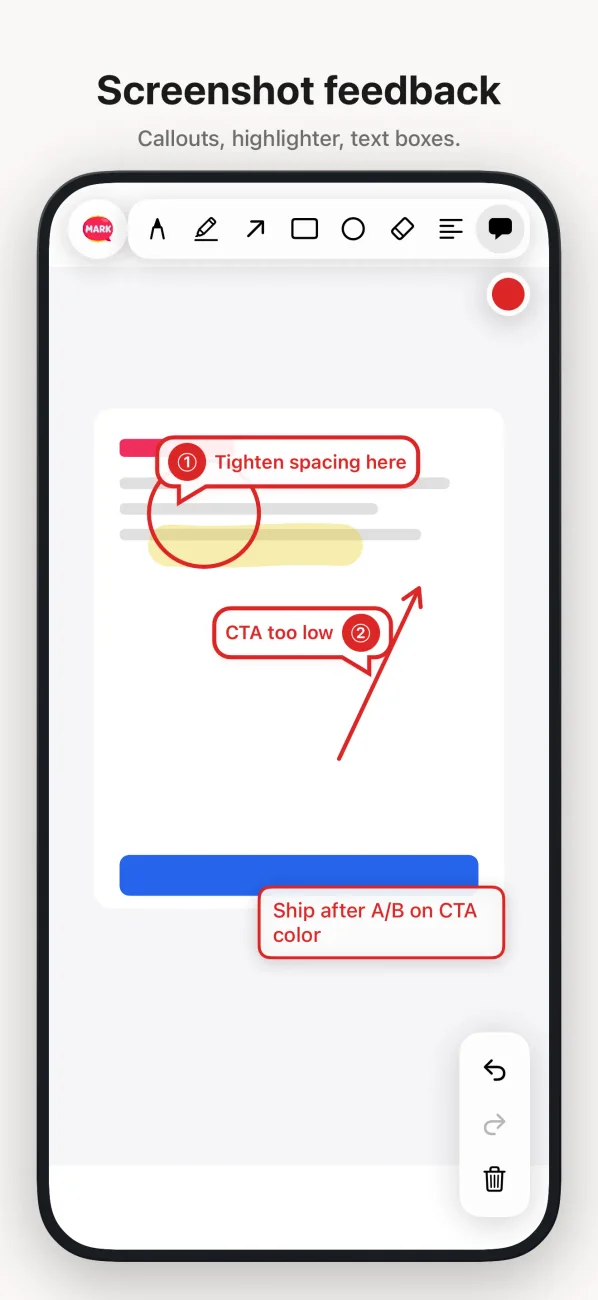
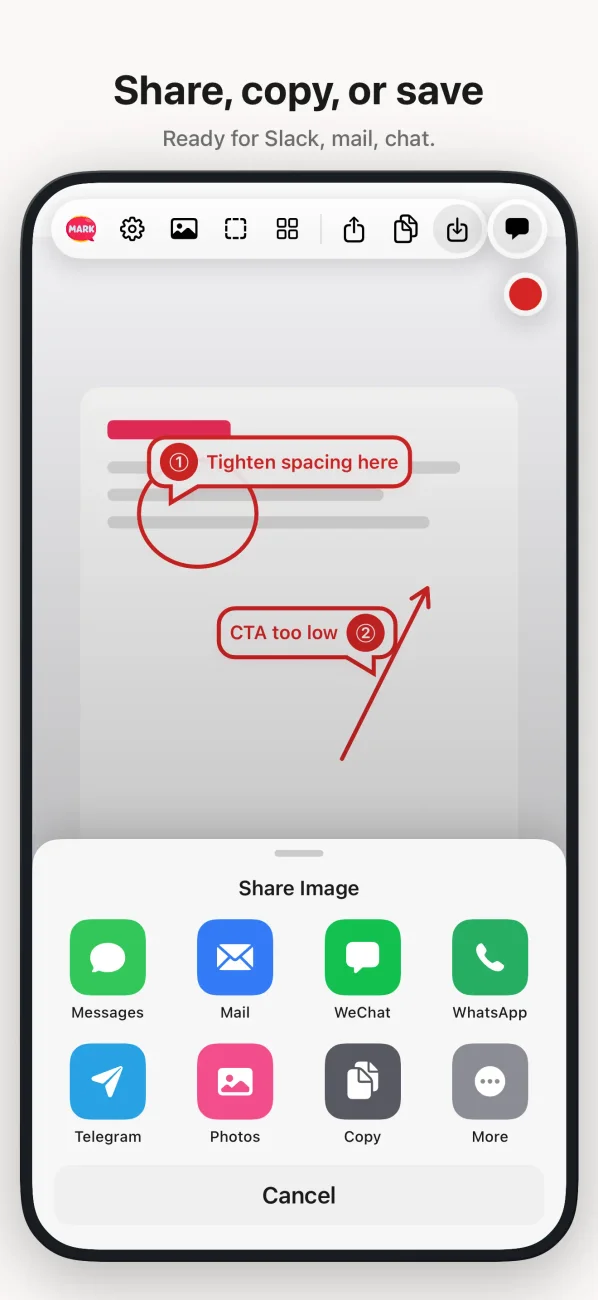
Mark Draft helps you leave clear, numbered notes on screenshots and photos — then save a draft, pick up later, and share, copy, or save to Photos when you are ready.
Open a photo from your library (or hand off from the Share Extension). Place numbered callouts, draw with pen or highlighter, add arrows and shapes, type text boxes, and edit short labels. Hold to peek the original under your markup. Everything stays on your device until you export it.
FEATURES
• Numbered callouts with editable labels
• Pen, highlighter, arrow, rectangle, ellipse, text box, and eraser
• Adjustable stroke size and color palette
• Hold to peek the original photo under markup
• On-device drafts — continue where you left off
• Share Extension — send a screenshot into Mark Draft
• Share, copy, or save the finished image to Photos
• Undo / redo and clear markup (keeps your photo)
• English, Simplified Chinese, Traditional Chinese, and Japanese
• Optional one-time purchase to remove ads (not a subscription)
Core markup, drafts, and sharing stay available without buying anything. Ads help keep Mark Draft free; remove them anytime with a single purchase tied to your Apple ID.
Built for quick visual feedback — UI review, bugs, design notes — without a heavy editor.
What’s new
Version 3.1 · Sep 28, 2026
• Text boxes for longer notes on screenshots
• Highlighter restored — soft mark without covering detail
• Hold to peek the original photo under your markup
• Save finished images to Photos, plus share & copy
• Clearer first-run path: pick a photo → mark → send
• Optional one-time Remove Ads (not a subscription)
App privacy
What 勇强 温 declares on the App Store about how this app handles data.
-
Data used to track you
May be used to track you across apps and websites owned by other companies.
- Identifiers
- Usage data
-
Data not linked to you
May be collected but is not linked to your identity.
- Purchases
- Location
- Identifiers
- Usage data
- Diagnostics
Privacy practices may vary, for example with the features you use or your age.
Information
- Seller
- 勇强 温
- Category
- Productivity
- Version
- 3.1
- Updated
- Sep 28, 2026
- Released
- Jun 28, 2016
- Size
- 7.7 MB
- Requires
- iOS 17.0 or later
- Age rating
- 4+
- Price
- Free
- In-app purchases
- Yes
- Languages
- English, Japanese, Simplified Chinese, Traditional Chinese
- Copyright
- © Yongqiang Wen
You might also like
-
 JobMarkup: Photo MarkupFast jobsite notes & handoffs
-
 CarryOver: Save for LaterLinks & notes across devices
-
 Fast Jot for Notion: WidgetInstant notes & to-do capture
-
 Snapnote: Quick Image AnnotateMarkup photos & capture ideas
-
 TapClip for NotionProductivity
-
 Annotate: Screenshot MarkupBlur, Arrows, Crop & Draw Fast
-
 FlashNotion - Fast EntryInstant Widget Entry · Notion
-
 MeasureKeep: Photo MeasureYour measurements on pictures
-
 StepGuard: Walk to Unlock AppsScreen Time & App Blocker
-
 StowQR: Home Storage OrganizerAI Inventory & QR Tote Labels