
Mark Draft: Screenshot Markup
Numbered callouts & feedback
Diseñada para iPhone, iPad
Gratis · Compras en la aplicación
- Clasificación por edad4+
- CategoríaProductividad
- Desarrollador勇强 温
- IdiomasInglés+ 3 más
- Tamaño7,7 MB
Enlaza a la página oficial de App Store
Download.org no aloja ningún archivo de Mark Draft: Screenshot Markup. El botón abre la página de la aplicación en App Store, donde la publica 勇强 温. Ficha comprobada por última vez el 17/11/2026.
Capturas de pantalla

Acerca de
El desarrollador no ha proporcionado este texto en tu idioma.
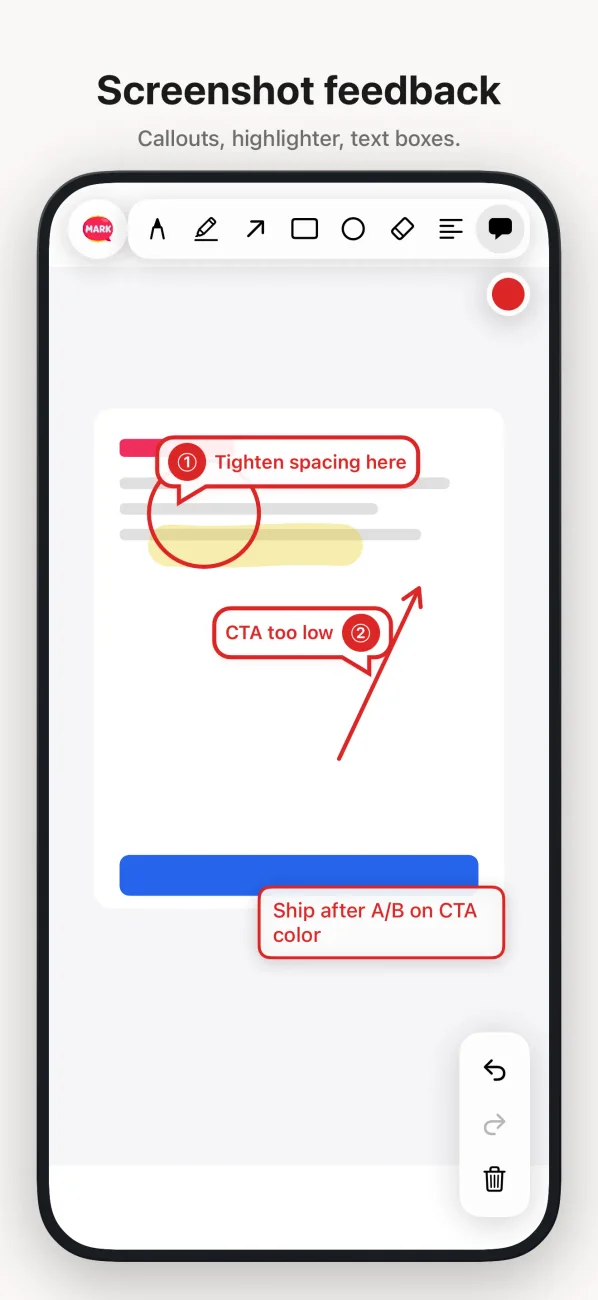
Mark Draft helps you leave clear, numbered notes on screenshots and photos — then save a draft, pick up later, and share, copy, or save to Photos when you are ready.
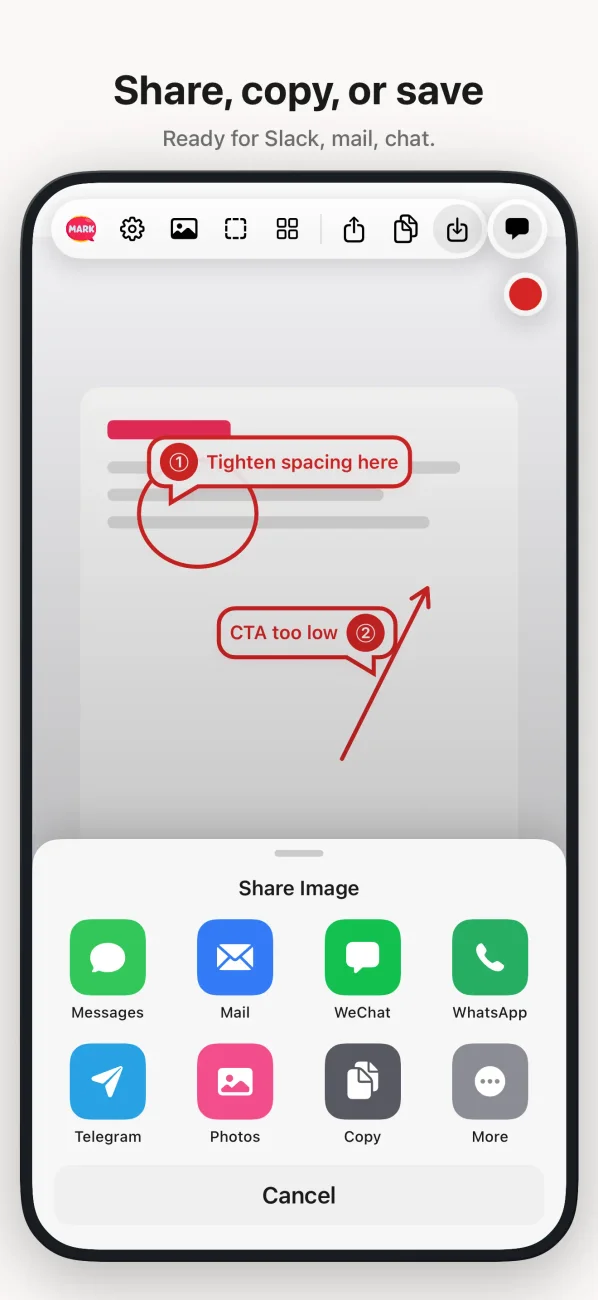
Open a photo from your library (or hand off from the Share Extension). Place numbered callouts, draw with pen or highlighter, add arrows and shapes, type text boxes, and edit short labels. Hold to peek the original under your markup. Everything stays on your device until you export it.
FEATURES
• Numbered callouts with editable labels
• Pen, highlighter, arrow, rectangle, ellipse, text box, and eraser
• Adjustable stroke size and color palette
• Hold to peek the original photo under markup
• On-device drafts — continue where you left off
• Share Extension — send a screenshot into Mark Draft
• Share, copy, or save the finished image to Photos
• Undo / redo and clear markup (keeps your photo)
• English, Simplified Chinese, Traditional Chinese, and Japanese
• Optional one-time purchase to remove ads (not a subscription)
Core markup, drafts, and sharing stay available without buying anything. Ads help keep Mark Draft free; remove them anytime with a single purchase tied to your Apple ID.
Built for quick visual feedback — UI review, bugs, design notes — without a heavy editor.
Novedades
Versión 3.1 · 28/9/2026
• Text boxes for longer notes on screenshots
• Highlighter restored — soft mark without covering detail
• Hold to peek the original photo under your markup
• Save finished images to Photos, plus share & copy
• Clearer first-run path: pick a photo → mark → send
• Optional one-time Remove Ads (not a subscription)
Privacidad de la aplicación
Lo que 勇强 温 declara en App Store sobre cómo esta aplicación gestiona los datos.
-
Datos usados para rastrearte
Pueden usarse para rastrearte en aplicaciones y sitios web propiedad de otras empresas.
- Identificadores
- Datos de uso
-
Datos no vinculados a ti
Pueden recopilarse, pero no se vinculan a tu identidad.
- Compras
- Ubicación
- Identificadores
- Datos de uso
- Diagnóstico
Las prácticas de privacidad pueden variar, por ejemplo, según las funciones que uses o tu edad.
Información
- Vendedor
- 勇强 温
- Categoría
- Productividad
- Versión
- 3.1
- Actualizado
- 28/9/2026
- Publicado
- 28/6/2016
- Tamaño
- 7,7 MB
- Requiere
- iOS 17.0 o posterior
- Clasificación por edad
- 4+
- Precio
- Gratis
- Compras en la aplicación
- Sí
- Idiomas
- Inglés, Japonés, Chino simplificado, Chino tradicional
- Copyright
- © Yongqiang Wen
Quizá también te guste
-
 JobMarkup: Photo MarkupProductividad
-
 CarryOver: Guarda para despuésEnlaces, notas y recordatorios
-
 Fast Jot for Notion: WidgetProductividad
-
 Snapnote: Quick Image AnnotateProductividad
-
 TapClip for NotionProductividad
-
 Annotate: Marcar CapturasDifumina, flechas y dibuja
-
 FlashNotion - Fast EntryProductividad
-
 MeasureKeep: Medir fotosTus medidas, ángulos y notas
-
 StepGuard: Walk to Unlock AppsProductividad
-
 StowQR: Organizador del hogarInventario IA y etiquetas QR