MinDrop: Notes & Reminders
Sticky notes that remind you
Entwickelt für iPhone, iPad
- Altersfreigabe12+
- KategorieProduktivität
- EntwicklerAniel Reyes
- SprachenEnglisch
- Größe20,0 MB
MinDrop: Notes & Reminders ist bei App Store derzeit möglicherweise nicht verfügbar
Bei unserer letzten Prüfung war der Store-Eintrag nicht erreichbar. Der Link führt weiterhin zur offiziellen App Store-Seite.
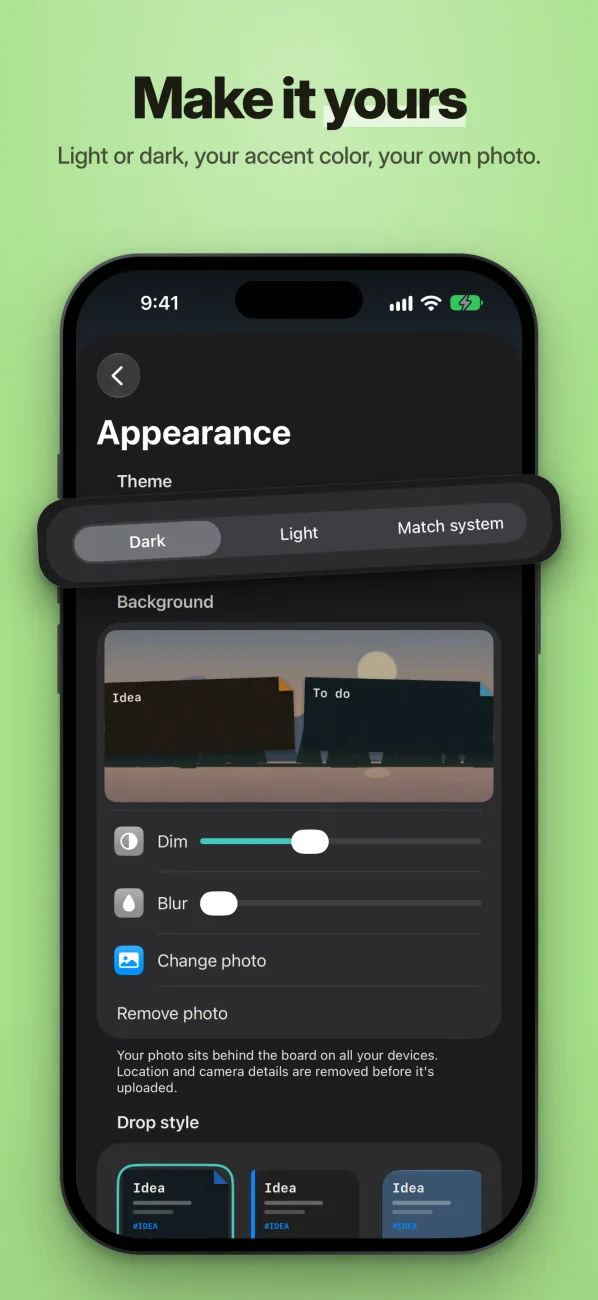
Screenshots


Info
Der Entwickler hat diesen Text nicht in Ihrer Sprache bereitgestellt.
MinDrop is a board of sticky notes for everything you need to remember. Write it down in a second, find it later, and get a nudge when it matters. It's free, with no ads.
MinDrop is in early access, so sign-ups are by invite for now. You can request one from the sign-in screen or at mindrop.app.
CAPTURE IT WHEREVER YOU ARE
• Type a drop on the board, or tap a Home Screen widget.
• Forward an email or send a text to MinDrop and it lands on your board.
• Share a link, photo or file from any app through the share sheet.
• Set the Action Button to Tell Mia, hold it, and say what you need.
NOTES, LISTS AND REMINDERS
Every drop is one of three things. A note keeps a thought. A list has checkboxes and is done when every box is ticked. A reminder has a time, can repeat, and notifies you when it's due. Color tags, pins and search keep the board tidy, and reminders sync both ways with Apple Reminders.
TODAY
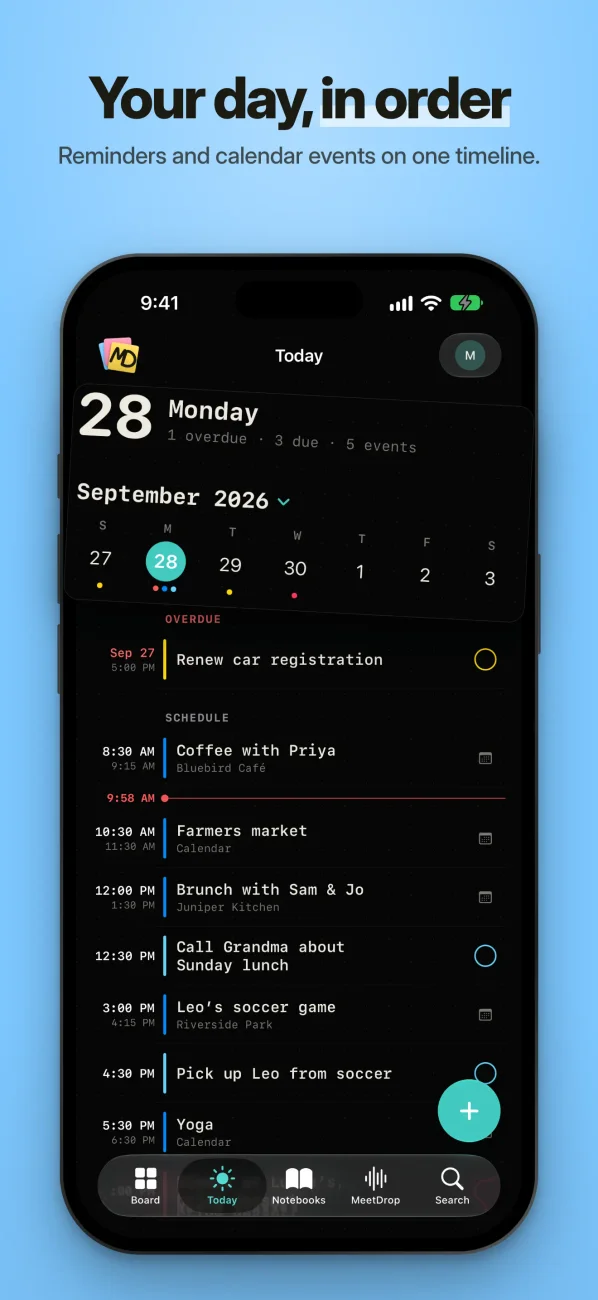
Today puts your reminders and your calendar events on one timeline, so you can see the whole day at a glance.
WIDGETS, LIVE ACTIVITIES AND APPLE WATCH
Widgets keep your next reminders on the Home Screen and Lock Screen. When a reminder is coming up, a Live Activity shows it on the Lock Screen. On Apple Watch you can record a meeting with MeetDrop right from your wrist.
EARLY ACCESS: MIA AND MEETDROP
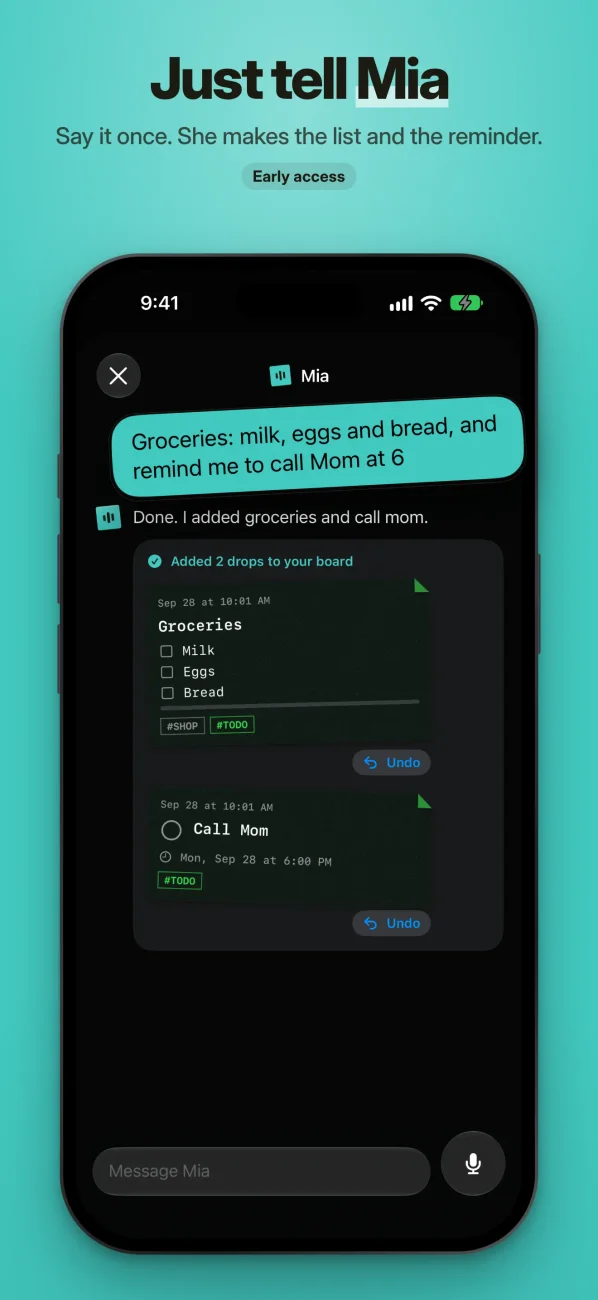
Mia is an assistant for your board. Say or type "milk, eggs and bread, and remind me Friday at 6 to call Mom" and she makes the list and the reminder for you.
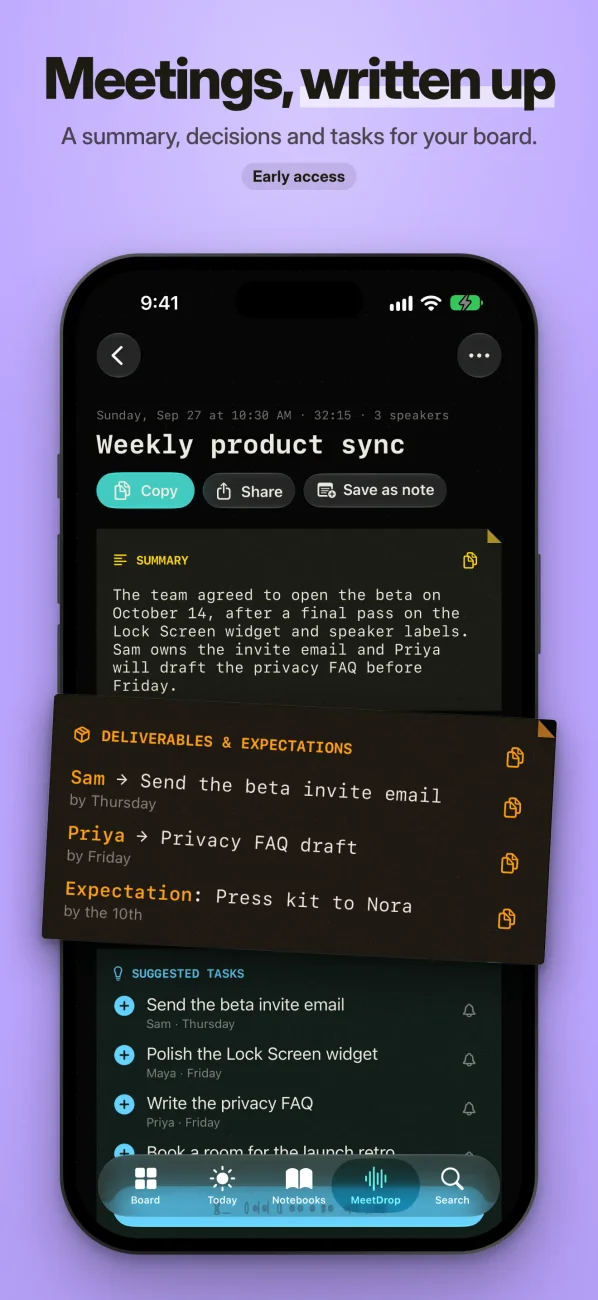
MeetDrop takes notes in your meetings. Record on iPhone or Apple Watch and you get a summary, decisions and suggested tasks you can add to your board. The audio is deleted once the transcript is ready.
During early access we turn these on per account, at no charge.
TWO ACCOUNTS
Keep work and personal apart. Add a second account and switch between them from your profile picture.
PRIVATE BY DEFAULT
Your drops are encrypted for your account. There are no ads and no tracking, and we don't sell your data. You can lock the app with Face ID and delete your account from Settings at any time.
Questions or ideas: support@mindrop.app
Neue Funktionen
Version 2.0.4 · 14.10.2026
- New first-run setup: a quick welcome, confirm your email and phone with a code, add your first drop and invite a friend.
- A "Finish setting up" note on your board shows what's left. Tap Go on any row, or hide it.
- Asking for an invite now ends on a clear "Check your inbox" card.
- Open a drop and it floats as a paper card in the middle of the screen, with Remind me and more in easy reach.
- Pinned drops get a push-pin.
- Pick what the board shows from the title menu: everything, notes, lists or reminders.
- Sets stack like a pile of notes. Undo sits next to the + button, and deleting asks first.
- Friends: see faces at the top and add someone with a short code.
- Smoother motion, a cleaner share sheet, and better Live Activities and notifications.
- Fixes: typing in a list no longer jumps, and swiping back from a notebook works again.
App-Datenschutz
Was Aniel Reyes im App Store zum Umgang dieser App mit Daten angibt.
-
Mit Ihnen verknüpfte Daten
Können erfasst und mit Ihrer Identität verknüpft werden.
- Kontaktinformationen
- Benutzerinhalte
- Kennungen
- Diagnose
-
Nicht mit Ihnen verknüpfte Daten
Können erfasst werden, sind aber nicht mit Ihrer Identität verknüpft.
- Kontaktinformationen
Die Datenschutzpraktiken können variieren, zum Beispiel je nach den von Ihnen verwendeten Funktionen oder Ihrem Alter.
Informationen
- Anbieter
- Aniel Reyes
- Kategorie
- Produktivität
- Version
- 2.0.4
- Aktualisiert
- 14.10.2026
- Veröffentlicht
- 05.10.2026
- Größe
- 20,0 MB
- Erfordert
- iOS 26.0 oder neuer
- Altersfreigabe
- 12+
- Sprachen
- Englisch
- Copyright
- © 2026 Aniel Reyes
Das könnte Ihnen auch gefallen
-
 QuirepadProduktivität
-
 Noter: Sticky NotesProduktivität
-
 Tuck: Privater FeedBeiträge und Artikel speichern
-
 Thought Meadow - Private NotesProduktivität
-
 Winter CalendarDeine Woche, für dich erzählt
-
 Thoughts - Save It for LaterProduktivität
-
 Thinkdown: AI Voice JournalProduktivität
-
 Task Compass for RemindersProduktivität
-
 NexReader: Markdown ReaderProduktivität
-
 ShiftClickProduktivität