- 対象年齢12+
- カテゴリ仕事効率化
- 開発元Aniel Reyes
- 言語英語
- サイズ20.0 MB
App Storeの公式ページにリンクしています
Download.orgはMinDrop: Notes & Remindersのファイルを一切ホストしていません。ボタンを押すと、Aniel Reyesが公開しているApp Storeのアプリページが開きます。ページの最終確認:2026/11/15。
スクリーンショット
概要
開発元はこのテキストをお使いの言語で提供していません。
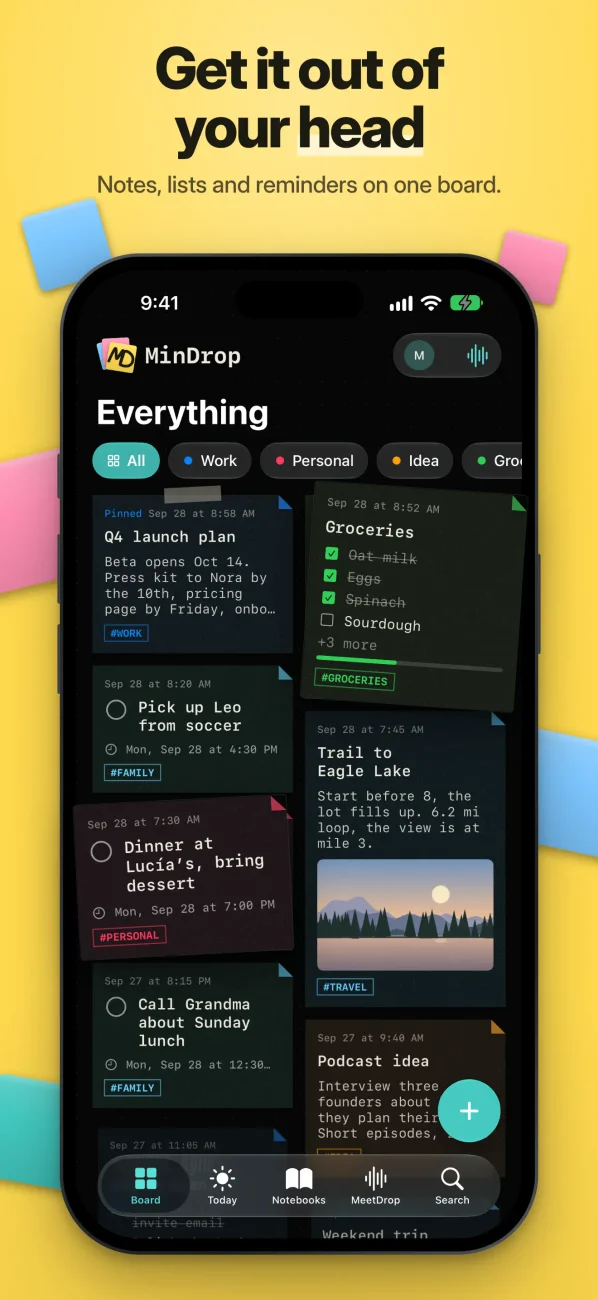
MinDrop is a board of sticky notes for everything you need to remember. Write it down in a second, find it later, and get a nudge when it matters. It's free, with no ads.
MinDrop is in early access, so sign-ups are by invite for now. You can request one from the sign-in screen or at mindrop.app.
CAPTURE IT WHEREVER YOU ARE
• Type a drop on the board, or tap a Home Screen widget.
• Forward an email or send a text to MinDrop and it lands on your board.
• Share a link, photo or file from any app through the share sheet.
• Set the Action Button to Tell Mia, hold it, and say what you need.
NOTES, LISTS AND REMINDERS
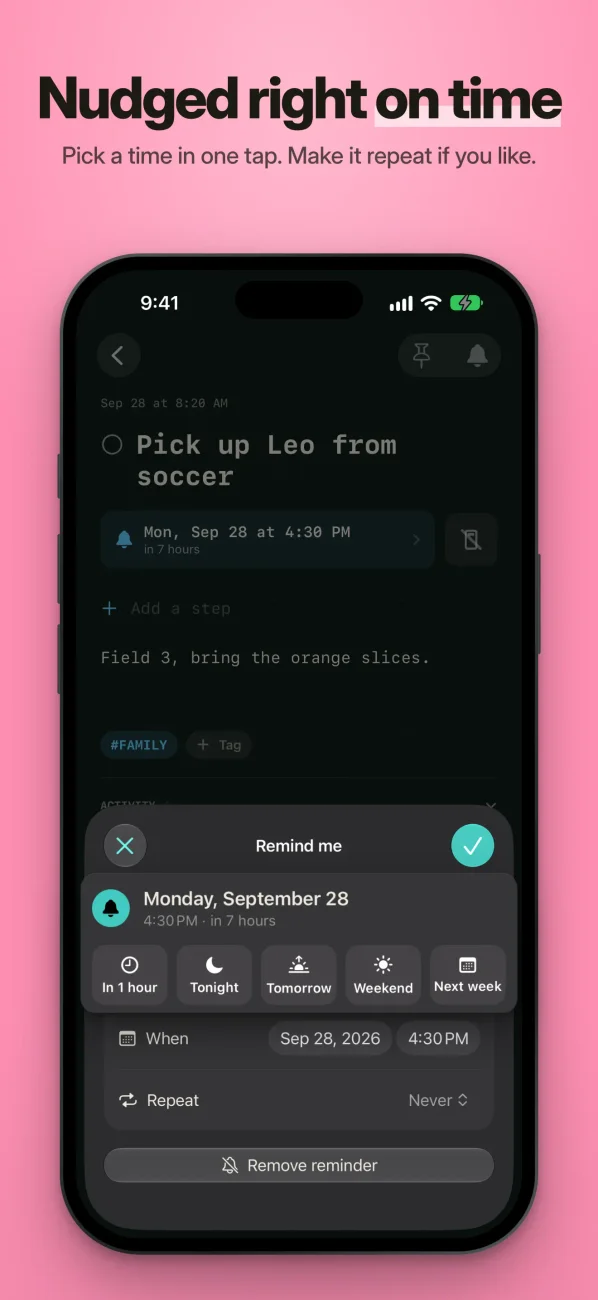
Every drop is one of three things. A note keeps a thought. A list has checkboxes and is done when every box is ticked. A reminder has a time, can repeat, and notifies you when it's due. Color tags, pins and search keep the board tidy, and reminders sync both ways with Apple Reminders.
TODAY
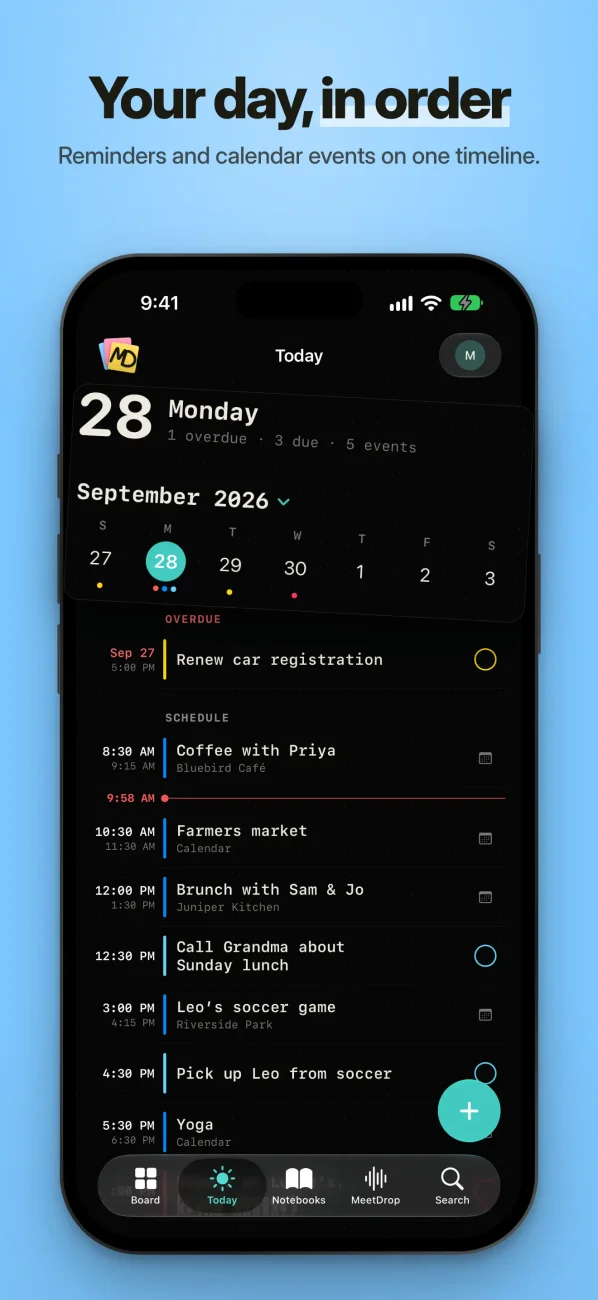
Today puts your reminders and your calendar events on one timeline, so you can see the whole day at a glance.
WIDGETS, LIVE ACTIVITIES AND APPLE WATCH
Widgets keep your next reminders on the Home Screen and Lock Screen. When a reminder is coming up, a Live Activity shows it on the Lock Screen. On Apple Watch you can record a meeting with MeetDrop right from your wrist.
EARLY ACCESS: MIA AND MEETDROP
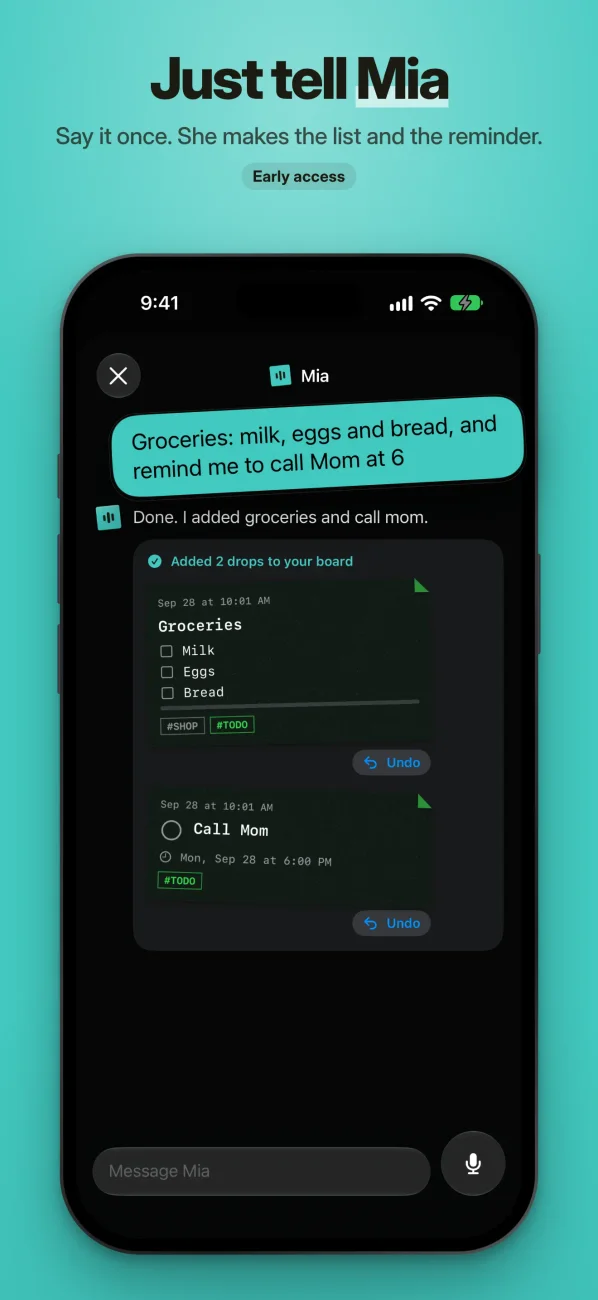
Mia is an assistant for your board. Say or type "milk, eggs and bread, and remind me Friday at 6 to call Mom" and she makes the list and the reminder for you.
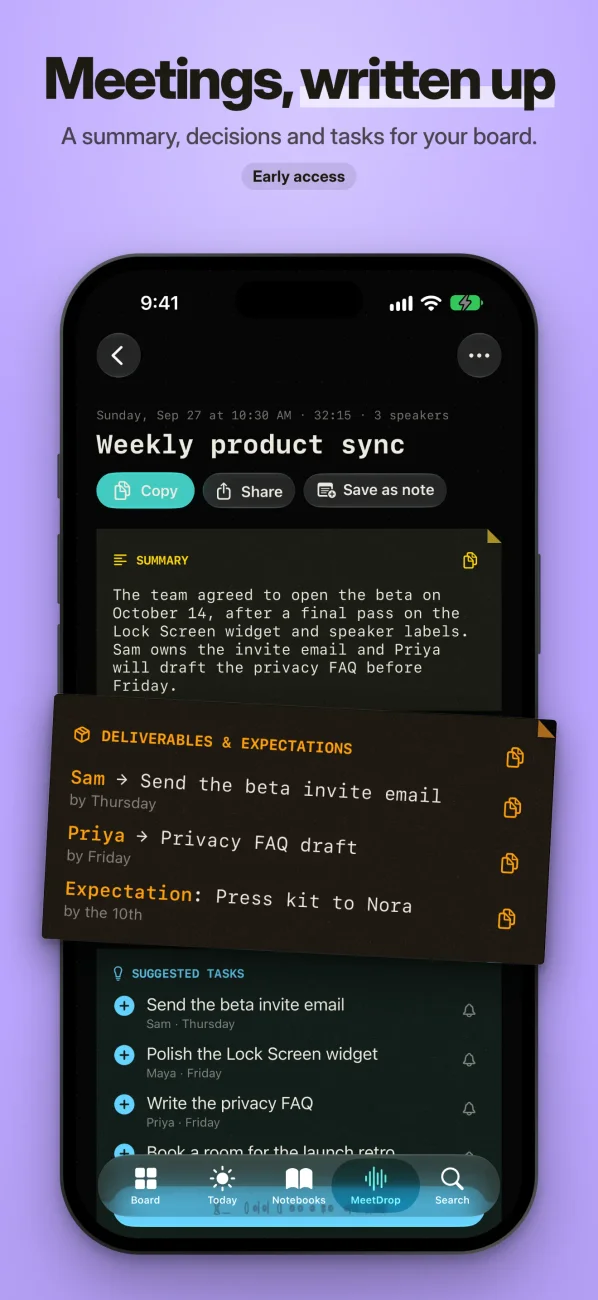
MeetDrop takes notes in your meetings. Record on iPhone or Apple Watch and you get a summary, decisions and suggested tasks you can add to your board. The audio is deleted once the transcript is ready.
During early access we turn these on per account, at no charge.
TWO ACCOUNTS
Keep work and personal apart. Add a second account and switch between them from your profile picture.
PRIVATE BY DEFAULT
Your drops are encrypted for your account. There are no ads and no tracking, and we don't sell your data. You can lock the app with Face ID and delete your account from Settings at any time.
Questions or ideas: support@mindrop.app
新機能
バージョン 2.0.4 · 2026/10/14
- New first-run setup: a quick welcome, confirm your email and phone with a code, add your first drop and invite a friend.
- A "Finish setting up" note on your board shows what's left. Tap Go on any row, or hide it.
- Asking for an invite now ends on a clear "Check your inbox" card.
- Open a drop and it floats as a paper card in the middle of the screen, with Remind me and more in easy reach.
- Pinned drops get a push-pin.
- Pick what the board shows from the title menu: everything, notes, lists or reminders.
- Sets stack like a pile of notes. Undo sits next to the + button, and deleting asks first.
- Friends: see faces at the top and add someone with a short code.
- Smoother motion, a cleaner share sheet, and better Live Activities and notifications.
- Fixes: typing in a list no longer jumps, and swiping back from a notebook works again.
アプリのプライバシー
このアプリのデータの取り扱いについて、Aniel ReyesがApp Storeで申告している内容です。
-
ユーザーに関連付けられたデータ
収集され、ユーザーの識別情報に関連付けられる場合があります。
- 連絡先情報
- ユーザーコンテンツ
- ID
- 診断
-
ユーザーに関連付けられないデータ
収集される場合がありますが、ユーザーの識別情報には関連付けられません。
- 連絡先情報
プライバシーの取り扱いは、ご利用の機能やお客様の年齢などに応じて異なる場合があります。
情報
- 販売元
- Aniel Reyes
- カテゴリ
- 仕事効率化
- バージョン
- 2.0.4
- 更新日
- 2026/10/14
- リリース
- 2026/10/5
- サイズ
- 20.0 MB
- 必要条件
- iOS 26.0以降
- 対象年齢
- 12+
- 価格
- 無料
- 言語
- 英語
- 著作権
- © 2026 Aniel Reyes
こちらもおすすめ
-
 Quirepad仕事効率化
-
 Noter: Sticky Notes仕事効率化
-
 Tuck: プライベートフィード投稿・記事・ビデオを保存
-
 Thought Meadow - Private Notes仕事効率化
-
 Winter Calendarあなたの一週間を、文章で
-
 Thoughts - あとで読むリンク保存&ブックマークメモ共有シートでワンタップ保存&リマインダー通知。カテゴリ整理も
-
 Thinkdown: AI Voice Journal仕事効率化
-
 Task Compass for Reminders仕事効率化
-
 NexReader: Markdown Reader仕事効率化
-
 ShiftClick仕事効率化