
- Altersfreigabe4+
- KategorieFoto und Video
- EntwicklerMove.AI
- SprachenEnglisch
- Größe21,9 MB
Verlinkt auf die offizielle App Store-Seite
Download.org hostet keine Datei von Move Multi-Cam. Die Schaltfläche öffnet die App-Seite bei App Store, wo Move.AI die App veröffentlicht. Eintrag zuletzt geprüft am 17.11.2026.
Screenshots

Info
Der Entwickler hat diesen Text nicht in Ihrer Sprache bereitgestellt.
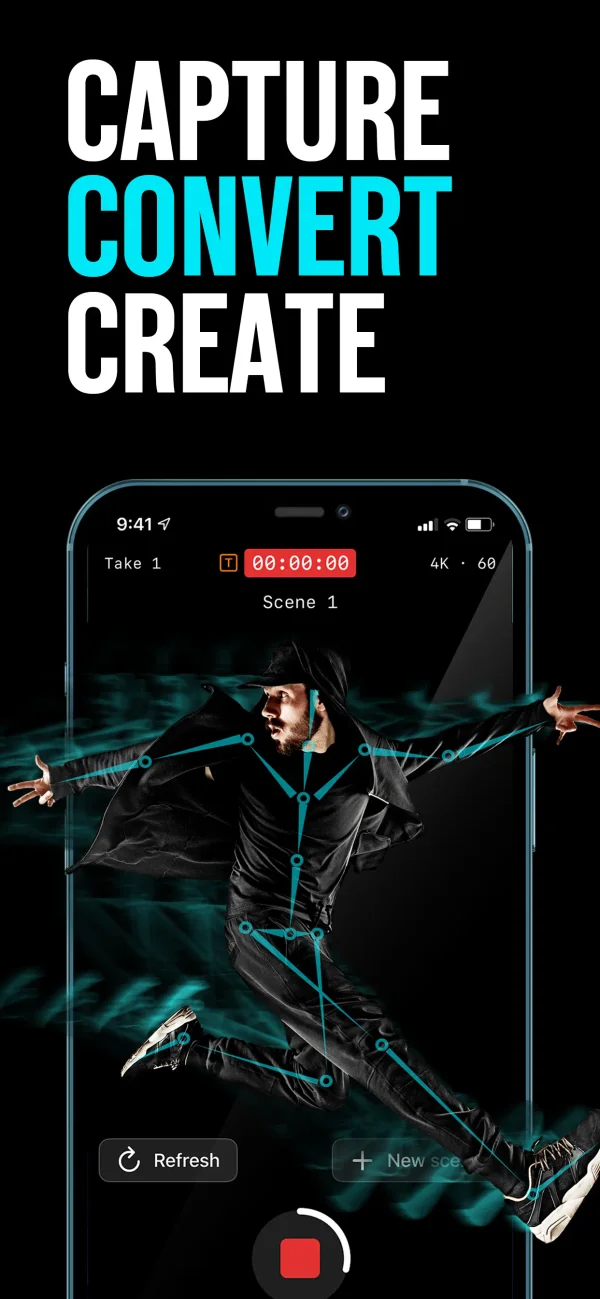
Move AI is bringing high-fidelity markerless motion capture to the masses.
With just a couple of iPhones, you can capture motion data from anyone, in any location. That means you can create your own content using the same quality of motion capture used by AAA games studios. Move’s AI-powered, markerless motion capture smashes the limits of what you can do, and where, bringing studio-quality mocap to the palm of your hand.
No more suits
You won’t need an expensive motion capture suit, as Move Multi-Cam is a markerless mocap system. That means no markers, suits, or additional hardware is needed.
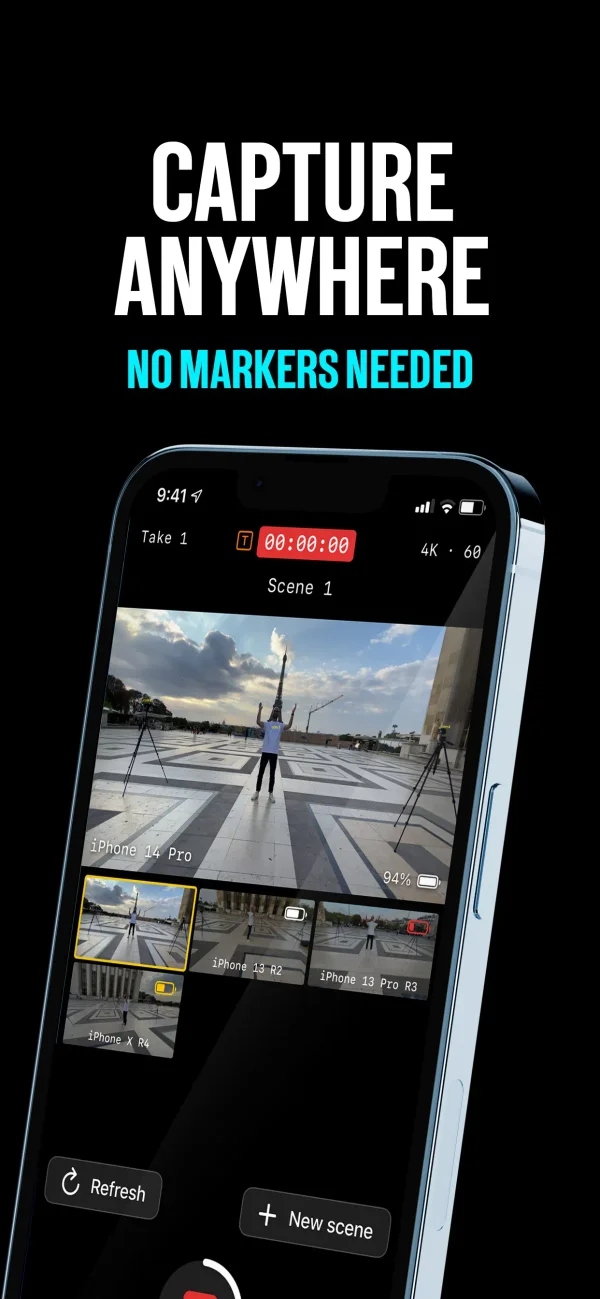
Shoot anywhere
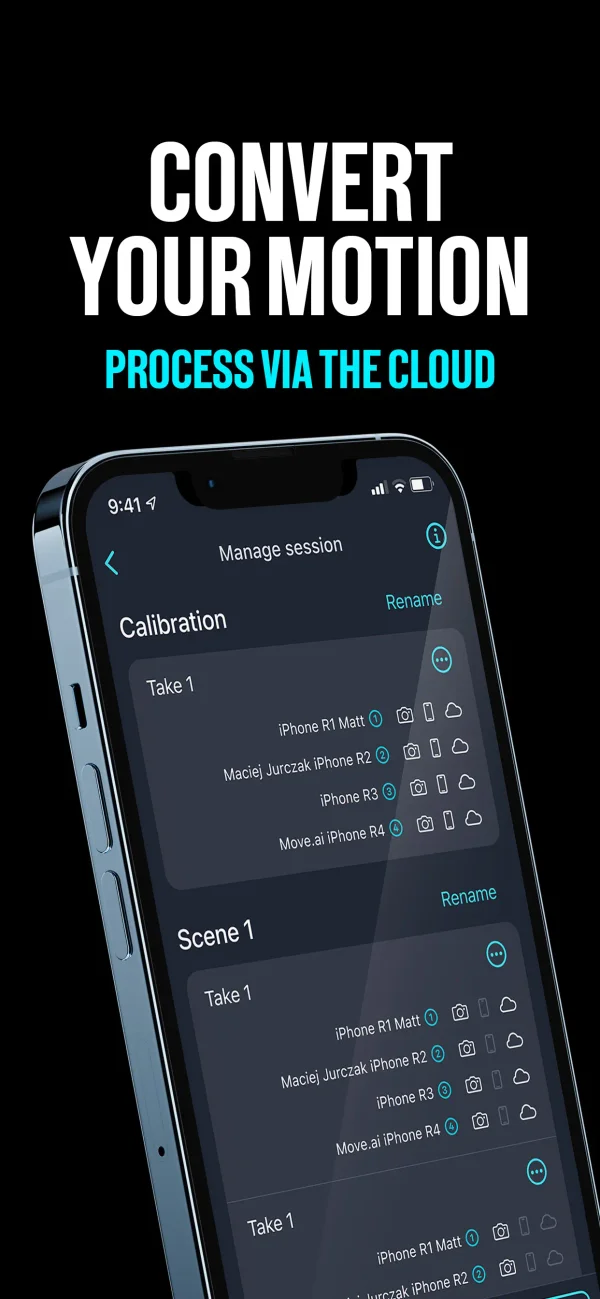
As Move Multi-Cam isn’t constrained by markers, you can shoot in any environment or location, whether that’s in a studio, on a football pitch, or even up a mountain. It only takes around three minutes to set up, then any motion data you capture can be sent from device to cloud.
Works on anyone
You can capture performance data from anyone, no matter what age or gender, with full body tracking, including hands. You can even track multiple people at the same time.
What it takes
With a minimum of two iPhones and a maximum of six, users can capture motion data from anyone, anywhere, at AAA game studio quality. The app works with most iPhones, from the iPhone 8 onwards, up to the latest iPhone 14 model, running iOS 16 or above.
Move One
Move AI also offers Move One, a single-camera motion capture. With just a single iPhone, you can capture one subject and get back high quality 3D motion data. Move One is also available on the App Store.
Neue Funktionen
Version 1.13.1 · 04.06.2024
Hey Move Community! We've got some exciting updates for you in the latest release of Move Multi-Cam. Let's dive into what's new:
- Save Captures Locally: We have added the ability for you to save files locally to your iPhone devices, making it easier to access and upload them to the Move platform.
- Improved Stability: We’ve also updated and improved the stability of the connection between multiple devices to ensure that the capture process is more robust by adding a new green connectivity UI.
- Live Previews: You can now choose to turn live previews on the host app on or off for connected cameras in the capture session. Live previews are switched off by default to improve performance, but can be changed in the app setting prior to creating a new session. If you choose to have the live previews off, connected cameras will show in the host app as a green window with an assigned camera number. This camera number will match the associated camera and also shows on the camera itself.
That's a wrap for this release! We've been working hard to make consistent improvements to the app, so please keep sending us your feedback.
Happy Mocappin’
The Move AI Team
App-Datenschutz
Was Move.AI im App Store zum Umgang dieser App mit Daten angibt.
-
Mit Ihnen verknüpfte Daten
Können erfasst und mit Ihrer Identität verknüpft werden.
- Standort
- Kontaktinformationen
- Benutzerinhalte
- Kennungen
- Nutzungsdaten
- Diagnose
Die Datenschutzpraktiken können variieren, zum Beispiel je nach den von Ihnen verwendeten Funktionen oder Ihrem Alter.
Informationen
- Anbieter
- MOVE AI LTD
- Kategorie
- Foto und Video
- Version
- 1.13.1
- Aktualisiert
- 04.06.2024
- Veröffentlicht
- 24.02.2023
- Größe
- 21,9 MB
- Erfordert
- iOS 16.0 oder neuer
- Altersfreigabe
- 4+
- Preis
- Kostenlos
- Sprachen
- Englisch
- Copyright
- © 2022 Move ai
Das könnte Ihnen auch gefallen
-
 Performit LiveFoto und Video
-
 Focus PullerFoto und Video
-
 V3LCameraFoto und Video
-
 Filmic LegacyFoto und Video
-
 ClearView FlexFoto und Video
-
 AccsoonFoto und Video
-
 Spatial Video Studio2D zu 3D für Apple Vision Pro
-
 Previs Shot - Storyboard AppShotliste, Drehplan, Callsheet
-
 Unsqueeze: KI Video UpscalerVideoqualität verbessern, 4K
-
 VJump - Video Editor, EffectsFoto und Video