
- 対象年齢4+
- カテゴリ写真/ビデオ
- 開発元Move.AI
- 言語英語
- サイズ21.9 MB
App Storeの公式ページにリンクしています
Download.orgはMove Multi-Camのファイルを一切ホストしていません。ボタンを押すと、Move.AIが公開しているApp Storeのアプリページが開きます。ページの最終確認:2026/11/17。
スクリーンショット

概要
開発元はこのテキストをお使いの言語で提供していません。
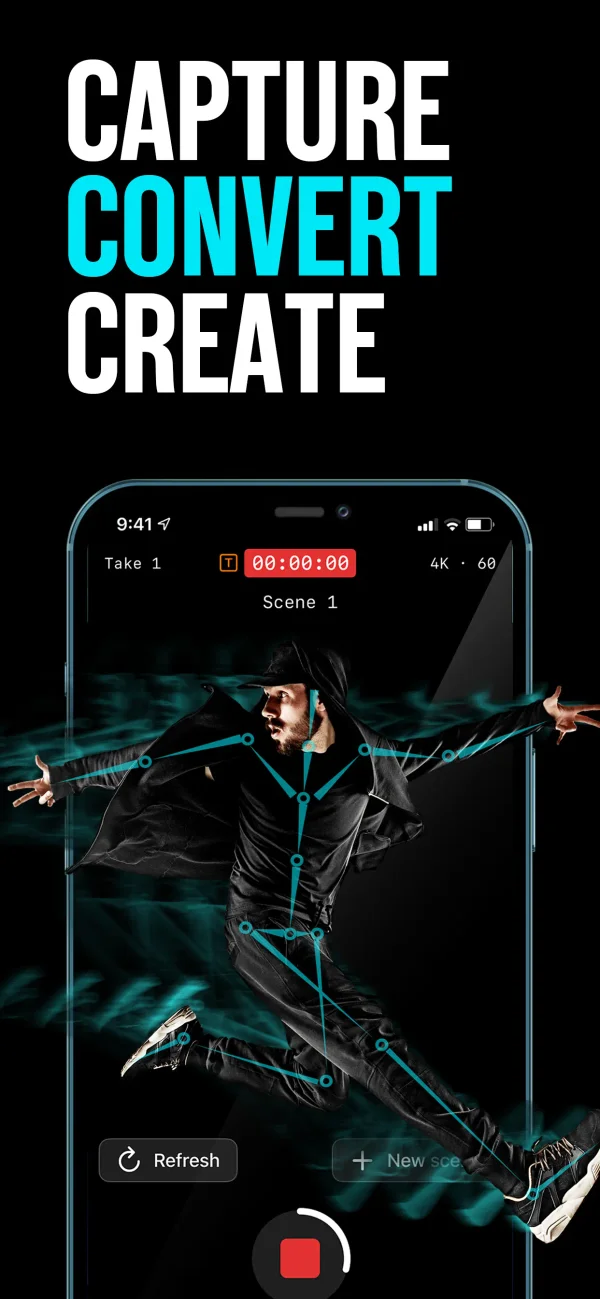
Move AI is bringing high-fidelity markerless motion capture to the masses.
With just a couple of iPhones, you can capture motion data from anyone, in any location. That means you can create your own content using the same quality of motion capture used by AAA games studios. Move’s AI-powered, markerless motion capture smashes the limits of what you can do, and where, bringing studio-quality mocap to the palm of your hand.
No more suits
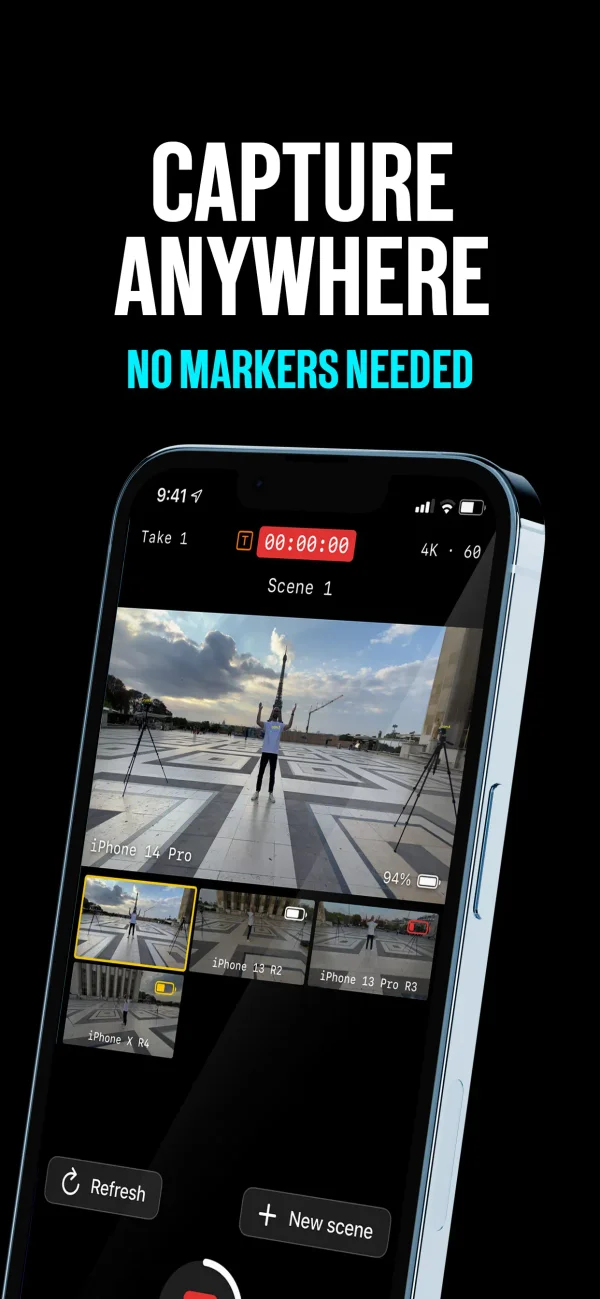
You won’t need an expensive motion capture suit, as Move Multi-Cam is a markerless mocap system. That means no markers, suits, or additional hardware is needed.
Shoot anywhere
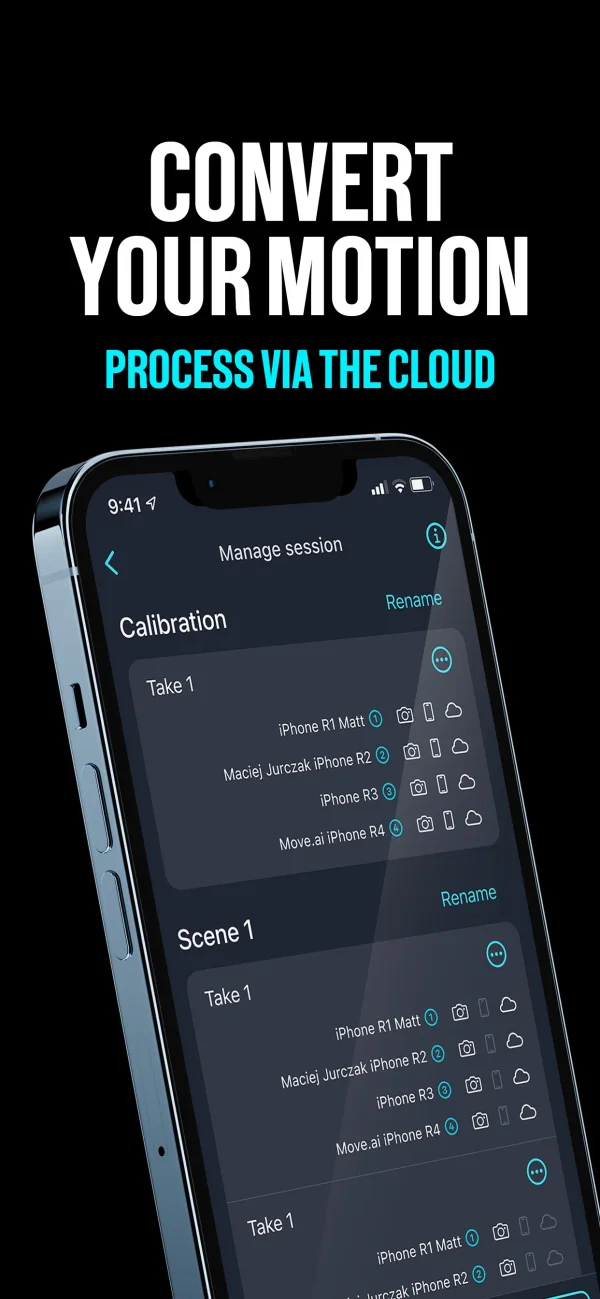
As Move Multi-Cam isn’t constrained by markers, you can shoot in any environment or location, whether that’s in a studio, on a football pitch, or even up a mountain. It only takes around three minutes to set up, then any motion data you capture can be sent from device to cloud.
Works on anyone
You can capture performance data from anyone, no matter what age or gender, with full body tracking, including hands. You can even track multiple people at the same time.
What it takes
With a minimum of two iPhones and a maximum of six, users can capture motion data from anyone, anywhere, at AAA game studio quality. The app works with most iPhones, from the iPhone 8 onwards, up to the latest iPhone 14 model, running iOS 16 or above.
Move One
Move AI also offers Move One, a single-camera motion capture. With just a single iPhone, you can capture one subject and get back high quality 3D motion data. Move One is also available on the App Store.
新機能
バージョン 1.13.1 · 2024/6/4
Hey Move Community! We've got some exciting updates for you in the latest release of Move Multi-Cam. Let's dive into what's new:
- Save Captures Locally: We have added the ability for you to save files locally to your iPhone devices, making it easier to access and upload them to the Move platform.
- Improved Stability: We’ve also updated and improved the stability of the connection between multiple devices to ensure that the capture process is more robust by adding a new green connectivity UI.
- Live Previews: You can now choose to turn live previews on the host app on or off for connected cameras in the capture session. Live previews are switched off by default to improve performance, but can be changed in the app setting prior to creating a new session. If you choose to have the live previews off, connected cameras will show in the host app as a green window with an assigned camera number. This camera number will match the associated camera and also shows on the camera itself.
That's a wrap for this release! We've been working hard to make consistent improvements to the app, so please keep sending us your feedback.
Happy Mocappin’
The Move AI Team
アプリのプライバシー
このアプリのデータの取り扱いについて、Move.AIがApp Storeで申告している内容です。
-
ユーザーに関連付けられたデータ
収集され、ユーザーの識別情報に関連付けられる場合があります。
- 位置情報
- 連絡先情報
- ユーザーコンテンツ
- ID
- 使用状況データ
- 診断
プライバシーの取り扱いは、ご利用の機能やお客様の年齢などに応じて異なる場合があります。
情報
- 販売元
- MOVE AI LTD
- カテゴリ
- 写真/ビデオ
- バージョン
- 1.13.1
- 更新日
- 2024/6/4
- リリース
- 2023/2/24
- サイズ
- 21.9 MB
- 必要条件
- iOS 16.0以降
- 対象年齢
- 4+
- 価格
- 無料
- 言語
- 英語
- 著作権
- © 2022 Move ai
こちらもおすすめ
-
 Performit Live写真/ビデオ
-
 Focus Puller写真/ビデオ
-
 V3LCamera写真/ビデオ
-
 Filmic Legacy写真/ビデオ
-
 ClearView Flex写真/ビデオ
-
 Accsoon写真/ビデオ
-
 Spatial Video Studio: 空間ビデオ制作2D を 3D に、Apple Vision Pro 向け
-
 Previs Shot - 絵コンテ・香盤表ショットリスト・コールシート・撮影記録
-
 Unsqueeze: AI動画高画質化画質を良くする4K/8Kアップスケール
-
 VJump: トランジションビデオエディター。動画編集アプリ特殊効果とムービーを作成する。 映画製作者、映画監督