
- Altersfreigabe4+
- KategorieMusik
- Entwickler伯龙 姜
- SprachenEnglisch+ 1 weitere
- Größe35,9 MB
Verlinkt auf die offizielle App Store-Seite
Download.org hostet keine Datei von MusicFocus. Die Schaltfläche öffnet die App-Seite bei App Store, wo 伯龙 姜 die App veröffentlicht. Eintrag zuletzt geprüft am 20.11.2026.
Screenshots


Info
Der Entwickler hat diesen Text nicht in Ihrer Sprache bereitgestellt.
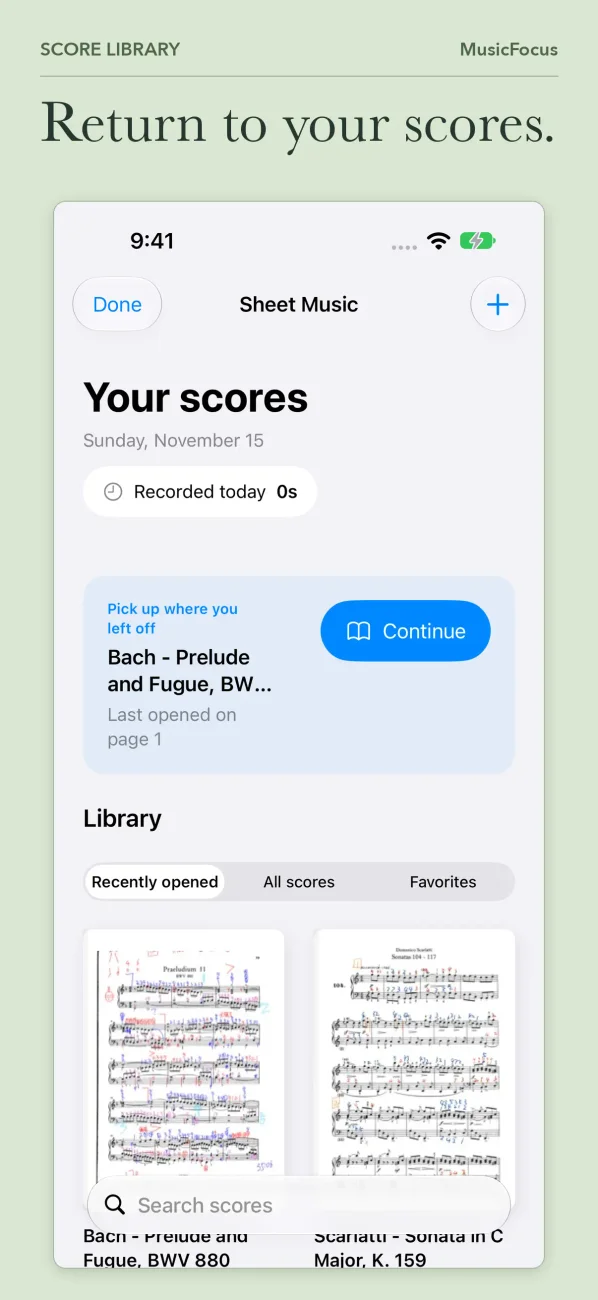
Read your own PDF sheet music, mark it as you practice, and pick up where you left off. MusicFocus brings a score library, handwritten annotations, a metronome and a practice calendar to iPad and iPhone.
MARK YOUR SCORE
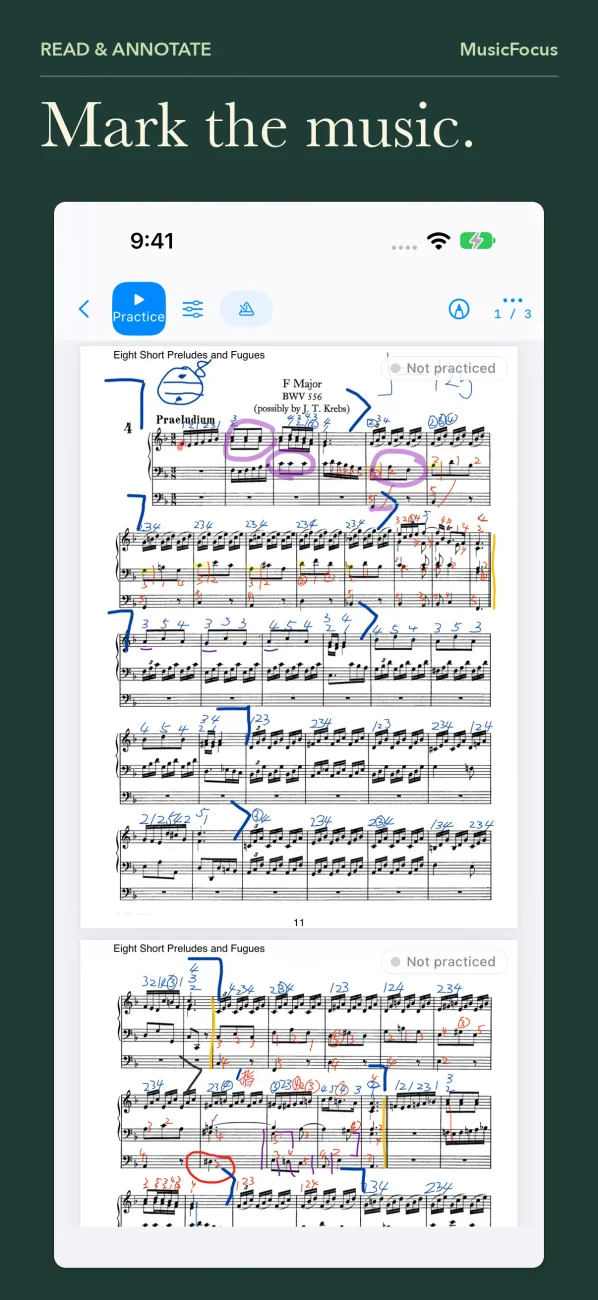
Write with Apple Pencil on a compatible iPad, or use your finger. The dedicated fingering pen turns handwritten 1–5 and circled digits into editable marks. Choose a consistent size, drag a number into place, or cover a printed fingering. Use a separate movable cover for other printed markings. Undo your changes and export an annotated PDF.
LEAVE A VOICE REMINDER
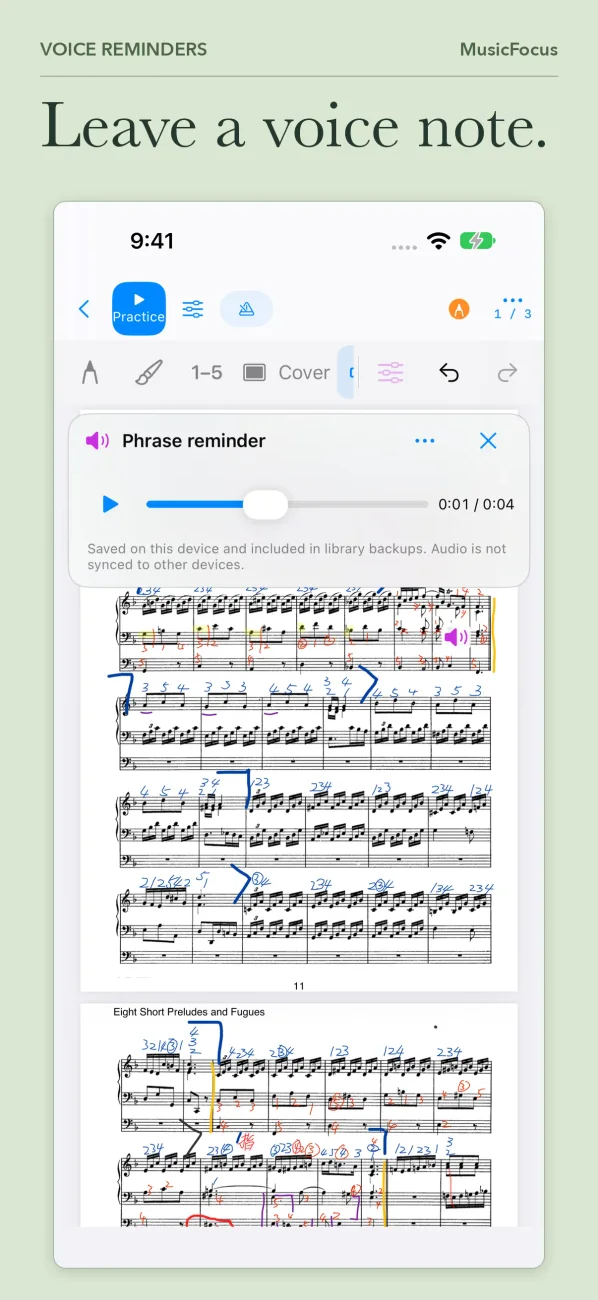
Place a colored speaker anywhere on the page to record an idea, a phrase or a short demonstration. Tap it to listen, pause or scrub.
PRACTICE AT YOUR OWN TEMPO
Keep a metronome next to your music. Choose a click sound, set accents and group beats into eighth notes, triplets or sixteenth notes. Start optional on-device practice detection with or without a score. A single-note pitch display helps you check intonation. Voice reminders pause practice timing.
REVISIT YOUR PRACTICE
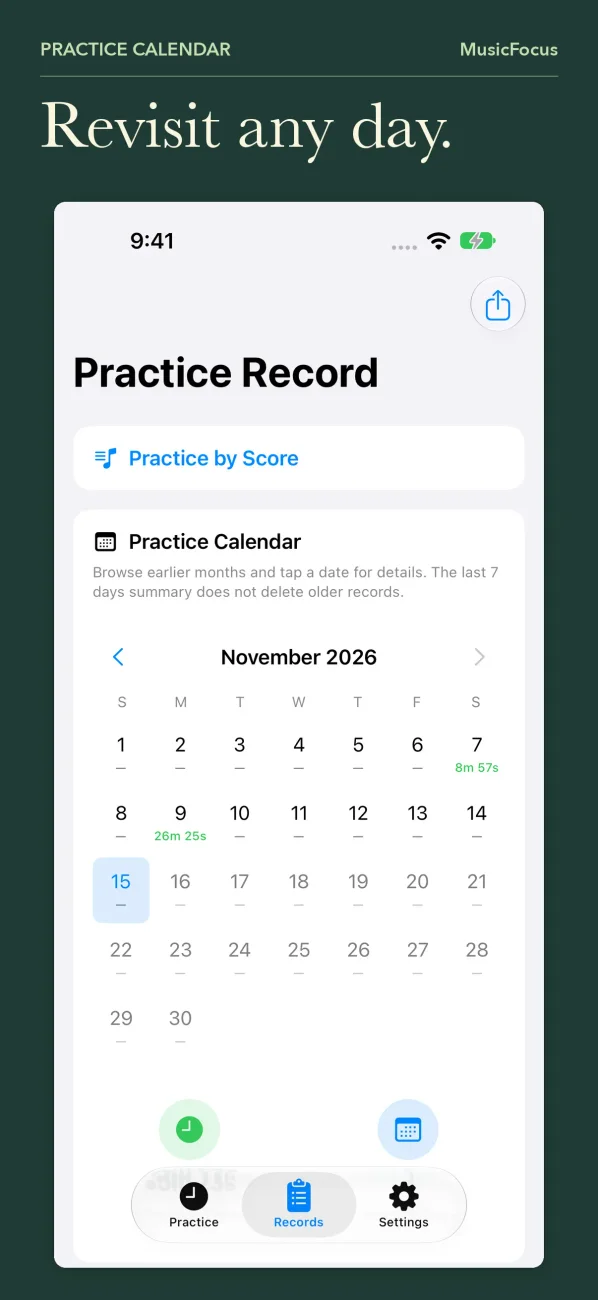
Browse the calendar by month. Tap a day to see what you practiced, then explore reading, metronome and practice time by score or page. Favorite a piece or return to a recently opened score.
KEEP YOUR MUSIC CLOSE
Scores, notes, recordings and practice records stay on your device. Export a library backup or share an annotated PDF. For nearby collaboration, open the same original PDF on both devices and connect over local Wi-Fi or Bluetooth.
No account is required. Bring your own PDF scores. Available in English and Simplified Chinese.
Neue Funktionen
Version 2.5 · 15.11.2026
• Place a movable, resizable cover over printed markings. Choose its color and keep it editable in your exported PDF.
• Move fingerings directly on the page. Match the first fingering in a score, choose one fixed size, or keep each handwritten size. Optional backgrounds cover printed fingerings.
• Browse practice by date. Open a day to see which scores and pages you practiced.
• Improved annotation dragging, undo after switching pens, and page-turn controls while annotating.
App-Datenschutz
Was 伯龙 姜 im App Store zum Umgang dieser App mit Daten angibt.
-
Keine Daten erfasst
Der Entwickler erfasst keine Daten von dieser App.
Die Datenschutzpraktiken können variieren, zum Beispiel je nach den von Ihnen verwendeten Funktionen oder Ihrem Alter.
Informationen
- Anbieter
- 伯龙 姜
- Kategorie
- Musik
- Version
- 2.5
- Aktualisiert
- 15.11.2026
- Veröffentlicht
- 11.04.2025
- Größe
- 35,9 MB
- Erfordert
- iOS 18.0 oder neuer
- Altersfreigabe
- 4+
- Preis
- Kostenlos
- Sprachen
- Englisch, Vereinf. Chinesisch
- Copyright
- © 2025 姜伯龙. 保留所有权利
Das könnte Ihnen auch gefallen
-
 Music Timer AIMusik
-
 Only Practice - Music JournalÜbezeit und Fortschritt
-
 Practice Log – ÜbungstagebuchÜben, Metronom & Stimmgerät
-
 练琴宝 - 你的私人练琴助手Musik
-
 Music Dictionary - Music TermsMusik
-
 Cresc Flow: Übungs-TrackerMetronom, Stimmgerät, Gamified
-
 CueFlip: Noten umblätternNotenleser, der dir zuhört
-
 FlowBeats: Metronome &PracticeMusik
-
 NueCtrlMusik
-
 Music Practice - instrumentMusik