
- 対象年齢4+
- カテゴリミュージック
- 開発元伯龙 姜
- 言語英語ほか1言語
- サイズ35.9 MB
App Storeの公式ページにリンクしています
Download.orgはMusicFocusのファイルを一切ホストしていません。ボタンを押すと、伯龙 姜が公開しているApp Storeのアプリページが開きます。ページの最終確認:2026/11/20。
スクリーンショット


概要
開発元はこのテキストをお使いの言語で提供していません。
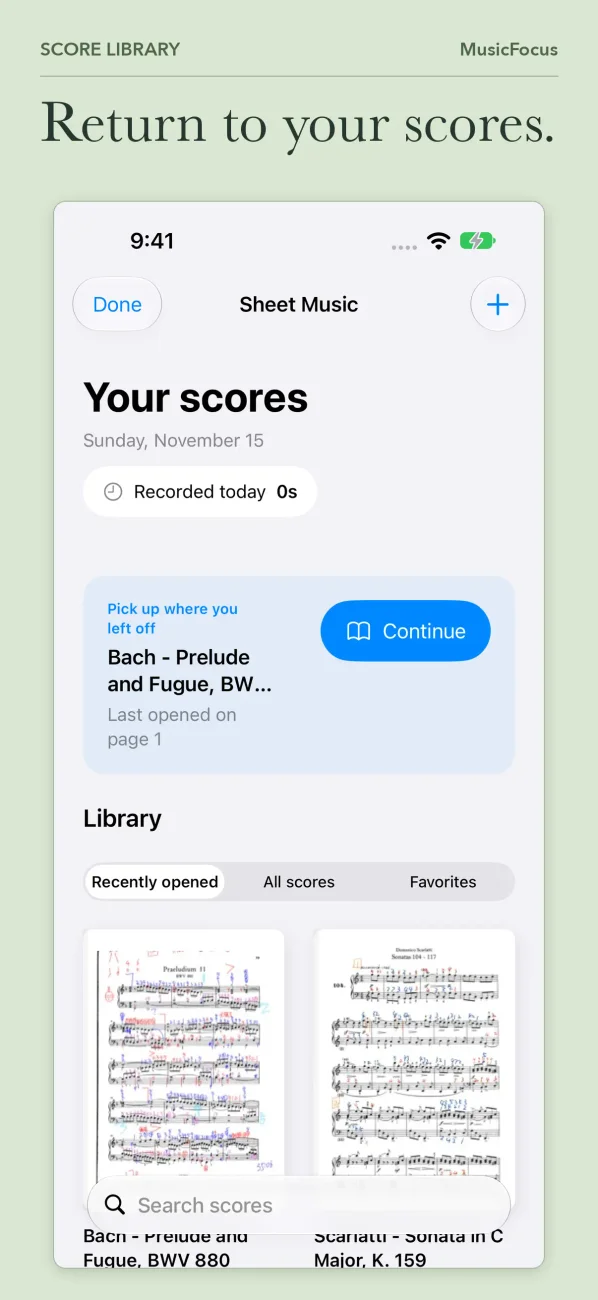
Read your own PDF sheet music, mark it as you practice, and pick up where you left off. MusicFocus brings a score library, handwritten annotations, a metronome and a practice calendar to iPad and iPhone.
MARK YOUR SCORE
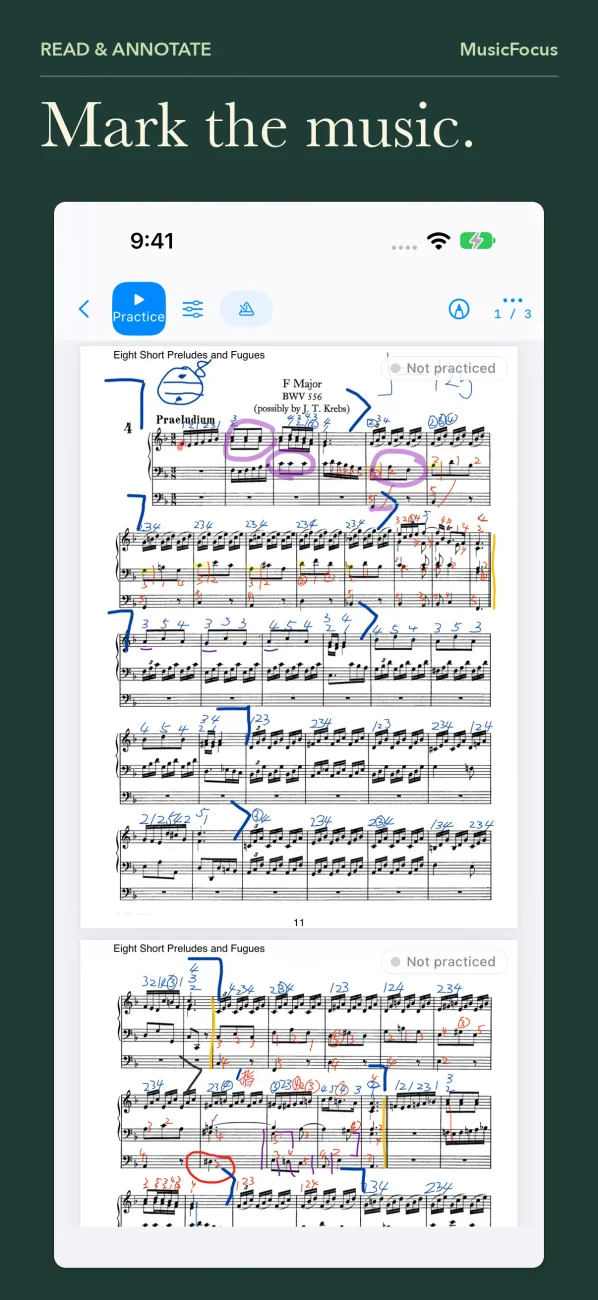
Write with Apple Pencil on a compatible iPad, or use your finger. The dedicated fingering pen turns handwritten 1–5 and circled digits into editable marks. Choose a consistent size, drag a number into place, or cover a printed fingering. Use a separate movable cover for other printed markings. Undo your changes and export an annotated PDF.
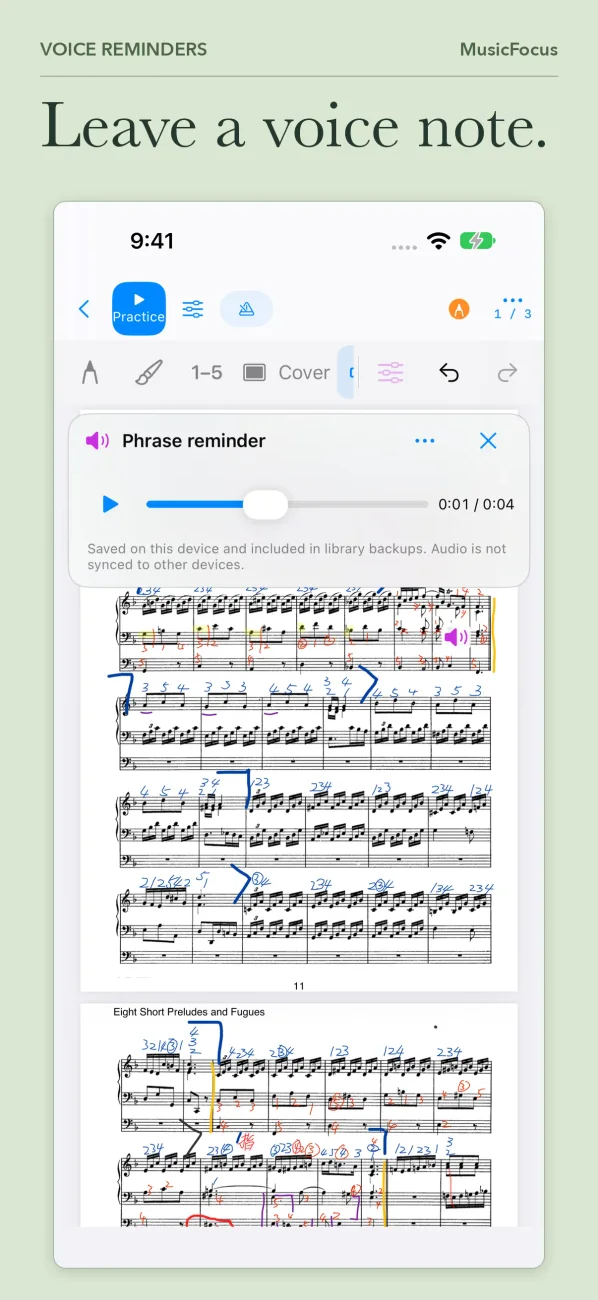
LEAVE A VOICE REMINDER
Place a colored speaker anywhere on the page to record an idea, a phrase or a short demonstration. Tap it to listen, pause or scrub.
PRACTICE AT YOUR OWN TEMPO
Keep a metronome next to your music. Choose a click sound, set accents and group beats into eighth notes, triplets or sixteenth notes. Start optional on-device practice detection with or without a score. A single-note pitch display helps you check intonation. Voice reminders pause practice timing.
REVISIT YOUR PRACTICE
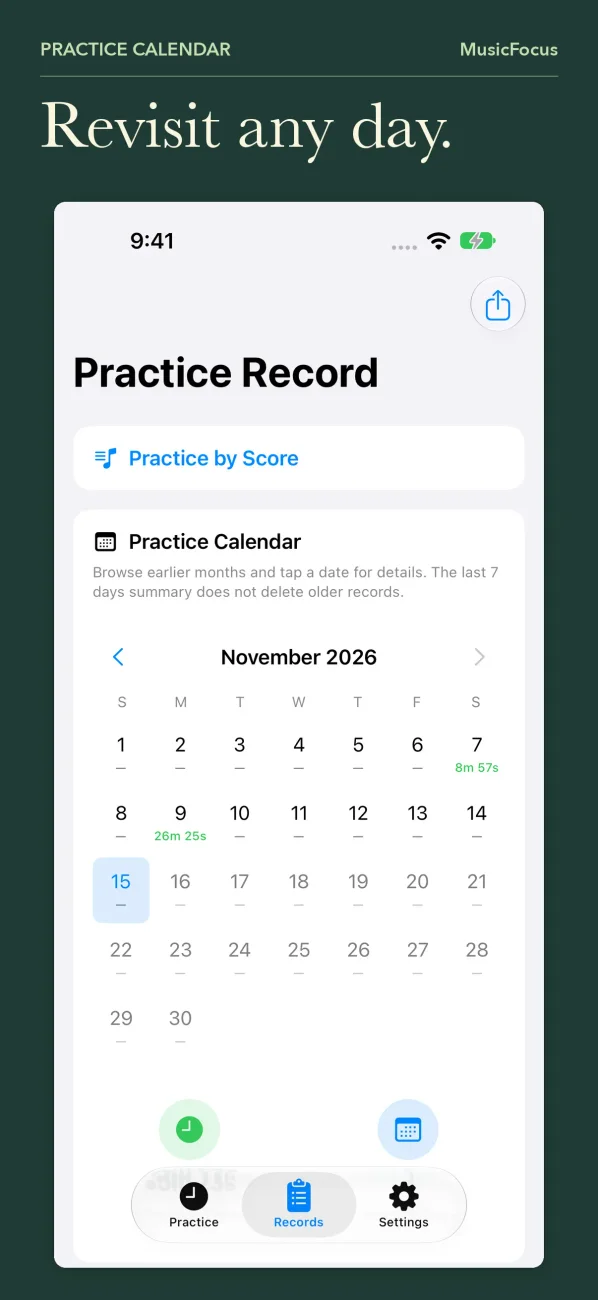
Browse the calendar by month. Tap a day to see what you practiced, then explore reading, metronome and practice time by score or page. Favorite a piece or return to a recently opened score.
KEEP YOUR MUSIC CLOSE
Scores, notes, recordings and practice records stay on your device. Export a library backup or share an annotated PDF. For nearby collaboration, open the same original PDF on both devices and connect over local Wi-Fi or Bluetooth.
No account is required. Bring your own PDF scores. Available in English and Simplified Chinese.
新機能
バージョン 2.5 · 2026/11/15
• Place a movable, resizable cover over printed markings. Choose its color and keep it editable in your exported PDF.
• Move fingerings directly on the page. Match the first fingering in a score, choose one fixed size, or keep each handwritten size. Optional backgrounds cover printed fingerings.
• Browse practice by date. Open a day to see which scores and pages you practiced.
• Improved annotation dragging, undo after switching pens, and page-turn controls while annotating.
アプリのプライバシー
このアプリのデータの取り扱いについて、伯龙 姜がApp Storeで申告している内容です。
-
データの収集なし
開発元はこのアプリからデータを収集しません。
プライバシーの取り扱いは、ご利用の機能やお客様の年齢などに応じて異なる場合があります。
情報
- 販売元
- 伯龙 姜
- カテゴリ
- ミュージック
- バージョン
- 2.5
- 更新日
- 2026/11/15
- リリース
- 2025/4/11
- サイズ
- 35.9 MB
- 必要条件
- iOS 18.0以降
- 対象年齢
- 4+
- 価格
- 無料
- 言語
- 英語, 簡体字中国語
- 著作権
- © 2025 姜伯龙. 保留所有权利
こちらもおすすめ
-
 Music Timer AIミュージック
-
 Only Practice - 練習日記毎日の練習を記録して上達を実感しよう
-
 Practice Log - 楽器練習記録練習タイマー・メトロノーム・チューナー
-
 练琴宝 - 你的私人练琴助手ミュージック
-
 音楽辞典 - 音楽用語音楽用語検索と楽理クイズ
-
 Cresc Flow:毎日の音楽練習を記録メトロノーム、チューナー、ゲーム感覚、音楽家と一緒に練
-
 CueFlip: 自動譜めくり・楽譜リーダー演奏を聴いてページをめくる楽譜アプリ
-
 FlowBeats: Metronome &Practiceミュージック
-
 NueCtrlGesture-Based MIDI Controller
-
 Music Practice - instrumentミュージック