
MyNote -Simple note app-
Suitable for memo pad,list pad
Entwickelt für iPhone, iPad
Kostenlos
- Altersfreigabe4+
- KategorieProduktivität
- Entwicklerfumio ueda
- SprachenEnglisch+ 1 weitere
- Größe3,8 MB
Verlinkt auf die offizielle App Store-Seite
Download.org hostet keine Datei von MyNote -Simple note app-. Die Schaltfläche öffnet die App-Seite bei App Store, wo fumio ueda die App veröffentlicht. Eintrag zuletzt geprüft am 20.11.2026.
Screenshots
Info
Der Entwickler hat diesen Text nicht in Ihrer Sprache bereitgestellt.
Summary
"My Note -a simple note app-" is an application for iPhone/iPad with iOS13.3 or later that is suitable for writing down ideas, schedules, and checklists, just like a notebook. In particular, it has uniquely useful features such as
(a) the ability to instantly change the text size by simply pinching the screen,
(b) the ability to automatically expand the column height according to the text length or font size change, and
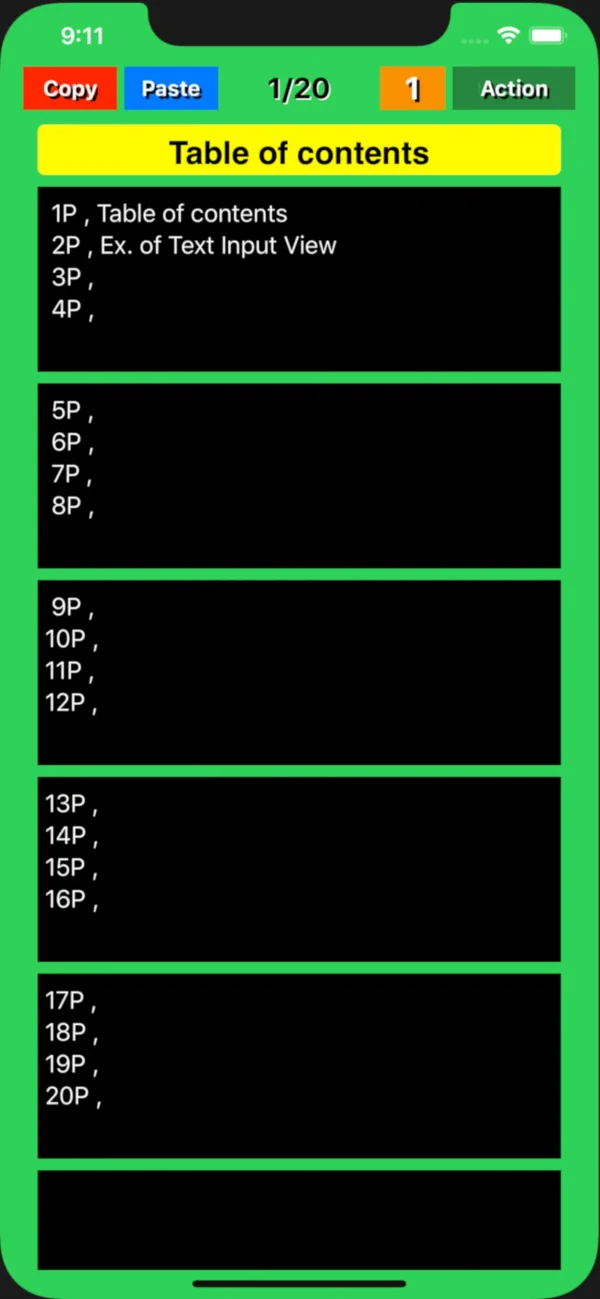
(c) the ability to create a table of contents.
Description of Functions and Features
(1) Notepad function
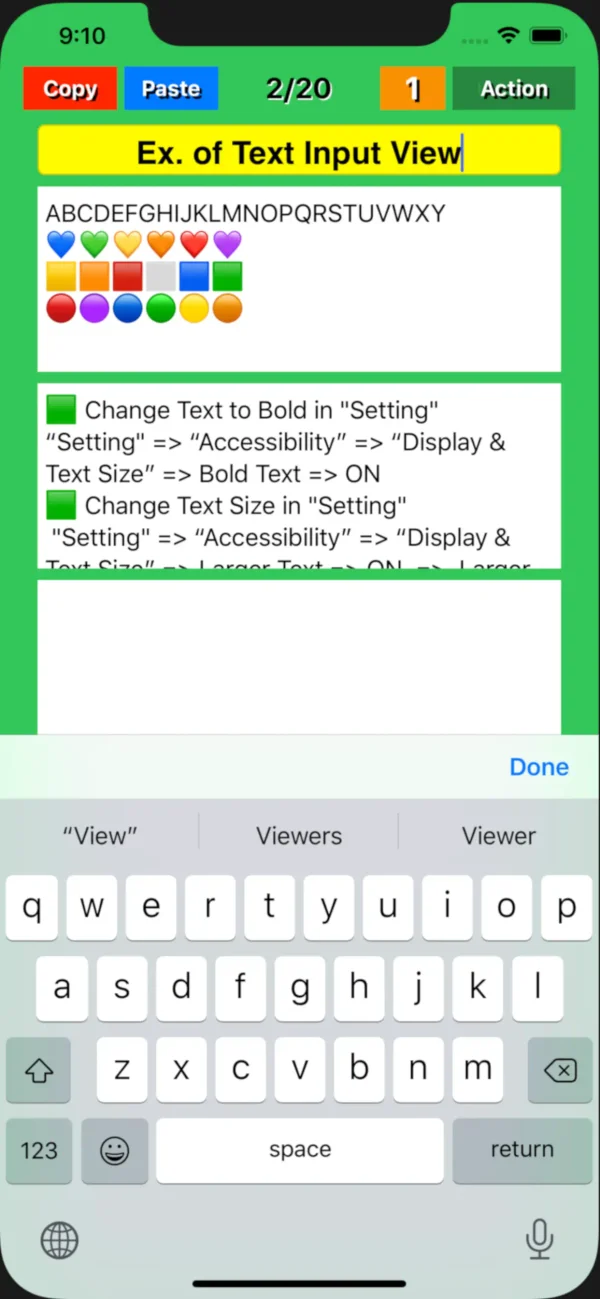
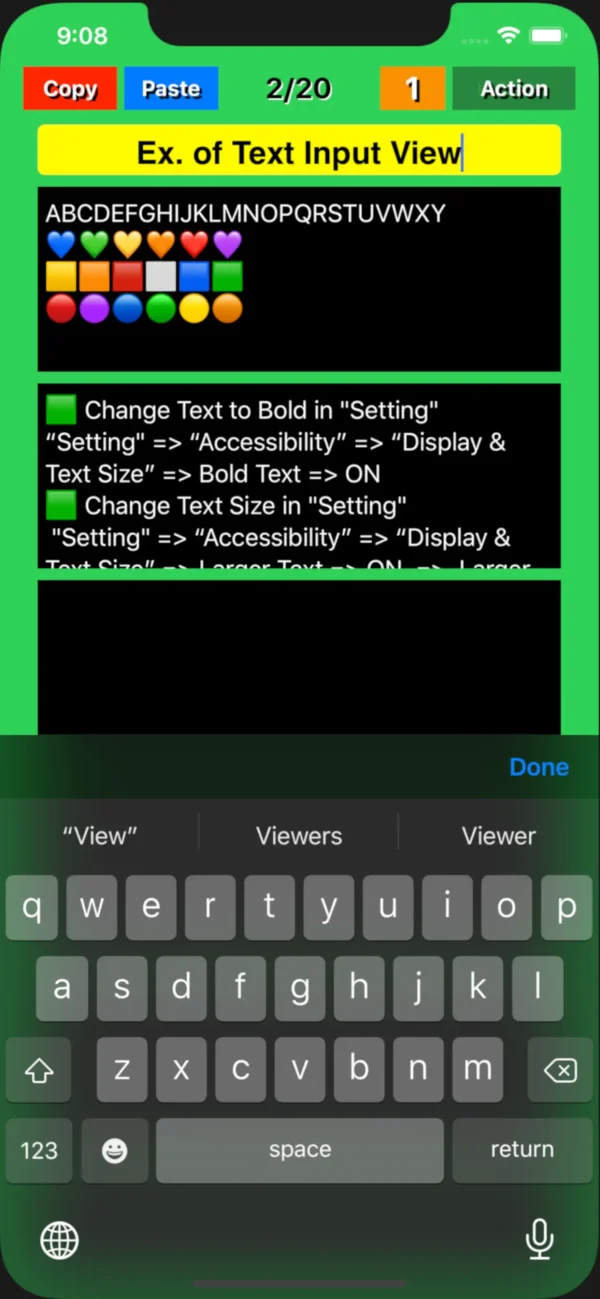
(a) Page composition; Each page consists of a title and ten columns of text.
(b) Start Page; The page is displayed from the last finished page and can be edited.
(c) Column Expansion; The height of each column is automatically expanded or restored according to the length of the text in that column.
(d) Scrolling; Each page can be scrolled vertically by swiping vertically.
(e) Page Turnover; Swipe left and right or tap the left and right frames to turn pages. The number of pages to be turned is either "1" or "5" as set by the turning-pages-buttons (second button from the right). Pages are turned from the end of the page to the beginning, or from the beginning to the end.
(f) Text editing; When you tap the screen, the cursor appears there and at the same time the keyboard appears at the bottom of the screen. You can use the keyboard to enter text at the cursor position. The cursor will automatically move to the position behind the character you have entered. Edits are finalized by pressing the "Done" button on the keyboard and saved on the terminal for the next readout.
(2) "Copy" function
By tapping the "Copy" button on each page, the title and text are copied to the device's memory. The text is also copied to the clipboard.
(3) "Paste" function
Tapping the "Paste" button on a page overwrites the title and text stored in the memory to the title and text fields of the page, respectively. Tap "Overwrite" on the confirmation screen that appears before overwriting to execute the overwrite.
If a blank page is copied and pasted onto a page of your choice, all text can be erased at once.
(4) Table of contents creation function
When you press and hold the "Paste" button on any page, a prompt will appear asking if you want to create a table of contents. If you choose "Yes," a table of contents will be created.
(5) "E-mail" sending function
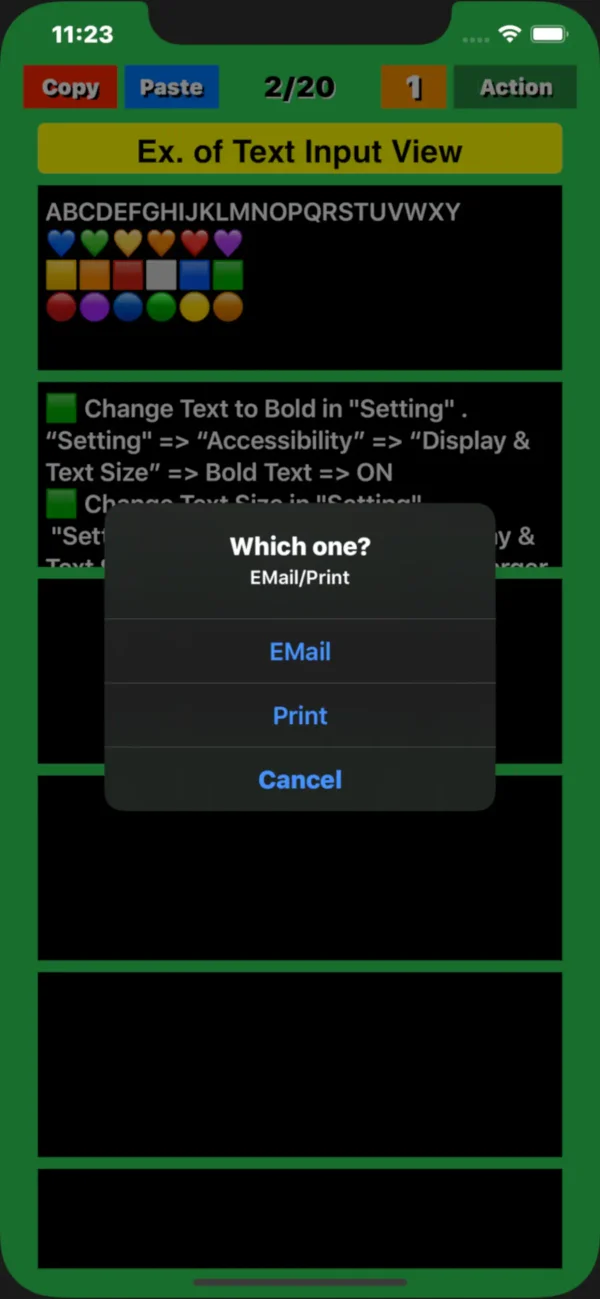
Tapping the "Share" button, and then follow the instructions on the Email screen.
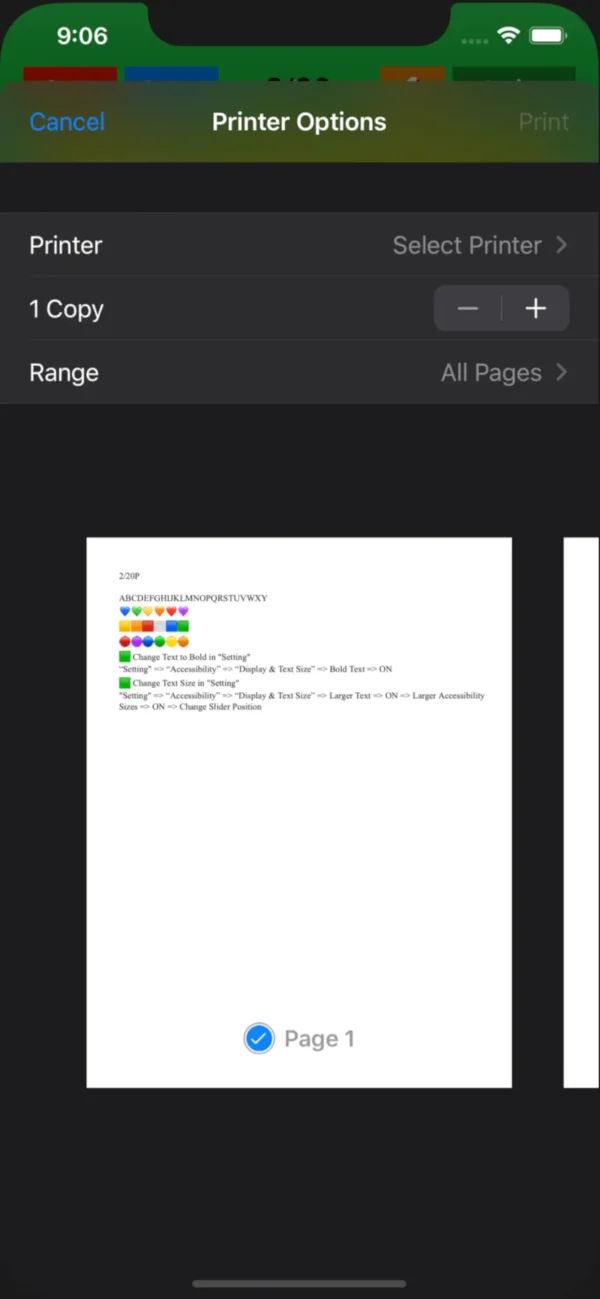
(6) "Printing" function
Tapping the "Share" button, and then follow the print instructions after the print function is installed.
(7) Instant font size change function
The text size can be instantly changed by simply pinching the screen.
Tips on how to use it well
If, for example, the diary pages are about to fill up, start another archive page and transcribe the entire page into one of the columns on the archive page. Then the original page can be used for another purpose. In other words, 10 pages of content can fit on one archive page.
Neue Funktionen
Version 5.1 · 19.11.2026
The recommended changes for iOS 27.0 were applied, and it was confirmed that the app continues to function as it did before.
App-Datenschutz
Was fumio ueda im App Store zum Umgang dieser App mit Daten angibt.
-
Daten, die zum Tracking Ihrer Person verwendet werden
Können verwendet werden, um Sie über Apps und Websites anderer Unternehmen hinweg zu verfolgen.
- Standort
- Kennungen
- Nutzungsdaten
-
Mit Ihnen verknüpfte Daten
Können erfasst und mit Ihrer Identität verknüpft werden.
- Kennungen
-
Nicht mit Ihnen verknüpfte Daten
Können erfasst werden, sind aber nicht mit Ihrer Identität verknüpft.
- Standort
- Nutzungsdaten
Die Datenschutzpraktiken können variieren, zum Beispiel je nach den von Ihnen verwendeten Funktionen oder Ihrem Alter.
Informationen
- Anbieter
- fumio ueda
- Kategorie
- Produktivität
- Version
- 5.1
- Aktualisiert
- 19.11.2026
- Veröffentlicht
- 10.06.2017
- Größe
- 3,8 MB
- Erfordert
- iOS 17.0 oder neuer
- Altersfreigabe
- 4+
- Preis
- Kostenlos
- Sprachen
- Englisch, Japanisch
- Copyright
- © 2017 fumio ueda
Das könnte Ihnen auch gefallen
-
 EZ Notepad plus - Symple noteProduktivität
-
 Notepad Notes: Notizen & ListeNotizbuch, Checkliste, To-Do
-
 TabPadProduktivität
-
 Cheetah NoteProduktivität
-
 Notepad Widget, Sticky NotesProduktivität
-
 Easy Note 2Produktivität
-
 Comet NotesProduktivität
-
 Note Pad+Produktivität
-
 Simplio NotizblockNotizen & Gedanken
-
 Notizen PasswortPasswort