- Altersfreigabe4+
- KategorieProduktivität
- EntwicklerBenjamin Pichel
- SprachenDeutsch
- Größe2,7 MB
Verlinkt auf die offizielle App Store-Seite
Download.org hostet keine Datei von OffClock. Die Schaltfläche öffnet die App-Seite bei App Store, wo Benjamin Pichel die App veröffentlicht. Eintrag zuletzt geprüft am 10.11.2026.
Screenshots


Info
Der Entwickler hat diesen Text nicht in Ihrer Sprache bereitgestellt.
Your workday. On your iPhone, Apple Watch and Home Screen.
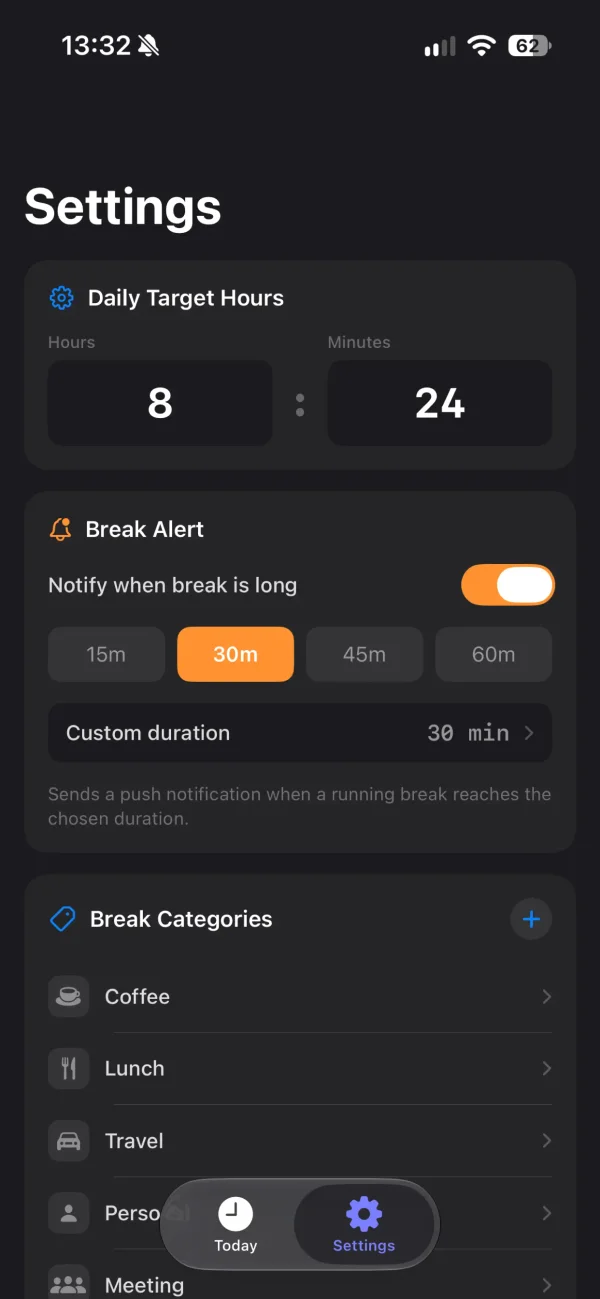
OffClock helps you keep track of your working hours, manage breaks and know when your workday is done. Check your progress on your wrist or Home Screen, with quick controls that keep your day moving.
OFFCLOCK ON APPLE WATCH
Your workday is always within reach. Start working, take a break, resume and finish your day directly from your Apple Watch. See your worked time and progress towards your daily target at a glance, with your workday synced to your iPhone.
YOUR WORKDAY ON YOUR HOME SCREEN
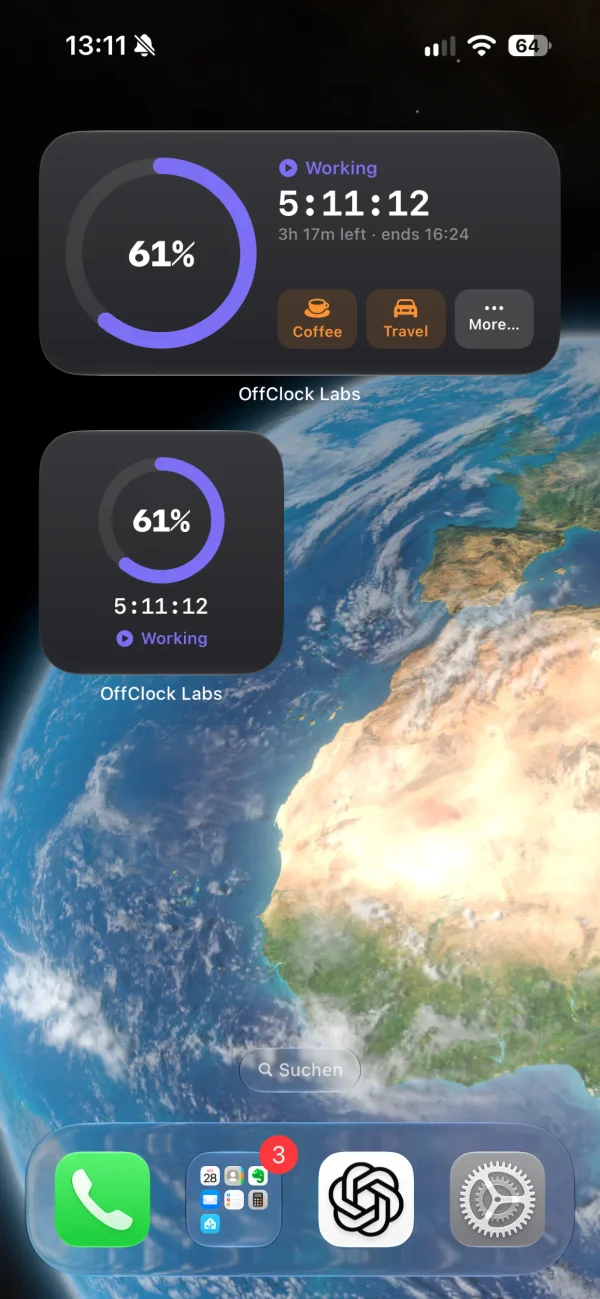
See how your day is going without opening OffClock. Choose a small or medium widget to keep your working time and progress in view. The interactive medium widget lets you start working, take a break and resume right from your Home Screen.
KNOW WHEN YOU’RE DONE
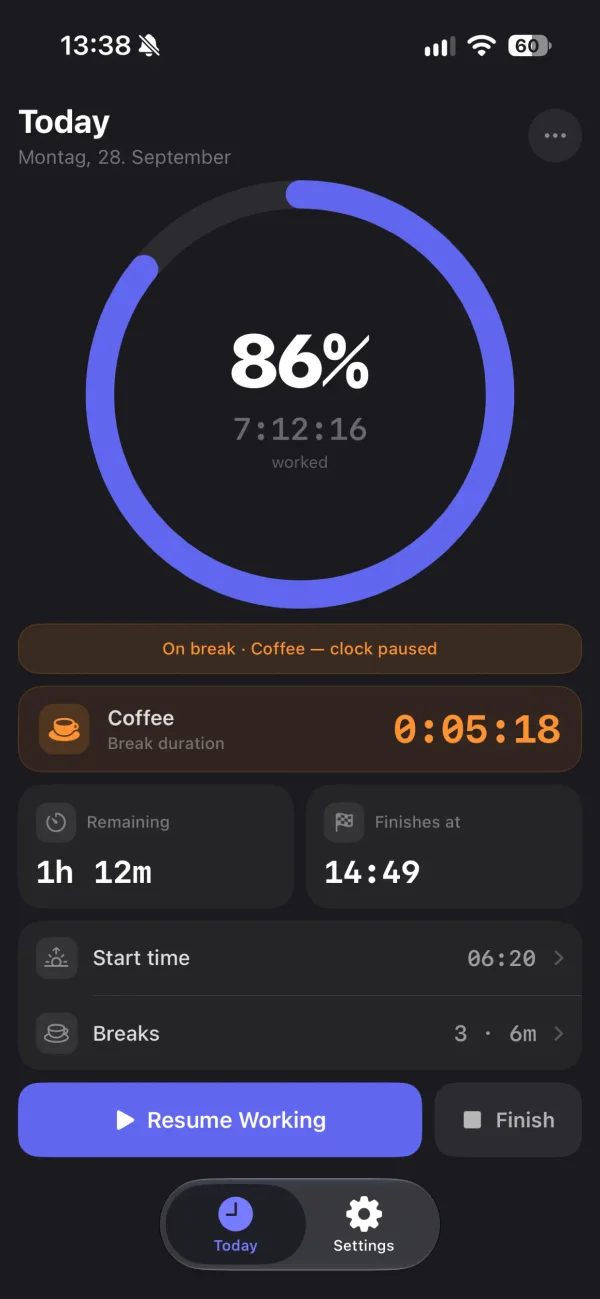
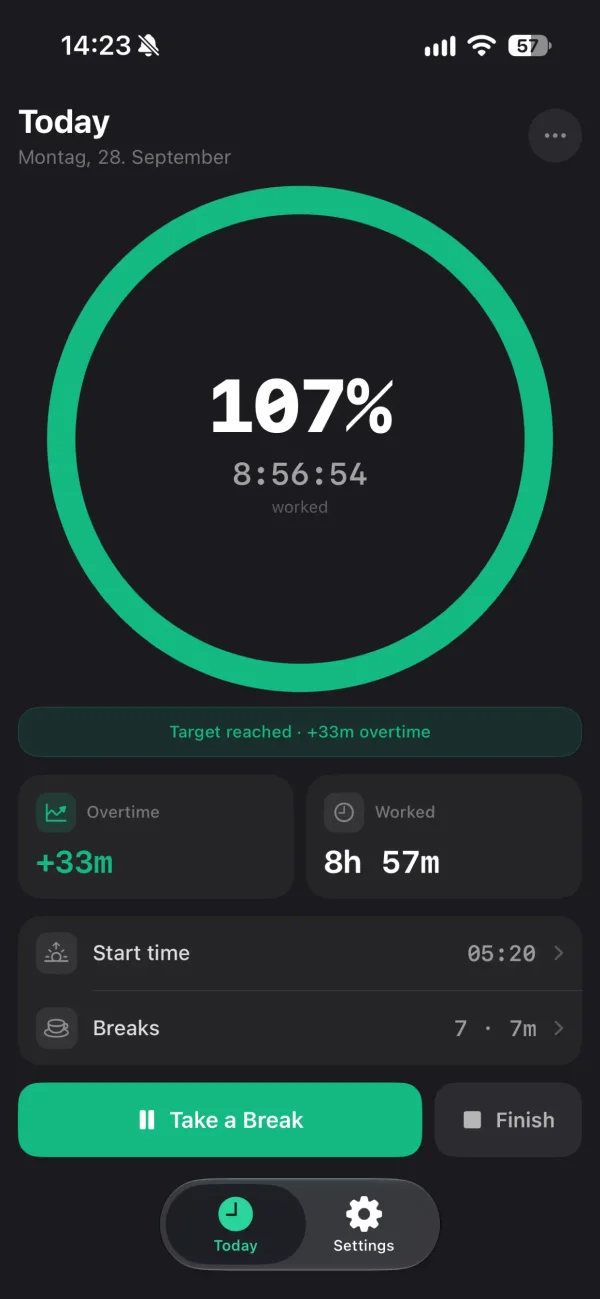
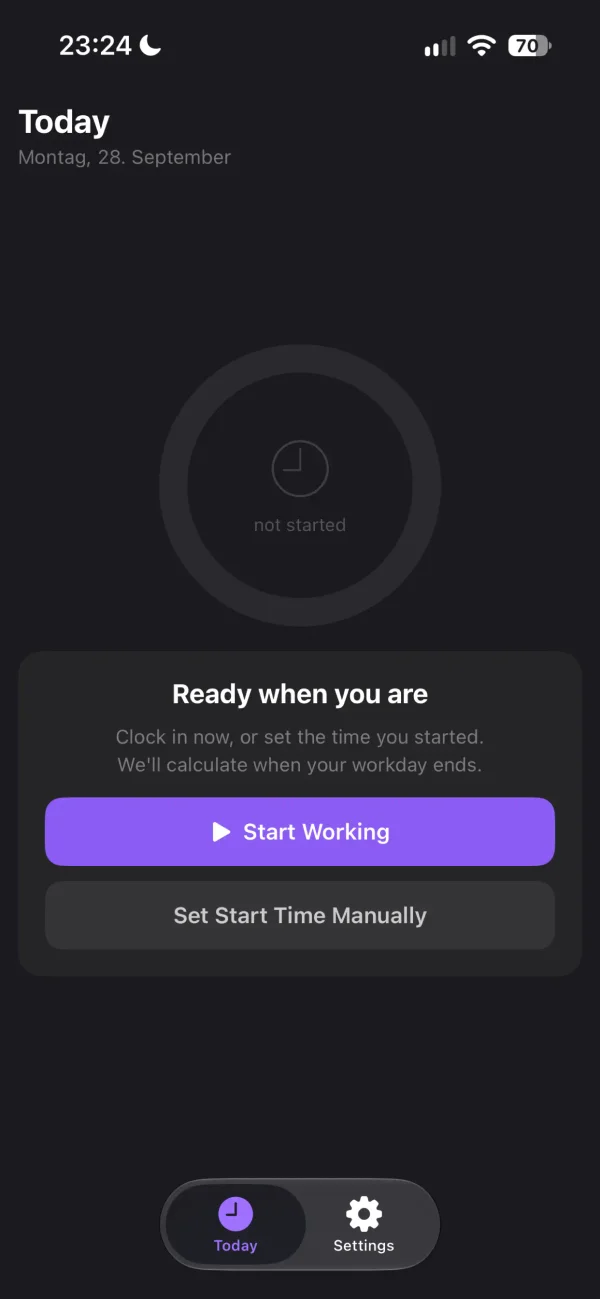
Set your daily target and follow your progress with a live timer and a colourful progress ring. See how much you’ve worked, how much time remains and when you’re expected to finish. Breaks are deducted automatically, and your estimated finish time adjusts throughout the day.
BREAKS THAT FIT YOUR DAY
Track multiple breaks, from a quick coffee to lunch or time away from your desk. Add breaks manually using a duration or start and end times, and edit them whenever needed. Use the included categories or create your own with custom names and icons.
KEEP YOUR BREAK IN VIEW
Follow your running break timer on the Lock Screen and in the Dynamic Island on supported iPhones. Set an optional reminder for when your break reaches your chosen duration.
SIMPLE AND PRIVATE
Start your workday with a tap or enter an earlier start time. Finish your day to stop the clock and see how your worked time compares with your target.
No account required. Your workday data is stored locally, with no server uploads. Core tracking works offline, and time displays follow your device settings.
OffClock focuses on today: your start time and breaks reset when a new day begins, while your daily target and preferences stay saved.
On your wrist. On your Home Screen. On top of your day.
Neue Funktionen
Version 1.4.1 · 30.09.2026
OffClock is now on your Apple Watch and Home Screen!
NEW APPLE WATCH APP
Start your workday, take breaks, resume and finish directly from your wrist. Check your worked time and daily progress, synced with your iPhone.
NEW HOME SCREEN WIDGETS
Keep your workday in view with small and medium widgets. Start working, take a break and resume directly from the interactive medium widget.
ALSO NEW
• A redesigned Today view with a live work timer and progress ring.
• Multiple editable breaks and custom break categories.
• Optional break reminders.
• Live break timers on the Lock Screen and Dynamic Island.
• Improved timer display and widget updates when resuming work.
App-Datenschutz
Was Benjamin Pichel im App Store zum Umgang dieser App mit Daten angibt.
-
Keine Daten erfasst
Der Entwickler erfasst keine Daten von dieser App.
Die Datenschutzpraktiken können variieren, zum Beispiel je nach den von Ihnen verwendeten Funktionen oder Ihrem Alter.
Informationen
- Anbieter
- Benjamin Pichel
- Kategorie
- Produktivität
- Version
- 1.4.1
- Aktualisiert
- 30.09.2026
- Veröffentlicht
- 23.06.2026
- Größe
- 2,7 MB
- Erfordert
- iOS 17.0 oder neuer
- Altersfreigabe
- 4+
- Preis
- Kostenlos
- Sprachen
- Deutsch
- Copyright
- © 2026 Benjamin Pichel
Das könnte Ihnen auch gefallen
-
 Pensum: ZeiterfassungArbeitszeit und Überstunden
-
 Timeshape: Time & Life TrackerProduktivität
-
 Stundenlotse – ZeiterfassungZeiterfassung per Standort
-
 TickTappy: ZeiterfassungZeit erfassen mit einem Tipp
-
 SeeLock: Handysucht stoppenHandy weglegen, Emojis sammeln
-
 HoursTrackProProduktivität
-
 Time Guard - die ZeiterfassungStempeluhr und Stundenzettel
-
 ArbeitszeitkontrolleGPS-Zeiterfassung, automatisch
-
 ProgressTimer - Bar TimerProduktivität
-
 TimerBar: Presentation TimerProduktivität