- Độ tuổi4+
- Danh mụcHiệu Suất
- Nhà phát triểnBenjamin Pichel
- Ngôn ngữTiếng Đức
- Kích thước2,7 MB
Liên kết đến trang App Store chính thức
Download.org không lưu trữ tệp nào của OffClock. Nút này mở trang ứng dụng trên App Store, nơi Benjamin Pichel phát hành ứng dụng. Trang được kiểm tra lần cuối: 10/11/2026.
Ảnh chụp màn hình


Giới thiệu
Nhà phát triển chưa cung cấp nội dung này bằng ngôn ngữ của bạn.
Your workday. On your iPhone, Apple Watch and Home Screen.
OffClock helps you keep track of your working hours, manage breaks and know when your workday is done. Check your progress on your wrist or Home Screen, with quick controls that keep your day moving.
OFFCLOCK ON APPLE WATCH
Your workday is always within reach. Start working, take a break, resume and finish your day directly from your Apple Watch. See your worked time and progress towards your daily target at a glance, with your workday synced to your iPhone.
YOUR WORKDAY ON YOUR HOME SCREEN
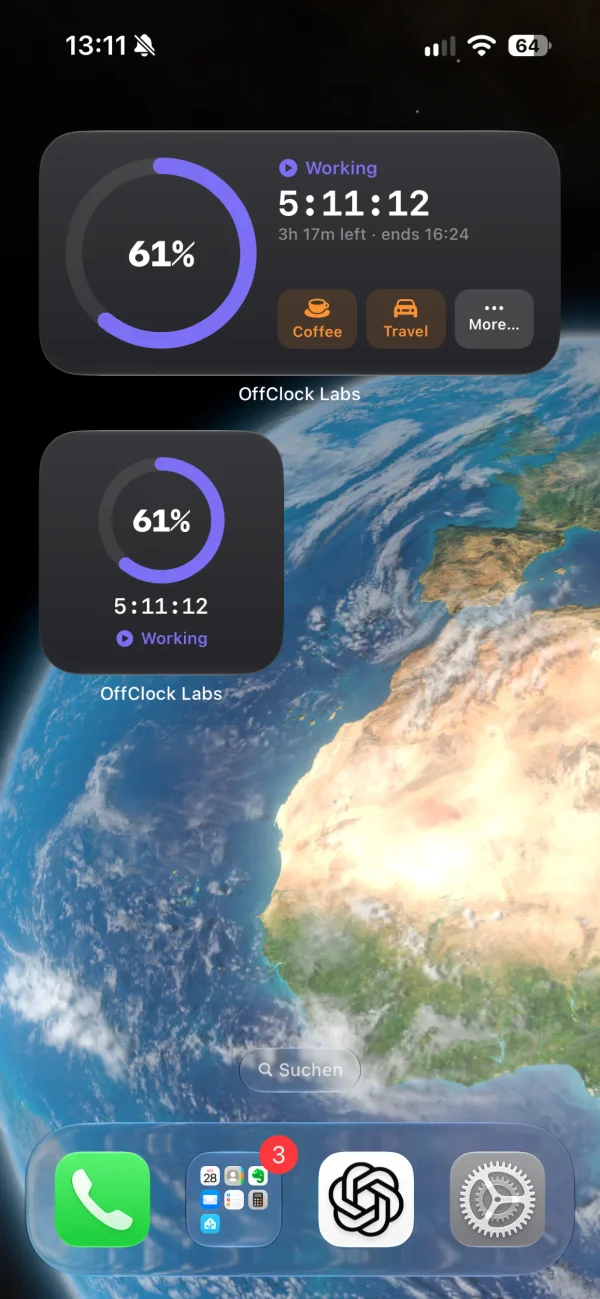
See how your day is going without opening OffClock. Choose a small or medium widget to keep your working time and progress in view. The interactive medium widget lets you start working, take a break and resume right from your Home Screen.
KNOW WHEN YOU’RE DONE
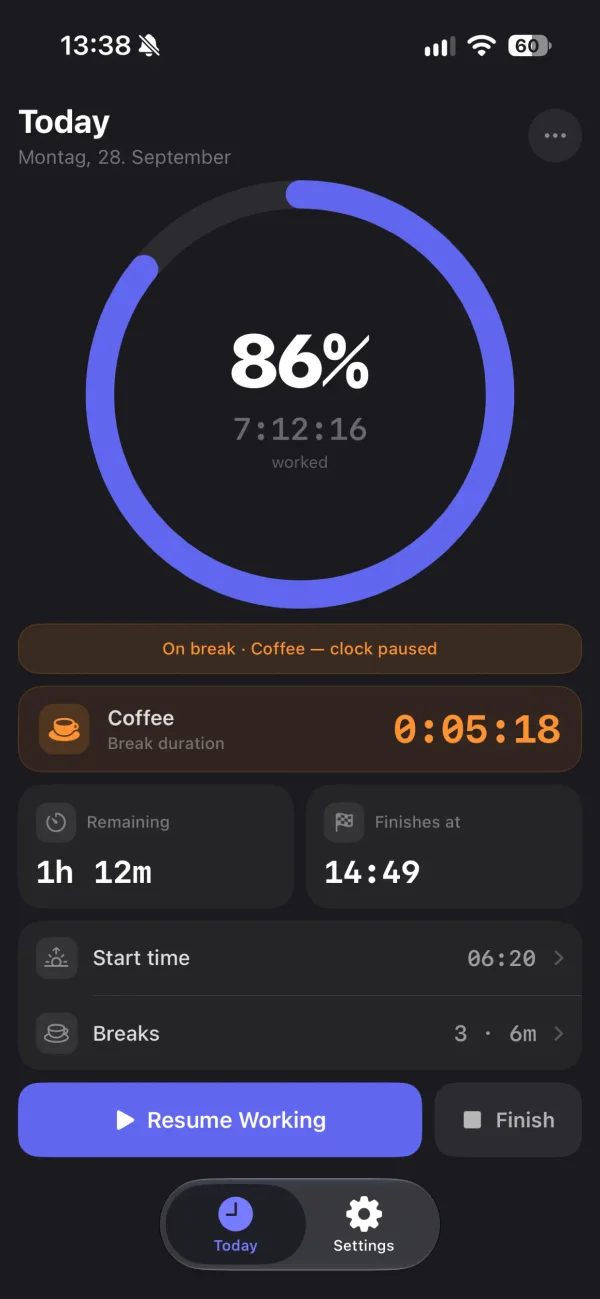
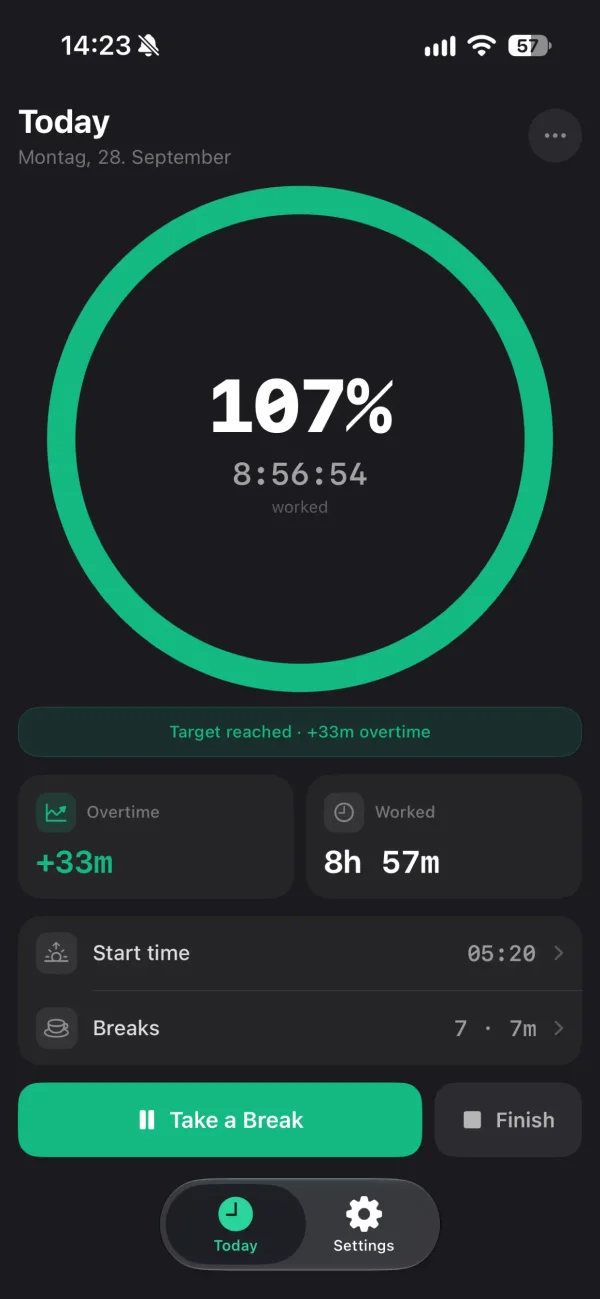
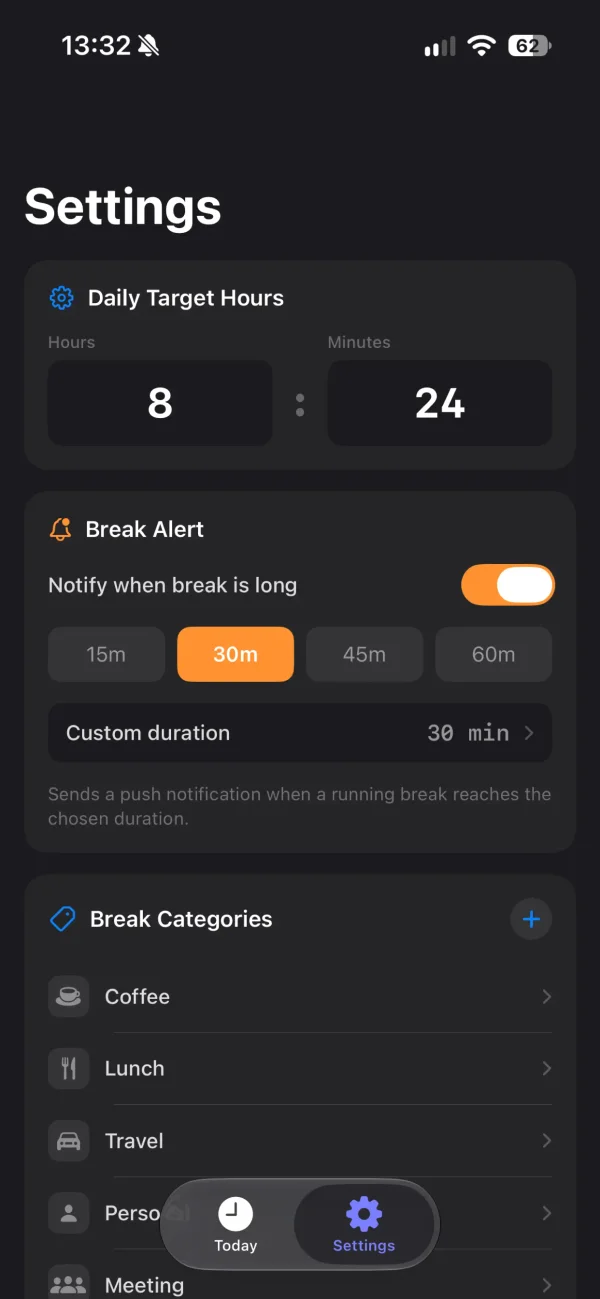
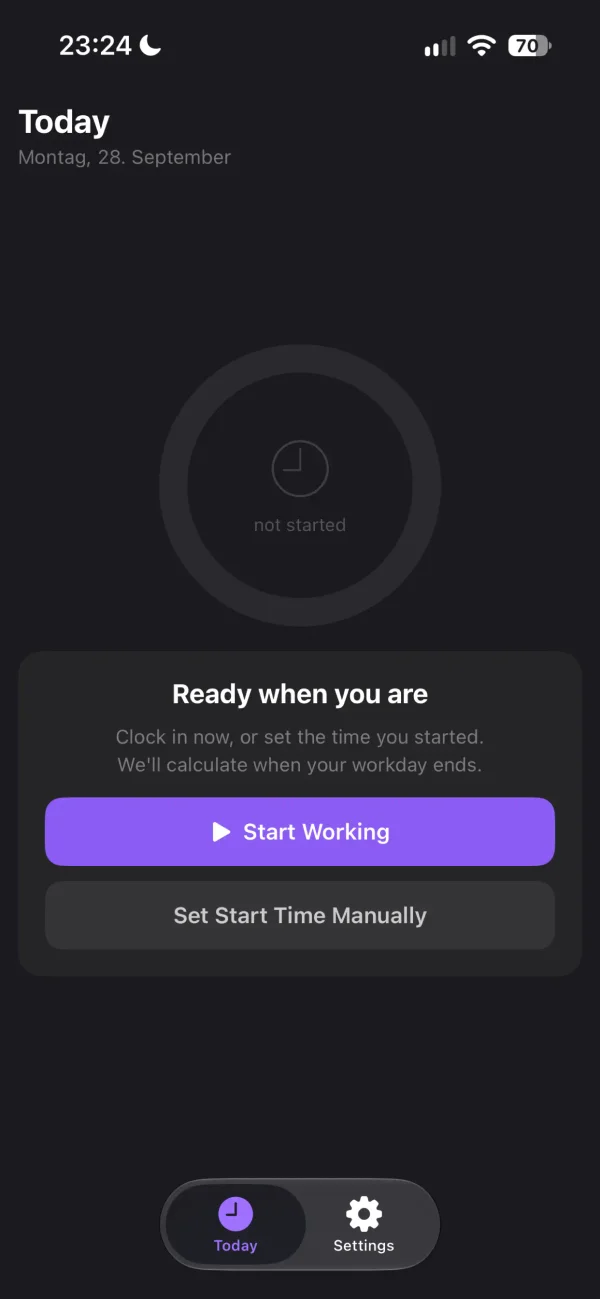
Set your daily target and follow your progress with a live timer and a colourful progress ring. See how much you’ve worked, how much time remains and when you’re expected to finish. Breaks are deducted automatically, and your estimated finish time adjusts throughout the day.
BREAKS THAT FIT YOUR DAY
Track multiple breaks, from a quick coffee to lunch or time away from your desk. Add breaks manually using a duration or start and end times, and edit them whenever needed. Use the included categories or create your own with custom names and icons.
KEEP YOUR BREAK IN VIEW
Follow your running break timer on the Lock Screen and in the Dynamic Island on supported iPhones. Set an optional reminder for when your break reaches your chosen duration.
SIMPLE AND PRIVATE
Start your workday with a tap or enter an earlier start time. Finish your day to stop the clock and see how your worked time compares with your target.
No account required. Your workday data is stored locally, with no server uploads. Core tracking works offline, and time displays follow your device settings.
OffClock focuses on today: your start time and breaks reset when a new day begins, while your daily target and preferences stay saved.
On your wrist. On your Home Screen. On top of your day.
Có gì mới
Phiên bản 1.4.1 · 30/09/2026
OffClock is now on your Apple Watch and Home Screen!
NEW APPLE WATCH APP
Start your workday, take breaks, resume and finish directly from your wrist. Check your worked time and daily progress, synced with your iPhone.
NEW HOME SCREEN WIDGETS
Keep your workday in view with small and medium widgets. Start working, take a break and resume directly from the interactive medium widget.
ALSO NEW
• A redesigned Today view with a live work timer and progress ring.
• Multiple editable breaks and custom break categories.
• Optional break reminders.
• Live break timers on the Lock Screen and Dynamic Island.
• Improved timer display and widget updates when resuming work.
Quyền riêng tư của ứng dụng
Những gì Benjamin Pichel khai báo trên App Store về cách ứng dụng này xử lý dữ liệu.
-
Dữ liệu không được thu thập
Nhà phát triển không thu thập bất kỳ dữ liệu nào từ ứng dụng này.
Phương thức đảm bảo quyền riêng tư có thể khác nhau, chẳng hạn như tuỳ theo các tính năng bạn sử dụng hoặc độ tuổi của bạn.
Thông tin
- Người bán
- Benjamin Pichel
- Danh mục
- Hiệu Suất
- Phiên bản
- 1.4.1
- Cập nhật
- 30/09/2026
- Phát hành
- 23/06/2026
- Kích thước
- 2,7 MB
- Yêu cầu
- iOS 17.0 trở lên
- Độ tuổi
- 4+
- Giá
- Miễn phí
- Ngôn ngữ
- Tiếng Đức
- Bản quyền
- © 2026 Benjamin Pichel
Có thể bạn cũng thích
-
 Pensum: Chấm công & giờ làmTăng ca và nghỉ phép
-
 Timeshape: Time & Life TrackerHiệu Suất
-
 Stundenlotse – ZeiterfassungHiệu Suất
-
 TickTappy: Simple Time TrackerHiệu Suất
-
 SeeLock: Phone Lock TimerHiệu Suất
-
 HoursTrackProHiệu Suất
-
 Time Guard - your time trackerHiệu Suất
-
 Work Hours ControlHiệu Suất
-
 ProgressTimer - Bar TimerHiệu Suất
-
 TimerBar: Presentation TimerHiệu Suất