- 対象年齢4+
- カテゴリ仕事効率化
- 開発元Benjamin Pichel
- 言語ドイツ語
- サイズ2.7 MB
App Storeの公式ページにリンクしています
Download.orgはOffClockのファイルを一切ホストしていません。ボタンを押すと、Benjamin Pichelが公開しているApp Storeのアプリページが開きます。ページの最終確認:2026/11/10。
スクリーンショット


概要
開発元はこのテキストをお使いの言語で提供していません。
Your workday. On your iPhone, Apple Watch and Home Screen.
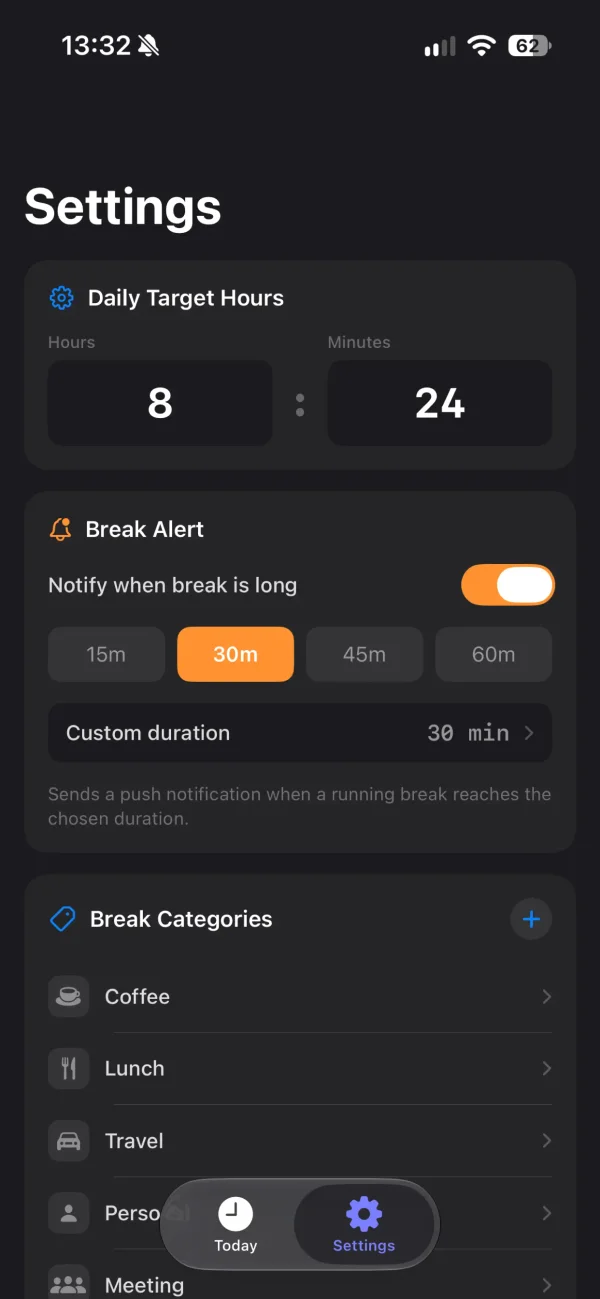
OffClock helps you keep track of your working hours, manage breaks and know when your workday is done. Check your progress on your wrist or Home Screen, with quick controls that keep your day moving.
OFFCLOCK ON APPLE WATCH
Your workday is always within reach. Start working, take a break, resume and finish your day directly from your Apple Watch. See your worked time and progress towards your daily target at a glance, with your workday synced to your iPhone.
YOUR WORKDAY ON YOUR HOME SCREEN
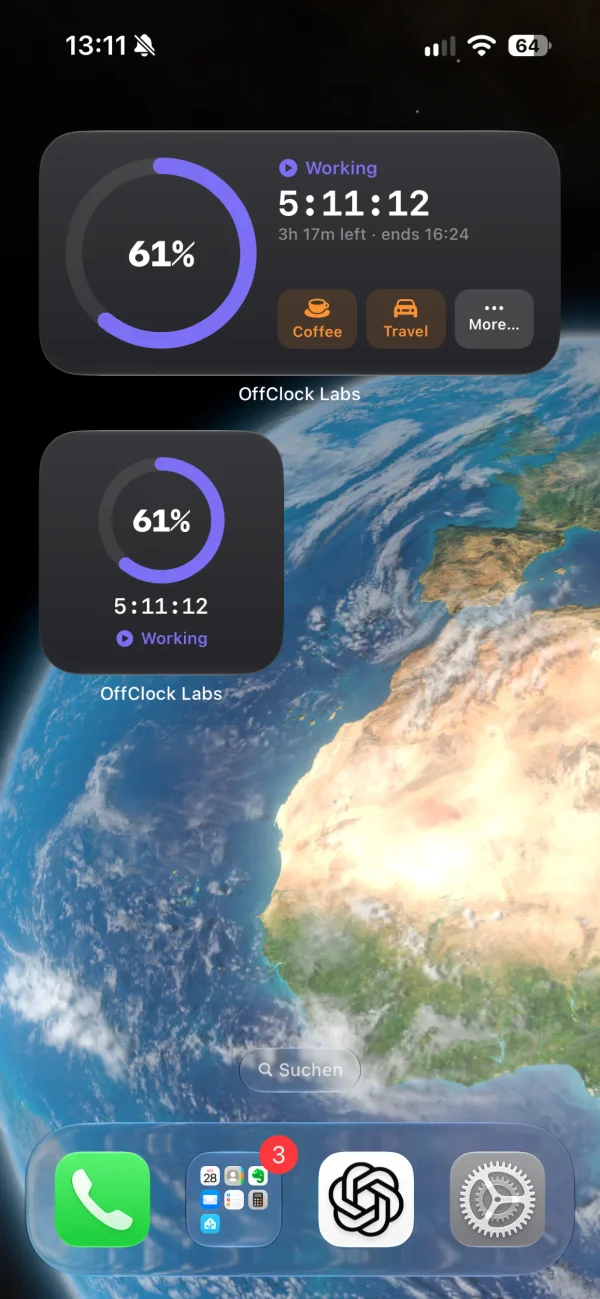
See how your day is going without opening OffClock. Choose a small or medium widget to keep your working time and progress in view. The interactive medium widget lets you start working, take a break and resume right from your Home Screen.
KNOW WHEN YOU’RE DONE
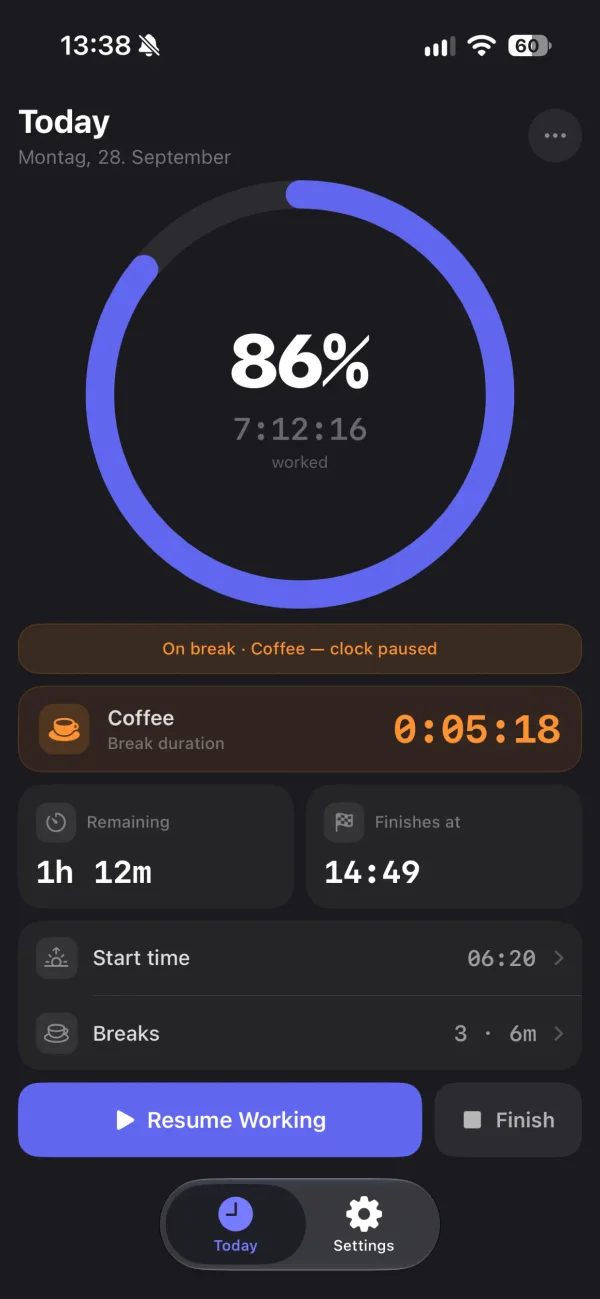
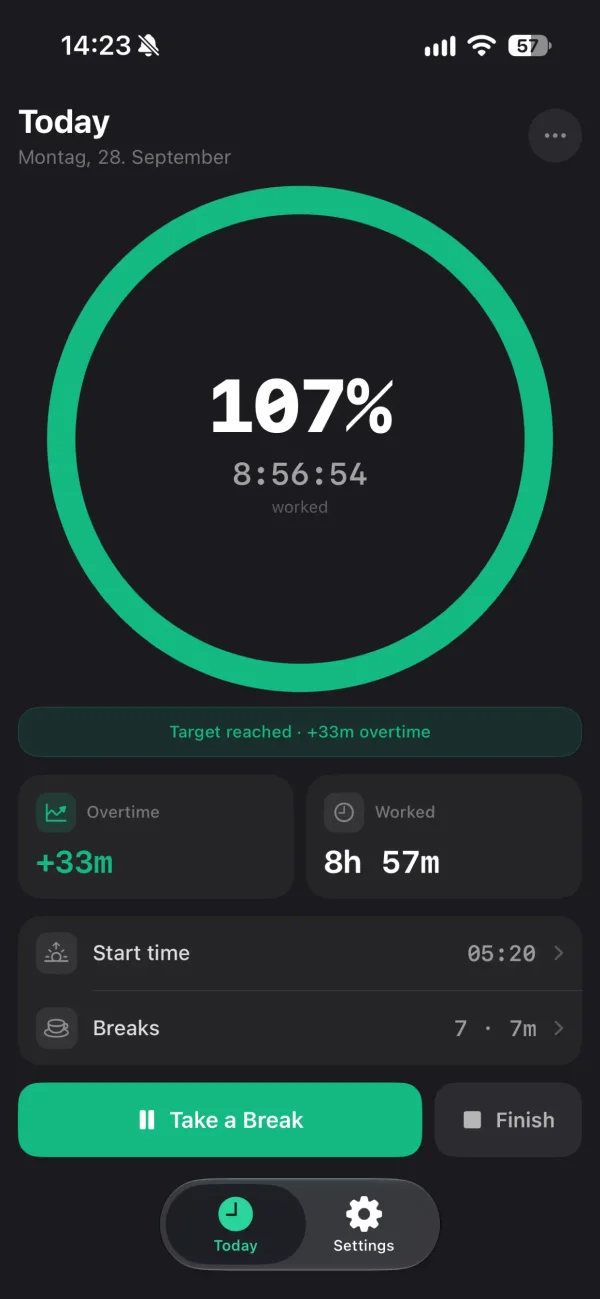
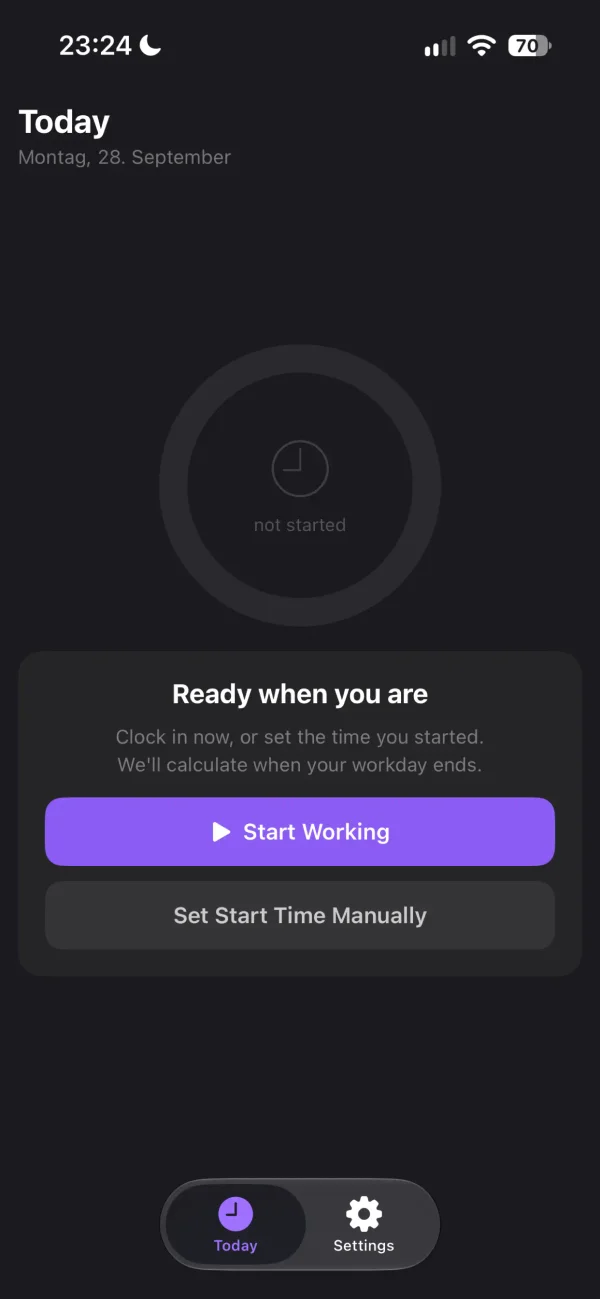
Set your daily target and follow your progress with a live timer and a colourful progress ring. See how much you’ve worked, how much time remains and when you’re expected to finish. Breaks are deducted automatically, and your estimated finish time adjusts throughout the day.
BREAKS THAT FIT YOUR DAY
Track multiple breaks, from a quick coffee to lunch or time away from your desk. Add breaks manually using a duration or start and end times, and edit them whenever needed. Use the included categories or create your own with custom names and icons.
KEEP YOUR BREAK IN VIEW
Follow your running break timer on the Lock Screen and in the Dynamic Island on supported iPhones. Set an optional reminder for when your break reaches your chosen duration.
SIMPLE AND PRIVATE
Start your workday with a tap or enter an earlier start time. Finish your day to stop the clock and see how your worked time compares with your target.
No account required. Your workday data is stored locally, with no server uploads. Core tracking works offline, and time displays follow your device settings.
OffClock focuses on today: your start time and breaks reset when a new day begins, while your daily target and preferences stay saved.
On your wrist. On your Home Screen. On top of your day.
新機能
バージョン 1.4.1 · 2026/9/30
OffClock is now on your Apple Watch and Home Screen!
NEW APPLE WATCH APP
Start your workday, take breaks, resume and finish directly from your wrist. Check your worked time and daily progress, synced with your iPhone.
NEW HOME SCREEN WIDGETS
Keep your workday in view with small and medium widgets. Start working, take a break and resume directly from the interactive medium widget.
ALSO NEW
• A redesigned Today view with a live work timer and progress ring.
• Multiple editable breaks and custom break categories.
• Optional break reminders.
• Live break timers on the Lock Screen and Dynamic Island.
• Improved timer display and widget updates when resuming work.
アプリのプライバシー
このアプリのデータの取り扱いについて、Benjamin PichelがApp Storeで申告している内容です。
-
データの収集なし
開発元はこのアプリからデータを収集しません。
プライバシーの取り扱いは、ご利用の機能やお客様の年齢などに応じて異なる場合があります。
情報
- 販売元
- Benjamin Pichel
- カテゴリ
- 仕事効率化
- バージョン
- 1.4.1
- 更新日
- 2026/9/30
- リリース
- 2026/6/23
- サイズ
- 2.7 MB
- 必要条件
- iOS 17.0以降
- 対象年齢
- 4+
- 価格
- 無料
- 言語
- ドイツ語
- 著作権
- © 2026 Benjamin Pichel
こちらもおすすめ
-
 Pensum: 勤怠管理・タイムカード労働時間と残業をワンタップ記録
-
 Timeshape: Time & Life Tracker仕事効率化
-
 Stundenlotse – Zeiterfassung仕事効率化
-
 TickTappy: Simple Time Tracker仕事効率化
-
 SeeLock:スマホロック・スマホ依存対策 シーロックスマホをやめれば、絵文字が集まる
-
 HoursTrackPro仕事効率化
-
 Time Guard - your time tracker仕事効率化
-
 Work Hours ControlGPSで自動の勤怠タイムカード
-
 Progress Bar Timer - バー型タイマー画面全体のプログレスバーで時間を管理
-
 TimerBar: Presentation Timer仕事効率化