OnDeck
Today. Next. Someday.
Entwickelt für iPhone, iPad, Mac
Kostenlos · In-App-Käufe
- Altersfreigabe4+
- KategorieProduktivität
- EntwicklerJOHN ROBERT PEART
- SprachenEnglisch
- Größe17,3 MB
Verlinkt auf die offizielle App Store-Seite
Download.org hostet keine Datei von OnDeck. Die Schaltfläche öffnet die App-Seite bei App Store, wo JOHN ROBERT PEART die App veröffentlicht. Eintrag zuletzt geprüft am 12.11.2026.
Screenshots


Info
Der Entwickler hat diesen Text nicht in Ihrer Sprache bereitgestellt.
Stop drowning in endless task lists. Start finishing what matters.
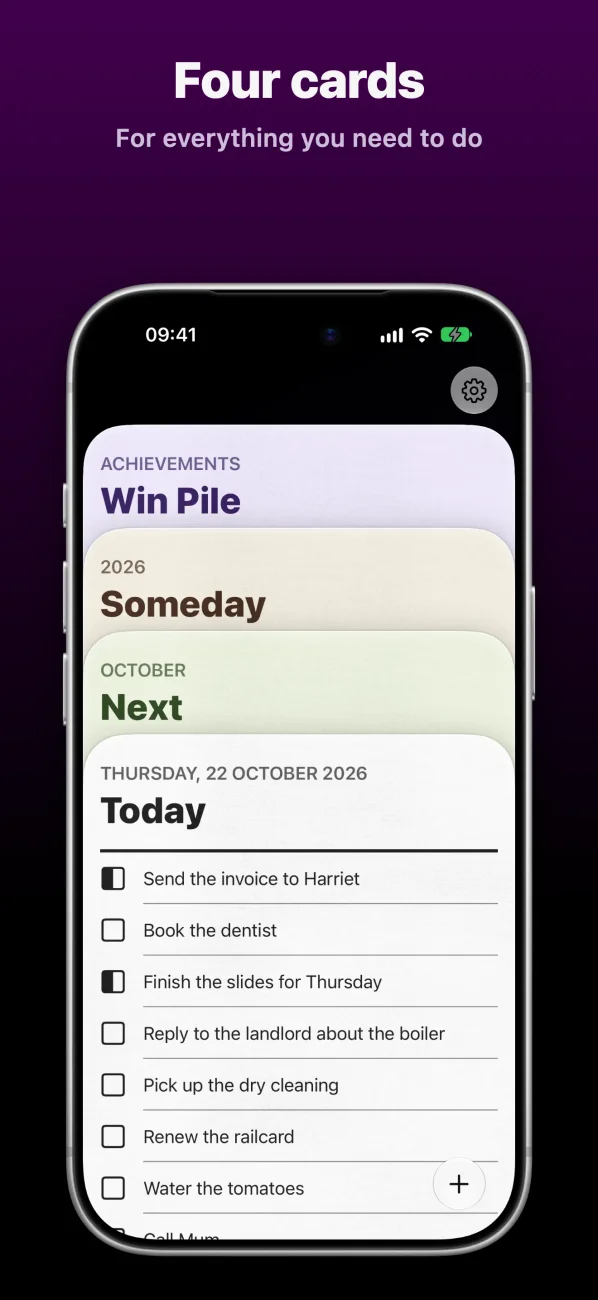
OnDeck strips away the complexity of traditional to-do apps and gives you just four cards to manage your life: Today, Next, Someday and the Win Pile.
THE FOUR-CARD SYSTEM FOR GETTING THINGS DONE
• Today: what needs your attention right now
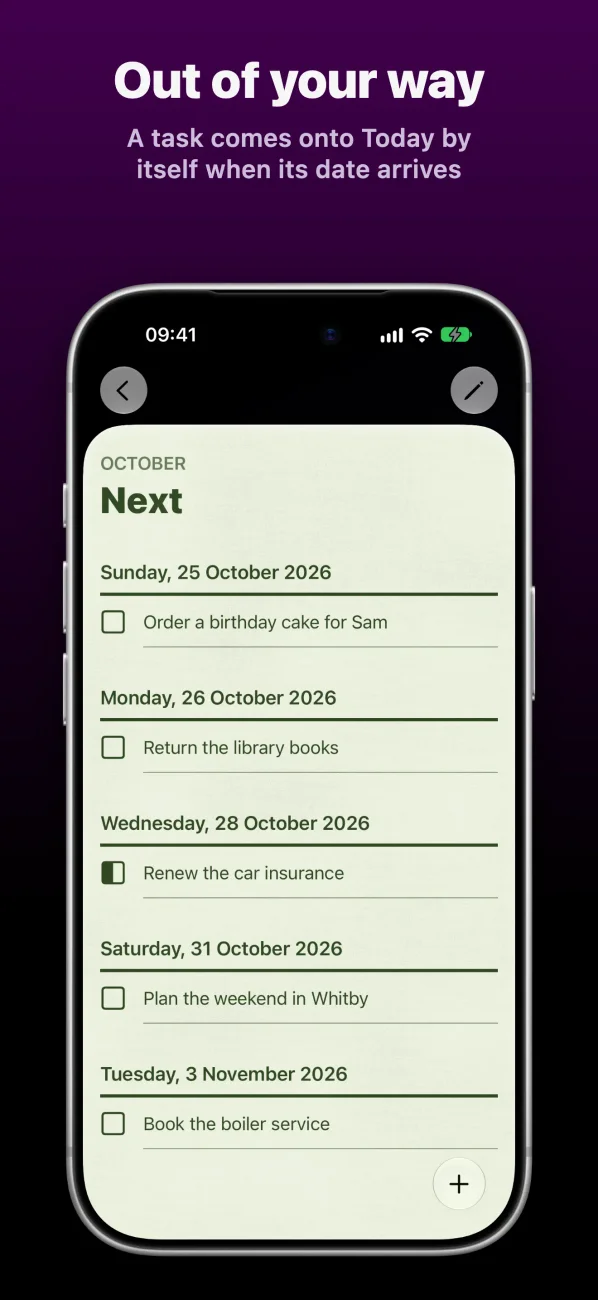
• Next: what's coming up soon
• Someday: ideas and tasks for the future
• Win Pile: everything you've accomplished
Tap a card's heading to open it, and pull it down to put it back. The card at the front of the deck works right where it sits: scroll it, tick tasks off, or tap one to edit it. Drag tasks into the order you want, and swipe one to finish it, change its date or delete it. It's task management that works the way your brain does.
KNOW WHERE EVERYTHING STANDS
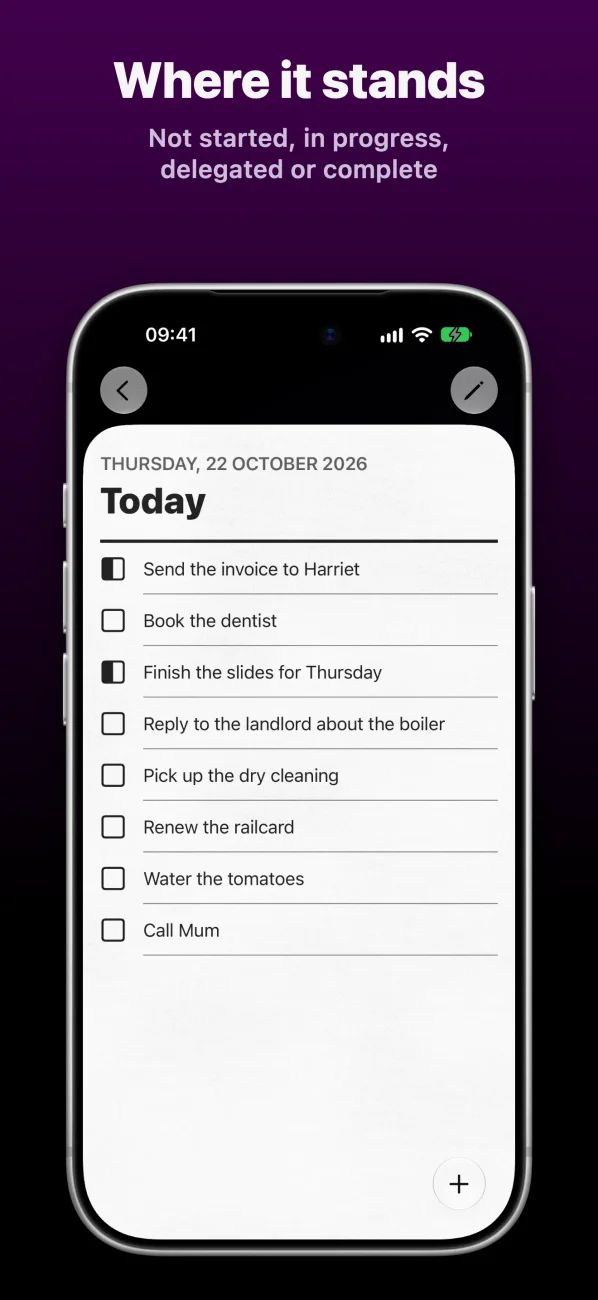
Every task has one of four statuses: Not started, In progress, Delegated or Complete. Finish a task, or hand it to someone else, and it's filed in the Win Pile. Need to move a few at once? Choose several tasks and change their status, date or card together.
THE WIN PILE
Completed tasks don't just disappear. They move to your Win Pile: a record of everything you've accomplished, grouped by the day you finished it. Look back on productive days, and remind yourself how much you're actually getting done.
DESIGNED TO STAY OUT OF YOUR WAY
No complicated projects. No tags. No priorities within priorities. OnDeck keeps your list up to date so you don't have to:
• A task comes onto the Today Card by itself when its date arrives.
• Anything left unfinished on Today is carried over to the next day.
• Choose how far ahead the Next Card looks, with anything later going to Someday.
SYNCS WITH APPLE REMINDERS
Your tasks aren't locked inside OnDeck. Each card is a list in the Reminders app, so your tasks sync and back up the way your reminders already do, across all your devices. Tick one off in Reminders, on your Apple Watch or with Siri, and OnDeck keeps up. Your data stays yours, and it's still there if you stop using the app.
HOME SCREEN WIDGETS
Add OnDeck to your Home Screen in four sizes, with a fifth, taller one on iOS 27. Choose which card to show: Today, Next or Someday. Tap a task in the widget to open it in the app. Or press and hold the app's icon to add a task straight to a card.
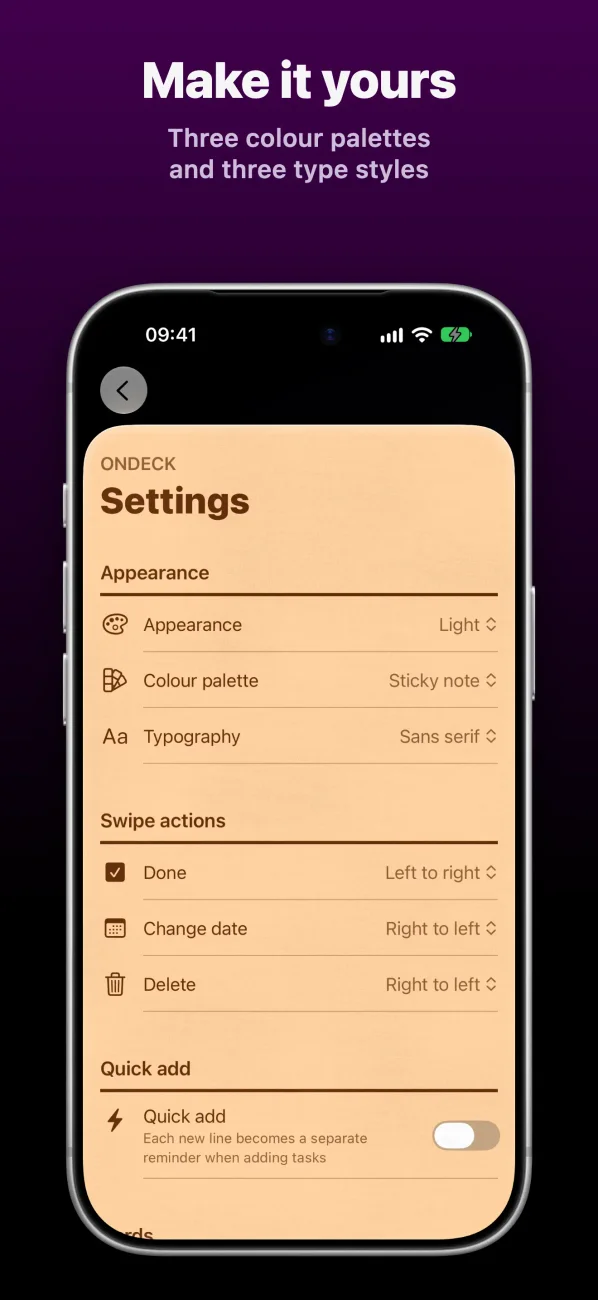
MAKE IT YOURS
• Appearance: System, Light or Dark
• Colour palette: Pastel, Greyscale or Sticky note
• Typography: Sans serif, Serif or Rounded
• Three app icons to choose from
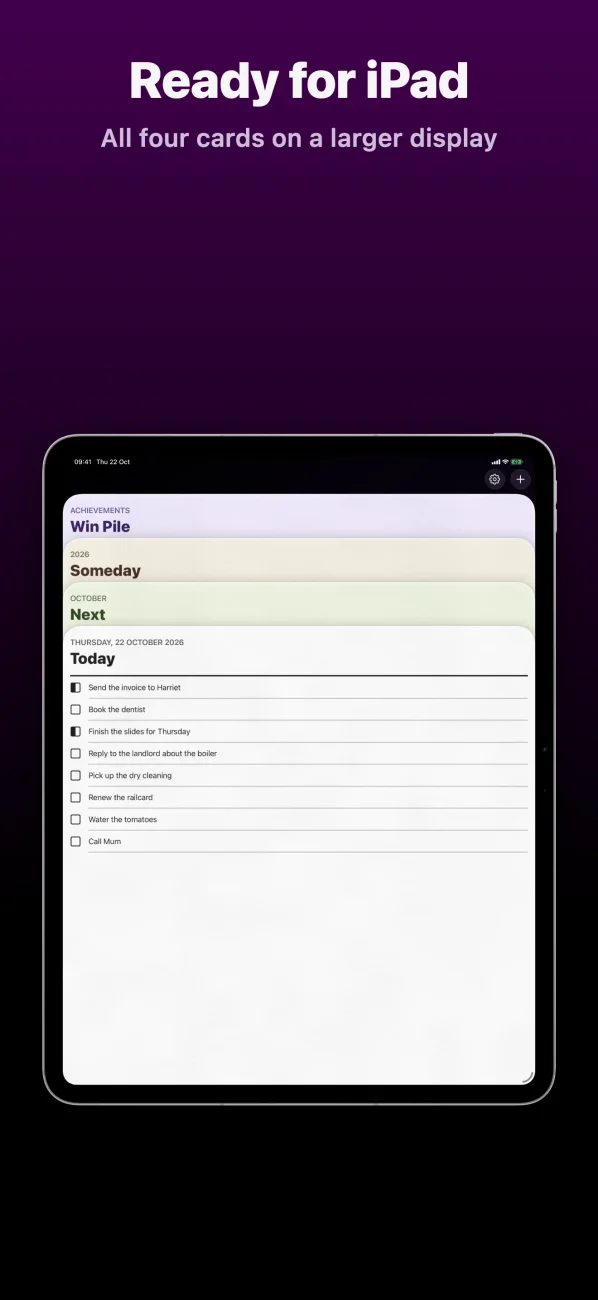
READY FOR IPHONE, IPHONE DUO AND IPAD
On an iPad, and on the iPhone Duo's inner display, the deck stays on screen with the card you opened beside it. Turn an iPhone on its side and all four cards are on screen at once. OnDeck works in every orientation.
ALSO ON THE MAC
OnDeck for Mac is on the Mac App Store, with your four cards in a window of their own, a Task menu, keyboard shortcuts, a Dock menu for adding tasks and a widget for the desktop. Your tasks are in Reminders, so they're the same on your iPhone, iPad and Mac.
PRIVATE BY DESIGN
No accounts, no adverts and no analytics. Your tasks are stored in Apple Reminders and nowhere else.
OnDeck is free. There's a tip jar on the Settings Card if you'd like to support it.
Neue Funktionen
Version 2.3.2 · 04.11.2026
FIXED
• The widget now turns over to the new day at midnight, rather than showing yesterday's date and tasks for a while. It no longer uses up its reloads when a card's list has been deleted in Reminders, and while it loads it shows an empty card, not the request for access to Reminders.
• Changing only a task's status on the Edit Task screen no longer moves it back to the card the screen opened on, if it had been moved in the meantime.
• A Home Screen quick action opens Add Task straight away, even when OnDeck wasn't already running.
• Opening a card from the widget or with ⌘1 to ⌘4 no longer leaves Settings on its Sorting or Lists page for next time.
App-Datenschutz
Was JOHN ROBERT PEART im App Store zum Umgang dieser App mit Daten angibt.
-
Keine Daten erfasst
Der Entwickler erfasst keine Daten von dieser App.
Die Datenschutzpraktiken können variieren, zum Beispiel je nach den von Ihnen verwendeten Funktionen oder Ihrem Alter.
Informationen
- Anbieter
- JOHN ROBERT PEART
- Kategorie
- Produktivität
- Version
- 2.3.2
- Aktualisiert
- 04.11.2026
- Veröffentlicht
- 04.03.2026
- Größe
- 17,3 MB
- Erfordert
- iOS 26.0 oder neuer
- Altersfreigabe
- 4+
- Preis
- Kostenlos
- In-App-Käufe
- Ja
- Sprachen
- Englisch
- Copyright
- © 2026 John Peart
Das könnte Ihnen auch gefallen
-
 Habit tracker: LineProduktivität
-
 LuciditiProduktivität
-
 Nulogy | AuditComplyProduktivität
-
 Aufgabenliste & AufgabenplanerAufgaben, Termine, Kalender
-
 Do It TomorrowMorgen planen, heute starten
-
 Upcoming - Event CountdownTage zählen, gemeinsam warten
-
 Hebräisch ÜbersetzerGespräche ohne Tippen
-
 FoldtypeSchreibmaschine für die Tasche
-
 Notes Ai: Speech to NotesProduktivität
-
 Intercruises Staff PlannerProduktivität