OnDeck
Today. Next. Someday.
iPhone, iPad, Mac için tasarlandı
Ücretsiz · Uygulama içi satın alma
- Yaş sınırı4+
- KategoriÜretkenlik
- GeliştiriciJOHN ROBERT PEART
- Dillerİngilizce
- Boyut17,3 MB
Resmi App Store sayfasına bağlanır
Download.org, OnDeck için hiçbir dosya barındırmaz. Düğme, uygulamanın App Store üzerindeki sayfasını açar; uygulamayı orada JOHN ROBERT PEART yayınlar. Sayfanın son kontrolü: 12.11.2026.
Ekran görüntüleri


Hakkında
Geliştirici bu metni dilinizde sunmamış.
Stop drowning in endless task lists. Start finishing what matters.
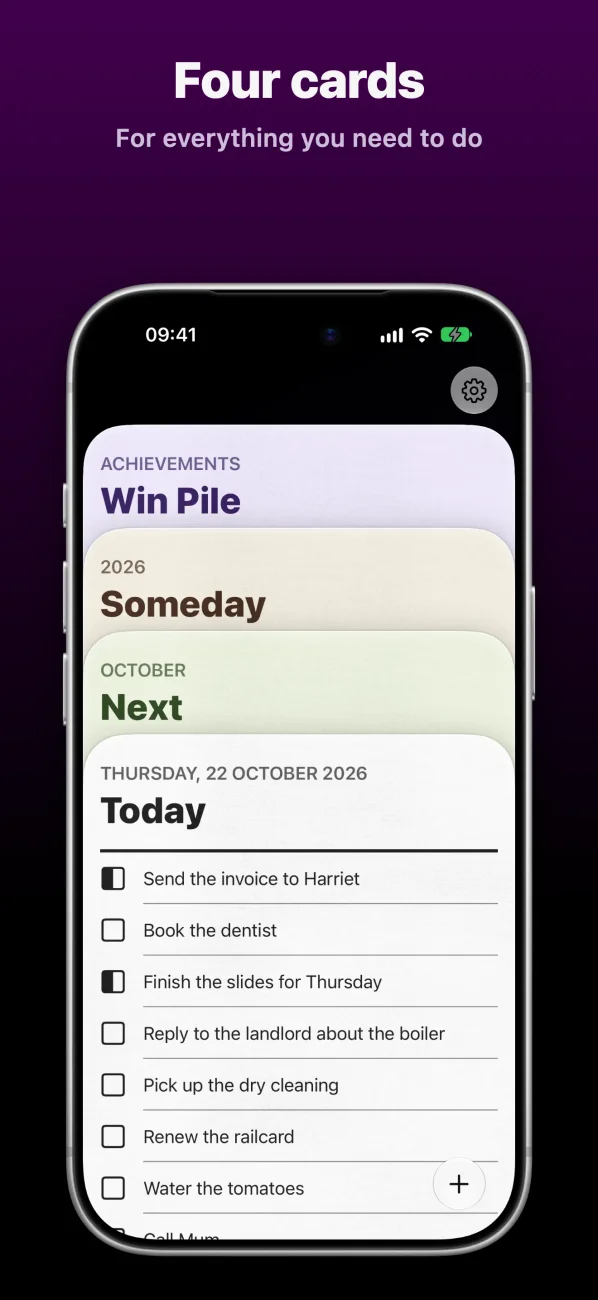
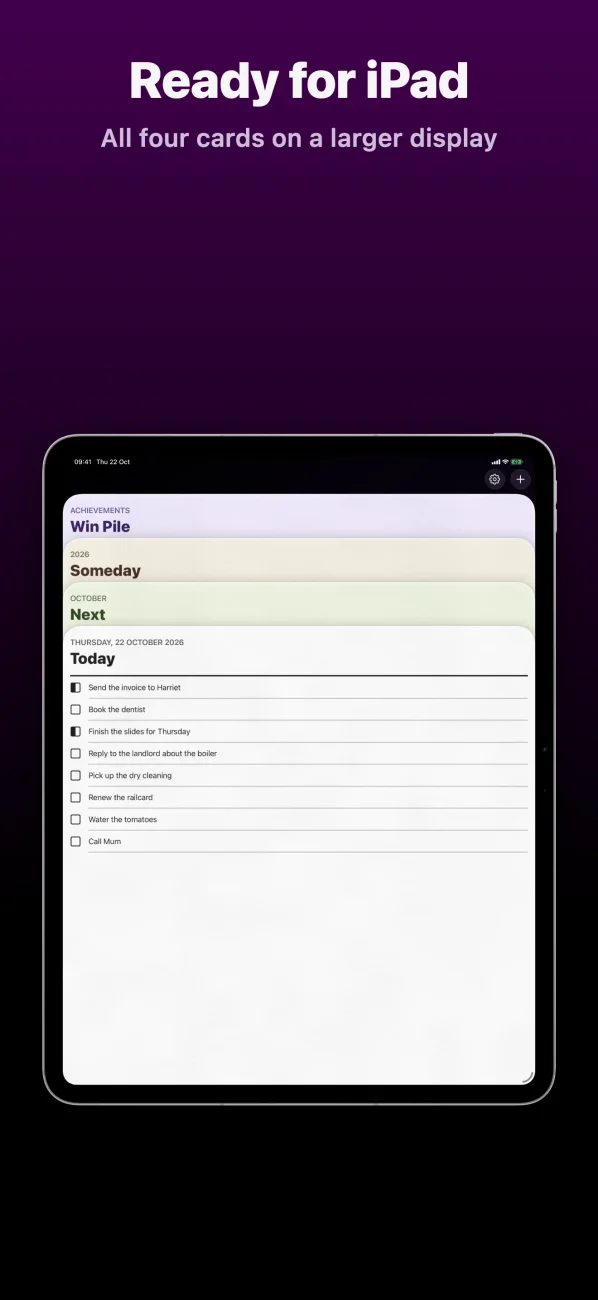
OnDeck strips away the complexity of traditional to-do apps and gives you just four cards to manage your life: Today, Next, Someday and the Win Pile.
THE FOUR-CARD SYSTEM FOR GETTING THINGS DONE
• Today: what needs your attention right now
• Next: what's coming up soon
• Someday: ideas and tasks for the future
• Win Pile: everything you've accomplished
Tap a card's heading to open it, and pull it down to put it back. The card at the front of the deck works right where it sits: scroll it, tick tasks off, or tap one to edit it. Drag tasks into the order you want, and swipe one to finish it, change its date or delete it. It's task management that works the way your brain does.
KNOW WHERE EVERYTHING STANDS
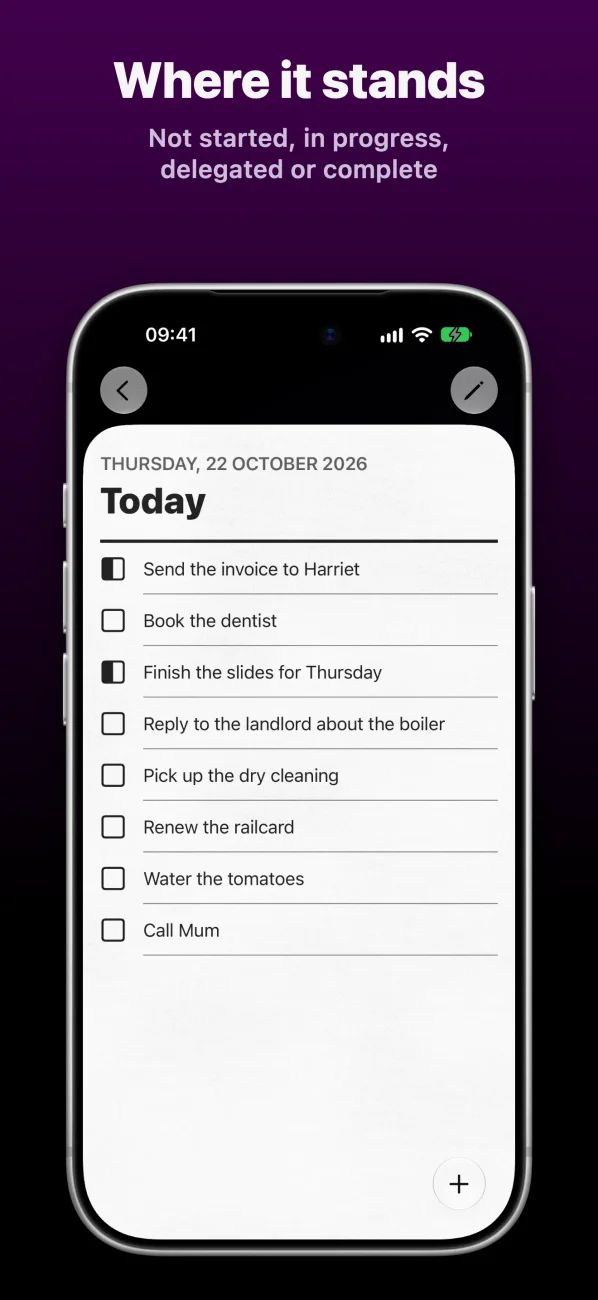
Every task has one of four statuses: Not started, In progress, Delegated or Complete. Finish a task, or hand it to someone else, and it's filed in the Win Pile. Need to move a few at once? Choose several tasks and change their status, date or card together.
THE WIN PILE
Completed tasks don't just disappear. They move to your Win Pile: a record of everything you've accomplished, grouped by the day you finished it. Look back on productive days, and remind yourself how much you're actually getting done.
DESIGNED TO STAY OUT OF YOUR WAY
No complicated projects. No tags. No priorities within priorities. OnDeck keeps your list up to date so you don't have to:
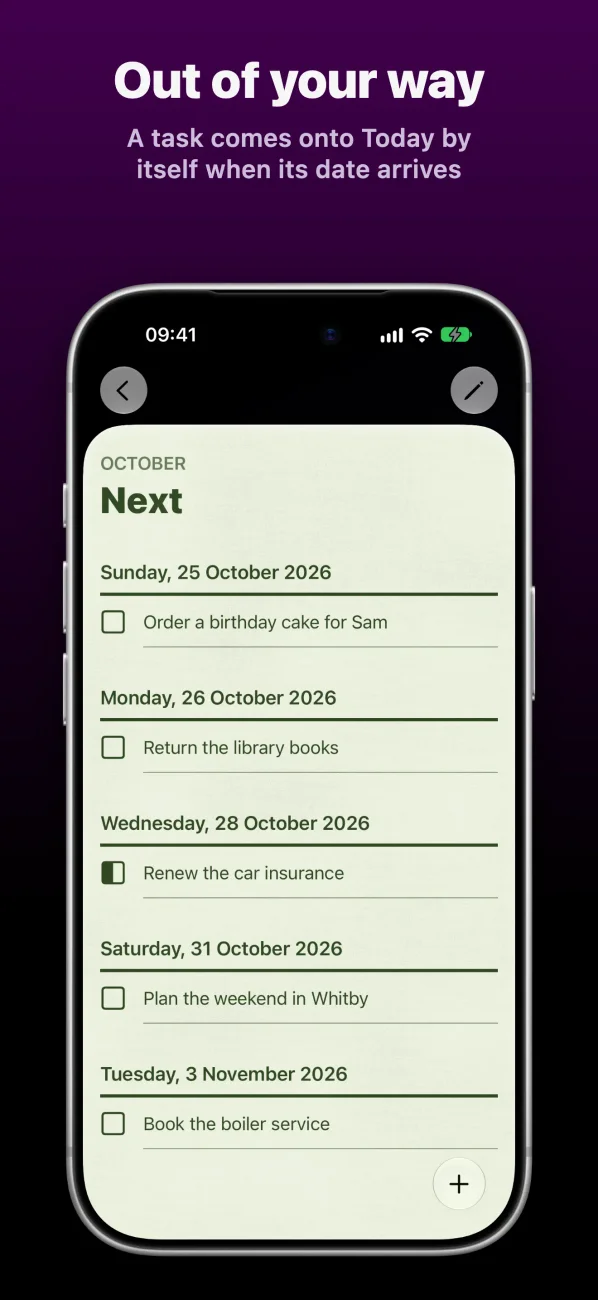
• A task comes onto the Today Card by itself when its date arrives.
• Anything left unfinished on Today is carried over to the next day.
• Choose how far ahead the Next Card looks, with anything later going to Someday.
SYNCS WITH APPLE REMINDERS
Your tasks aren't locked inside OnDeck. Each card is a list in the Reminders app, so your tasks sync and back up the way your reminders already do, across all your devices. Tick one off in Reminders, on your Apple Watch or with Siri, and OnDeck keeps up. Your data stays yours, and it's still there if you stop using the app.
HOME SCREEN WIDGETS
Add OnDeck to your Home Screen in four sizes, with a fifth, taller one on iOS 27. Choose which card to show: Today, Next or Someday. Tap a task in the widget to open it in the app. Or press and hold the app's icon to add a task straight to a card.
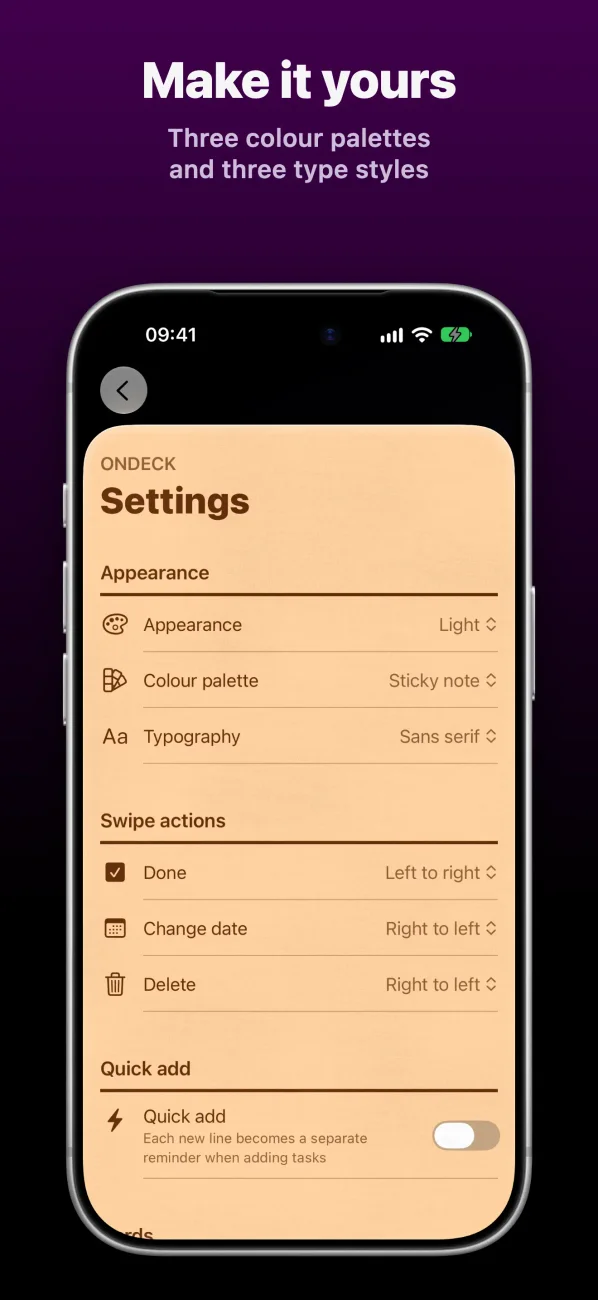
MAKE IT YOURS
• Appearance: System, Light or Dark
• Colour palette: Pastel, Greyscale or Sticky note
• Typography: Sans serif, Serif or Rounded
• Three app icons to choose from
READY FOR IPHONE, IPHONE DUO AND IPAD
On an iPad, and on the iPhone Duo's inner display, the deck stays on screen with the card you opened beside it. Turn an iPhone on its side and all four cards are on screen at once. OnDeck works in every orientation.
ALSO ON THE MAC
OnDeck for Mac is on the Mac App Store, with your four cards in a window of their own, a Task menu, keyboard shortcuts, a Dock menu for adding tasks and a widget for the desktop. Your tasks are in Reminders, so they're the same on your iPhone, iPad and Mac.
PRIVATE BY DESIGN
No accounts, no adverts and no analytics. Your tasks are stored in Apple Reminders and nowhere else.
OnDeck is free. There's a tip jar on the Settings Card if you'd like to support it.
Yenilikler
Sürüm 2.3.2 · 04.11.2026
FIXED
• The widget now turns over to the new day at midnight, rather than showing yesterday's date and tasks for a while. It no longer uses up its reloads when a card's list has been deleted in Reminders, and while it loads it shows an empty card, not the request for access to Reminders.
• Changing only a task's status on the Edit Task screen no longer moves it back to the card the screen opened on, if it had been moved in the meantime.
• A Home Screen quick action opens Add Task straight away, even when OnDeck wasn't already running.
• Opening a card from the widget or with ⌘1 to ⌘4 no longer leaves Settings on its Sorting or Lists page for next time.
Uygulama gizliliği
Bu uygulamanın verileri nasıl işlediği hakkında JOHN ROBERT PEART tarafından App Store üzerinde yapılan beyan.
-
Veri toplanmıyor
Geliştirici bu uygulamadan hiçbir veri toplamıyor.
Gizlilik uygulamaları, örneğin kullandığınız özelliklere veya yaşınıza göre değişiklik gösterebilir.
Bilgiler
- Satıcı
- JOHN ROBERT PEART
- Kategori
- Üretkenlik
- Sürüm
- 2.3.2
- Güncellendi
- 04.11.2026
- Yayın tarihi
- 04.03.2026
- Boyut
- 17,3 MB
- Gereksinim
- iOS 26.0 veya sonrası
- Yaş sınırı
- 4+
- Fiyat
- Ücretsiz
- Uygulama içi satın alma
- Evet
- Diller
- İngilizce
- Telif hakkı
- © 2026 John Peart
Bunları da beğenebilirsiniz
-
 Habit tracker: LineÜretkenlik
-
 LuciditiÜretkenlik
-
 Nulogy | AuditComplyÜretkenlik
-
 To Do List & Task PlannerÜretkenlik
-
 Do It TomorrowÜretkenlik
-
 Upcoming - Event CountdownÜretkenlik
-
 İbranice Konuşma ÇevirisiSesli, Görsel ve Çevrimdışı
-
 FoldtypeÜretkenlik
-
 Notes Ai: Speech to NotesÜretkenlik
-
 Intercruises Staff PlannerÜretkenlik