- 対象年齢4+
- カテゴリ仕事効率化
- 開発元JOHN ROBERT PEART
- 言語英語
- サイズ17.3 MB
App Storeの公式ページにリンクしています
Download.orgはOnDeckのファイルを一切ホストしていません。ボタンを押すと、JOHN ROBERT PEARTが公開しているApp Storeのアプリページが開きます。ページの最終確認:2026/11/12。
スクリーンショット


概要
開発元はこのテキストをお使いの言語で提供していません。
Stop drowning in endless task lists. Start finishing what matters.
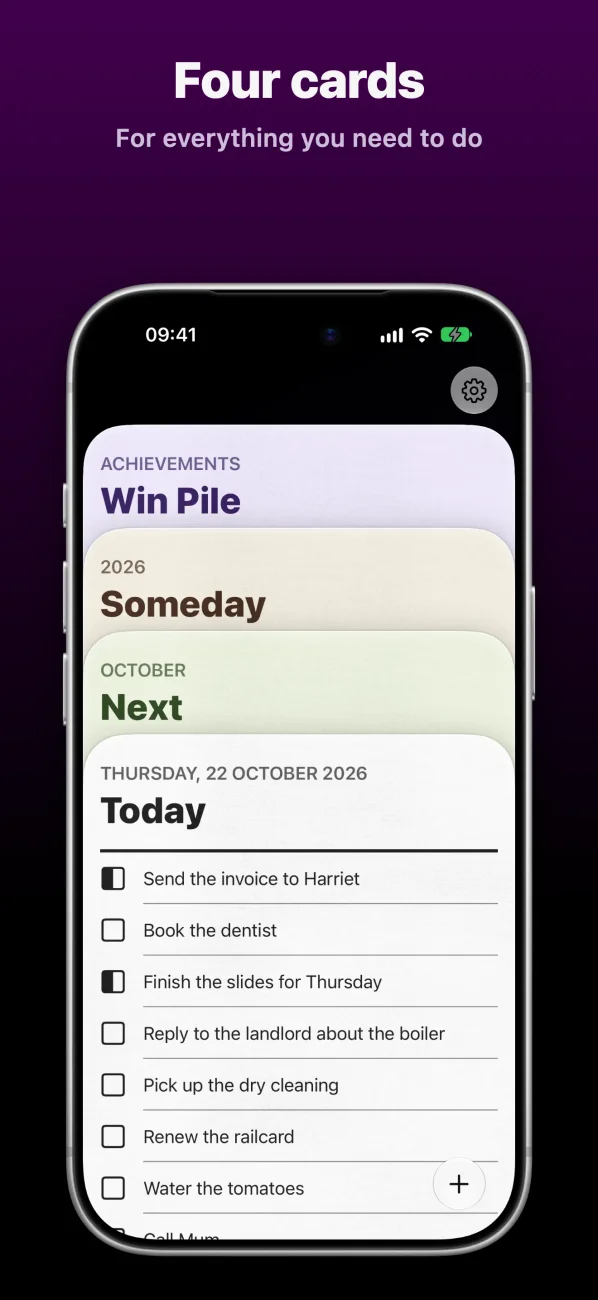
OnDeck strips away the complexity of traditional to-do apps and gives you just four cards to manage your life: Today, Next, Someday and the Win Pile.
THE FOUR-CARD SYSTEM FOR GETTING THINGS DONE
• Today: what needs your attention right now
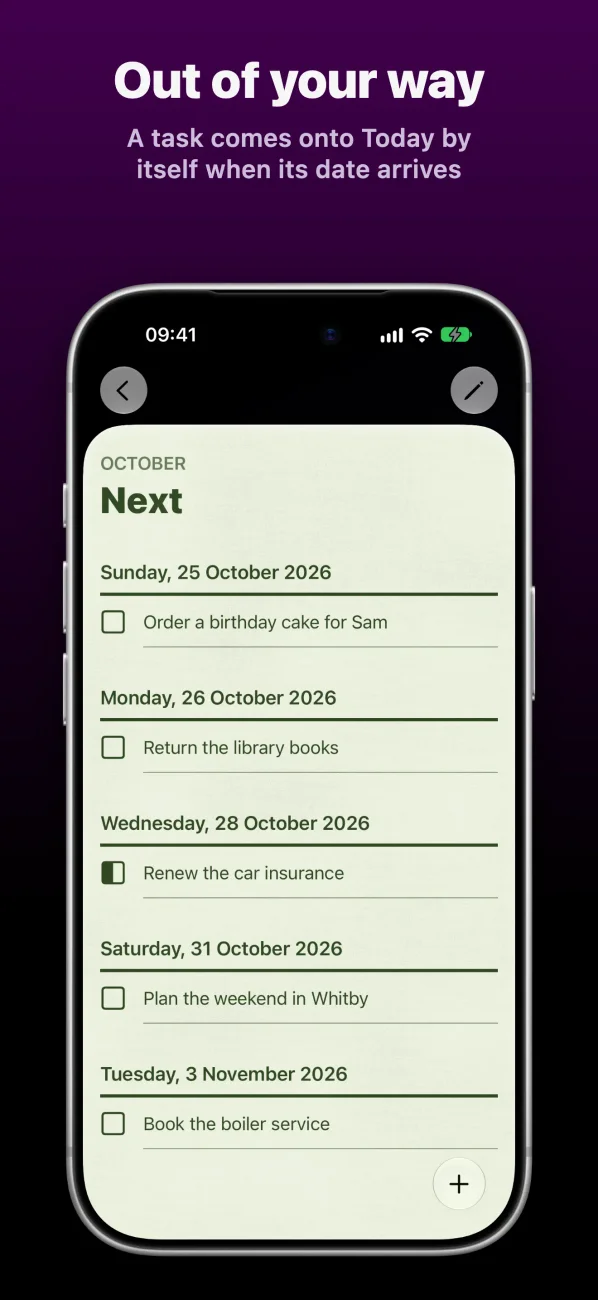
• Next: what's coming up soon
• Someday: ideas and tasks for the future
• Win Pile: everything you've accomplished
Tap a card's heading to open it, and pull it down to put it back. The card at the front of the deck works right where it sits: scroll it, tick tasks off, or tap one to edit it. Drag tasks into the order you want, and swipe one to finish it, change its date or delete it. It's task management that works the way your brain does.
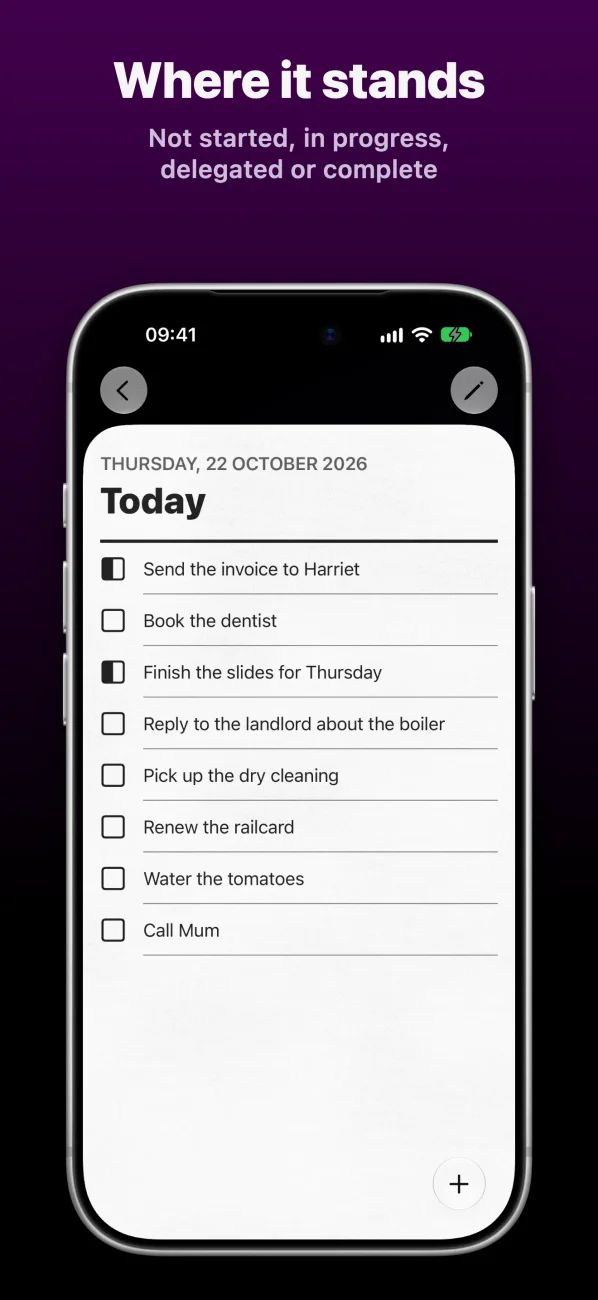
KNOW WHERE EVERYTHING STANDS
Every task has one of four statuses: Not started, In progress, Delegated or Complete. Finish a task, or hand it to someone else, and it's filed in the Win Pile. Need to move a few at once? Choose several tasks and change their status, date or card together.
THE WIN PILE
Completed tasks don't just disappear. They move to your Win Pile: a record of everything you've accomplished, grouped by the day you finished it. Look back on productive days, and remind yourself how much you're actually getting done.
DESIGNED TO STAY OUT OF YOUR WAY
No complicated projects. No tags. No priorities within priorities. OnDeck keeps your list up to date so you don't have to:
• A task comes onto the Today Card by itself when its date arrives.
• Anything left unfinished on Today is carried over to the next day.
• Choose how far ahead the Next Card looks, with anything later going to Someday.
SYNCS WITH APPLE REMINDERS
Your tasks aren't locked inside OnDeck. Each card is a list in the Reminders app, so your tasks sync and back up the way your reminders already do, across all your devices. Tick one off in Reminders, on your Apple Watch or with Siri, and OnDeck keeps up. Your data stays yours, and it's still there if you stop using the app.
HOME SCREEN WIDGETS
Add OnDeck to your Home Screen in four sizes, with a fifth, taller one on iOS 27. Choose which card to show: Today, Next or Someday. Tap a task in the widget to open it in the app. Or press and hold the app's icon to add a task straight to a card.
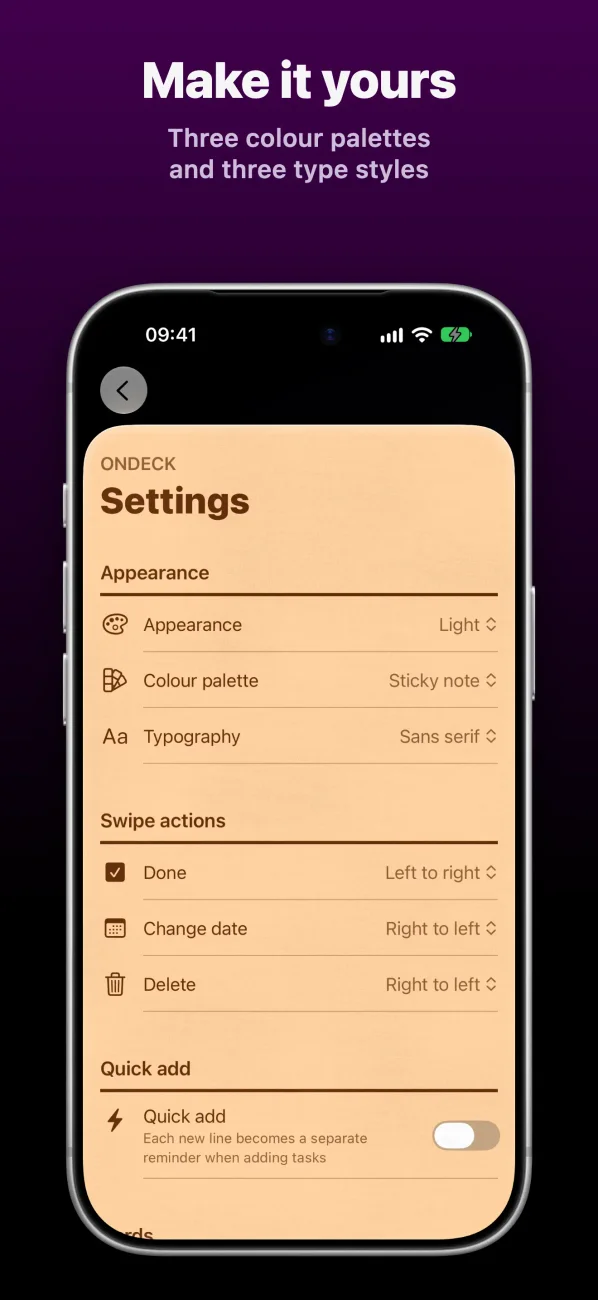
MAKE IT YOURS
• Appearance: System, Light or Dark
• Colour palette: Pastel, Greyscale or Sticky note
• Typography: Sans serif, Serif or Rounded
• Three app icons to choose from
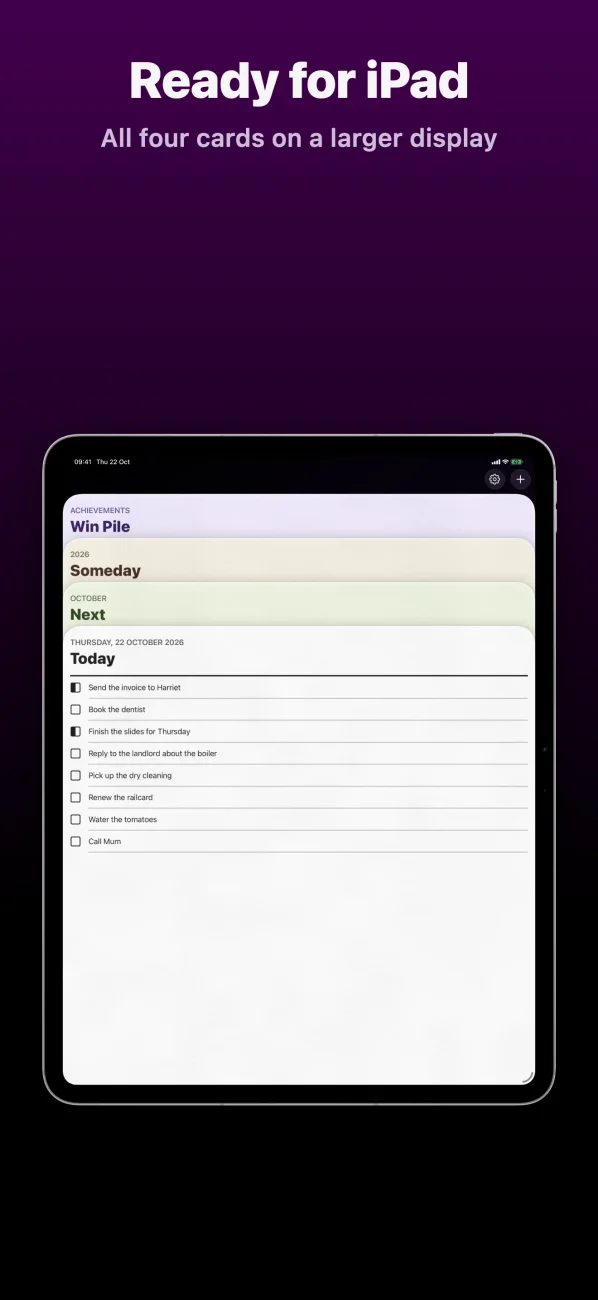
READY FOR IPHONE, IPHONE DUO AND IPAD
On an iPad, and on the iPhone Duo's inner display, the deck stays on screen with the card you opened beside it. Turn an iPhone on its side and all four cards are on screen at once. OnDeck works in every orientation.
ALSO ON THE MAC
OnDeck for Mac is on the Mac App Store, with your four cards in a window of their own, a Task menu, keyboard shortcuts, a Dock menu for adding tasks and a widget for the desktop. Your tasks are in Reminders, so they're the same on your iPhone, iPad and Mac.
PRIVATE BY DESIGN
No accounts, no adverts and no analytics. Your tasks are stored in Apple Reminders and nowhere else.
OnDeck is free. There's a tip jar on the Settings Card if you'd like to support it.
新機能
バージョン 2.3.2 · 2026/11/4
FIXED
• The widget now turns over to the new day at midnight, rather than showing yesterday's date and tasks for a while. It no longer uses up its reloads when a card's list has been deleted in Reminders, and while it loads it shows an empty card, not the request for access to Reminders.
• Changing only a task's status on the Edit Task screen no longer moves it back to the card the screen opened on, if it had been moved in the meantime.
• A Home Screen quick action opens Add Task straight away, even when OnDeck wasn't already running.
• Opening a card from the widget or with ⌘1 to ⌘4 no longer leaves Settings on its Sorting or Lists page for next time.
アプリのプライバシー
このアプリのデータの取り扱いについて、JOHN ROBERT PEARTがApp Storeで申告している内容です。
-
データの収集なし
開発元はこのアプリからデータを収集しません。
プライバシーの取り扱いは、ご利用の機能やお客様の年齢などに応じて異なる場合があります。
情報
- 販売元
- JOHN ROBERT PEART
- カテゴリ
- 仕事効率化
- バージョン
- 2.3.2
- 更新日
- 2026/11/4
- リリース
- 2026/3/4
- サイズ
- 17.3 MB
- 必要条件
- iOS 26.0以降
- 対象年齢
- 4+
- 価格
- 無料
- アプリ内課金
- あり
- 言語
- 英語
- 著作権
- © 2026 John Peart