
Overtime Tracker - Work Log
Hours, calendar & evidence
Entwickelt für iPhone
Kostenlos
- Altersfreigabe4+
- KategorieDienstprogramme
- Entwickler飞 江
- SprachenEnglisch+ 1 weitere
- Größe1,1 MB
Verlinkt auf die offizielle App Store-Seite
Download.org hostet keine Datei von Overtime Tracker - Work Log. Die Schaltfläche öffnet die App-Seite bei App Store, wo 飞 江 die App veröffentlicht. Eintrag zuletzt geprüft am 13.11.2026.
Screenshots


Info
Der Entwickler hat diesen Text nicht in Ihrer Sprache bereitgestellt.
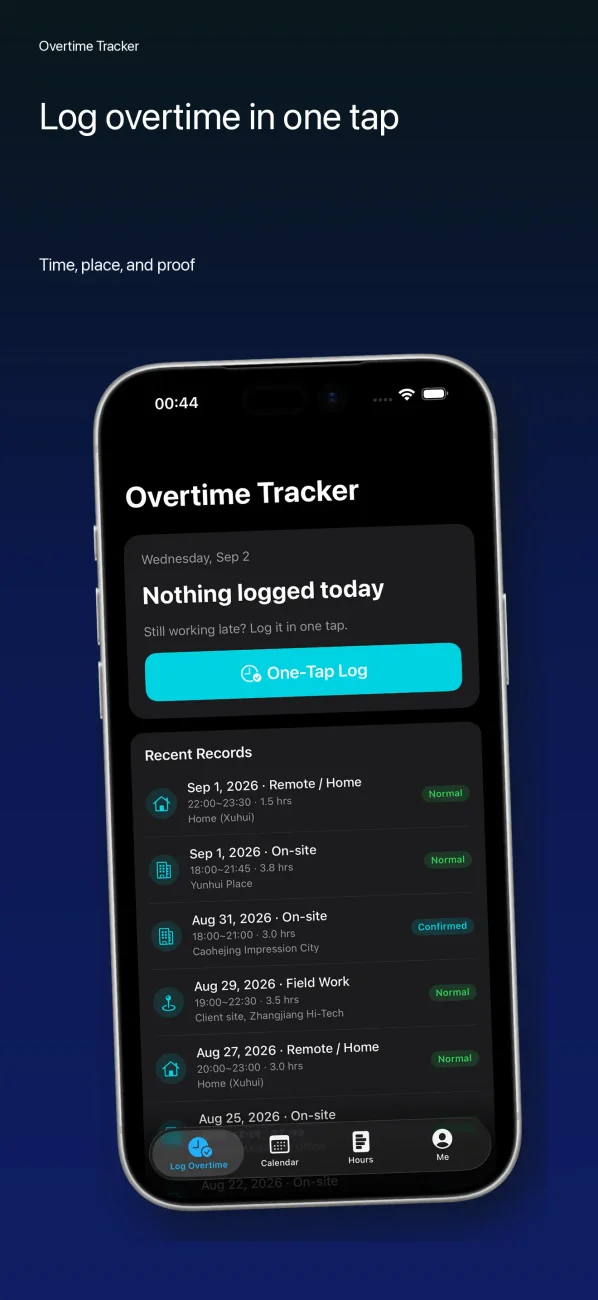
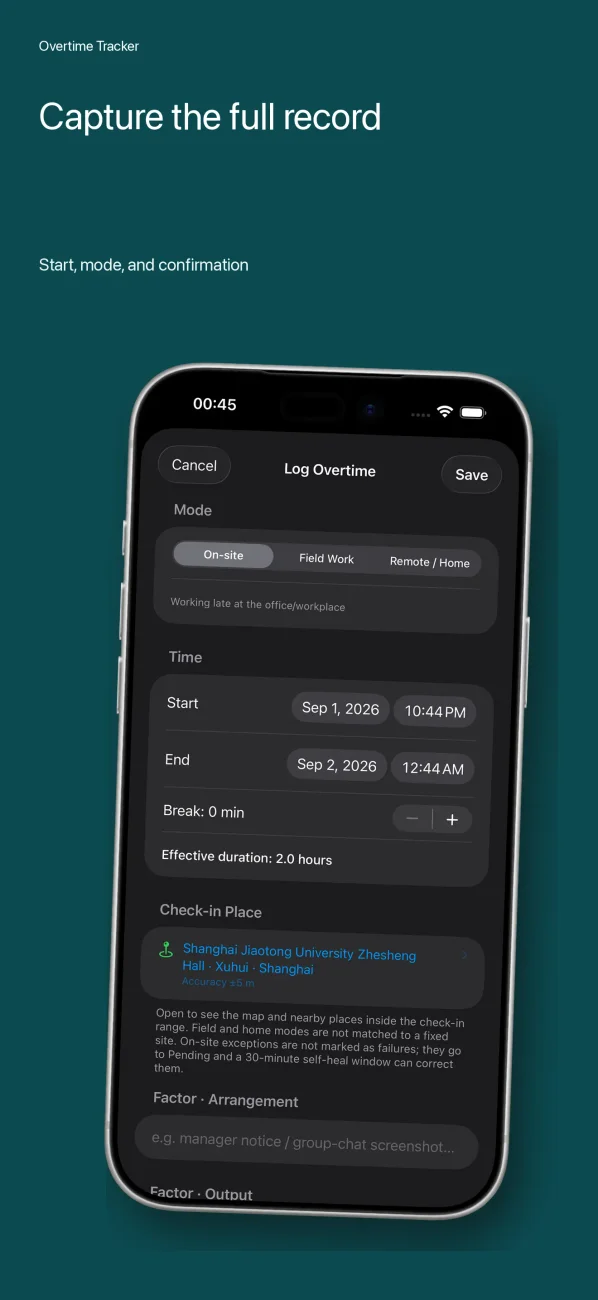
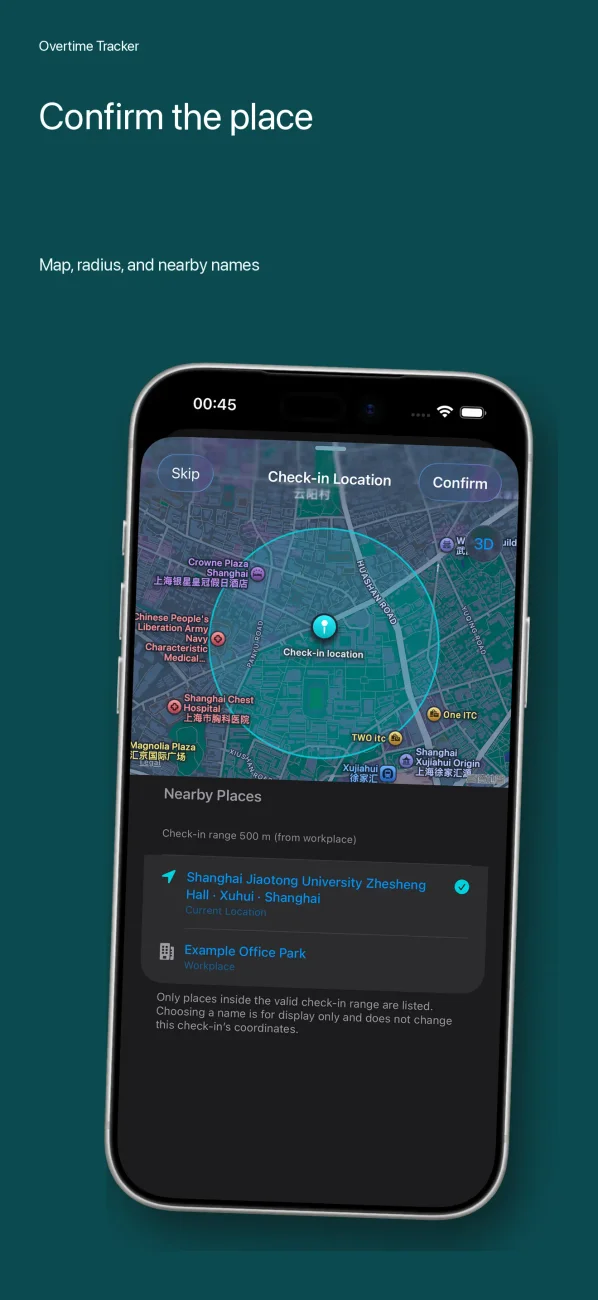
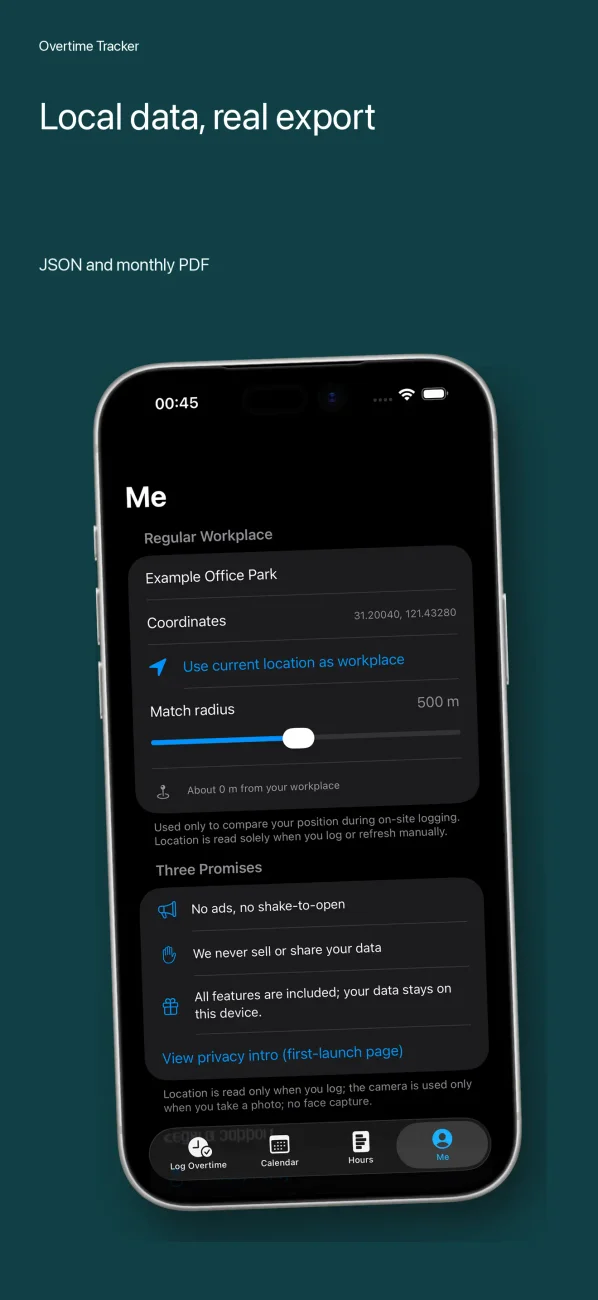
Overtime Tracker is a standalone personal work-hours log for anyone who wants to record overtime facts. It is available to the general public and does not require affiliation with a company or organization. Record start and end time, choose on-site, field, or remote mode, confirm a one-time location on a map with nearby places in range, then add your confirmation and up to four photos from the camera or library.
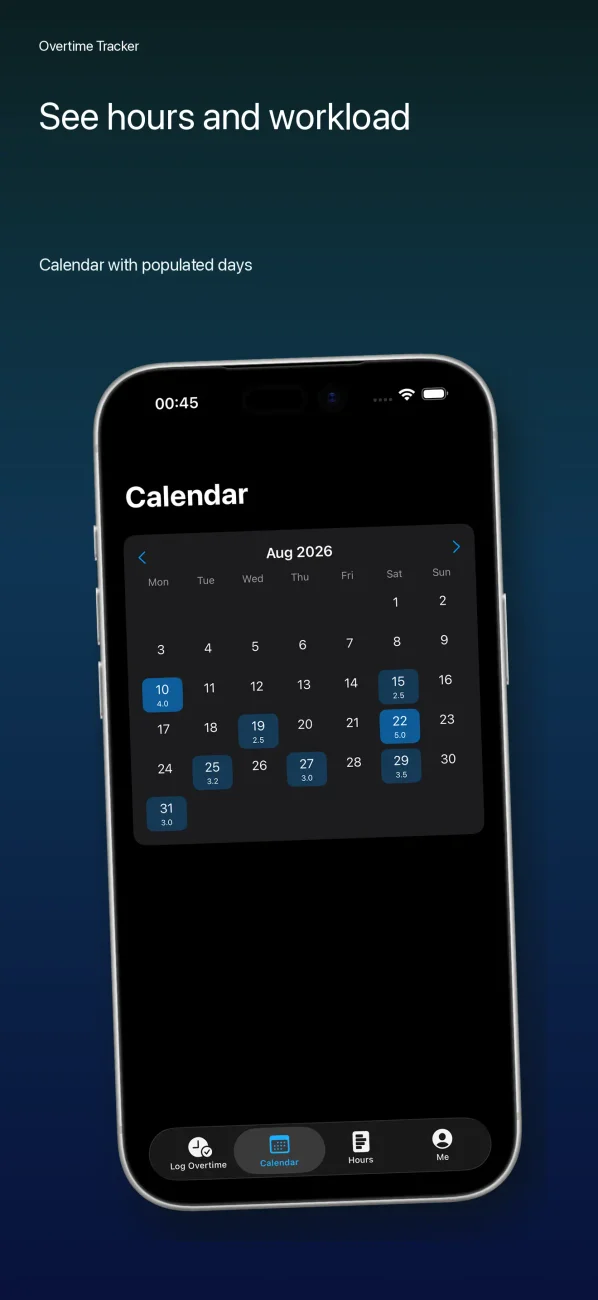
Each record becomes part of an on-device SHA-256 chain, and edits leave an audit trail. Review durations and workload by day, week, or month. The app records facts and elapsed time only. It does not estimate wages, overtime pay, taxes, or legal outcomes.
Your data stays local by default. The app has no ads and performs no remote analytics; data is not uploaded to a server. Export everything as JSON, create a monthly PDF summary, import and deduplicate records when you change devices, or delete local data at any time.
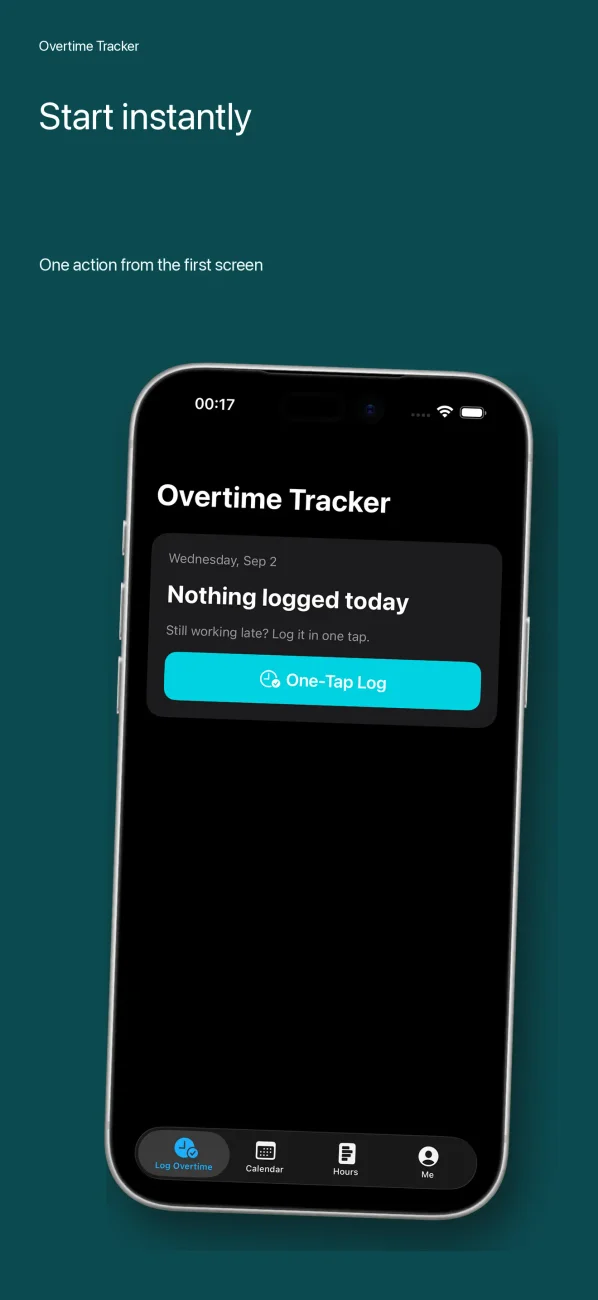
Location is read once only when you record or explicitly refresh, never in the background. Uncertainty is shown honestly, and an unusual reading enters a confirmable state instead of marking failure. If you need to add a missed interval, use the same overtime form and choose the times yourself. Useful before your first entry, the home screen gives you one immediate way to start recording.
Privacy Policy, Terms, and Support links are available in Settings and through the App Store listing.
App-Datenschutz
Was 飞 江 im App Store zum Umgang dieser App mit Daten angibt.
-
Keine Daten erfasst
Der Entwickler erfasst keine Daten von dieser App.
Die Datenschutzpraktiken können variieren, zum Beispiel je nach den von Ihnen verwendeten Funktionen oder Ihrem Alter.
Informationen
- Anbieter
- 飞 江
- Kategorie
- Dienstprogramme
- Version
- 1.0
- Aktualisiert
- 21.09.2026
- Veröffentlicht
- 21.09.2026
- Größe
- 1,1 MB
- Erfordert
- iOS 26.5 oder neuer
- Altersfreigabe
- 4+
- Preis
- Kostenlos
- Sprachen
- Englisch, Vereinf. Chinesisch
- Copyright
- © 2026 fei jiang
Das könnte Ihnen auch gefallen
-
 Work Pal - Schicht PlanerDienstplan erstellen
-
 Haushaltsbuch: AusgabenAusgaben & Einnahmen im Blick
-
 KaKeFit: Workout App BlockerDienstprogramme
-
 体重伴侣 - 你的体重管理专家Dienstprogramme
-
 必灵-AI记账存钱助手Dienstprogramme
-
 多能记-一目了然 记的多Dienstprogramme
-
 Stempeluhr: ZeiterfassungDienstplan & Lohnrechner
-
 应用集Dienstprogramme