
- Age rating4+
- CategoryUtilities
- Developer飞 江
- LanguagesEnglish+ 1 more
- Size1.1 MB
Links to the official App Store page
Download.org hosts no file of Overtime Tracker - Work Log. The button opens its official App Store page, published by 飞 江. Listing last checked on Nov 13, 2026.
Screenshots


About
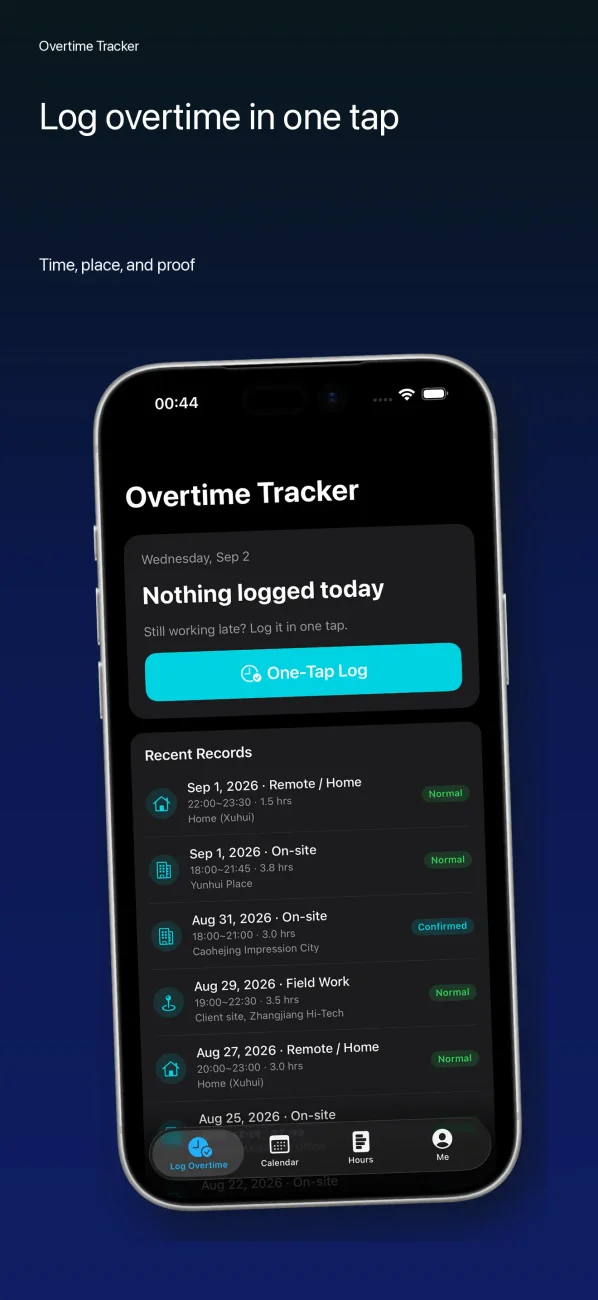
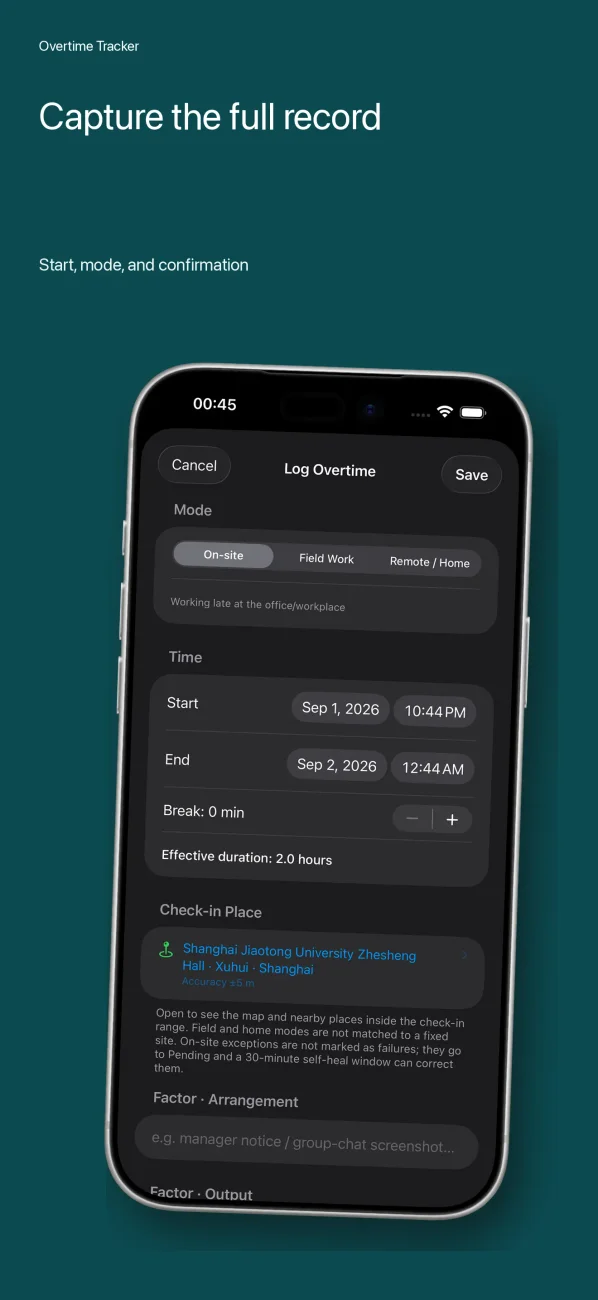
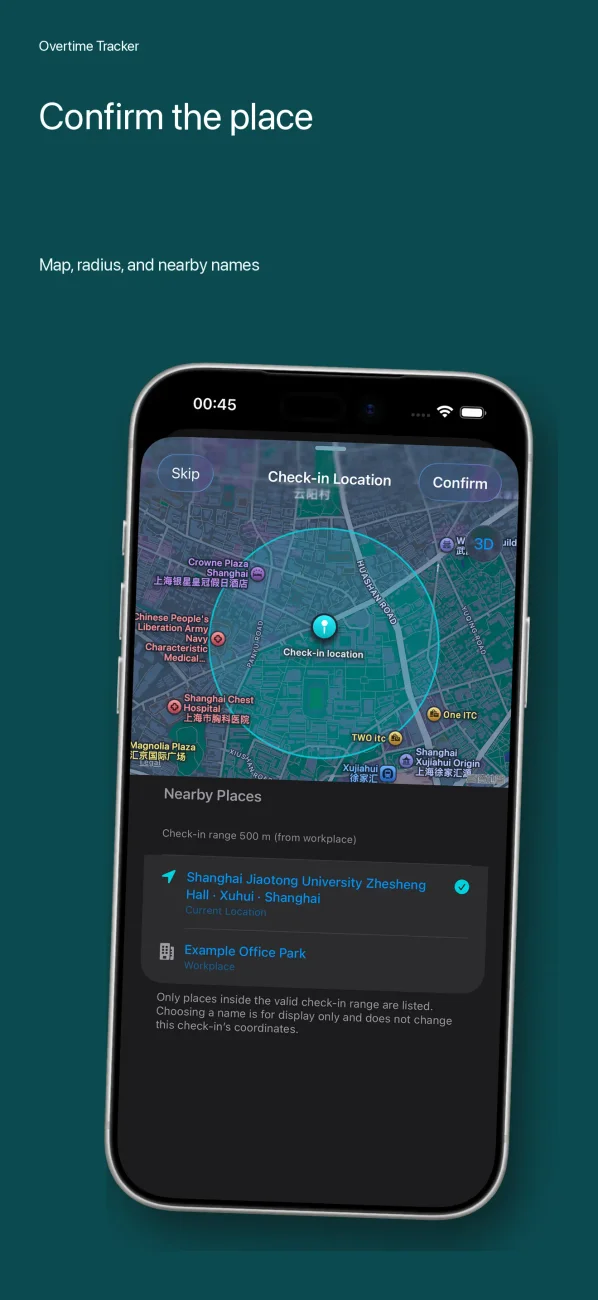
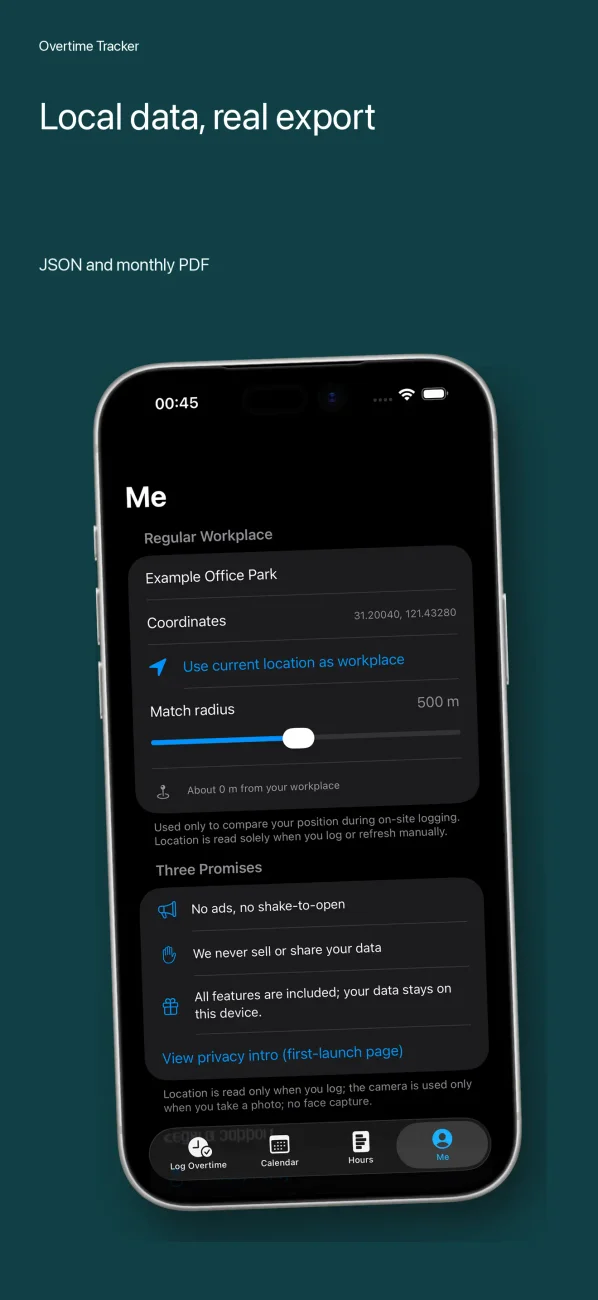
Overtime Tracker is a standalone personal work-hours log for anyone who wants to record overtime facts. It is available to the general public and does not require affiliation with a company or organization. Record start and end time, choose on-site, field, or remote mode, confirm a one-time location on a map with nearby places in range, then add your confirmation and up to four photos from the camera or library.
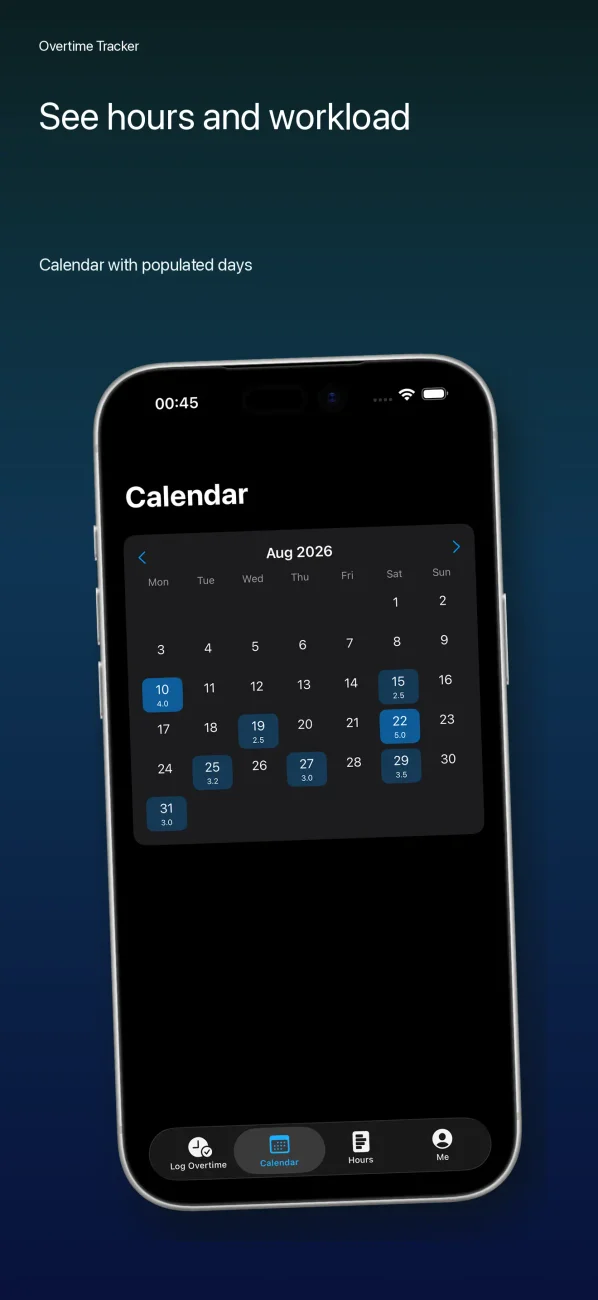
Each record becomes part of an on-device SHA-256 chain, and edits leave an audit trail. Review durations and workload by day, week, or month. The app records facts and elapsed time only. It does not estimate wages, overtime pay, taxes, or legal outcomes.
Your data stays local by default. The app has no ads and performs no remote analytics; data is not uploaded to a server. Export everything as JSON, create a monthly PDF summary, import and deduplicate records when you change devices, or delete local data at any time.
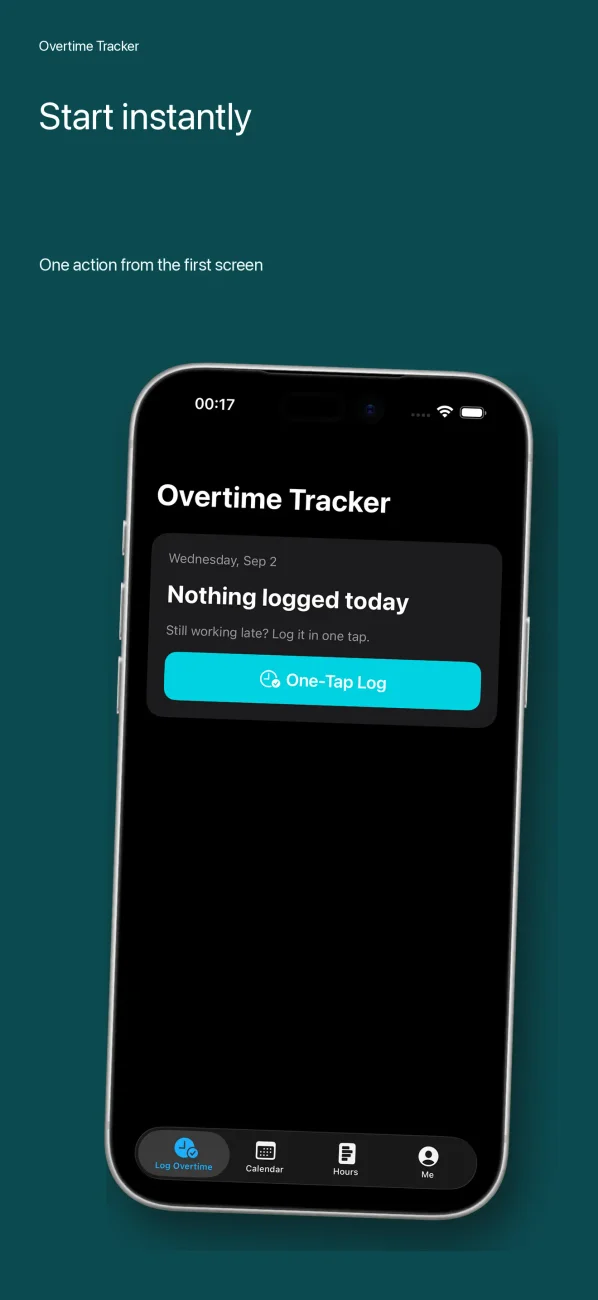
Location is read once only when you record or explicitly refresh, never in the background. Uncertainty is shown honestly, and an unusual reading enters a confirmable state instead of marking failure. If you need to add a missed interval, use the same overtime form and choose the times yourself. Useful before your first entry, the home screen gives you one immediate way to start recording.
Privacy Policy, Terms, and Support links are available in Settings and through the App Store listing.
App privacy
What 飞 江 declares on the App Store about how this app handles data.
-
Data not collected
The developer does not collect any data from this app.
Privacy practices may vary, for example with the features you use or your age.
Information
- Seller
- 飞 江
- Category
- Utilities
- Version
- 1.0
- Updated
- Sep 21, 2026
- Released
- Sep 21, 2026
- Size
- 1.1 MB
- Requires
- iOS 26.5 or later
- Age rating
- 4+
- Languages
- English, Simplified Chinese
- Copyright
- © 2026 fei jiang
You might also like
-
 WorkPal: Shift & Hours TrackerShift Planning, Pay, Work-time
-
 Budget Tracker: Money PlannerManage Spending & Bills Easily
-
 KaKeFit: Workout App BlockerFitness Goals & Weight Tracker
-
 体重伴侣 - 你的体重管理专家Utilities
-
 必灵-AI记账存钱助手Utilities
-
 多能记-一目了然 记的多Utilities
-
 Work Hours Tracker: Time ClockTime Tracker for Work & Shifts
-
 应用集Utilities