PasteFlow: Auto Input Message
Quick Text Keyboard Expander
Entwickelt für iPhone, iPad, iPod touch
Kostenlos
- Altersfreigabe4+
- KategorieProduktivität
- EntwicklerNguyen Thi Thu
- SprachenEnglisch
- Größe29,1 MB
Verlinkt auf die offizielle App Store-Seite
Download.org hostet keine Datei von PasteFlow: Auto Input Message. Die Schaltfläche öffnet die App-Seite bei App Store, wo Nguyen Thi Thu die App veröffentlicht. Eintrag zuletzt geprüft am 20.11.2026.
Screenshots
Info
Der Entwickler hat diesen Text nicht in Ihrer Sprache bereitgestellt.
PasteFlow is a keyboard that remembers what you type — and types it back for you.
Stop leaving the chat to open Notes, copy a reply and paste it back in. Add PasteFlow to your keyboards, open it inside any text field, and your texts are one tap away — anywhere.
WHAT YOU GET
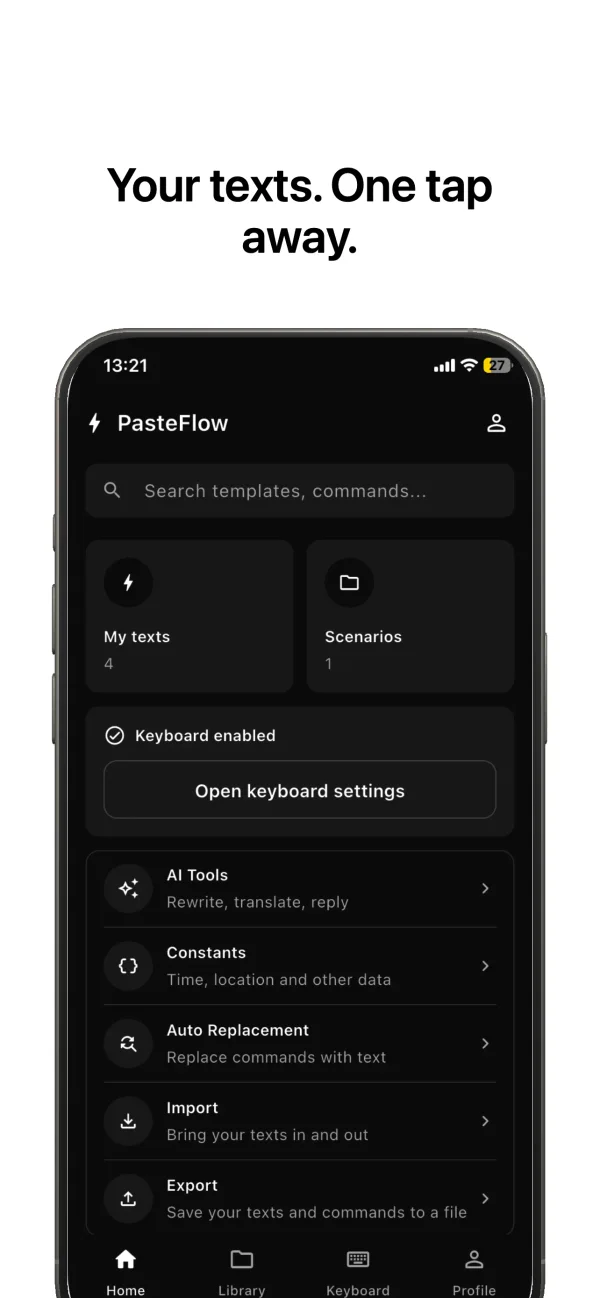
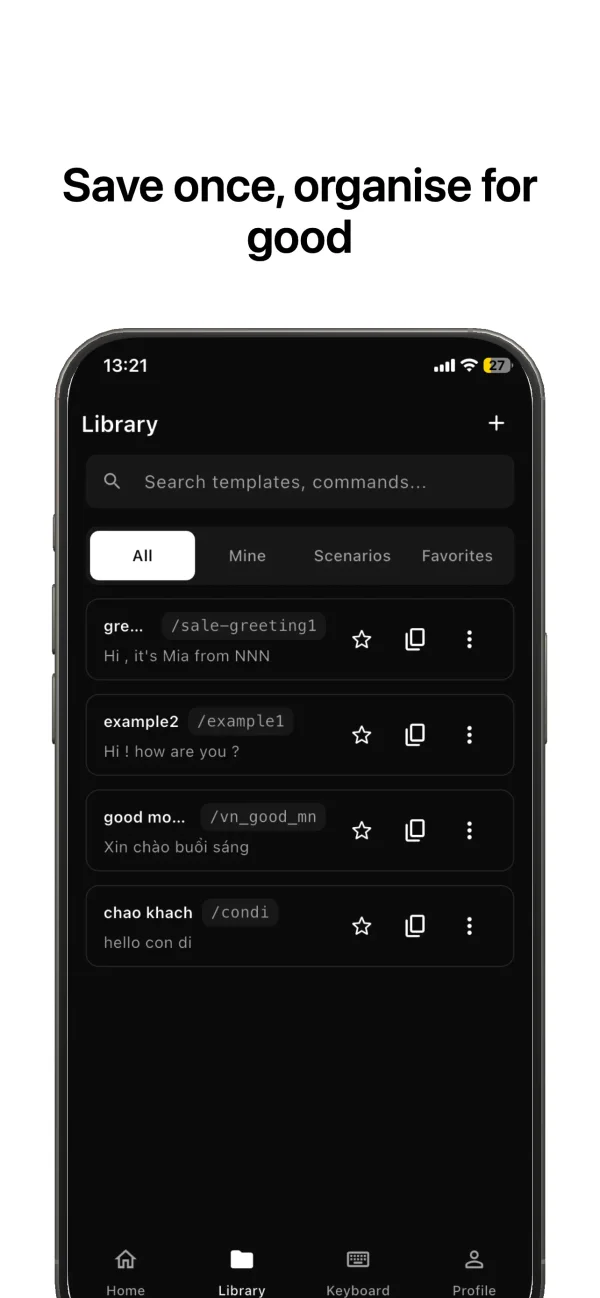
• Quick texts — save any phrase, insert it with one tap
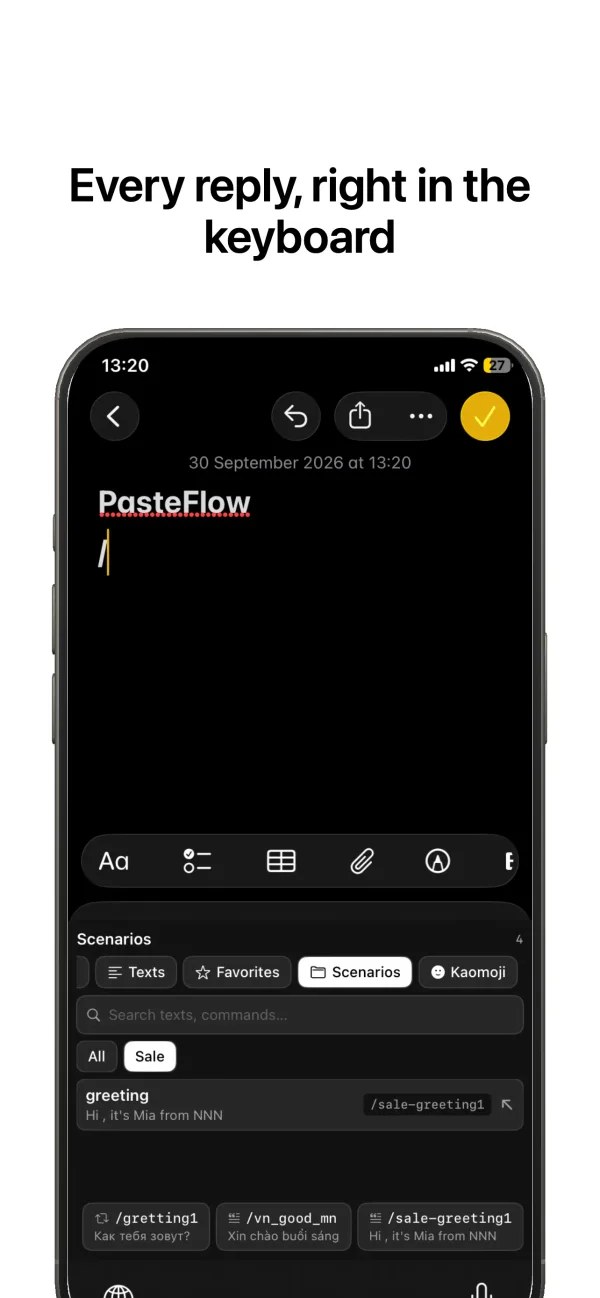
• Scenarios — group texts for sales, support, work, personal
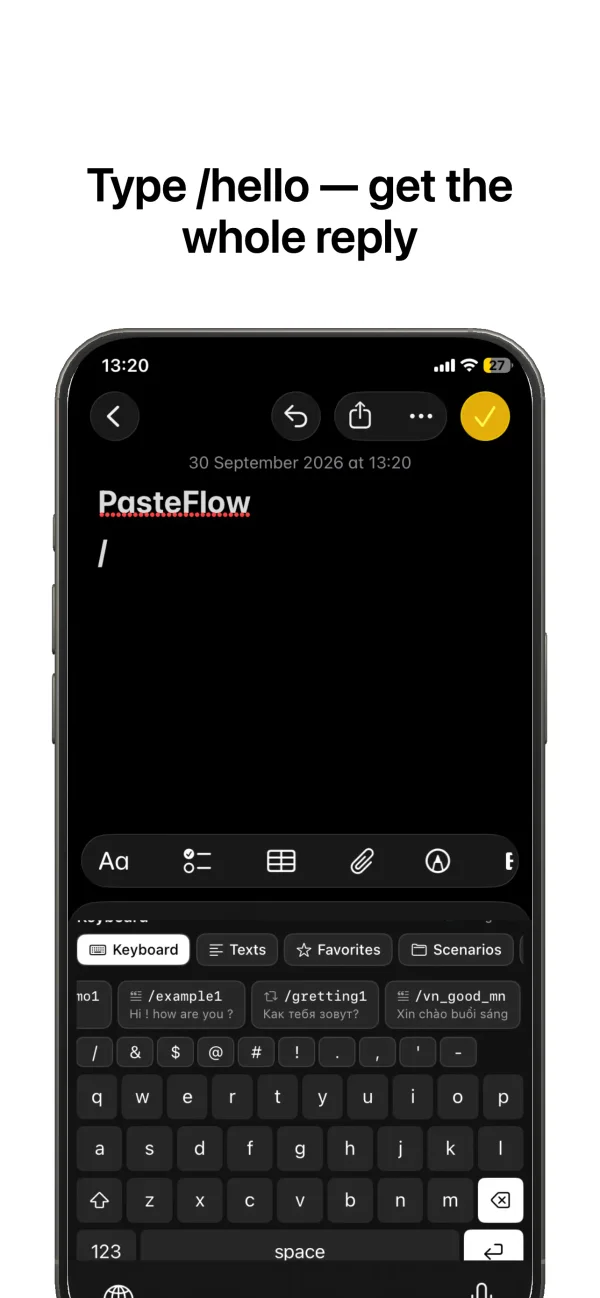
• Shortcuts — type /hello and it expands into your full greeting
• Auto replacement — fix typos and expand abbreviations while you type
• Constants — {{city}}, {{address}}, {{time}}, {{clipboard}} and your own keys are filled in automatically
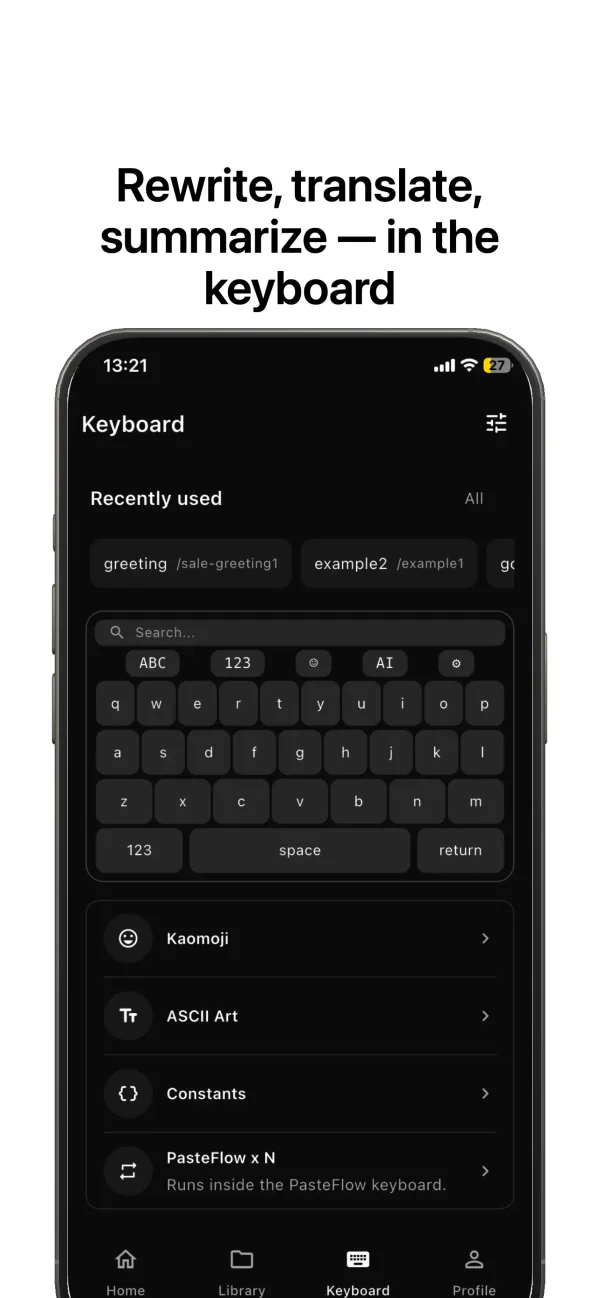
• AI tools — rewrite, shorten, expand, change tone, translate, write a reply, summarize, turn a text into a template
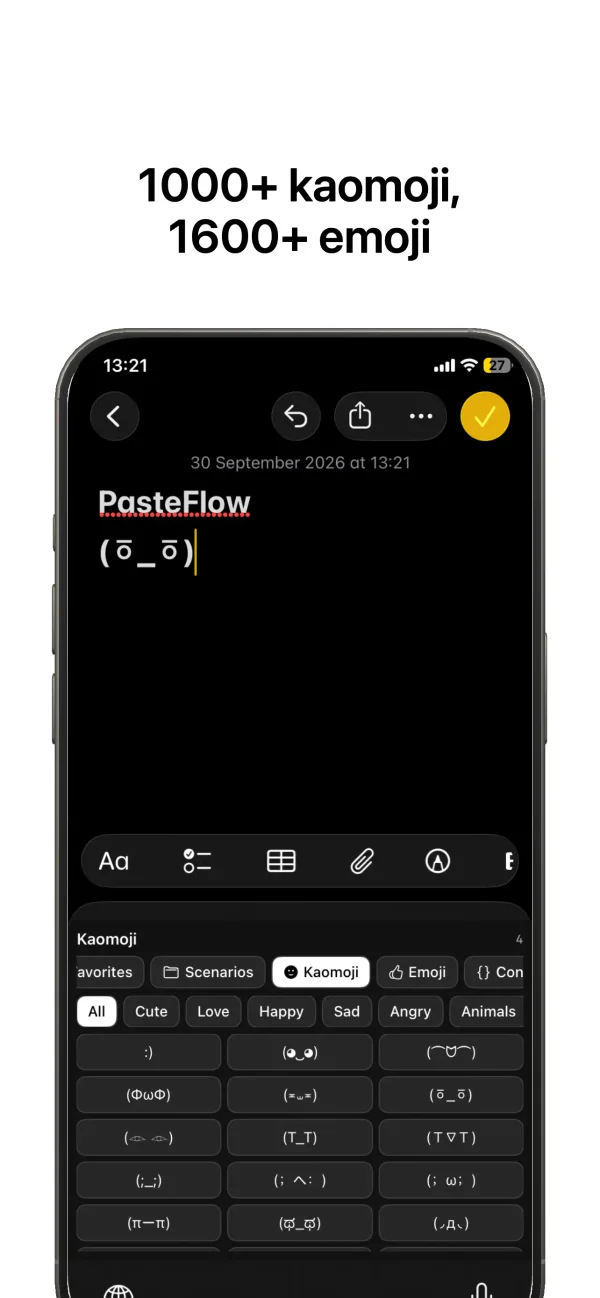
• Kaomoji — 1000+ faces in 10 categories
• Emoji — 1600+ across 11 categories
• ASCII art — turn text or a photo into monospaced art, plain or in colour
• PasteFlow x N — send the same message 5, 10 or 100 times
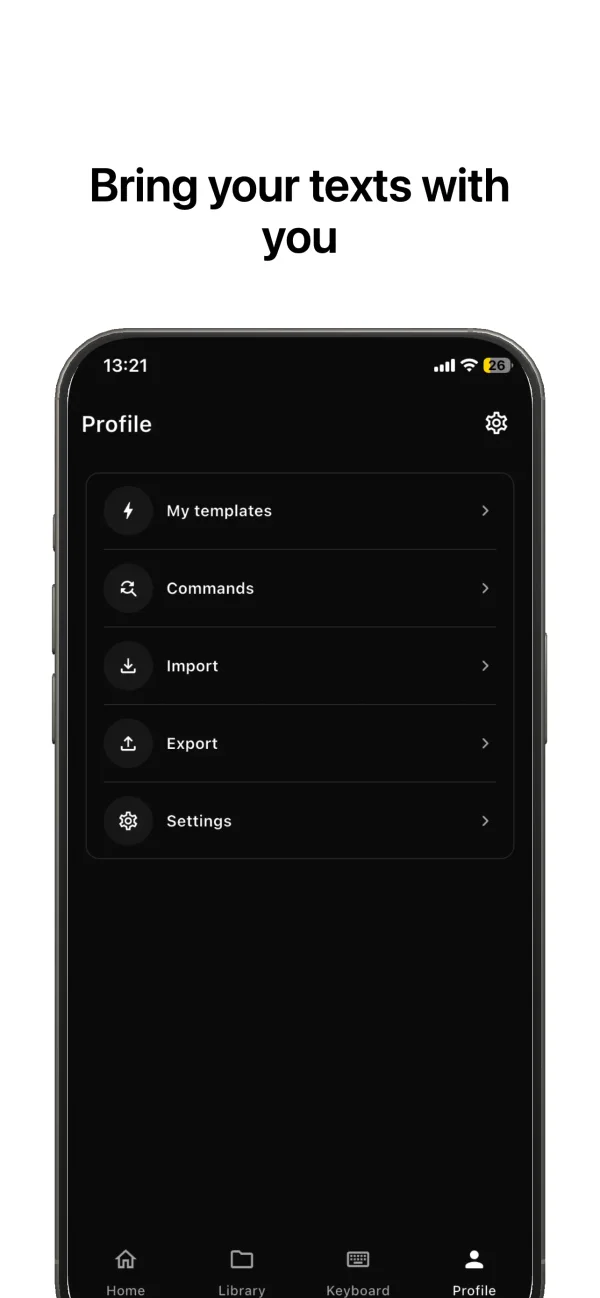
• Import & export — from Notes, CSV, Google Sheets or a JSON backup
PRIVATE BY DESIGN
No account. No ads. Nothing you type is collected or analysed. Your library lives on your device and is shared only with the keyboard you installed. Full Access is what lets the keyboard read your latest texts and run the AI tools over the network; without it the keyboard keeps typing normally.
BUILT LIKE A REAL KEYBOARD
Ranked suggestions and most-used ranking, a sections toolbar for texts, scenarios, kaomoji, emoji, constants, ASCII, AI and repeats, 130+ layout languages, sound and haptic feedback, adjustable height, key size and text scale, light and dark themes in black, white and grey.
WHO IT IS FOR
Freelancers, sales teams, support agents, online sellers, teachers, students — anyone who types the same things every day.
HOW IT WORKS
1. Settings ▸ General ▸ Keyboard ▸ Keyboards ▸ Add New Keyboard ▸ PasteFlow
2. Save the texts you repeat
3. Tap them from the keyboard, in any app
Type once. Never again.
Privacy Policy : https://docs.google.com/document/d/1Pp4PWp9PfB2xC8QqcBCuY7qdNLIGEvU1zvFNewwxwA0/edit?usp=share_link
Terms Of Service : https://docs.google.com/document/d/1K_lM-K9ejyUxG62gKD5_cqZtVylaKbs67sNbMJRTKXk/edit?usp=share_link
App-Datenschutz
Was Nguyen Thi Thu im App Store zum Umgang dieser App mit Daten angibt.
-
Keine Daten erfasst
Der Entwickler erfasst keine Daten von dieser App.
Die Datenschutzpraktiken können variieren, zum Beispiel je nach den von Ihnen verwendeten Funktionen oder Ihrem Alter.
Informationen
- Anbieter
- Nguyen Thi Thu
- Kategorie
- Produktivität
- Version
- 1.0.1+4
- Aktualisiert
- 01.10.2026
- Veröffentlicht
- 01.10.2026
- Größe
- 29,1 MB
- Erfordert
- iOS 15.0 oder neuer
- Altersfreigabe
- 4+
- Preis
- Kostenlos
- Sprachen
- Englisch
- Copyright
- ©PasteFlow. All rights reserved
Das könnte Ihnen auch gefallen
-
 Sprachtastatur: ARAPrivate Offline-Diktate
-
 Phrasen-Tastatur: KeyBurstTexte schnell einfügen
-
 1SecCopy: ZwischenablageSpeichern. Überall einfügen.
-
 WriterPro: Ai KeyboardProduktivität
-
 Markdown.md - Notes & PreviewProduktivität
-
 KeySnip: Fonts & TemplatesCopy Paste, Keyboard & Symbols
-
 TypeGoProduktivität
-
 FUTO NotesProduktivität
-
 ZenNotes: Markdown NotesProduktivität
-
 Sticky Notes: Notizen & To DoMemo, Listen, Widget & Planer