PasteFlow: Auto Input Message
Quick Text Keyboard Expander
Designed for iPhone, iPad, iPod touch
Free
- Age rating4+
- CategoryProductivity
- DeveloperNguyen Thi Thu
- LanguagesEnglish
- Size29.1 MB
Links to the official App Store page
Download.org hosts no file of PasteFlow: Auto Input Message. The button opens its official App Store page, published by Nguyen Thi Thu. Listing last checked on Nov 20, 2026.
Screenshots

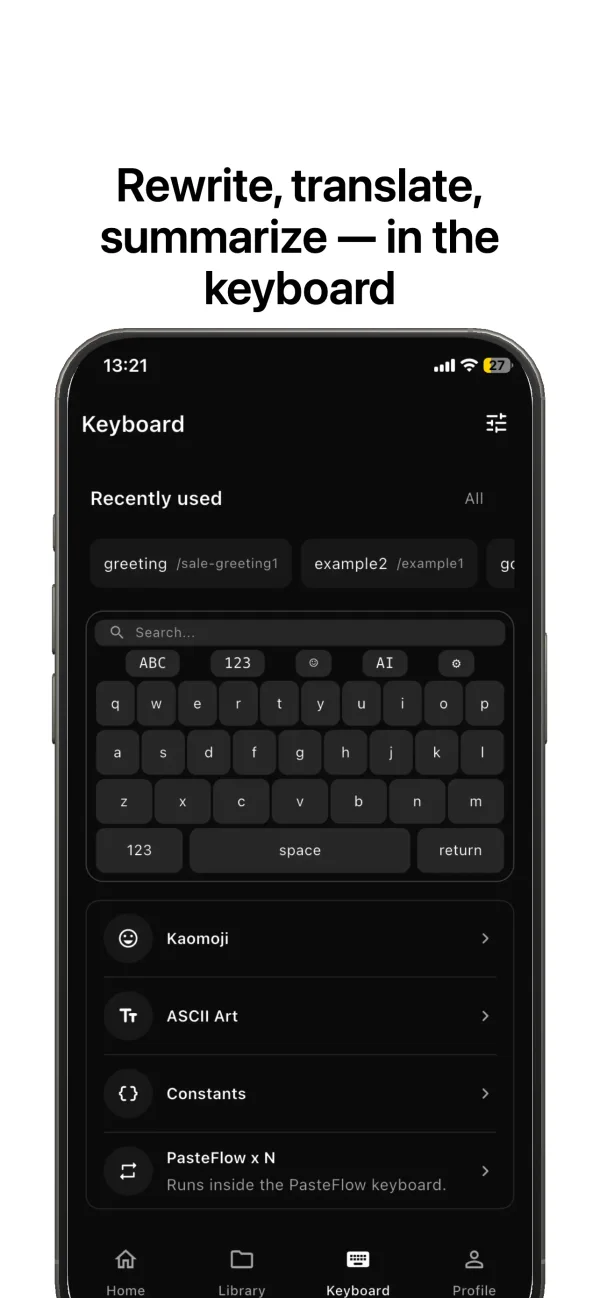
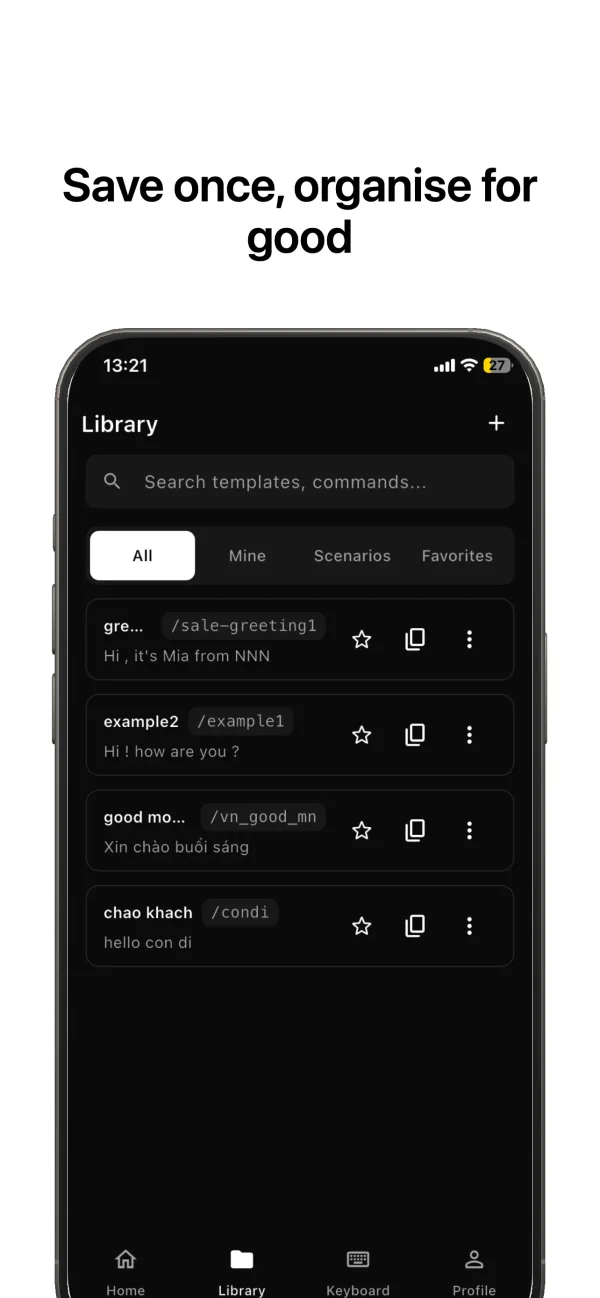
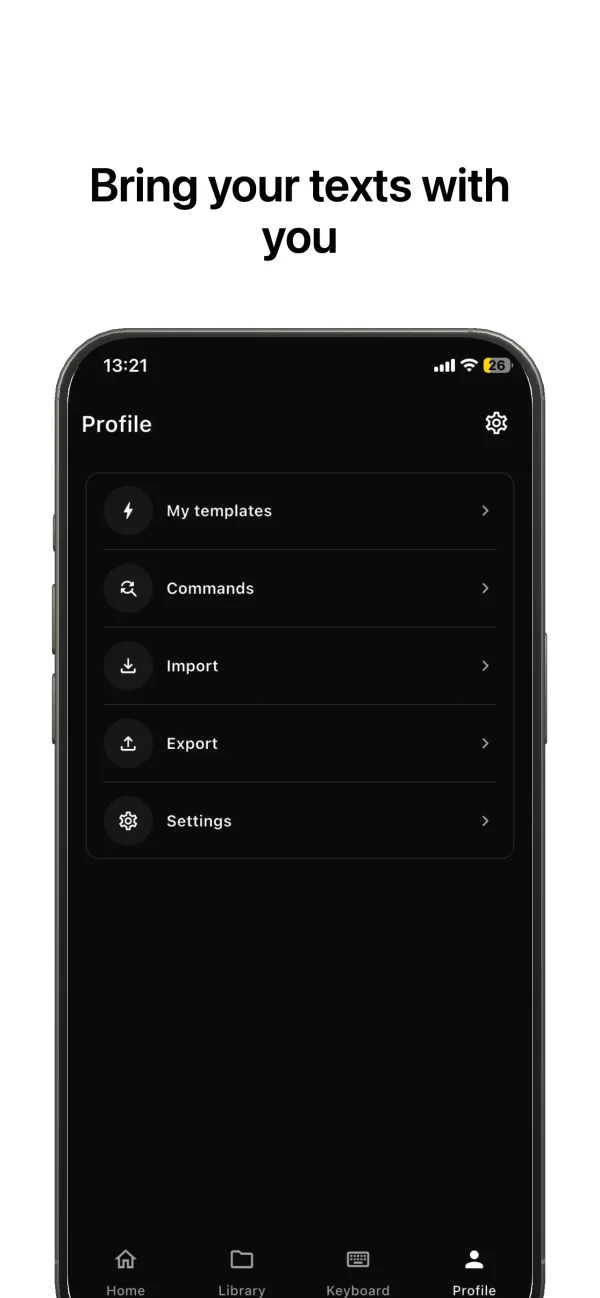
About
PasteFlow is a keyboard that remembers what you type — and types it back for you.
Stop leaving the chat to open Notes, copy a reply and paste it back in. Add PasteFlow to your keyboards, open it inside any text field, and your texts are one tap away — anywhere.
WHAT YOU GET
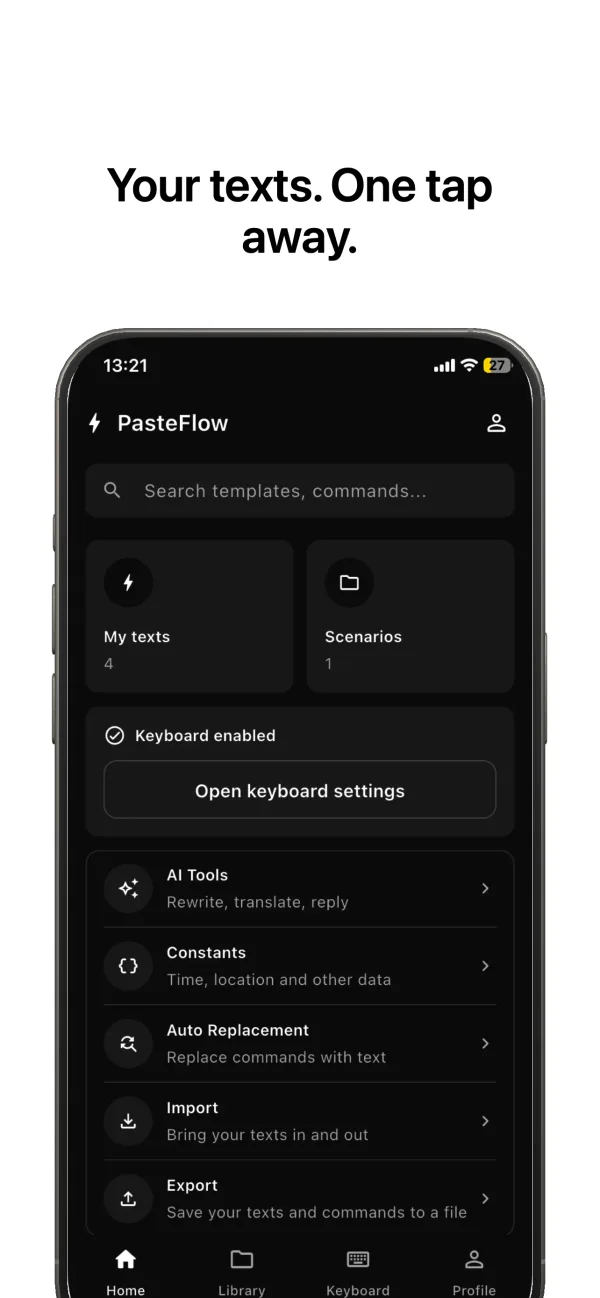
• Quick texts — save any phrase, insert it with one tap
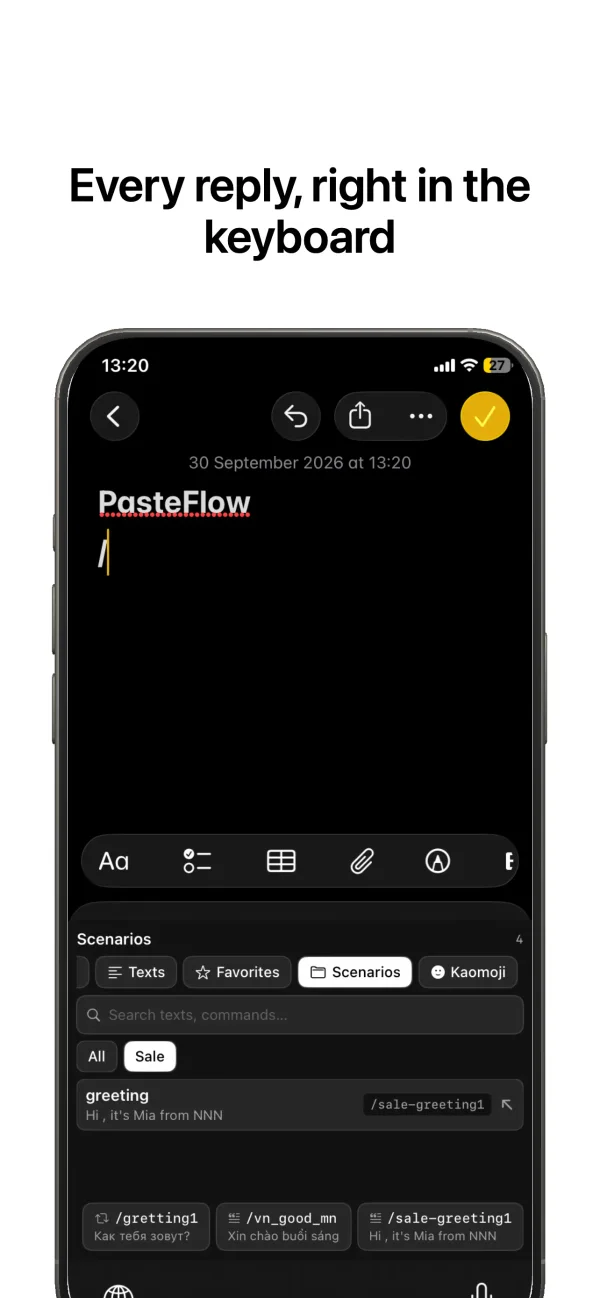
• Scenarios — group texts for sales, support, work, personal
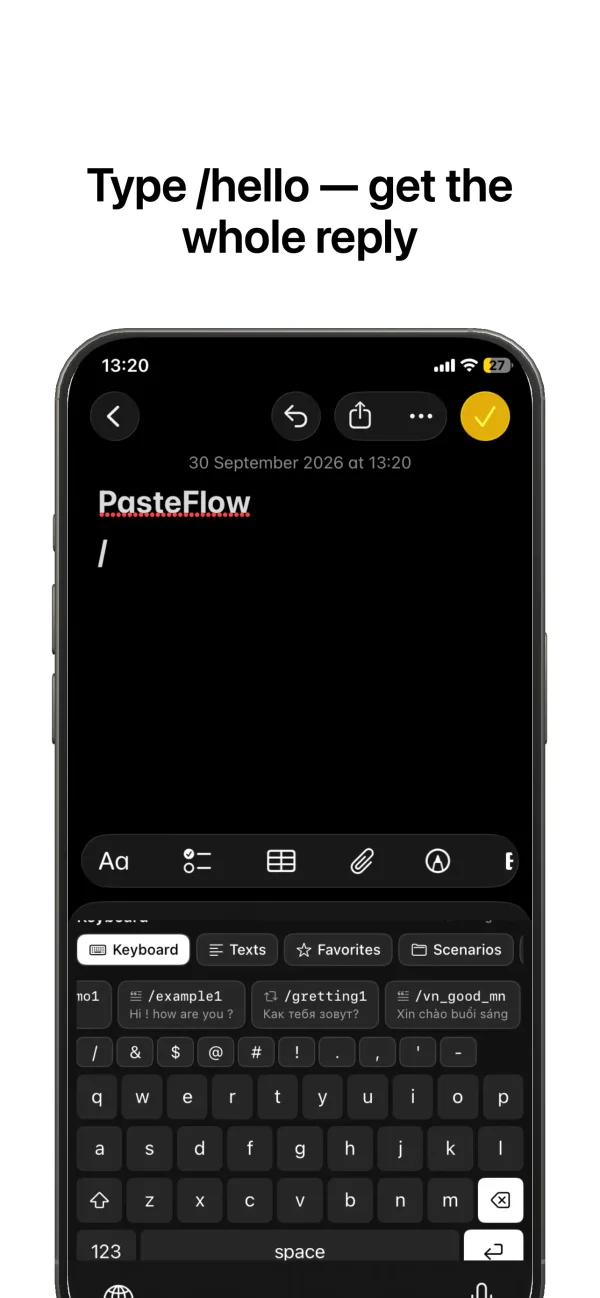
• Shortcuts — type /hello and it expands into your full greeting
• Auto replacement — fix typos and expand abbreviations while you type
• Constants — {{city}}, {{address}}, {{time}}, {{clipboard}} and your own keys are filled in automatically
• AI tools — rewrite, shorten, expand, change tone, translate, write a reply, summarize, turn a text into a template
• Kaomoji — 1000+ faces in 10 categories
• Emoji — 1600+ across 11 categories
• ASCII art — turn text or a photo into monospaced art, plain or in colour
• PasteFlow x N — send the same message 5, 10 or 100 times
• Import & export — from Notes, CSV, Google Sheets or a JSON backup
PRIVATE BY DESIGN
No account. No ads. Nothing you type is collected or analysed. Your library lives on your device and is shared only with the keyboard you installed. Full Access is what lets the keyboard read your latest texts and run the AI tools over the network; without it the keyboard keeps typing normally.
BUILT LIKE A REAL KEYBOARD
Ranked suggestions and most-used ranking, a sections toolbar for texts, scenarios, kaomoji, emoji, constants, ASCII, AI and repeats, 130+ layout languages, sound and haptic feedback, adjustable height, key size and text scale, light and dark themes in black, white and grey.
WHO IT IS FOR
Freelancers, sales teams, support agents, online sellers, teachers, students — anyone who types the same things every day.
HOW IT WORKS
1. Settings ▸ General ▸ Keyboard ▸ Keyboards ▸ Add New Keyboard ▸ PasteFlow
2. Save the texts you repeat
3. Tap them from the keyboard, in any app
Type once. Never again.
Privacy Policy : https://docs.google.com/document/d/1Pp4PWp9PfB2xC8QqcBCuY7qdNLIGEvU1zvFNewwxwA0/edit?usp=share_link
Terms Of Service : https://docs.google.com/document/d/1K_lM-K9ejyUxG62gKD5_cqZtVylaKbs67sNbMJRTKXk/edit?usp=share_link
App privacy
What Nguyen Thi Thu declares on the App Store about how this app handles data.
-
Data not collected
The developer does not collect any data from this app.
Privacy practices may vary, for example with the features you use or your age.
Information
- Seller
- Nguyen Thi Thu
- Category
- Productivity
- Version
- 1.0.1+4
- Updated
- Oct 1, 2026
- Released
- Oct 1, 2026
- Size
- 29.1 MB
- Requires
- iOS 15.0 or later
- Age rating
- 4+
- Price
- Free
- Languages
- English
- Copyright
- ©PasteFlow. All rights reserved
You might also like
-
 Voice to Text Keyboard: ARAPrivate on-device dictation
-
 Phrase Keyboard: KeyBurstPaste Saved Text Fast
-
 1SecCopy: Clipboard & KeyboardSave once, paste anywhere
-
 WriterPro: Ai KeyboardAi Keyboard & Writer App
-
 Markdown.md - Notes & PreviewLive Editing & Projects
-
 KeySnip: Font Art KeyboardStylish Text, Symbols & Bio
-
 TypeGoBest AI Keyboard
-
 FUTO NotesNotes that grow with you
-
 ZenNotes: Markdown NotesProductivity
-
 Sticky Notes: Notes & TodosMemo Widget & To Do Checklist