
PDF Scanner • Document Scanner
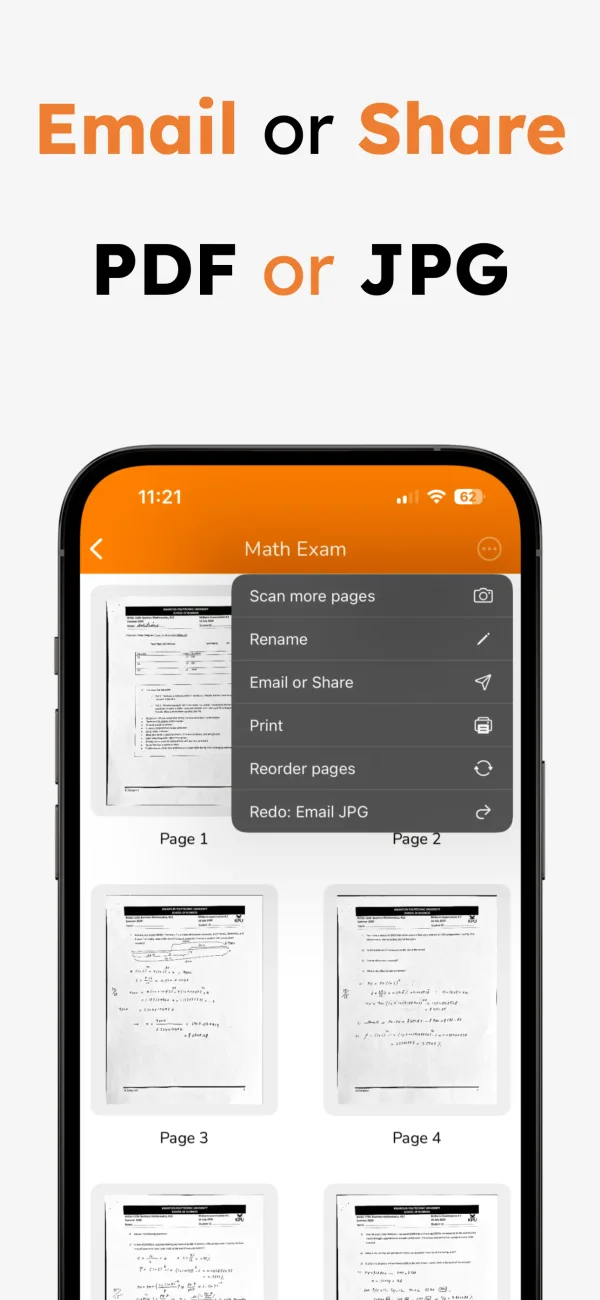
Scan, Share, Email PDF or JPG
Entwickelt für iPhone, iPod touch
Kostenlos · In-App-Käufe
- Altersfreigabe4+
- KategorieWirtschaft
- EntwicklerGolden Mind Services LTD
- SprachenEnglisch
- Größe20,8 MB
Verlinkt auf die offizielle App Store-Seite
Download.org hostet keine Datei von PDF Scanner • Document Scanner. Die Schaltfläche öffnet die App-Seite bei App Store, wo Golden Mind Services LTD die App veröffentlicht. Eintrag zuletzt geprüft am 27.11.2026.
Screenshots
Info
Der Entwickler hat diesen Text nicht in Ihrer Sprache bereitgestellt.
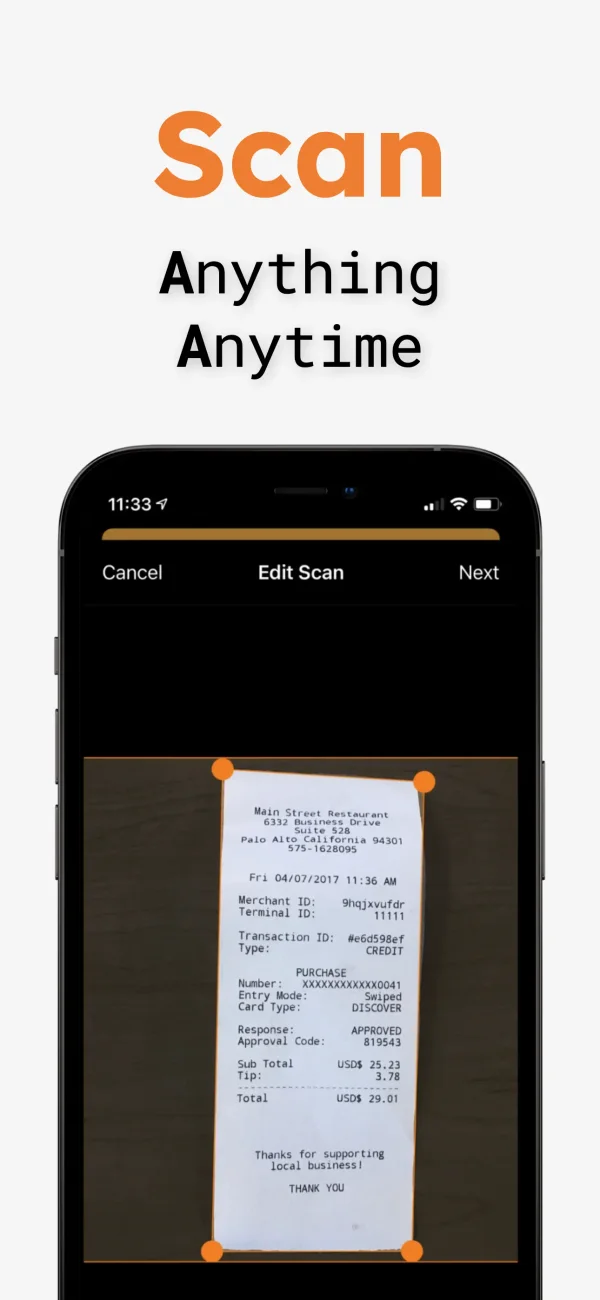
Scan any document in seconds and seamlessly export, share, or email it as a PDF or JPG – all at no cost. This app is designed to be your go-to solution for document management, offering advanced features that are and always will be free.
Key Features:
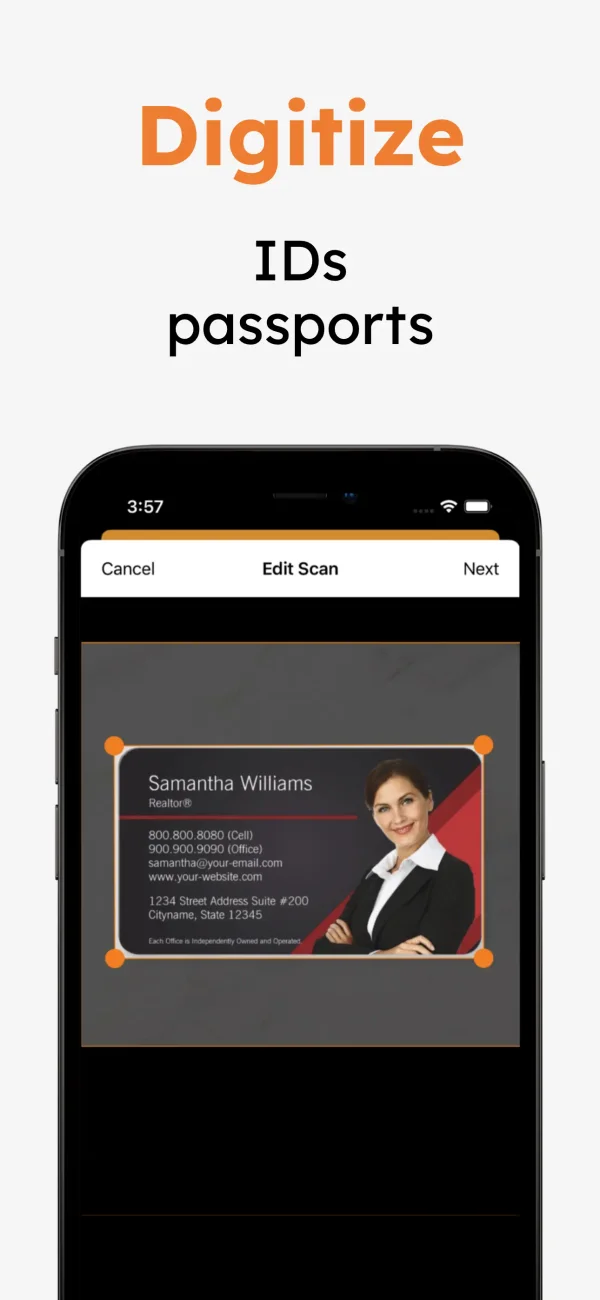
• Multi-Page Scanning: Effortlessly scan multiple pages into a single document.
• Flexible Document Editing: Rearrange pages before exporting to ensure everything is in order.
• Various Export Options: Choose to export or share your document as a single PDF or multiple JPGs.
• Easy File Importing: Import image files from your gallery or iCloud Drive, and even open PDFs directly from iCloud.
• Smart OCR Technology: Extract text from any page using our state-of-the-art Optical Character Recognition (OCR).
• Precision Border Detection: Automatically recognize document edges with options for manual adjustments.
• Instant Printing: Print your documents directly from your phone in just a few taps.
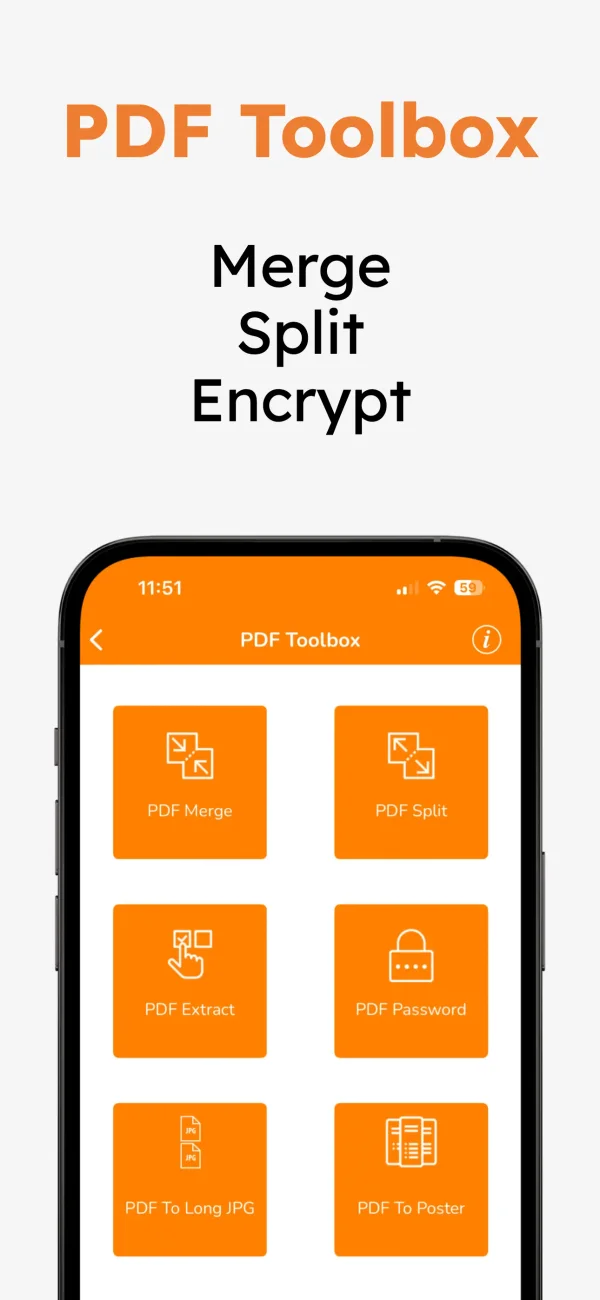
All-in-One PDF Toolbox:
PDF Scanner also includes a built-in PDF toolbox, offering the following powerful tools:
• Merge PDFs: Combine two or more PDFs into a single file.
• Split PDFs: Divide a PDF into multiple files effortlessly.
• Extract Pages: Select and export specific pages from a PDF.
• Encrypt PDFs: Add a password to protect sensitive files.
• PDF to Long JPG: Convert an entire PDF into one continuous JPG image.
• Create Posters: Turn your PDF into a poster by selecting the number of columns.
PDF Scanner is built on trusted technology, including OCR support from SwiftyTesseract, available under the MIT license (see details: https://github.com/SwiftyTesseract/SwiftyTesseract).
Get scanning with PDF Scanner today – the only scanning app you’ll ever need!
Terms of Use: https://www.apple.com/legal/internet-services/itunes/dev/stdeula/
Neue Funktionen
Version 6.6 · 16.06.2026
• We have updated the metadata
App-Datenschutz
Was Golden Mind Services LTD im App Store zum Umgang dieser App mit Daten angibt.
-
Daten, die zum Tracking Ihrer Person verwendet werden
Können verwendet werden, um Sie über Apps und Websites anderer Unternehmen hinweg zu verfolgen.
- Kennungen
- Nutzungsdaten
-
Nicht mit Ihnen verknüpfte Daten
Können erfasst werden, sind aber nicht mit Ihrer Identität verknüpft.
- Kennungen
- Nutzungsdaten
Die Datenschutzpraktiken können variieren, zum Beispiel je nach den von Ihnen verwendeten Funktionen oder Ihrem Alter.
Informationen
- Anbieter
- Golden Mind Services LTD
- Kategorie
- Wirtschaft
- Version
- 6.6
- Aktualisiert
- 16.06.2026
- Veröffentlicht
- 25.11.2019
- Größe
- 20,8 MB
- Erfordert
- iOS 14.0 oder neuer
- Altersfreigabe
- 4+
- Preis
- Kostenlos
- In-App-Käufe
- Ja
- Sprachen
- Englisch
- Copyright
- © 2026 Golden Mind Services LTD.
Das könnte Ihnen auch gefallen
-
 SCAN ACE · PDF Scanner AppDokumente scannen, bearbeiten
-
 TinyScanner: Dokumente ScannenScanner App: Scannen von PDF
-
 Scan Now: PDF Document ScannerWirtschaft
-
 PDF Scanner mit UnterschriftDokumente scannen & ausfüllen
-
 Scanner Mini: Scannen & FaxDokumente/Fotos/Belege scannen
-
 eScan: PDF Scanner DokumenteScannen, Unterschrift & OCR
-
 Vinlocity DriverWirtschaft
-
 Zap Scan: Photo to PDF ScannerProduktivität
-
 Dokumenten Scanner・Scan PDFDokumente scannen, Konverter
-
 Camera Scanner - PDFWirtschaft