
PhonePad - Game Controller
Make your iPhone a gamepad
Entwickelt für iPhone
In-App-Käufe
- Altersfreigabe4+
- KategorieDienstprogramme
- EntwicklerEfrem Agnilleri
- SprachenEnglisch
- Größe53,1 MB
PhonePad - Game Controller ist bei App Store derzeit möglicherweise nicht verfügbar
Bei unserer letzten Prüfung war der Store-Eintrag nicht erreichbar. Der Link führt weiterhin zur offiziellen App Store-Seite.
Screenshots
Info
Der Entwickler hat diesen Text nicht in Ihrer Sprache bereitgestellt.
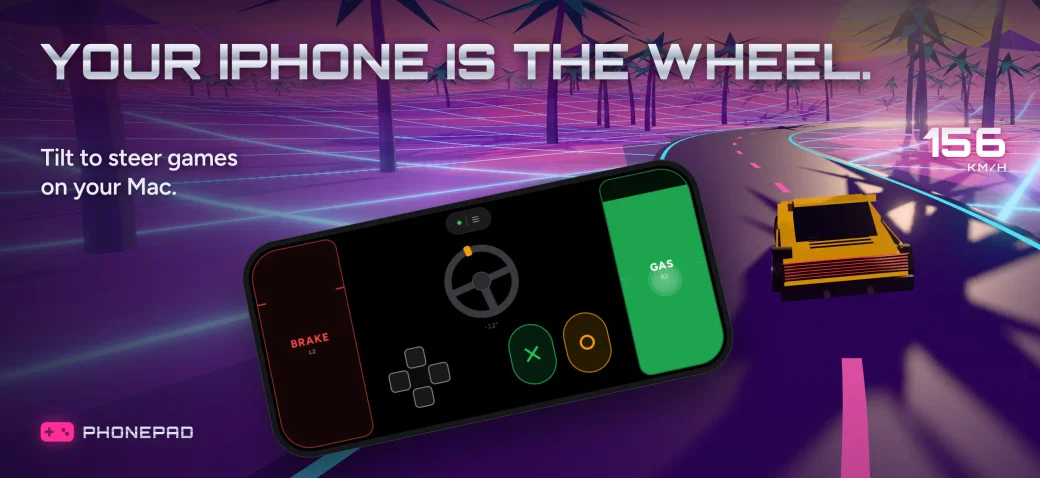
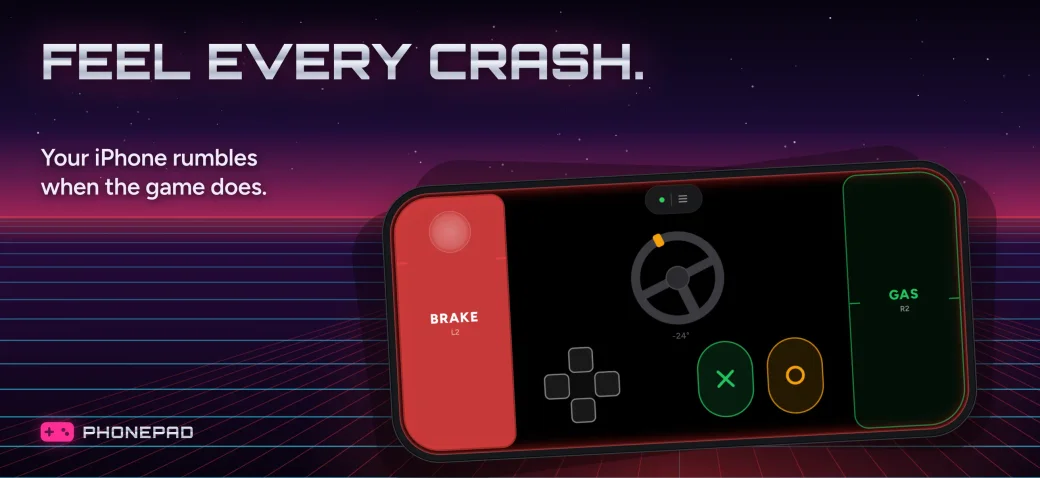
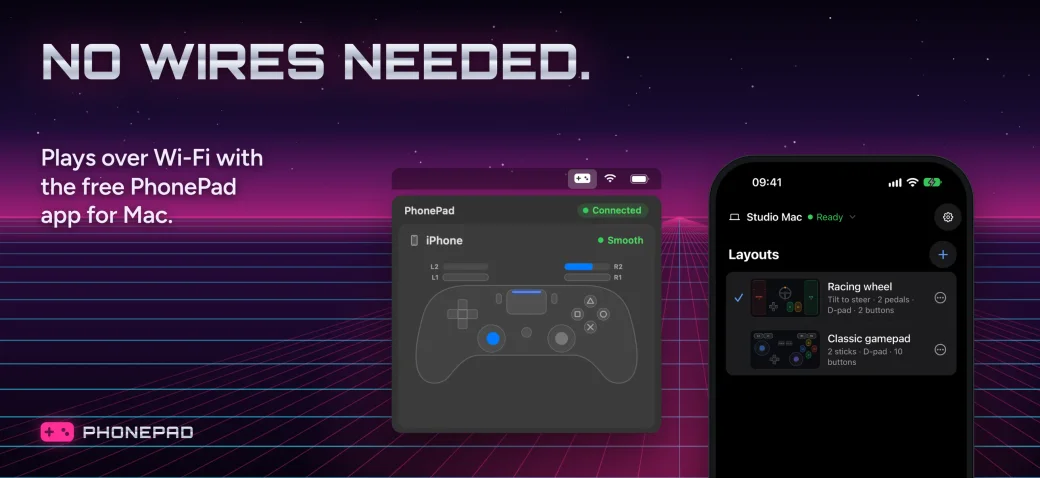
PhonePad turns your iPhone into a game controller for your Mac. Tilt it to steer, slide your thumbs onto the gas and brake, and play wirelessly over your Wi-Fi.
It pairs with the free PhonePad app for Mac. Get it at phonepad.vercel.app.
STEER BY TILTING
Hold your iPhone sideways and turn it like a steering wheel. The more you tilt, the harder the car turns: a little for a gentle bend, a lot for a hairpin.
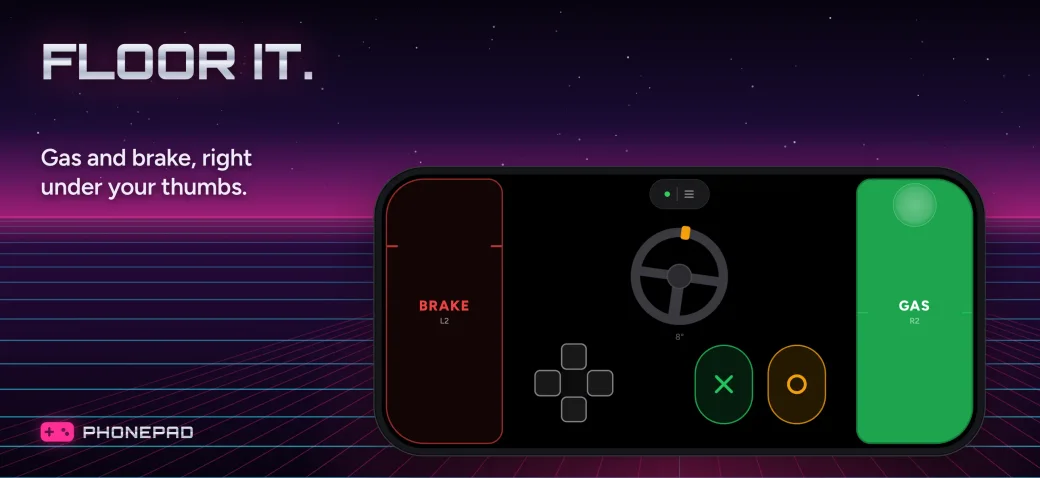
ANALOG GAS AND BRAKE
Gas and brake sit right under your thumbs. Press a little to roll through a corner, or floor it down the straight.
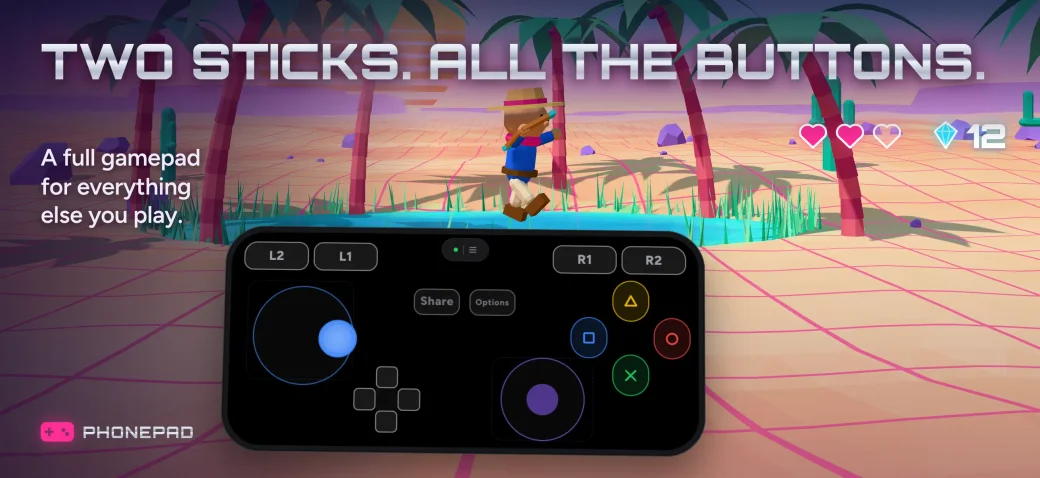
A FULL GAMEPAD TOO
Not playing a racing game? Switch to Classic gamepad: two thumbsticks, a D-pad, four shoulder buttons and all four face buttons.
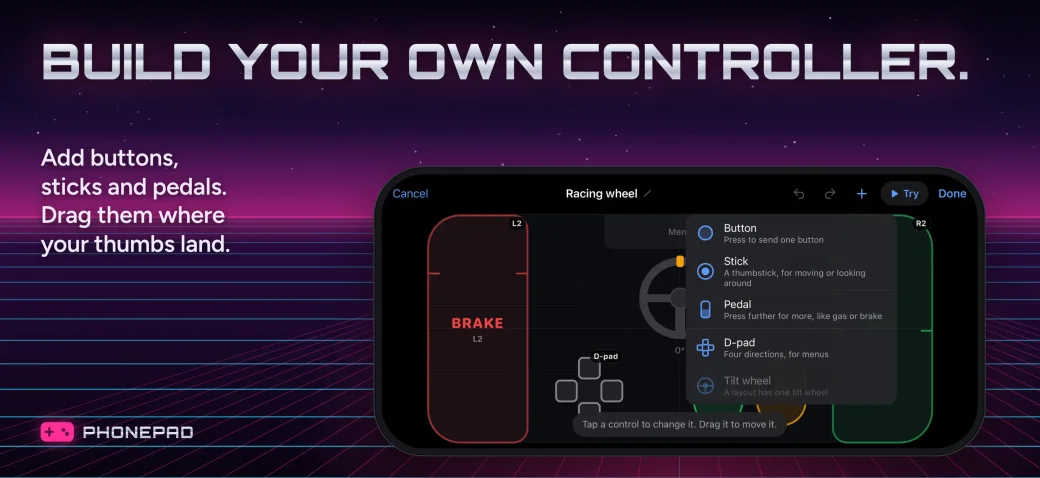
BUILD YOUR OWN CONTROLLER
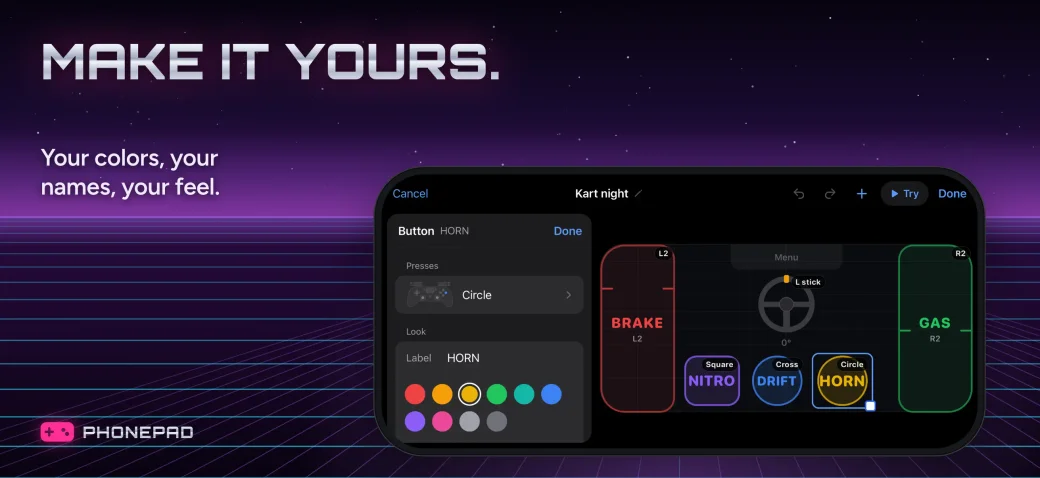
Open the editor and make a controller that fits your hands and your game.
• Add buttons, sticks, pedals, a D-pad and a tilt wheel
• Drag them where your thumbs land and size them to fit
• Choose what each one presses, then give it your own name and color
• Tune the feel: how far you tilt for a full turn, where a pedal starts pressing, how sensitive a stick is
• Make one for racing, one for flying, and one for whatever you play next.
FEEL THE GAME
When the game rumbles the controller, your iPhone rumbles in your hands. Every button gives a little tap when you press it, so you know it landed without looking down. Turn on Glow with the game, and the edges of your screen light up in the game's colors.
NO WIRES NEEDED
PhonePad plays over the Wi-Fi you already have. Open PhonePad on your Mac, pick your Mac on your iPhone, and you're in. You only set it up once. Want to charge while you play?
Plug in a USB cable and PhonePad switches to it by itself.
WORKS WITH YOUR GAMES
Your Mac sees PhonePad as a real game controller, so games that support controllers can use it.
WHAT'S FREE AND WHAT'S PRO
PhonePad is free to download, and both built-in controllers, Racing wheel and Classic gamepad, are free to play for as long as you like. You can try the editor for free too.
PhonePad Pro is a one-time purchase that saves your changes and your own controllers. You pay once, and there's no subscription.
Neue Funktionen
Version 1.0.2 · 20.11.2026
Bug fixes and minor enhancements
App-Datenschutz
Was Efrem Agnilleri im App Store zum Umgang dieser App mit Daten angibt.
-
Keine Daten erfasst
Der Entwickler erfasst keine Daten von dieser App.
Die Datenschutzpraktiken können variieren, zum Beispiel je nach den von Ihnen verwendeten Funktionen oder Ihrem Alter.
Informationen
- Anbieter
- Efrem Agnilleri
- Kategorie
- Dienstprogramme
- Version
- 1.0.2
- Aktualisiert
- 20.11.2026
- Veröffentlicht
- 13.11.2026
- Größe
- 53,1 MB
- Erfordert
- iOS 16.4 oder neuer
- Altersfreigabe
- 4+
- In-App-Käufe
- Ja
- Sprachen
- Englisch
- Copyright
- © 2026 Efrem Agnilleri
Das könnte Ihnen auch gefallen
-
 SteerWave: Lenkrad für PCController für Fahrspiele
-
 PX Controller - Remote PlayDienstprogramme
-
 Console Controller - CustomizeDienstprogramme
-
 Phone ControllerDienstprogramme
-
 KeyCodeCheckDienstprogramme
-
 HTTPocket – WLAN DateiserverDateien ohne Kabel übertragen
-
 V-Pad: Virtual GamepadDienstprogramme
-
 PadLink RemoteDienstprogramme
-
 QR-Code and NFC ScannerDienstprogramme
-
 Lose Control: PC ControllerDienstprogramme