
PhotoPc
Transfer photo & video to PC
Entwickelt für iPhone, iPod touch
Kostenlos · In-App-Käufe
- Altersfreigabe4+
- KategorieProduktivität
- Entwickler杭州引力网络技术有限公司
- SprachenEnglisch+ 13 weitere
- Größe23,1 MB
Verlinkt auf die offizielle App Store-Seite
Download.org hostet keine Datei von PhotoPc. Die Schaltfläche öffnet die App-Seite bei App Store, wo 杭州引力网络技术有限公司 die App veröffentlicht. Eintrag zuletzt geprüft am 20.11.2026.
Screenshots




Info
Der Entwickler hat diesen Text nicht in Ihrer Sprache bereitgestellt.
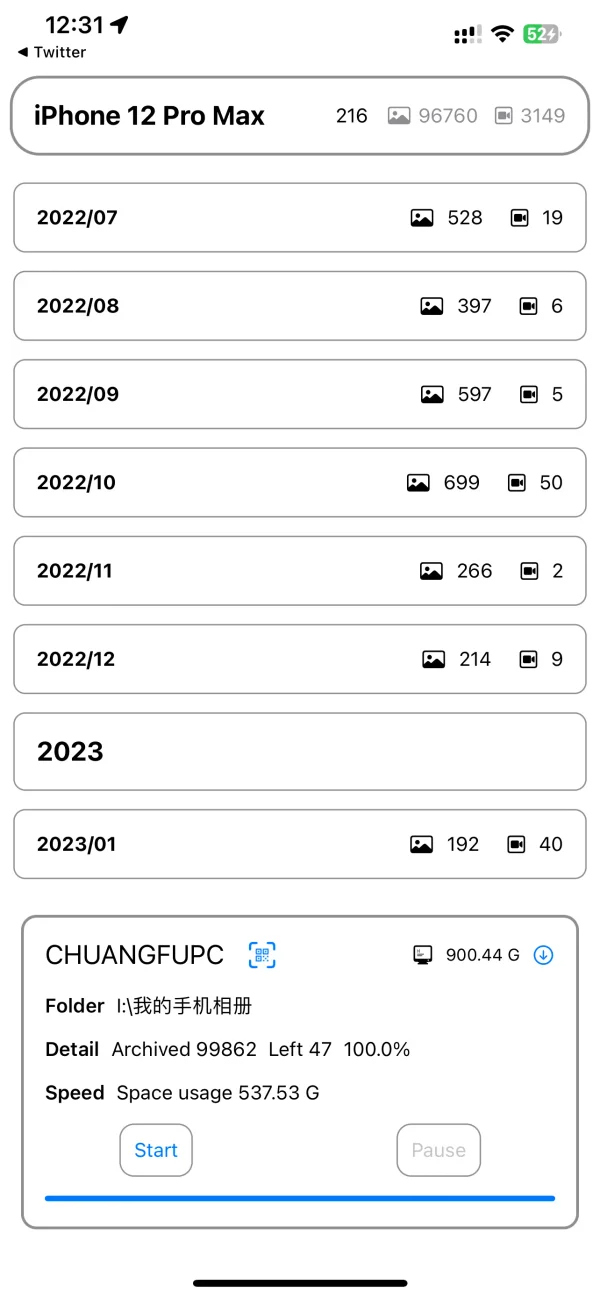
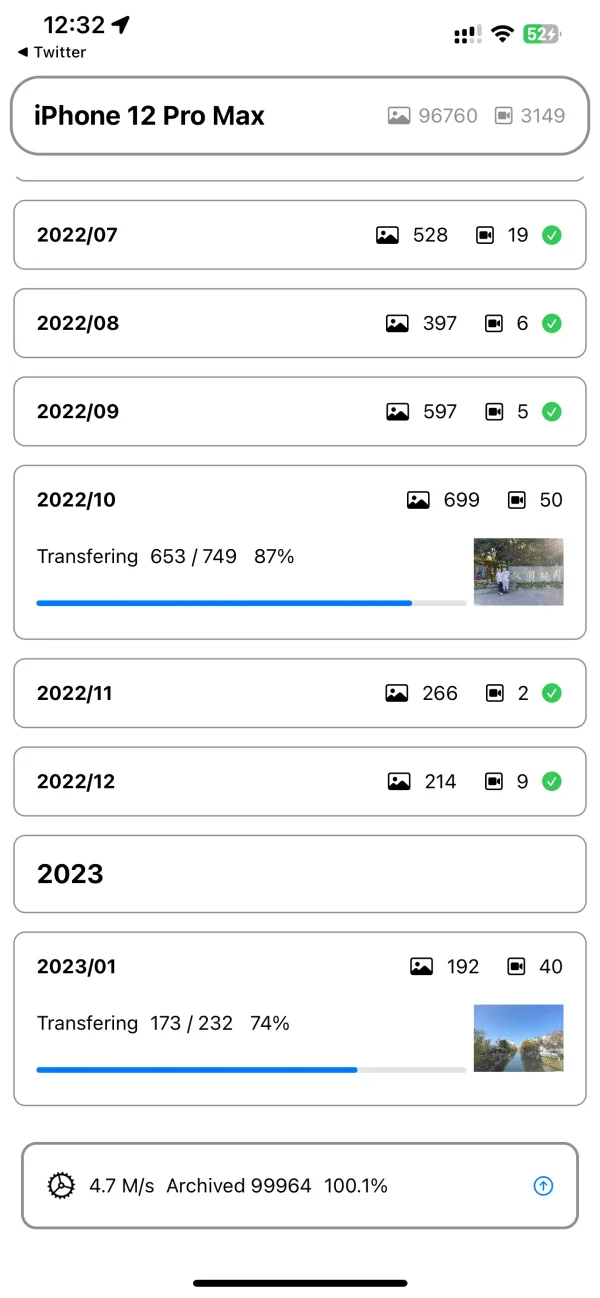
Tired of manually transferring photos from your iPhone to your Windows PC? Look no further than PhotoPc! With a simple and intuitive interface, PhotoPc makes it easy to transfer your photos from your iPhone to your Windows PC in just a few clicks.
Key Features:
Transfer photos from iPhone to Windows PC with ease
Quick and reliable transfers
Easy-to-use interface
Supports multiple photo formats
100% safe and secure
With PhotoPc, you can finally say goodbye to the hassle of manually transferring photos from your iPhone to your Windows PC. Simply connect your iPhone to your PC, select the photos you want to transfer, and PhotoPc will do the rest. Your photos will be safely transferred, so you can access them on your Windows PC whenever you want.
Don't miss out on this must-have app for anyone who wants to transfer their photos from their iPhone to their Windows PC with ease.
Download PhotoPc today and start transferring your photos!"
Notice:If you originally had a subscription model and need to change it to a one-time purchase model, please cancel the original subscription before purchasing.
Windows/Mac client application can download from https://photo2pc.com
Terms of Use:
https://www.apple.com/legal/internet-services/itunes/dev/stdeula
Privacy policy:
https://timehound.vip/photopc/privacy.html
Neue Funktionen
Version 1.35 · 21.09.2026
1. Fix: hidden Live Photos/videos now send isHidden so they aren’t re-uploaded
2. Fix: duplicate Live Photo paired-video filenames now match existence checks
3. Improve: per-asset border progress; month bar includes already-backed-up items
4. Improve: clearer finish screen and status colors; start/pause on collapsed panel
5. Improve: year jump bar hides during backup and returns when stopped
App-Datenschutz
Was 杭州引力网络技术有限公司 im App Store zum Umgang dieser App mit Daten angibt.
-
Nicht mit Ihnen verknüpfte Daten
Können erfasst werden, sind aber nicht mit Ihrer Identität verknüpft.
- Kennungen
Die Datenschutzpraktiken können variieren, zum Beispiel je nach den von Ihnen verwendeten Funktionen oder Ihrem Alter.
Informationen
- Anbieter
- Hangzhou Gravity Cyberinfo Co.,Ltd
- Kategorie
- Produktivität
- Version
- 1.35
- Aktualisiert
- 21.09.2026
- Veröffentlicht
- 06.02.2023
- Größe
- 23,1 MB
- Erfordert
- iOS 15.0 oder neuer
- Altersfreigabe
- 4+
- Preis
- Kostenlos
- In-App-Käufe
- Ja
- Sprachen
- Englisch, Arabisch, Französisch, Deutsch, Hindi, Italienisch, Japanisch, Koreanisch, Portugiesisch, Vereinf. Chinesisch, Spanisch, Tradit. Chinesisch + 2 weitere
- Copyright
- © All rights reserved.
Das könnte Ihnen auch gefallen
-
 PDF OCR: Scanner & EditorProduktivität
-
 Bookmark & Link Saver - TraceScreenshot & Links sammeln
-
 Vault Calc:Sicheres Foto-VideoFotos und Dateien ausblenden
-
 PDF Mpjex - Editor for pdfProduktivität
-
 iCleaner - Clean My StorageProduktivität
-
 Document Signer: SimpleSignProduktivität
-
 Scan PDF-Convert DocumentProduktivität
-
 Aı Note Taker - YapNoteProduktivität
-
 Resilio SyncProduktivität
-
 Daten Übertragen QR File SendDateien und Ordner Teilen OS