
PhotoPc
Transfer photo & video to PC
Được thiết kế cho iPhone, iPod touch
Miễn phí · Mua hàng trong ứng dụng
- Độ tuổi4+
- Danh mụcHiệu Suất
- Nhà phát triển杭州引力网络技术有限公司
- Ngôn ngữTiếng Anh+ 13 ngôn ngữ khác
- Kích thước23,1 MB
Liên kết đến trang App Store chính thức
Download.org không lưu trữ tệp nào của PhotoPc. Nút này mở trang ứng dụng trên App Store, nơi 杭州引力网络技术有限公司 phát hành ứng dụng. Trang được kiểm tra lần cuối: 20/11/2026.
Ảnh chụp màn hình


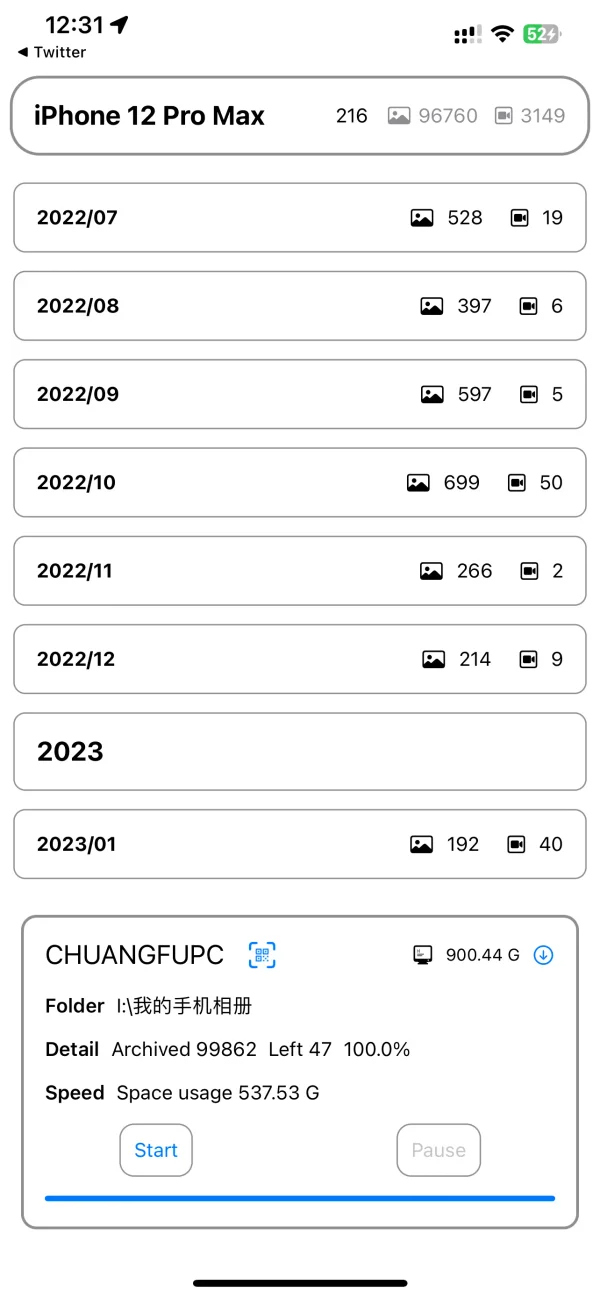
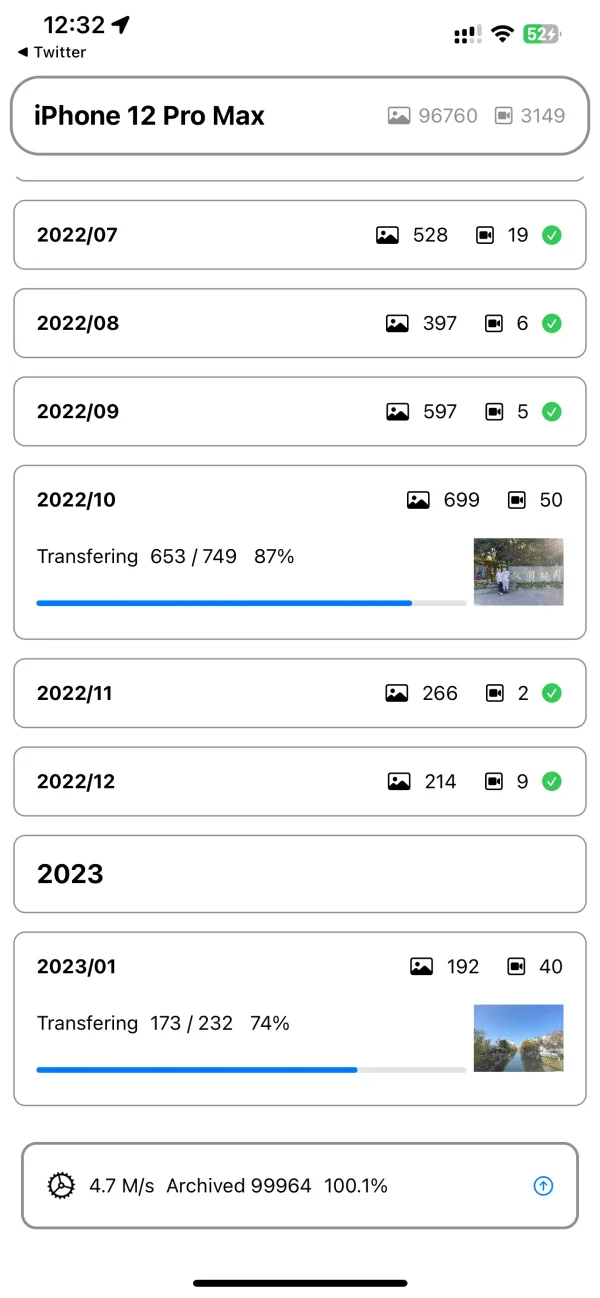


Giới thiệu
Nhà phát triển chưa cung cấp nội dung này bằng ngôn ngữ của bạn.
Tired of manually transferring photos from your iPhone to your Windows PC? Look no further than PhotoPc! With a simple and intuitive interface, PhotoPc makes it easy to transfer your photos from your iPhone to your Windows PC in just a few clicks.
Key Features:
Transfer photos from iPhone to Windows PC with ease
Quick and reliable transfers
Easy-to-use interface
Supports multiple photo formats
100% safe and secure
With PhotoPc, you can finally say goodbye to the hassle of manually transferring photos from your iPhone to your Windows PC. Simply connect your iPhone to your PC, select the photos you want to transfer, and PhotoPc will do the rest. Your photos will be safely transferred, so you can access them on your Windows PC whenever you want.
Don't miss out on this must-have app for anyone who wants to transfer their photos from their iPhone to their Windows PC with ease.
Download PhotoPc today and start transferring your photos!"
Notice:If you originally had a subscription model and need to change it to a one-time purchase model, please cancel the original subscription before purchasing.
Windows/Mac client application can download from https://photo2pc.com
Terms of Use:
https://www.apple.com/legal/internet-services/itunes/dev/stdeula
Privacy policy:
https://timehound.vip/photopc/privacy.html
Có gì mới
Phiên bản 1.35 · 21/09/2026
1. Fix: hidden Live Photos/videos now send isHidden so they aren’t re-uploaded
2. Fix: duplicate Live Photo paired-video filenames now match existence checks
3. Improve: per-asset border progress; month bar includes already-backed-up items
4. Improve: clearer finish screen and status colors; start/pause on collapsed panel
5. Improve: year jump bar hides during backup and returns when stopped
Quyền riêng tư của ứng dụng
Những gì 杭州引力网络技术有限公司 khai báo trên App Store về cách ứng dụng này xử lý dữ liệu.
-
Dữ liệu không liên kết với bạn
Có thể được thu thập nhưng không liên kết với danh tính của bạn.
- Mã định danh
Phương thức đảm bảo quyền riêng tư có thể khác nhau, chẳng hạn như tuỳ theo các tính năng bạn sử dụng hoặc độ tuổi của bạn.
Thông tin
- Người bán
- Hangzhou Gravity Cyberinfo Co.,Ltd
- Danh mục
- Hiệu Suất
- Phiên bản
- 1.35
- Cập nhật
- 21/09/2026
- Phát hành
- 06/02/2023
- Kích thước
- 23,1 MB
- Yêu cầu
- iOS 15.0 trở lên
- Độ tuổi
- 4+
- Giá
- Miễn phí
- Mua hàng trong ứng dụng
- Có
- Ngôn ngữ
- Tiếng Anh, Tiếng Ả Rập, Tiếng Pháp, Tiếng Đức, Hindi, Tiếng Ý, Tiếng Nhật, Tiếng Hàn, Tiếng Bồ Đào Nha, Tiếng Trung Giản thể, Tiếng Tây Ban Nha, Tiếng Trung Phồn thể + 2 ngôn ngữ khác
- Bản quyền
- © All rights reserved.
Có thể bạn cũng thích
-
 PDF OCR: Scanner & EditorHiệu Suất
-
 Bookmark & Link Saver - TraceHiệu Suất
-
 Vault Calc: Video ảnh an toànẨn ảnh, video và tập tin
-
 PDF Mpjex - Editor for pdfHiệu Suất
-
 iCleaner - Clean My StorageHiệu Suất
-
 Document Signer: SimpleSignHiệu Suất
-
 Scan PDF-Convert DocumentHiệu Suất
-
 Aı Note Taker - YapNoteHiệu Suất
-
 Resilio SyncHiệu Suất
-
 Data Drop: QR File TransferHiệu Suất