
PhotoPc
Transfer photo & video to PC
Diseñada para iPhone, iPod touch
Gratis · Compras en la aplicación
- Clasificación por edad4+
- CategoríaProductividad
- Desarrollador杭州引力网络技术有限公司
- IdiomasInglés+ 13 más
- Tamaño23,1 MB
Enlaza a la página oficial de App Store
Download.org no aloja ningún archivo de PhotoPc. El botón abre la página de la aplicación en App Store, donde la publica 杭州引力网络技术有限公司. Ficha comprobada por última vez el 20/11/2026.
Capturas de pantalla




Acerca de
El desarrollador no ha proporcionado este texto en tu idioma.
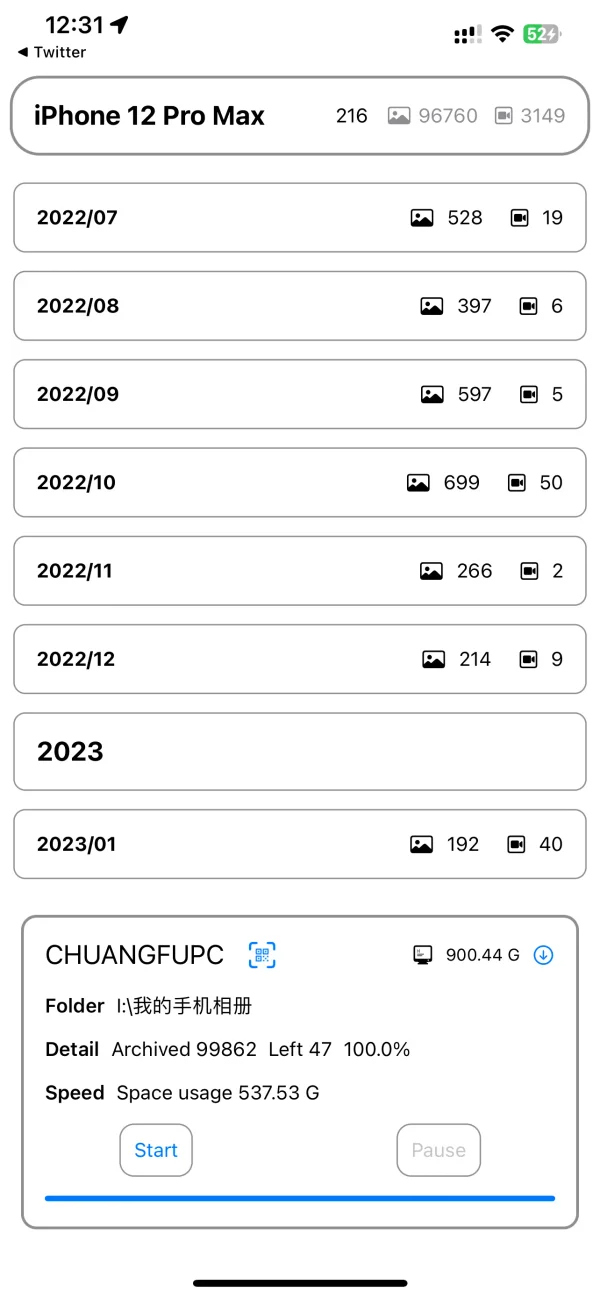
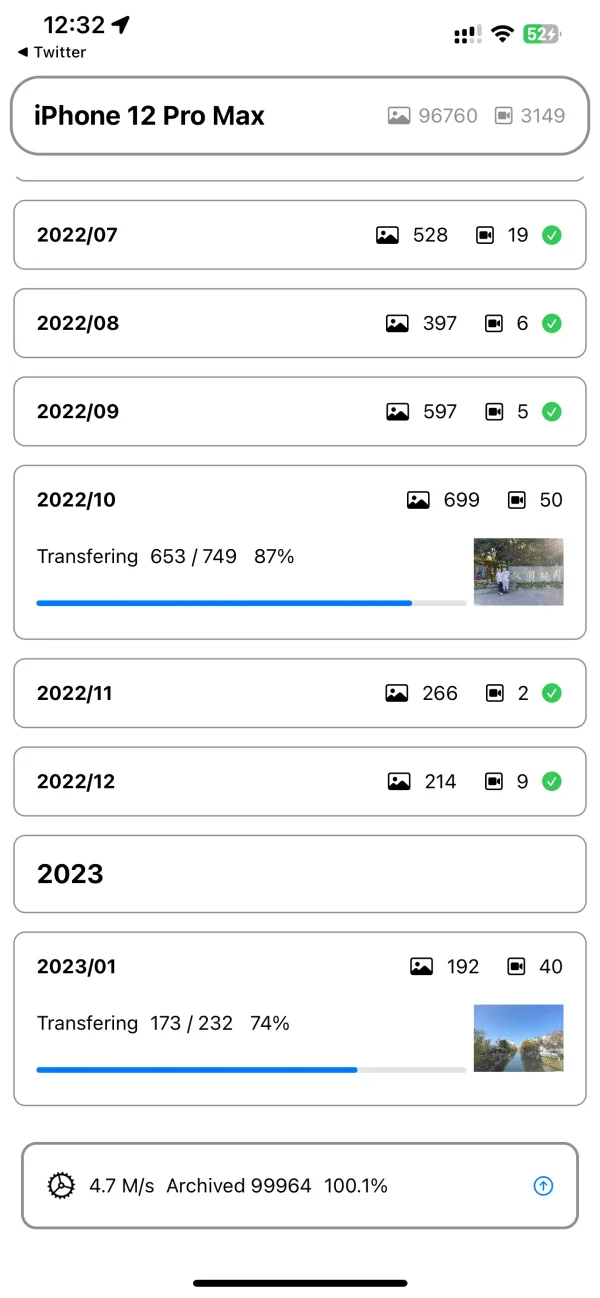
Tired of manually transferring photos from your iPhone to your Windows PC? Look no further than PhotoPc! With a simple and intuitive interface, PhotoPc makes it easy to transfer your photos from your iPhone to your Windows PC in just a few clicks.
Key Features:
Transfer photos from iPhone to Windows PC with ease
Quick and reliable transfers
Easy-to-use interface
Supports multiple photo formats
100% safe and secure
With PhotoPc, you can finally say goodbye to the hassle of manually transferring photos from your iPhone to your Windows PC. Simply connect your iPhone to your PC, select the photos you want to transfer, and PhotoPc will do the rest. Your photos will be safely transferred, so you can access them on your Windows PC whenever you want.
Don't miss out on this must-have app for anyone who wants to transfer their photos from their iPhone to their Windows PC with ease.
Download PhotoPc today and start transferring your photos!"
Notice:If you originally had a subscription model and need to change it to a one-time purchase model, please cancel the original subscription before purchasing.
Windows/Mac client application can download from https://photo2pc.com
Terms of Use:
https://www.apple.com/legal/internet-services/itunes/dev/stdeula
Privacy policy:
https://timehound.vip/photopc/privacy.html
Novedades
Versión 1.35 · 21/9/2026
1. Fix: hidden Live Photos/videos now send isHidden so they aren’t re-uploaded
2. Fix: duplicate Live Photo paired-video filenames now match existence checks
3. Improve: per-asset border progress; month bar includes already-backed-up items
4. Improve: clearer finish screen and status colors; start/pause on collapsed panel
5. Improve: year jump bar hides during backup and returns when stopped
Privacidad de la aplicación
Lo que 杭州引力网络技术有限公司 declara en App Store sobre cómo esta aplicación gestiona los datos.
-
Datos no vinculados a ti
Pueden recopilarse, pero no se vinculan a tu identidad.
- Identificadores
Las prácticas de privacidad pueden variar, por ejemplo, según las funciones que uses o tu edad.
Información
- Vendedor
- Hangzhou Gravity Cyberinfo Co.,Ltd
- Categoría
- Productividad
- Versión
- 1.35
- Actualizado
- 21/9/2026
- Publicado
- 6/2/2023
- Tamaño
- 23,1 MB
- Requiere
- iOS 15.0 o posterior
- Clasificación por edad
- 4+
- Precio
- Gratis
- Compras en la aplicación
- Sí
- Idiomas
- Inglés, Árabe, Francés, Alemán, Hindi, Italiano, Japonés, Coreano, Portugués, Chino simplificado, Español, Chino tradicional + 2 más
- Copyright
- © All rights reserved.
Quizá también te guste
-
 PDF OCR: Scanner & EditorProductividad
-
 Bookmark Manager - TraceGuarda links y léelos después
-
 Vault Calc: fotográfico seguroOcultar fotos, vídeos, archivo
-
 PDF Mpjex - Editor for pdfProductividad
-
 iCleaner - Clean My StorageProductividad
-
 SimpleSign: Signature CreatoreSign, Scan & Cloud Sync Files
-
 Scan PDF-Convert DocumentMobile PDFs document scanner
-
 Aı Note Taker - YapNoteProductividad
-
 Resilio SyncProductividad
-
 Copy My Data: QR File TransferCompartir Fotos En Linea Pasar