PicoMap: Projection Mapping
Turn Any Surface Into a Stage
Entwickelt für iPhone, iPod touch
Kostenlos · In-App-Käufe
- Altersfreigabe4+
- KategorieGrafik und Design
- EntwicklerCode and DESIGN inc.
- SprachenEnglisch+ 1 weitere
- Größe85,8 MB
Verlinkt auf die offizielle App Store-Seite
Download.org hostet keine Datei von PicoMap: Projection Mapping. Die Schaltfläche öffnet die App-Seite bei App Store, wo Code and DESIGN inc. die App veröffentlicht. Eintrag zuletzt geprüft am 17.11.2026.
Screenshots
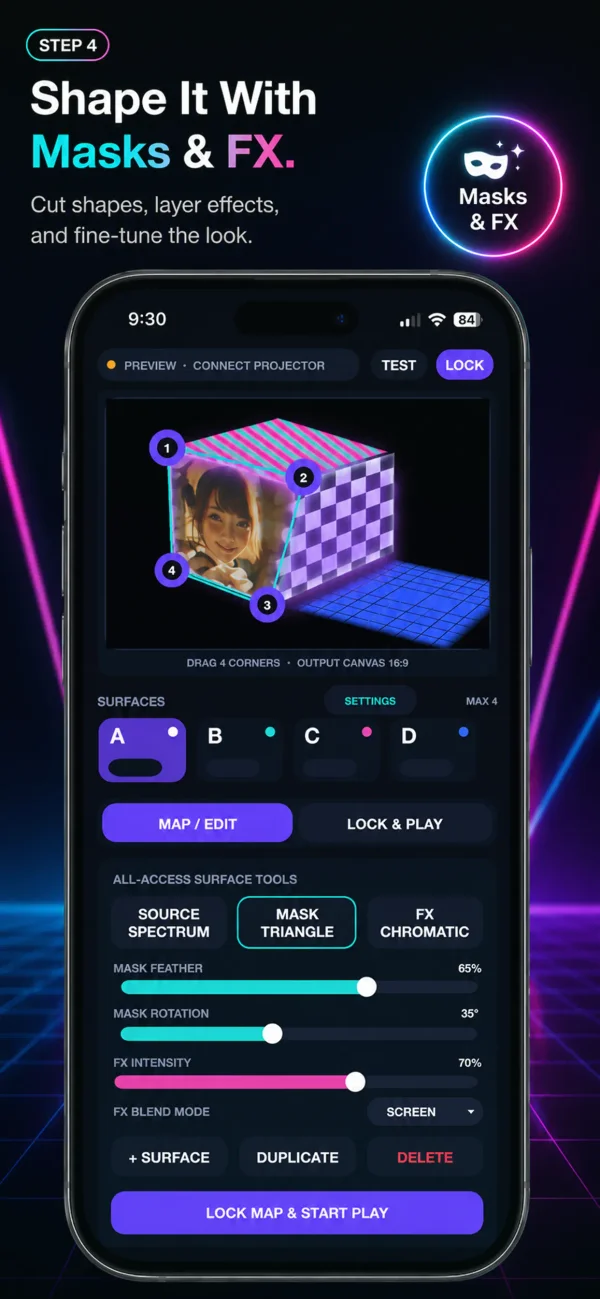
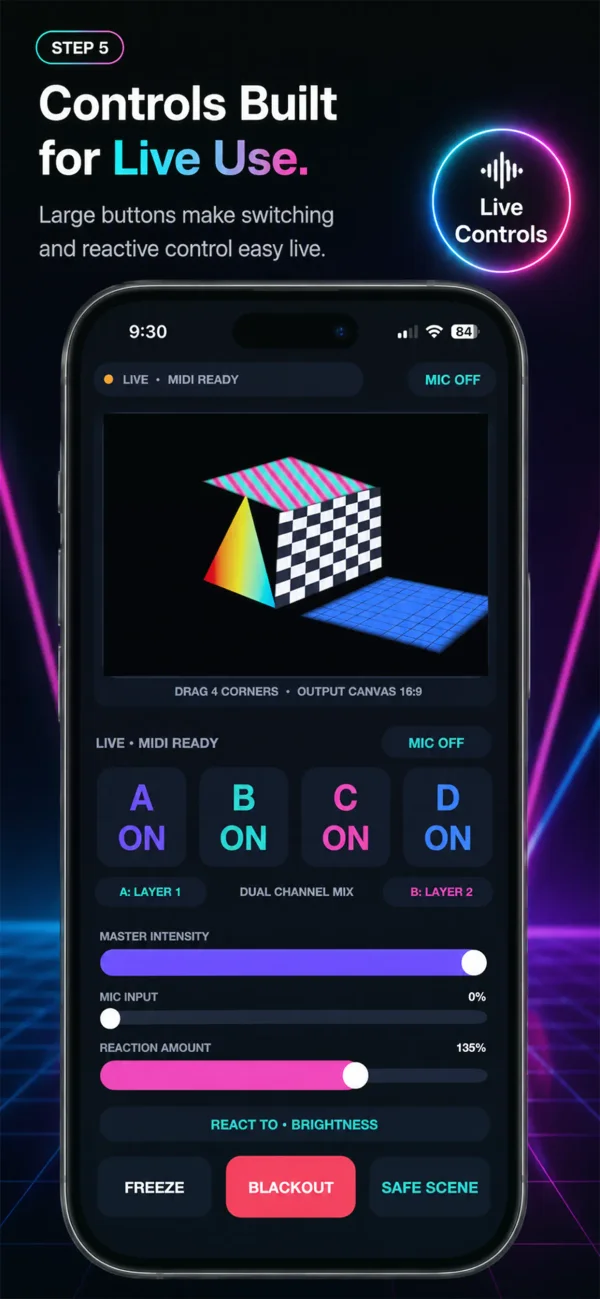
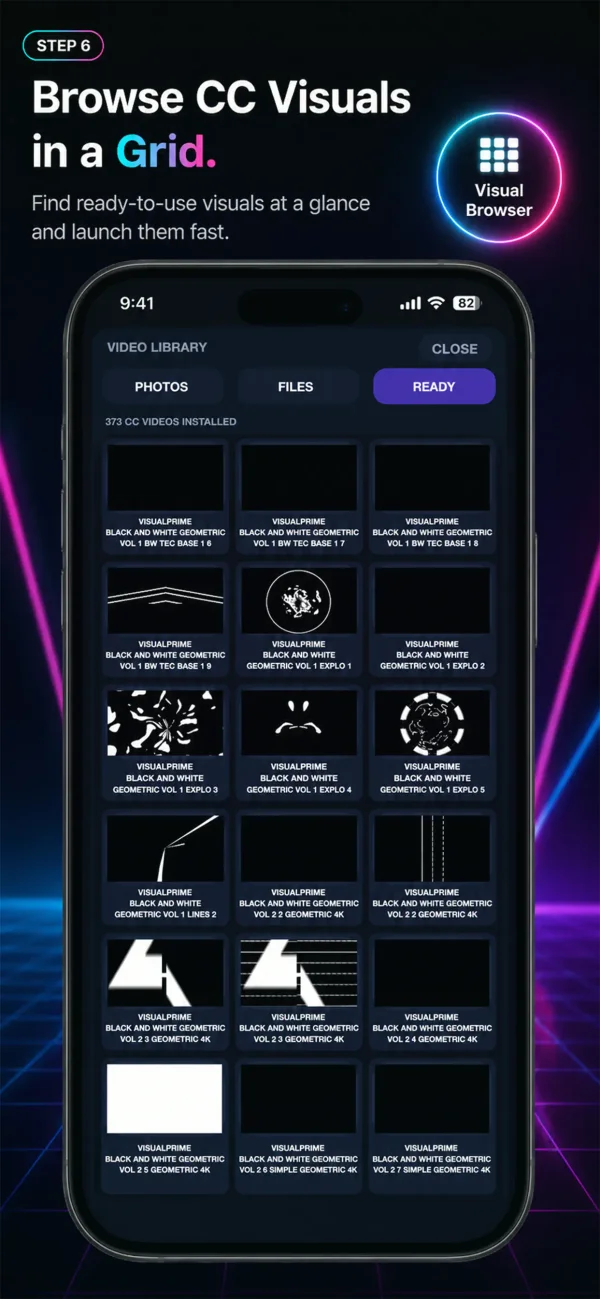
Info
Der Entwickler hat diesen Text nicht in Ihrer Sprache bereitgestellt.
Turn walls, stages, and objects into moving light.
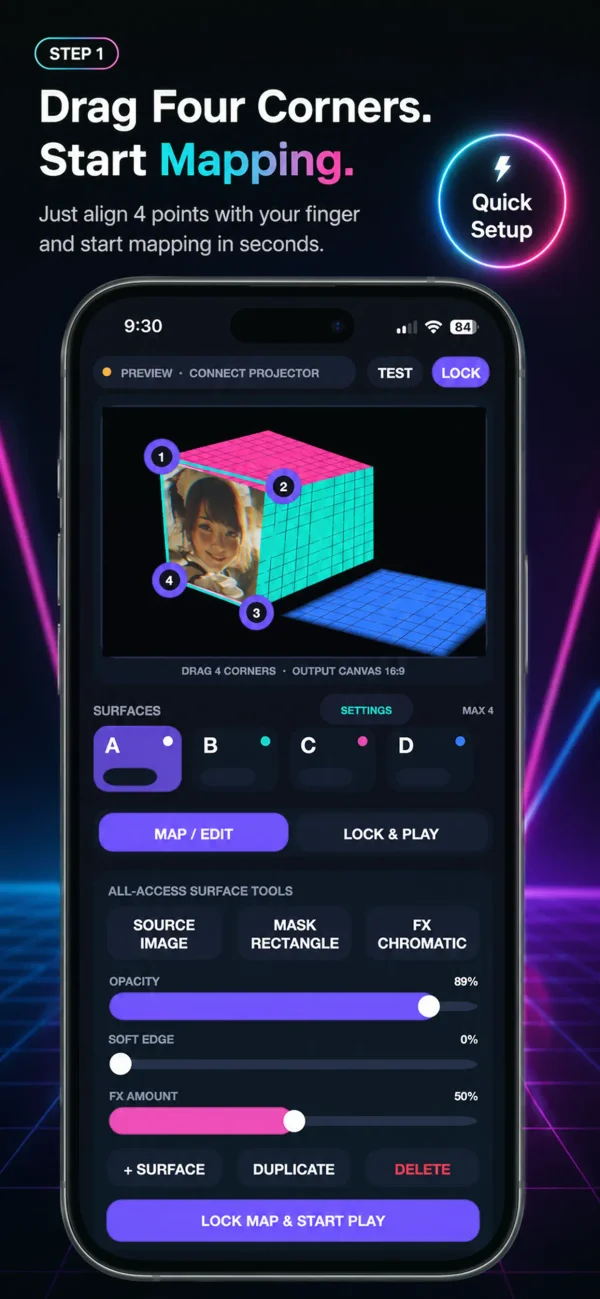
PicoMap is projection mapping built for iPhone. Connect a projector, drag four corners, and play your own videos and photos — no computer, no complicated desktop software.
HOW IT WORKS
Connect your iPhone to a projector
Drag the four corners to match your surface
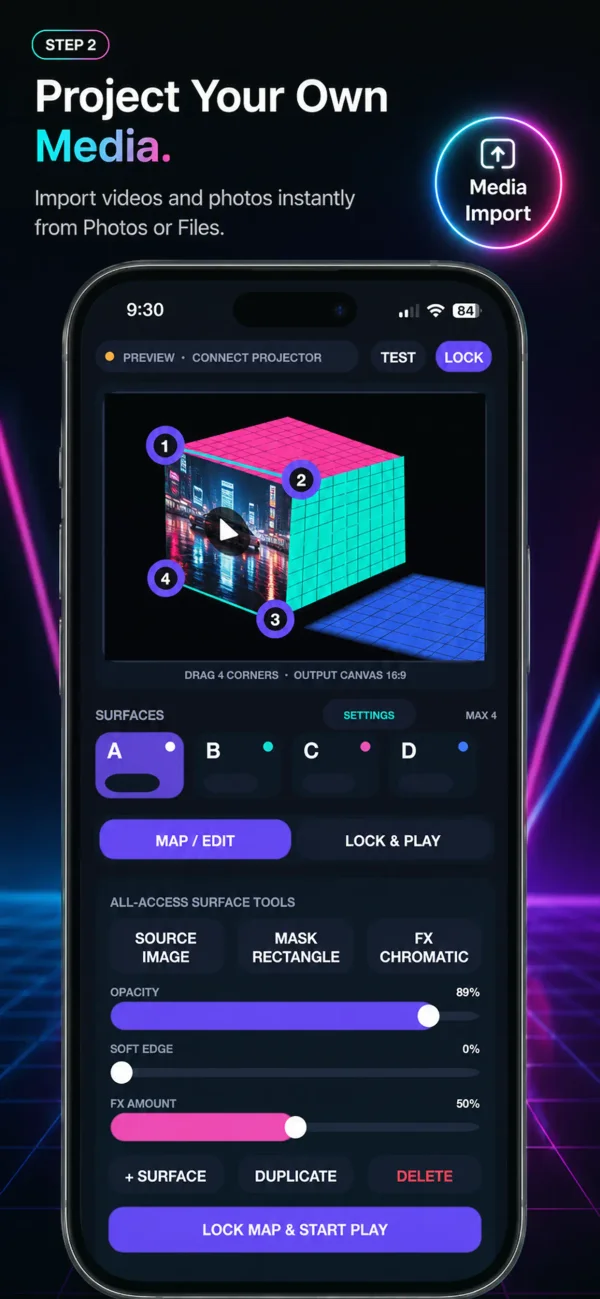
Drop in a video or photo and play
KEY FEATURES
Four-corner adjustment for precise surface mapping
Import videos and photos from Photos or Files
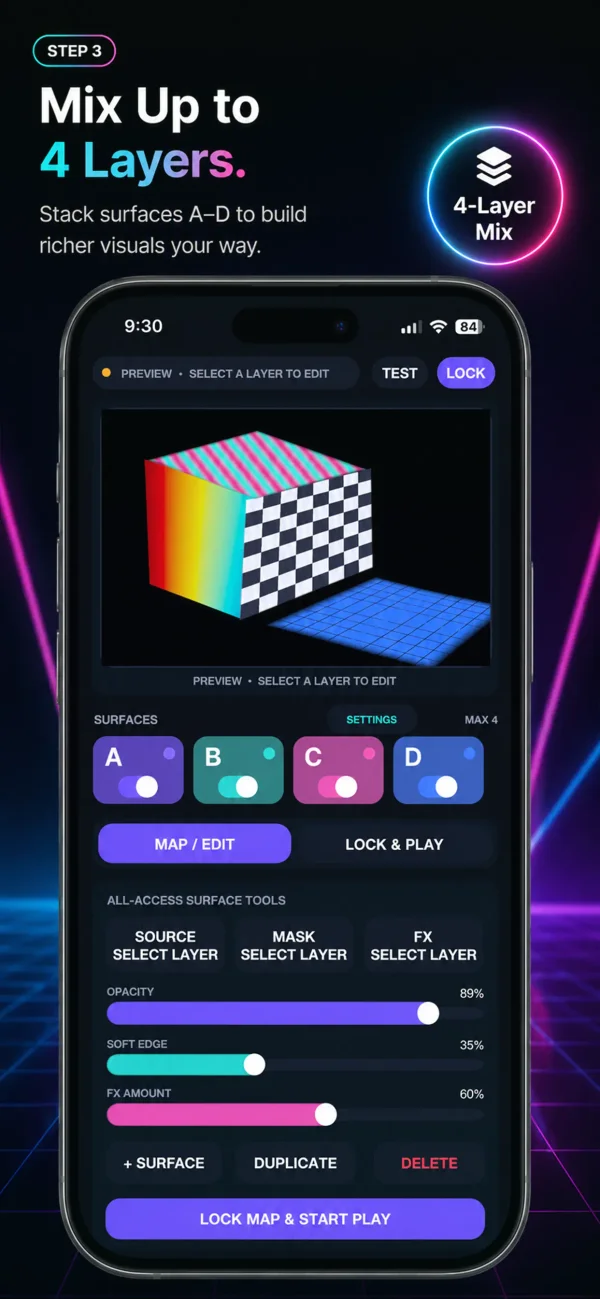
Build and mix up to four layers
Rectangle, circle, triangle, diamond, and custom masks
Opacity, soft-edge, and real-time FX controls
Kaleidoscope, pixelate, chromatic, and strobe effects
Audio-reactive and MIDI control
Dual-channel live mixing
Freeze, Blackout, Safe Scene, and master intensity
Optional downloadable CC video library
Portrait-first controls designed for iPhone
Japanese and English interface
MADE FOR
Live shows, DJs, VJs, and stage performances
Shops, exhibitions, and events
Installations and video art
Room lighting and creative experiments
Anyone trying projection mapping for the first time
All you need is an iPhone, a projector, and the right cable or adapter. External output and resolution depend on your device and display setup.
Neue Funktionen
Version 1.4 · 09.11.2026
• Pick images straight from your Photos library. When you choose Image as a source, you can now import from Photos or Files.
• Photos taken on iPhone (HEIC) now work as projection sources, with no conversion needed.
• Imported images now appear the right way up and in their original colors.
• Large photos are resized for projection on import, so the app stays responsive.
Thank you to everyone who sent us feedback.
App-Datenschutz
Was Code and DESIGN inc. im App Store zum Umgang dieser App mit Daten angibt.
-
Keine Daten erfasst
Der Entwickler erfasst keine Daten von dieser App.
Die Datenschutzpraktiken können variieren, zum Beispiel je nach den von Ihnen verwendeten Funktionen oder Ihrem Alter.
Informationen
- Anbieter
- Code and DESIGN inc
- Kategorie
- Grafik und Design
- Version
- 1.4
- Aktualisiert
- 09.11.2026
- Veröffentlicht
- 28.07.2026
- Größe
- 85,8 MB
- Erfordert
- iOS 15.0 oder neuer
- Altersfreigabe
- 4+
- Preis
- Kostenlos
- In-App-Käufe
- Ja
- Sprachen
- Englisch, Japanisch
- Copyright
- © 2026 Code and DESIGN inc.
Das könnte Ihnen auch gefallen
-
 Redrawing Reality: BeamerKI-Projection-Mapping & VFX
-
 MapKraftGrafik und Design
-
 EasyMapper Projection MappingProjector Art & Visuals
-
 Pro Mapper Projection MappingGrafik und Design
-
 BeamSpace: ProjektionsmappingBeamer Mapper & VJ Visuals
-
 NEO-F: Projection MappingGrafik und Design
-
 ProjectX - Projection MappingGrafik und Design
-
 SurfaBeam - Projection MappingVideo Mapping & Lichtshow
-
 Chromatose: Visual SynthesizerModulare Psychedelische Kunst
-
 Lazy LightingProjection Mapping