PicoMap: Projection Mapping
Turn Any Surface Into a Stage
iPhone, iPod touch için tasarlandı
Ücretsiz · Uygulama içi satın alma
- Yaş sınırı4+
- KategoriGrafik ve Tasarım
- GeliştiriciCode and DESIGN inc.
- Dillerİngilizce+ 1 dil daha
- Boyut85,8 MB
Resmi App Store sayfasına bağlanır
Download.org, PicoMap: Projection Mapping için hiçbir dosya barındırmaz. Düğme, uygulamanın App Store üzerindeki sayfasını açar; uygulamayı orada Code and DESIGN inc. yayınlar. Sayfanın son kontrolü: 17.11.2026.
Ekran görüntüleri
Hakkında
Geliştirici bu metni dilinizde sunmamış.
Turn walls, stages, and objects into moving light.
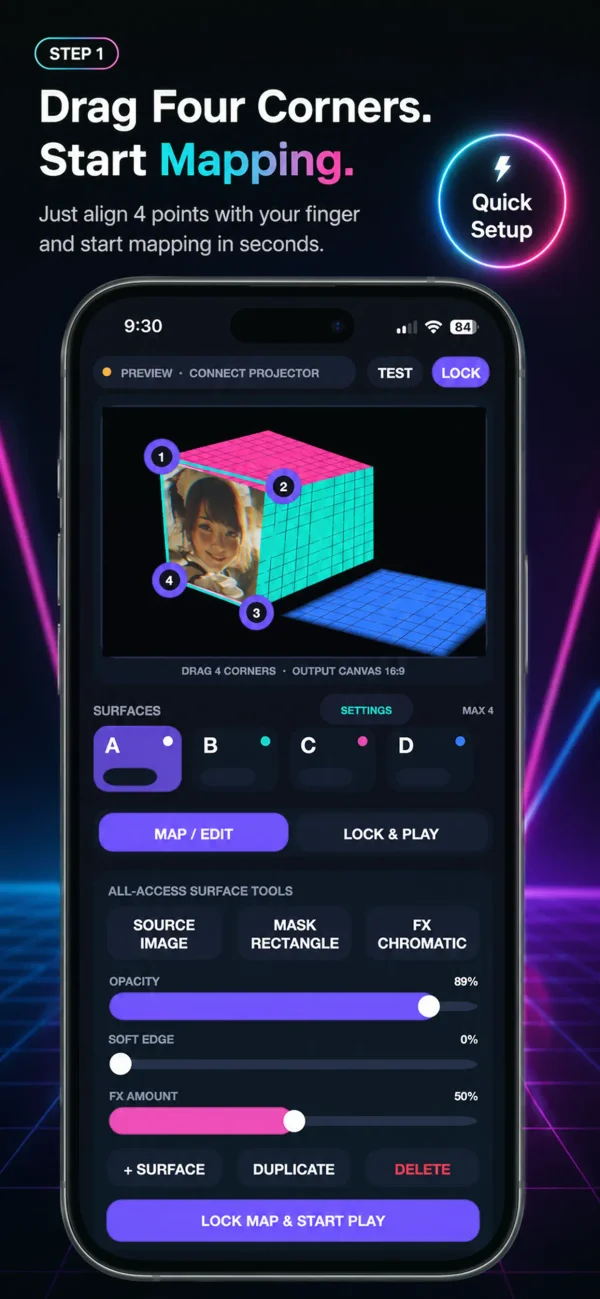
PicoMap is projection mapping built for iPhone. Connect a projector, drag four corners, and play your own videos and photos — no computer, no complicated desktop software.
HOW IT WORKS
Connect your iPhone to a projector
Drag the four corners to match your surface
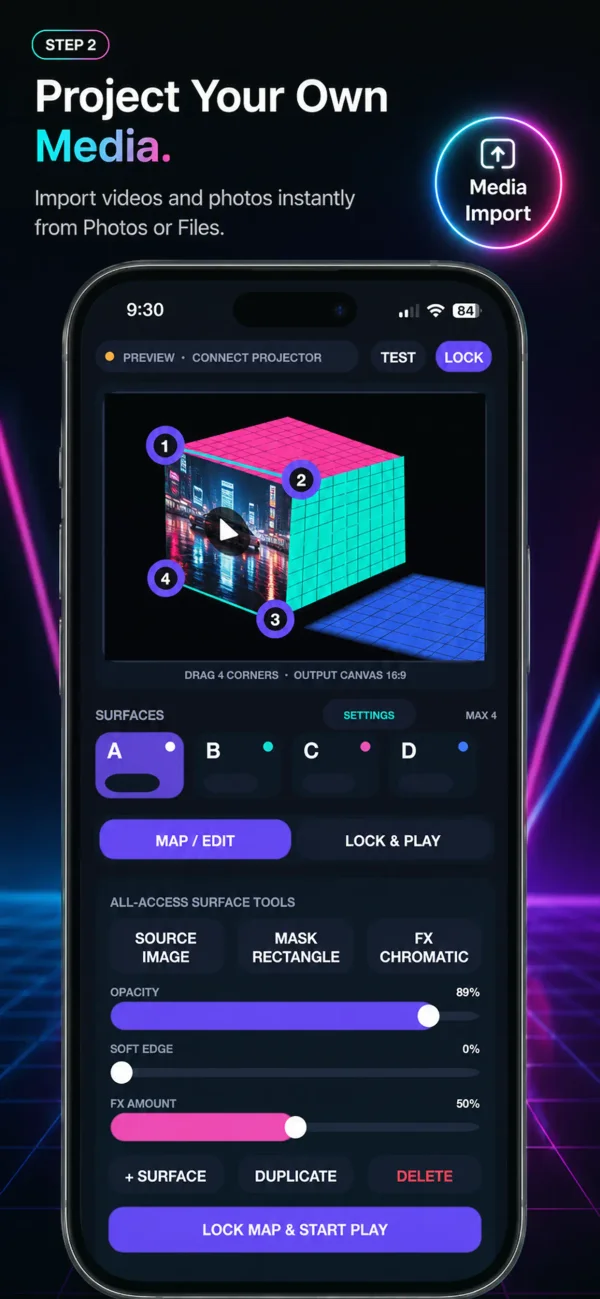
Drop in a video or photo and play
KEY FEATURES
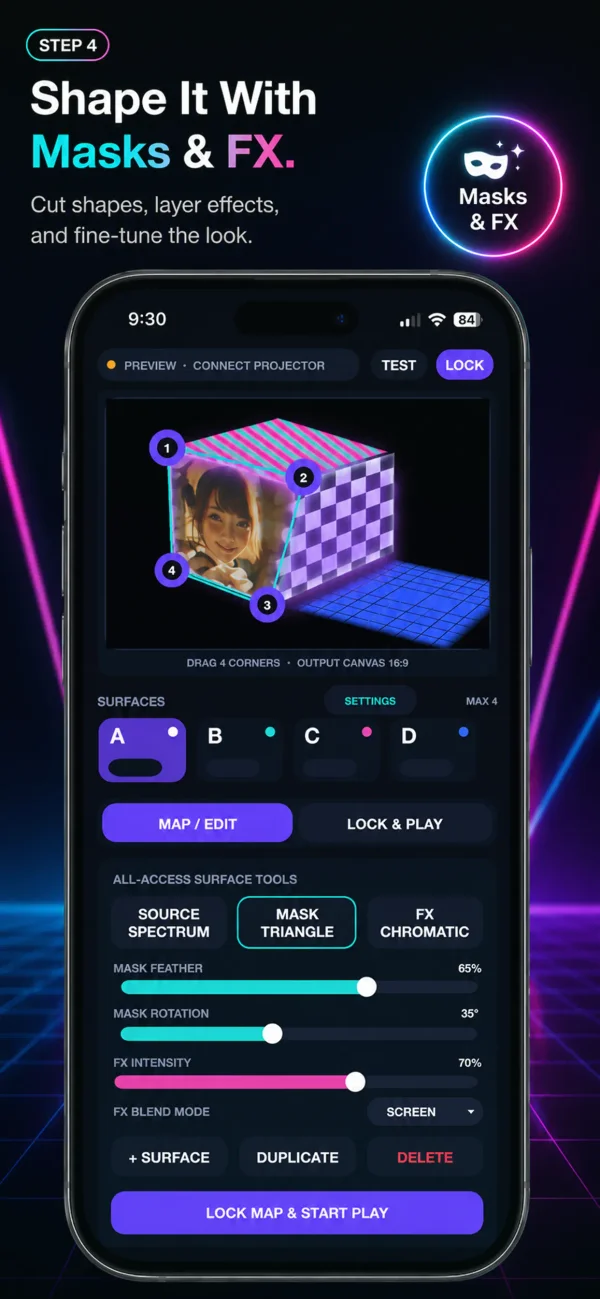
Four-corner adjustment for precise surface mapping
Import videos and photos from Photos or Files
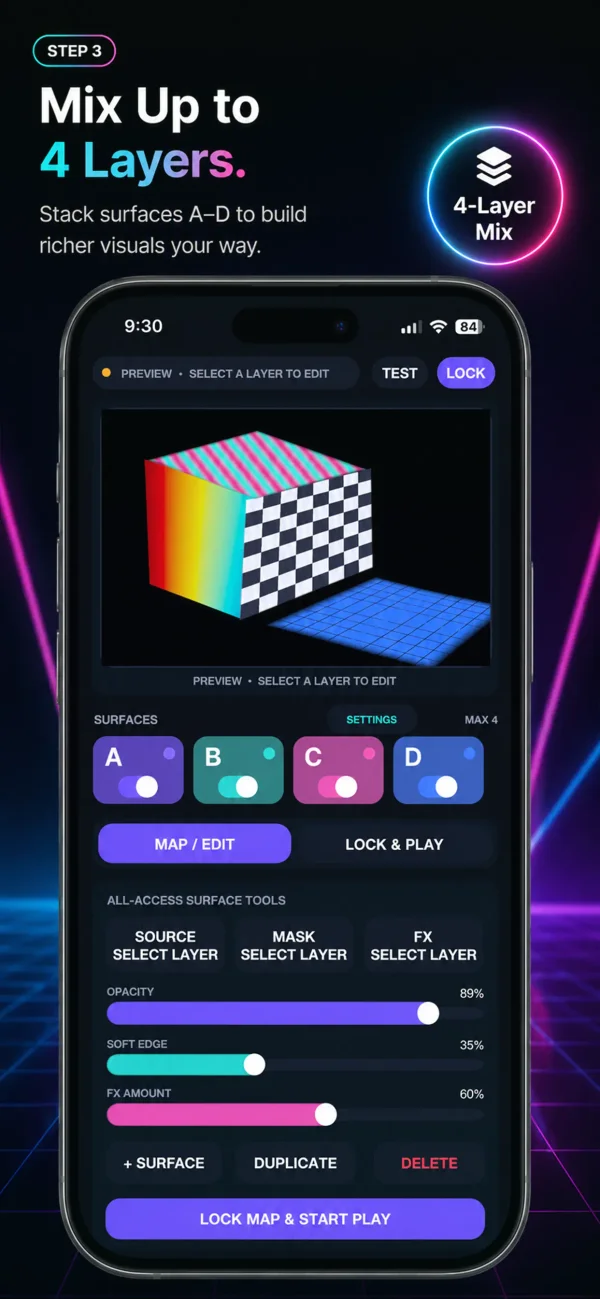
Build and mix up to four layers
Rectangle, circle, triangle, diamond, and custom masks
Opacity, soft-edge, and real-time FX controls
Kaleidoscope, pixelate, chromatic, and strobe effects
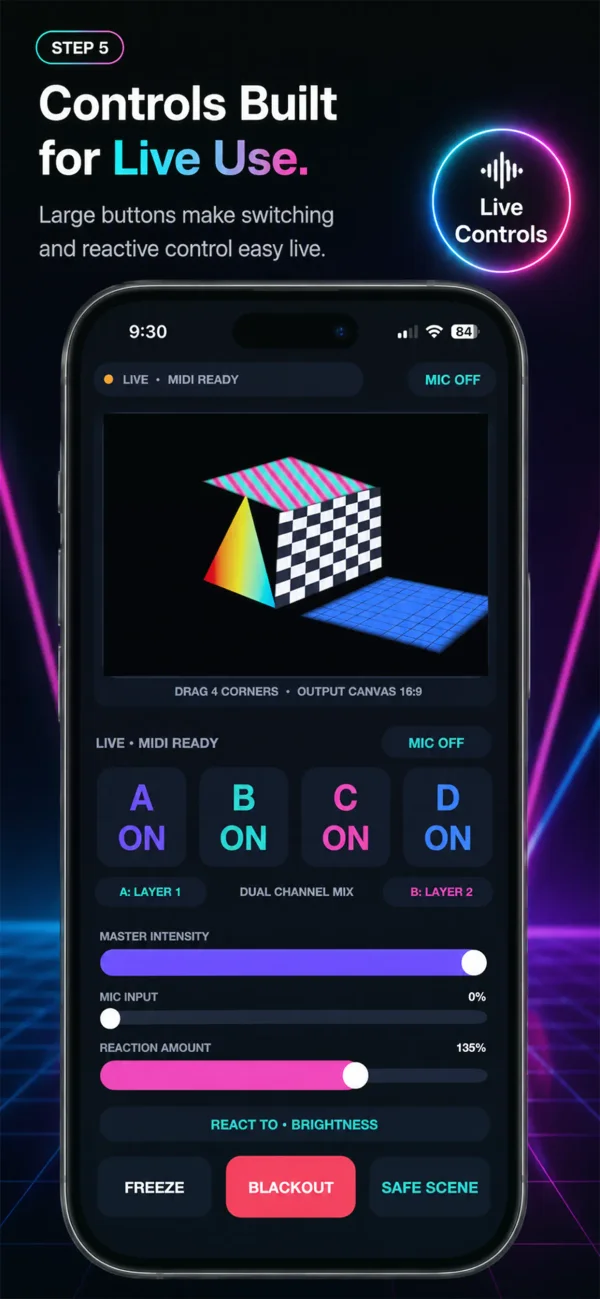
Audio-reactive and MIDI control
Dual-channel live mixing
Freeze, Blackout, Safe Scene, and master intensity
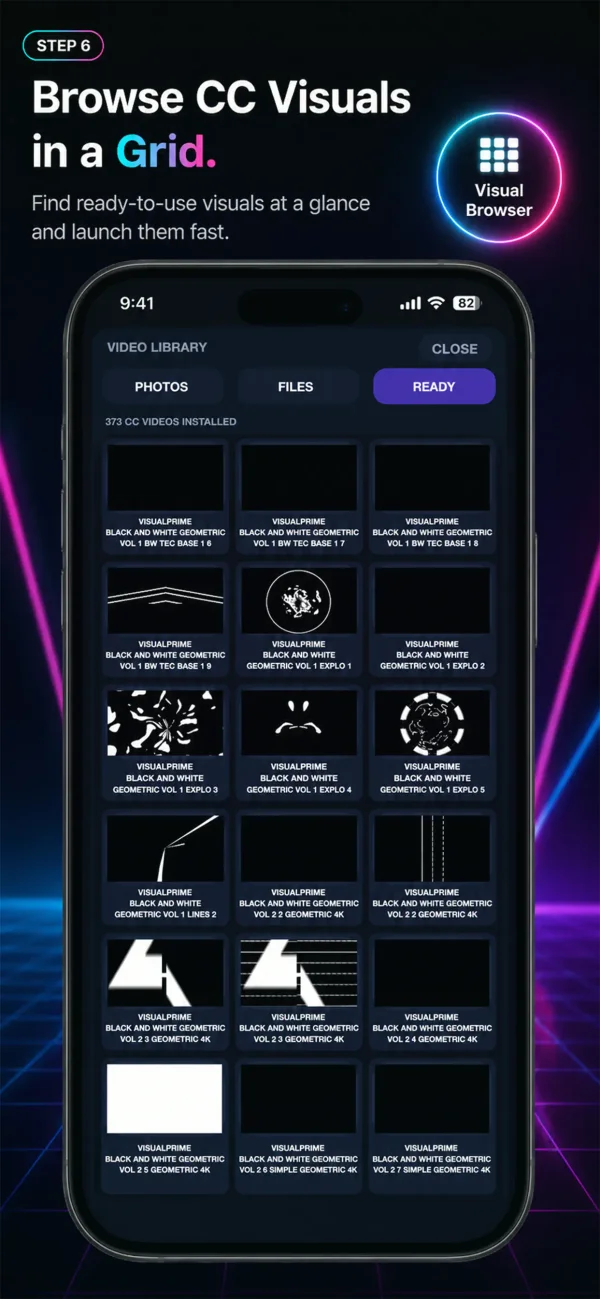
Optional downloadable CC video library
Portrait-first controls designed for iPhone
Japanese and English interface
MADE FOR
Live shows, DJs, VJs, and stage performances
Shops, exhibitions, and events
Installations and video art
Room lighting and creative experiments
Anyone trying projection mapping for the first time
All you need is an iPhone, a projector, and the right cable or adapter. External output and resolution depend on your device and display setup.
Yenilikler
Sürüm 1.4 · 09.11.2026
• Pick images straight from your Photos library. When you choose Image as a source, you can now import from Photos or Files.
• Photos taken on iPhone (HEIC) now work as projection sources, with no conversion needed.
• Imported images now appear the right way up and in their original colors.
• Large photos are resized for projection on import, so the app stays responsive.
Thank you to everyone who sent us feedback.
Uygulama gizliliği
Bu uygulamanın verileri nasıl işlediği hakkında Code and DESIGN inc. tarafından App Store üzerinde yapılan beyan.
-
Veri toplanmıyor
Geliştirici bu uygulamadan hiçbir veri toplamıyor.
Gizlilik uygulamaları, örneğin kullandığınız özelliklere veya yaşınıza göre değişiklik gösterebilir.
Bilgiler
- Satıcı
- Code and DESIGN inc
- Kategori
- Grafik ve Tasarım
- Sürüm
- 1.4
- Güncellendi
- 09.11.2026
- Yayın tarihi
- 28.07.2026
- Boyut
- 85,8 MB
- Gereksinim
- iOS 15.0 veya sonrası
- Yaş sınırı
- 4+
- Fiyat
- Ücretsiz
- Uygulama içi satın alma
- Evet
- Diller
- İngilizce, Japonca
- Telif hakkı
- © 2026 Code and DESIGN inc.
Bunları da beğenebilirsiniz
-
 Redrawing Reality: ProjectorGrafik ve Tasarım
-
 MapKraftGrafik ve Tasarım
-
 EasyMapper Projection MappingGrafik ve Tasarım
-
 Pro Mapper Projection MappingGrafik ve Tasarım
-
 BeamSpace: Projection MappingGrafik ve Tasarım
-
 NEO-F: Projection MappingDuvara Işık ve Desen Yansıt
-
 ProjectX - Projection MappingGrafik ve Tasarım
-
 SurfaBeam: Projeksiyon Mapping3D Haritalama ve Işık Şovu
-
 Chromatose: Visual SynthesizerGrafik ve Tasarım
-
 Lazy LightingProjection Mapping