PicoMap: Projection Mapping
Turn Any Surface Into a Stage
Designed for iPhone, iPod touch
Free · In-app purchases
- Age rating4+
- CategoryGraphics & Design
- DeveloperCode and DESIGN inc.
- LanguagesEnglish+ 1 more
- Size85.8 MB
Links to the official App Store page
Download.org hosts no file of PicoMap: Projection Mapping. The button opens its official App Store page, published by Code and DESIGN inc. Listing last checked on Nov 17, 2026.
Screenshots
About
Turn walls, stages, and objects into moving light.
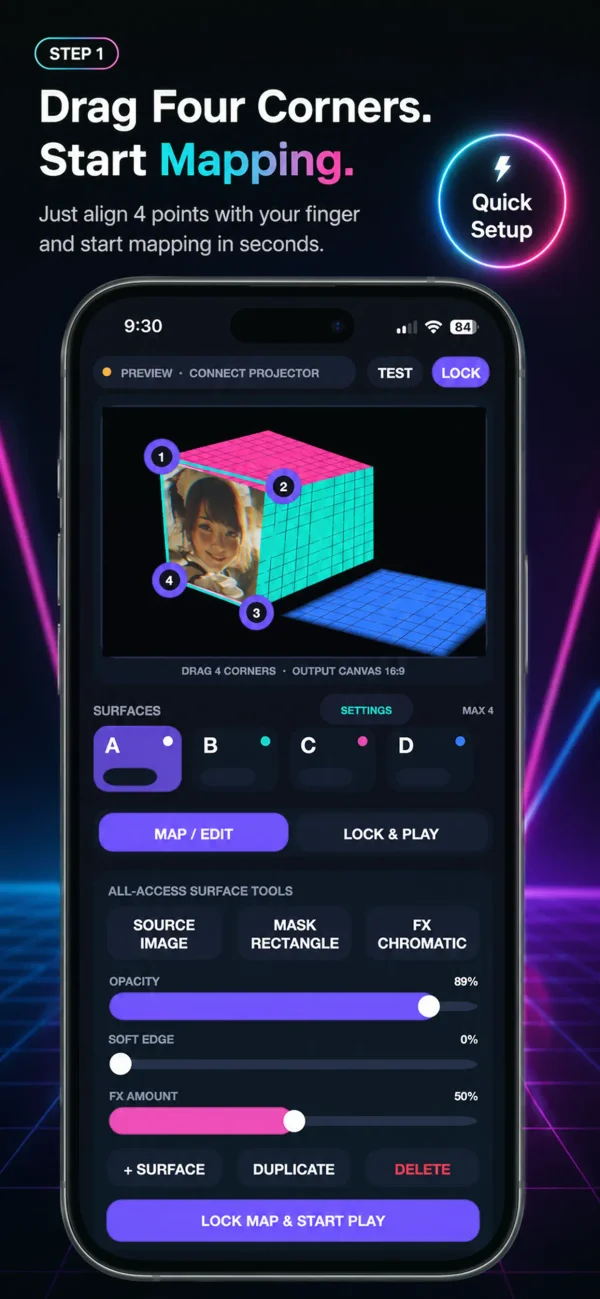
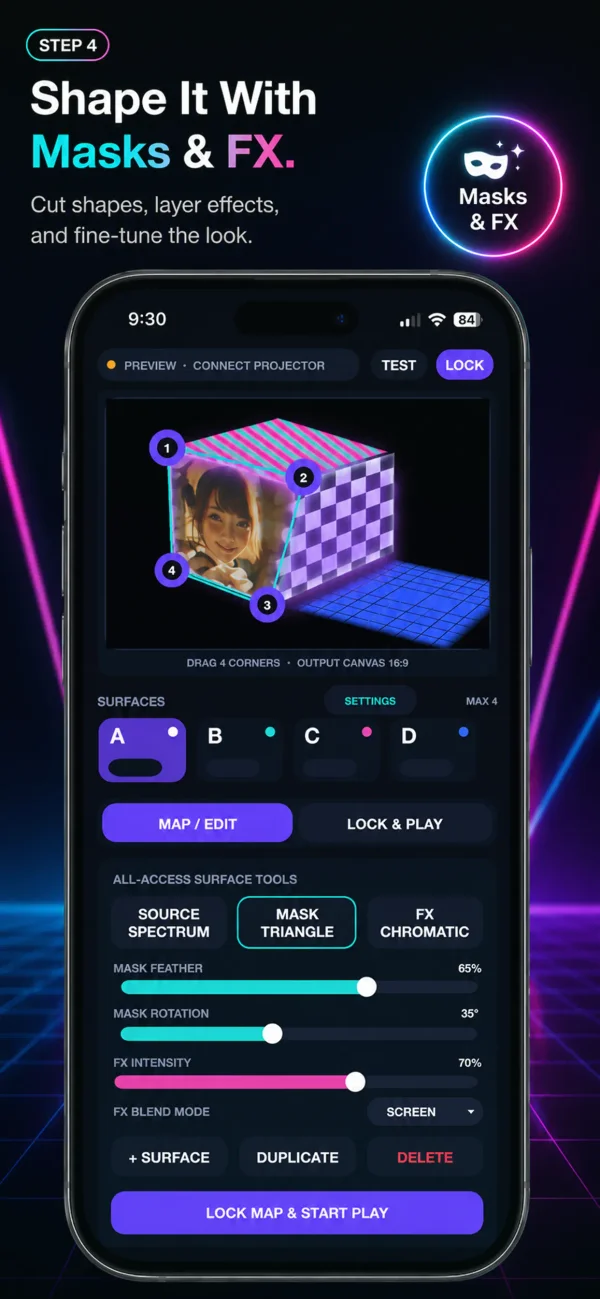
PicoMap is projection mapping built for iPhone. Connect a projector, drag four corners, and play your own videos and photos — no computer, no complicated desktop software.
HOW IT WORKS
Connect your iPhone to a projector
Drag the four corners to match your surface
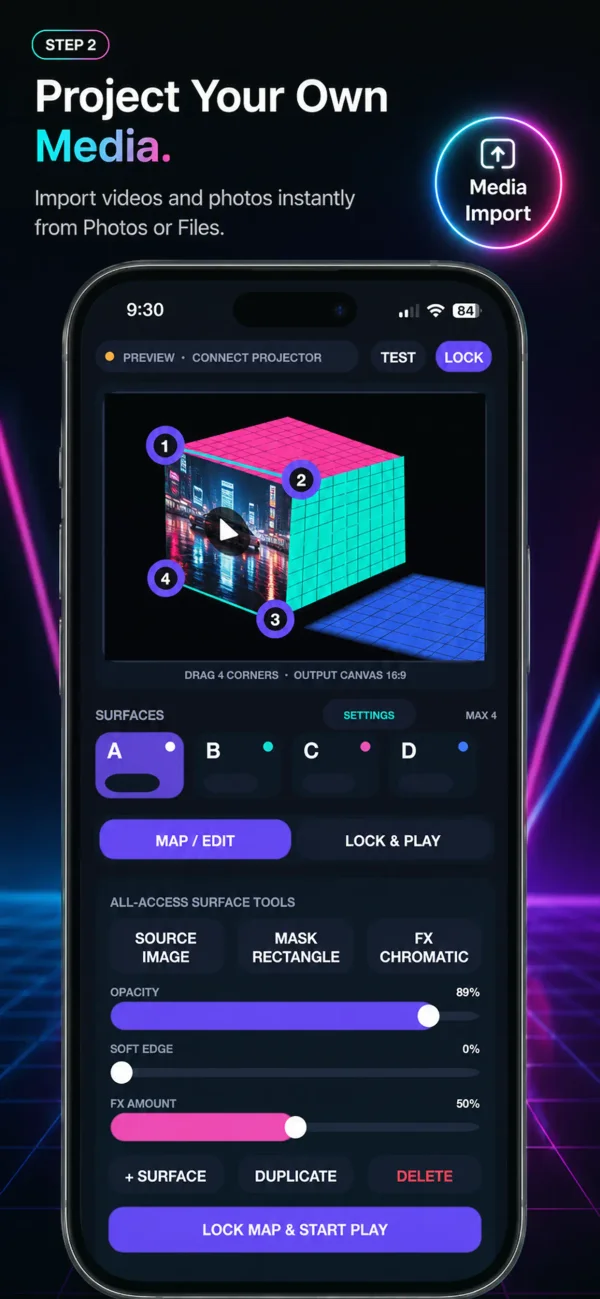
Drop in a video or photo and play
KEY FEATURES
Four-corner adjustment for precise surface mapping
Import videos and photos from Photos or Files
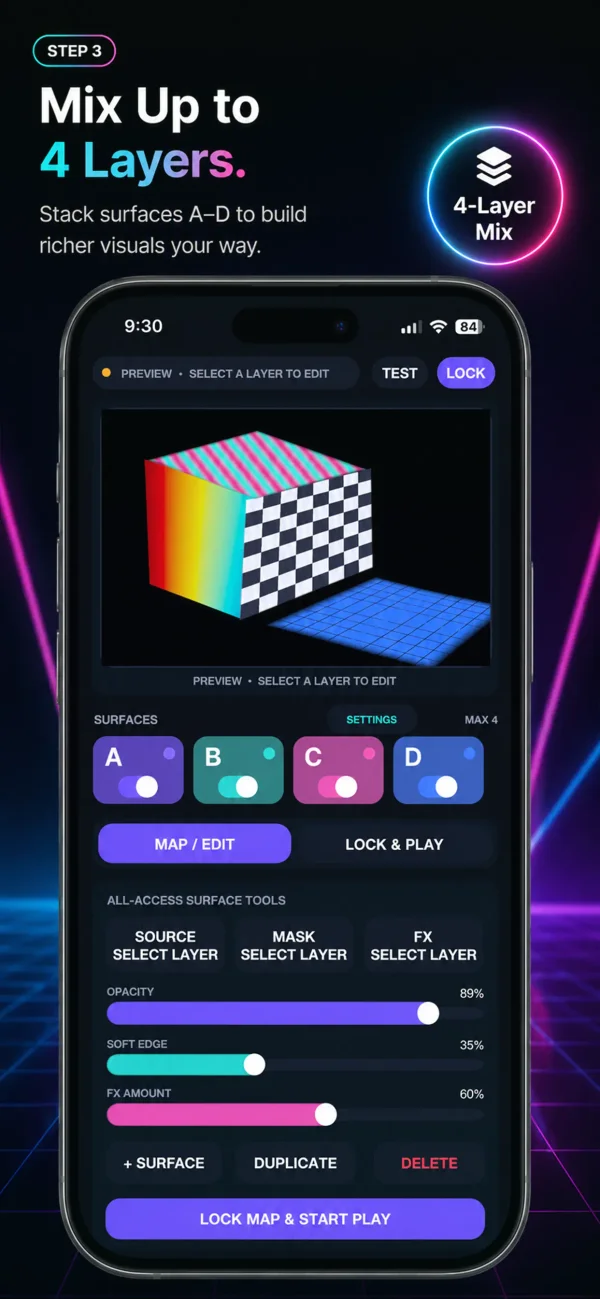
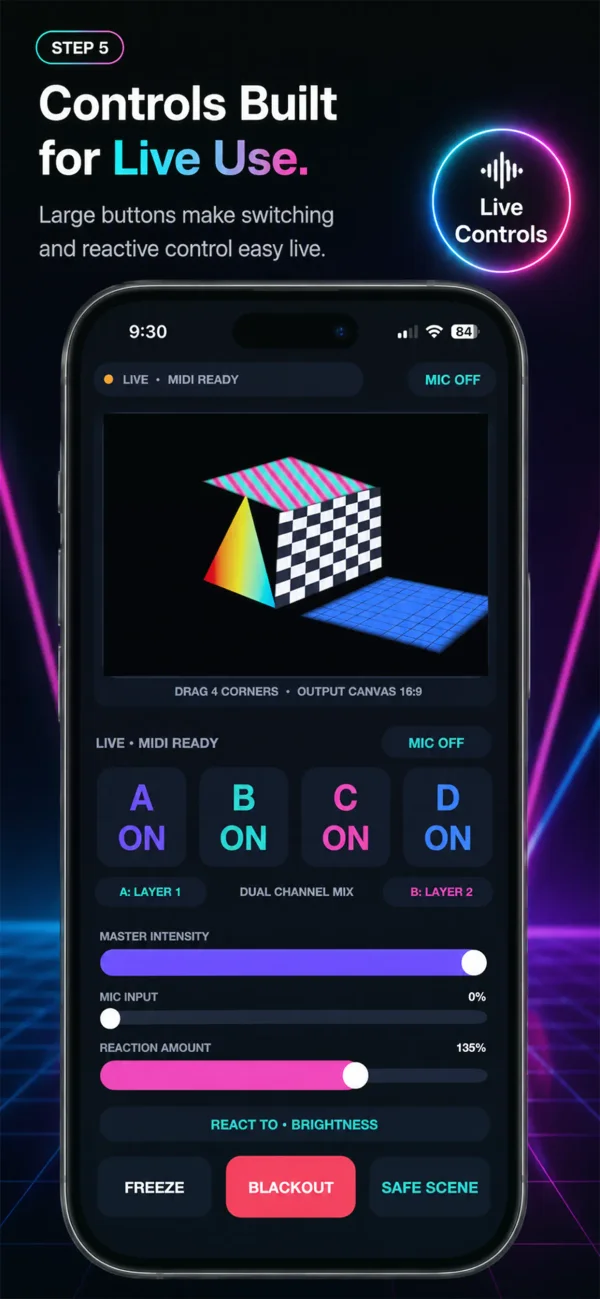
Build and mix up to four layers
Rectangle, circle, triangle, diamond, and custom masks
Opacity, soft-edge, and real-time FX controls
Kaleidoscope, pixelate, chromatic, and strobe effects
Audio-reactive and MIDI control
Dual-channel live mixing
Freeze, Blackout, Safe Scene, and master intensity
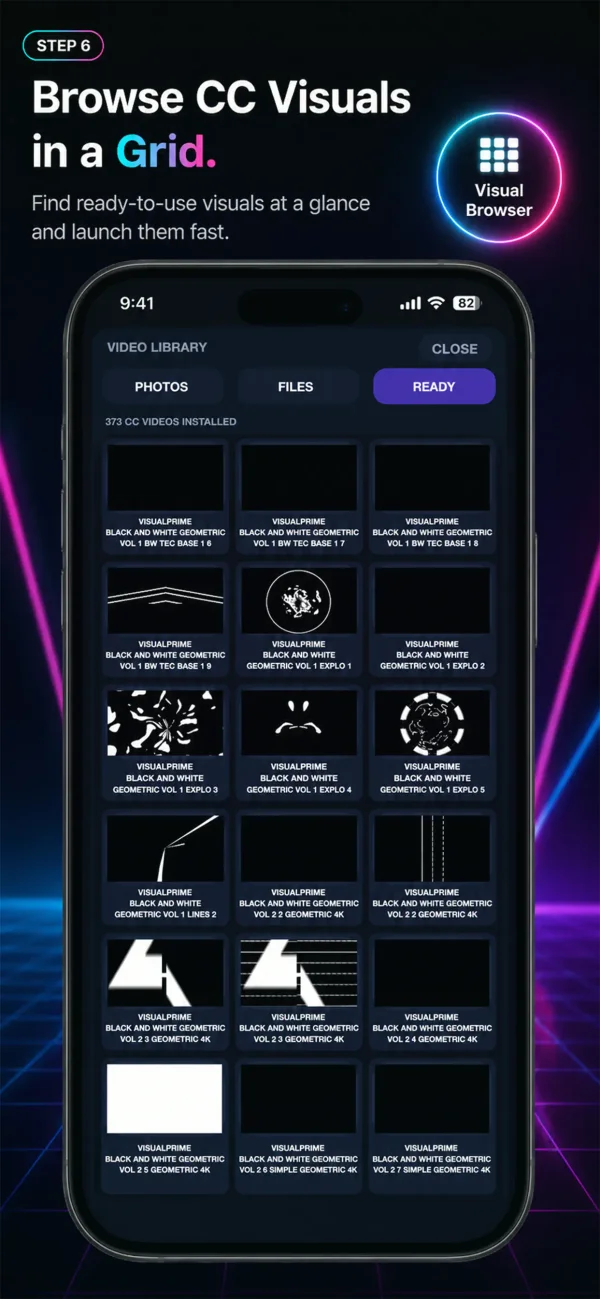
Optional downloadable CC video library
Portrait-first controls designed for iPhone
Japanese and English interface
MADE FOR
Live shows, DJs, VJs, and stage performances
Shops, exhibitions, and events
Installations and video art
Room lighting and creative experiments
Anyone trying projection mapping for the first time
All you need is an iPhone, a projector, and the right cable or adapter. External output and resolution depend on your device and display setup.
What’s new
Version 1.4 · Nov 9, 2026
• Pick images straight from your Photos library. When you choose Image as a source, you can now import from Photos or Files.
• Photos taken on iPhone (HEIC) now work as projection sources, with no conversion needed.
• Imported images now appear the right way up and in their original colors.
• Large photos are resized for projection on import, so the app stays responsive.
Thank you to everyone who sent us feedback.
App privacy
What Code and DESIGN inc. declares on the App Store about how this app handles data.
-
Data not collected
The developer does not collect any data from this app.
Privacy practices may vary, for example with the features you use or your age.
Information
- Seller
- Code and DESIGN inc
- Category
- Graphics & Design
- Version
- 1.4
- Updated
- Nov 9, 2026
- Released
- Jul 28, 2026
- Size
- 85.8 MB
- Requires
- iOS 15.0 or later
- Age rating
- 4+
- Price
- Free
- In-app purchases
- Yes
- Languages
- English, Japanese
- Copyright
- © 2026 Code and DESIGN inc.
You might also like
-
 Redrawing Reality: ProjectorAI Projection Mapping & VFX
-
 MapKraftProjection Mapping
-
 EasyMapper Projection MappingMobile Projection Mapping
-
 Pro Mapper Projection MappingWarp Video onto Wall & Window
-
 BeamSpace: Projection MappingProjector Mapper & VJ Visuals
-
 NEO-F: Projection MappingWall Light Shows for Any Event
-
 ProjectX - Projection MappingProject Visuals on Any Surface
-
 SurfaBeam - Projection MappingVideo Mapping & Light Shows
-
 Chromatose: Visual SynthesizerModular Psychedelic Video Art
-
 Lazy LightingProjection Mapping