
Planzer
Plan your day, every day
Entwickelt für iPhone, iPad, iPod touch
Kostenlos
- Altersfreigabe4+
- KategorieProduktivität
- EntwicklerPhillip Stemann
- SprachenEnglisch
- Größe18,2 MB
Verlinkt auf die offizielle App Store-Seite
Download.org hostet keine Datei von Planzer. Die Schaltfläche öffnet die App-Seite bei App Store, wo Phillip Stemann die App veröffentlicht. Eintrag zuletzt geprüft am 14.11.2026.
Screenshots

Info
Der Entwickler hat diesen Text nicht in Ihrer Sprache bereitgestellt.
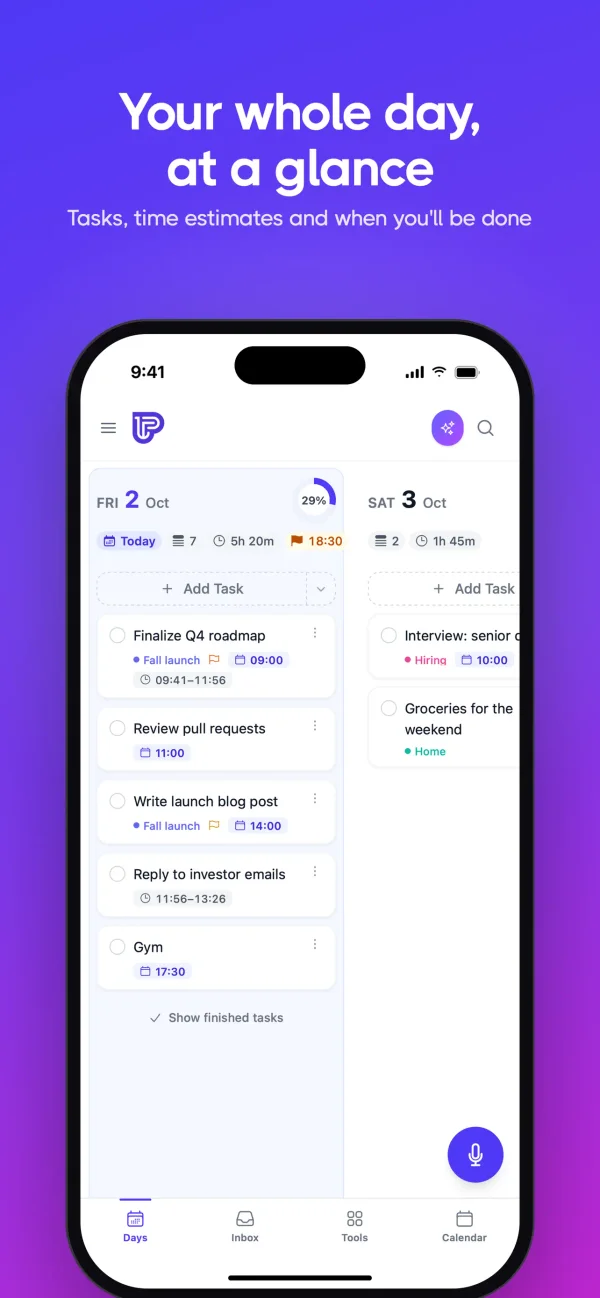
Planzer is the planner for people who actually want to get things done. Tasks, calendar, time tracking, and the tools you already use — together in one focused workspace.
Built for makers, founders, and anyone who'd rather plan their day in one place than juggle five tabs.
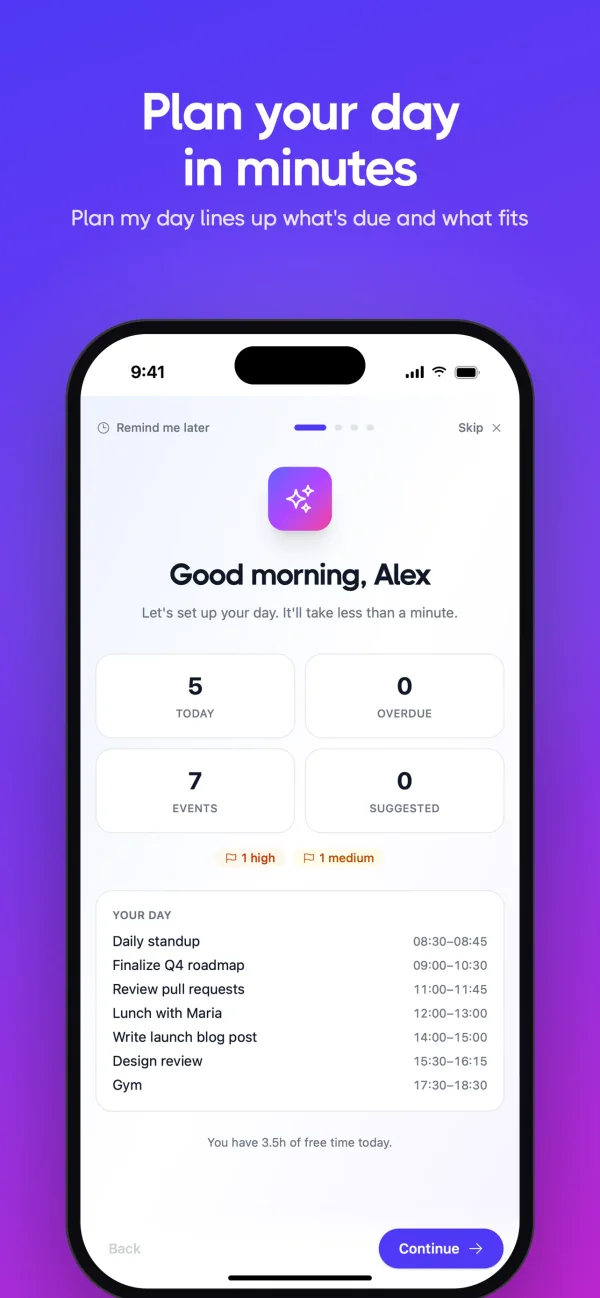
PLAN YOUR DAY IN MINUTES
• Plan my day walks you through today: what's due, what's on your calendar, and what fits
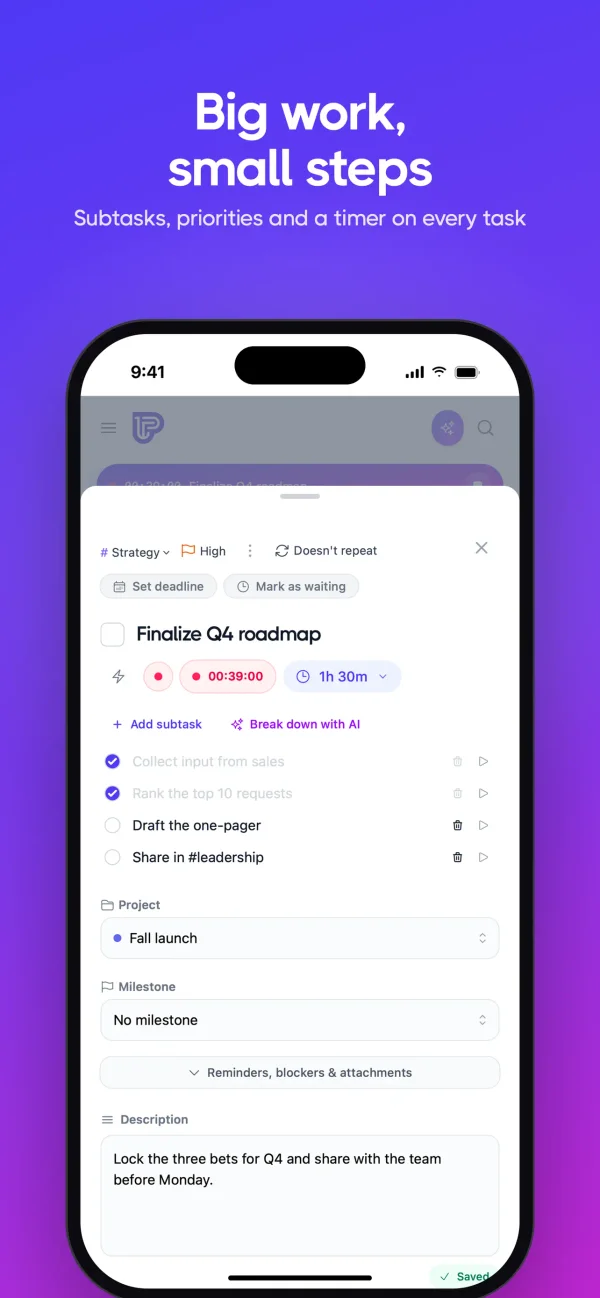
• AI turns a quick note into a task with the right date, and breaks big tasks into steps
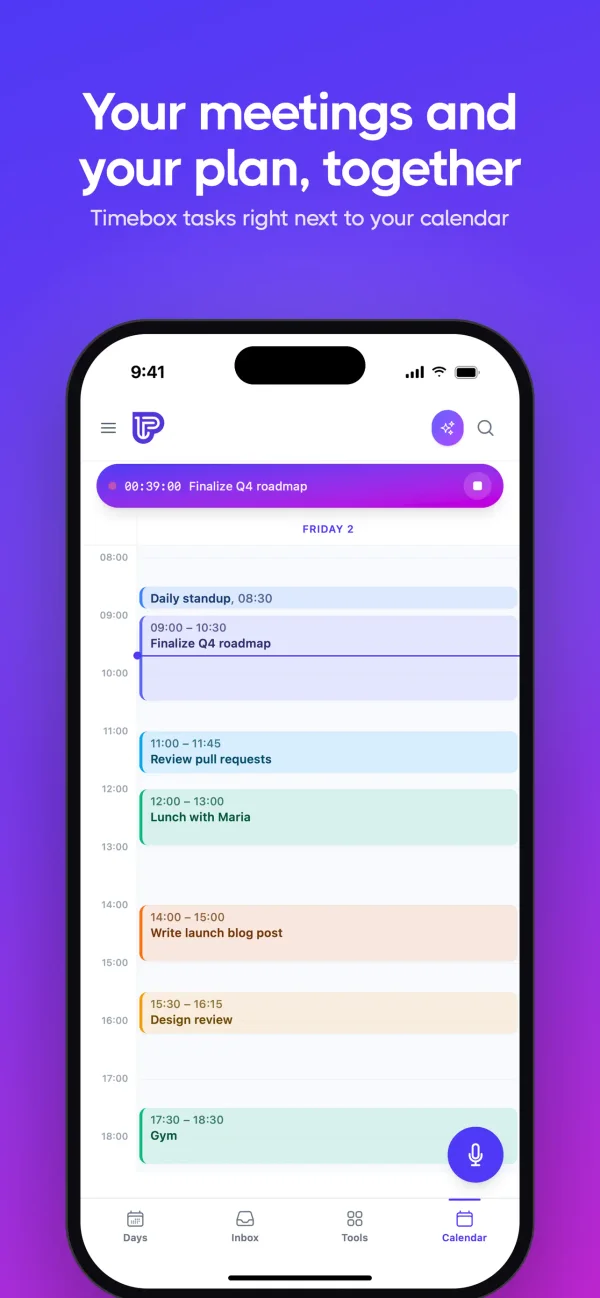
• Drag tasks straight onto your calendar to timebox your day
• Wrap up with a daily shutdown and a weekly review, and track progress towards your goals
TASKS THAT WORK THE WAY YOU THINK
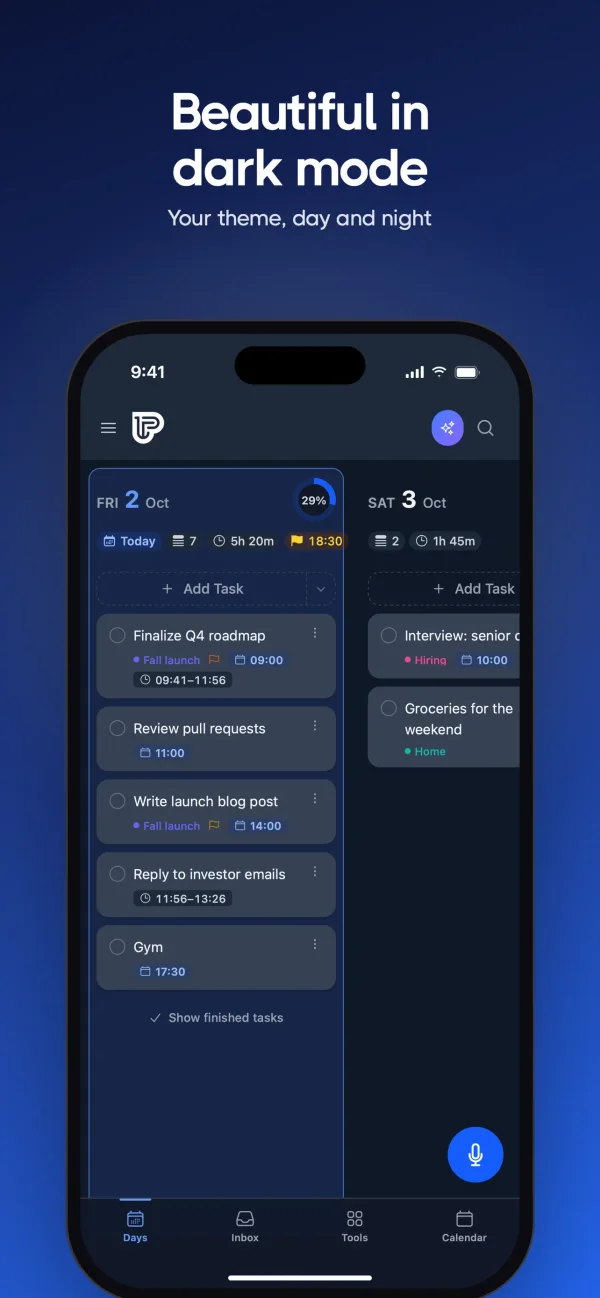
• Projects, tags, priorities and deadlines, without ceremony
• Routines and repeating tasks show up automatically
• Reminders with Done and Snooze right on the notification
A CALENDAR THAT CONNECTS EVERYTHING
• Two-way sync with Google Calendar, Outlook and iCloud Calendar
• See your meetings and your plan side by side
• Block focus time without switching apps
THE INTEGRATIONS YOU ACTUALLY WANT
• Todoist, Asana, ClickUp, Trello, monday.com and Notion
• Linear, Jira and GitHub
• Google Tasks, Microsoft To Do and Slack
• Everything in one place, so you stop checking five apps
FOCUS AND TIME TRACKING
• Start a timer on any task with one tap, and see when you'll be done today
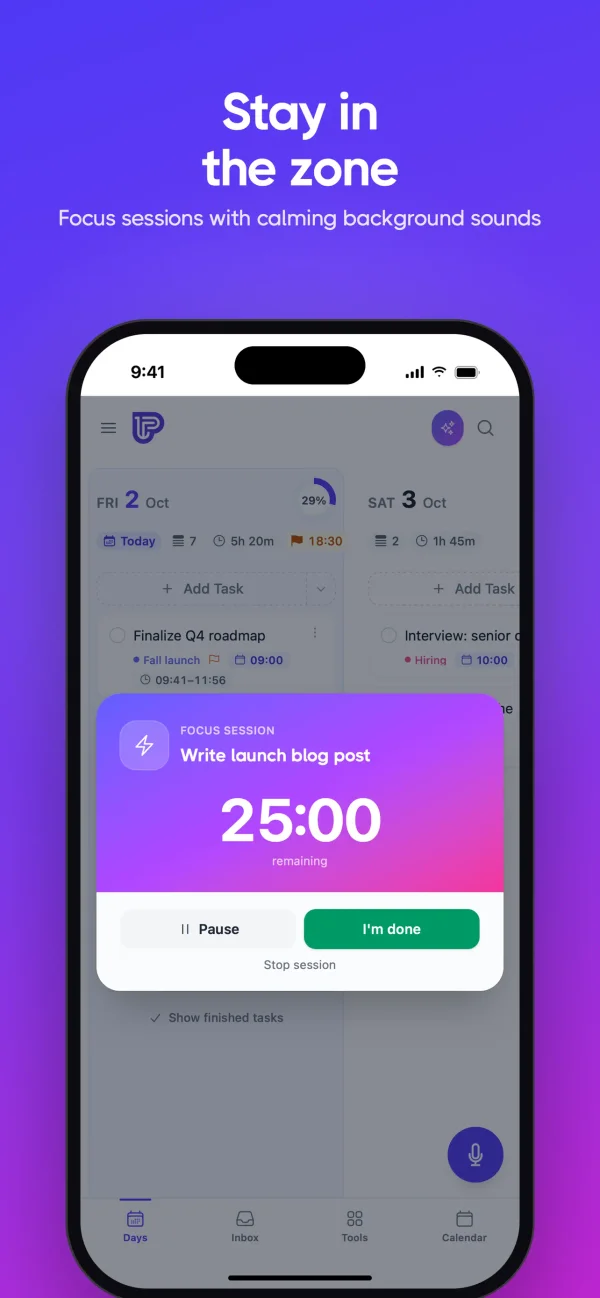
• Focus sessions with calming background sounds
• See where your week actually went
MADE FOR YOUR IPHONE
• Widgets and a Live Activity for your running timer on the Lock Screen
• Siri and Shortcuts: "Add a task in Planzer"
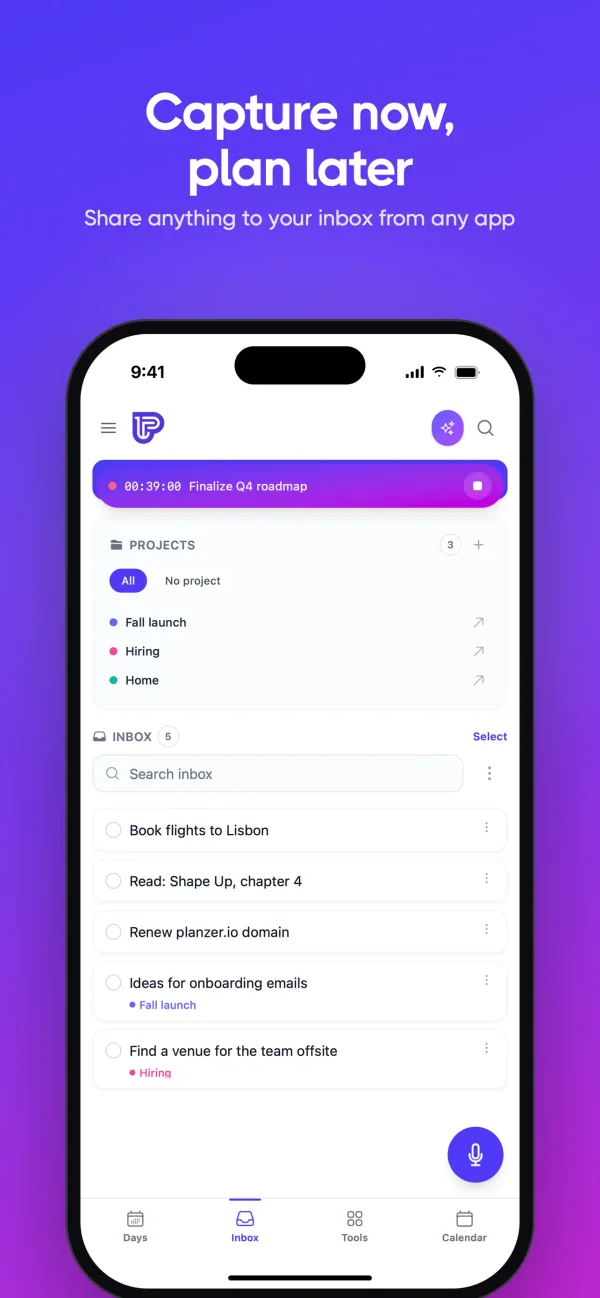
• Share links and text to your inbox from any app
• Speak your tasks instead of typing
• Themes: pick a colour that's yours, in light or dark mode
BUILT TO BE EVERYWHERE
• iPhone, iPad, Mac, Windows, Linux and the web
• Changes show up on all your devices within seconds, and Planzer keeps working offline
FREE, WITH NO ANNOYING LIMITS TO START
Planzer is free to use. Pro unlocks unlimited tasks, AI assistance, file attachments, and advanced integrations.
—
Privacy Policy: https://planzer.io/privacy-policy
Support: support@planzer.io
Neue Funktionen
Version 1.6.0 · 02.11.2026
Apple Reminders: see your reminders next to your plan, drag them into your day, and they're ticked off in Reminders when you finish the task.
A better Outlook inbox: one row per conversation, read emails in Planzer, and drag them onto a day or straight into your calendar.
GitLab and Microsoft Teams (beta) integrations.
A new 3-day calendar view on narrower screens, and a layout made for foldable iPhones.
Smoother completing, undo and drag and drop, plus many small fixes.
App-Datenschutz
Was Phillip Stemann im App Store zum Umgang dieser App mit Daten angibt.
-
Mit Ihnen verknüpfte Daten
Können erfasst und mit Ihrer Identität verknüpft werden.
- Kontaktinformationen
-
Nicht mit Ihnen verknüpfte Daten
Können erfasst werden, sind aber nicht mit Ihrer Identität verknüpft.
- Nutzungsdaten
Die Datenschutzpraktiken können variieren, zum Beispiel je nach den von Ihnen verwendeten Funktionen oder Ihrem Alter.
Informationen
- Anbieter
- Phillip Stemann
- Kategorie
- Produktivität
- Version
- 1.6.0
- Aktualisiert
- 02.11.2026
- Veröffentlicht
- 29.05.2026
- Größe
- 18,2 MB
- Erfordert
- iOS 15.0 oder neuer
- Altersfreigabe
- 4+
- Preis
- Kostenlos
- Sprachen
- Englisch
- Copyright
- © Copyright 2026 Planzer.io
Das könnte Ihnen auch gefallen
-
 BRUTASKProduktivität
-
 Clarity: AI Daily PlannerProduktivität
-
 Nonne · To-Do List & PlannerProduktivität
-
 Dowyn: Habit & Task TrackerProduktivität
-
 Diluta: Aufgaben & KalenderSagt dir, was jetzt dran ist
-
 Kata: Weekly Planner & To-DoProduktivität
-
 Tend – A Cozy To-Do ListProduktivität
-
 Visido: Floating To-Do ListProduktivität
-
 Ovelniva: AufgabenAufgaben raus aus dem Kopf
-
 Sendi - Break the scrollWalk more. Scroll less.