
- 対象年齢4+
- カテゴリ仕事効率化
- 開発元Phillip Stemann
- 言語英語
- サイズ18.2 MB
App Storeの公式ページにリンクしています
Download.orgはPlanzerのファイルを一切ホストしていません。ボタンを押すと、Phillip Stemannが公開しているApp Storeのアプリページが開きます。ページの最終確認:2026/11/14。
スクリーンショット

概要
開発元はこのテキストをお使いの言語で提供していません。
Planzer is the planner for people who actually want to get things done. Tasks, calendar, time tracking, and the tools you already use — together in one focused workspace.
Built for makers, founders, and anyone who'd rather plan their day in one place than juggle five tabs.
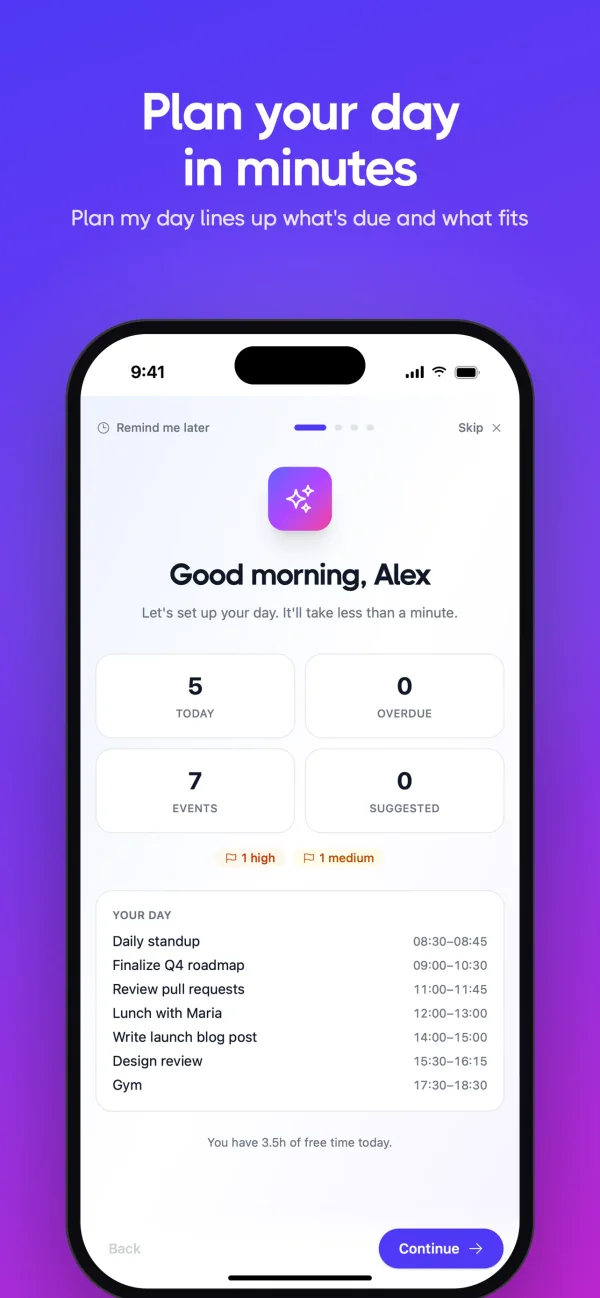
PLAN YOUR DAY IN MINUTES
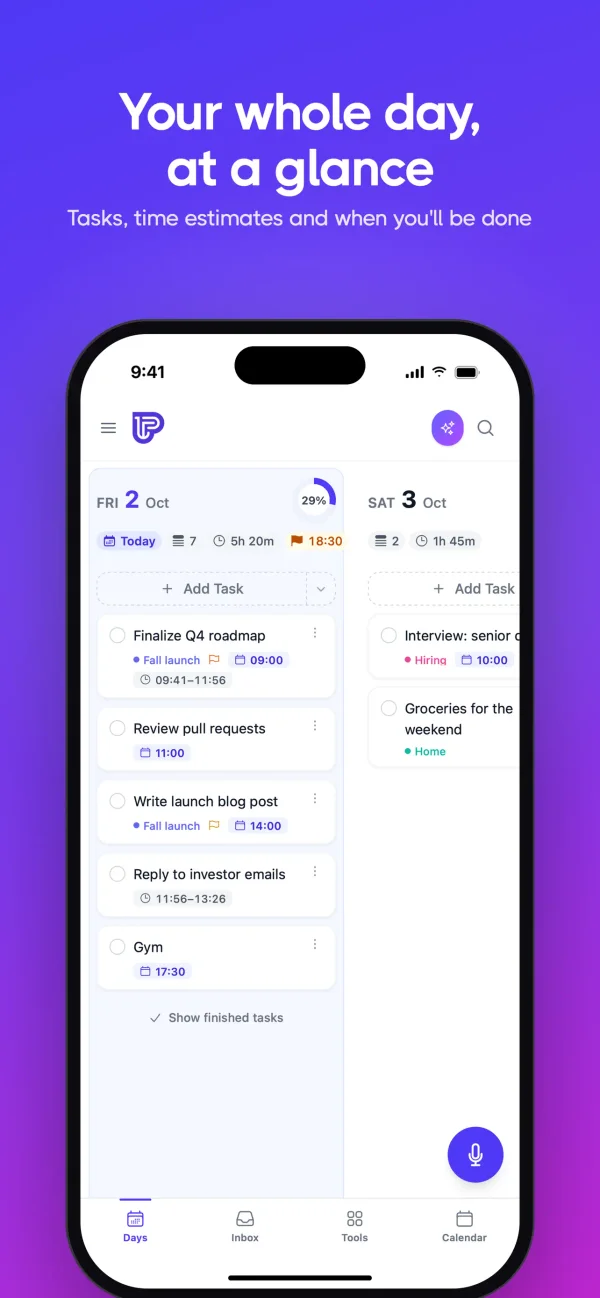
• Plan my day walks you through today: what's due, what's on your calendar, and what fits
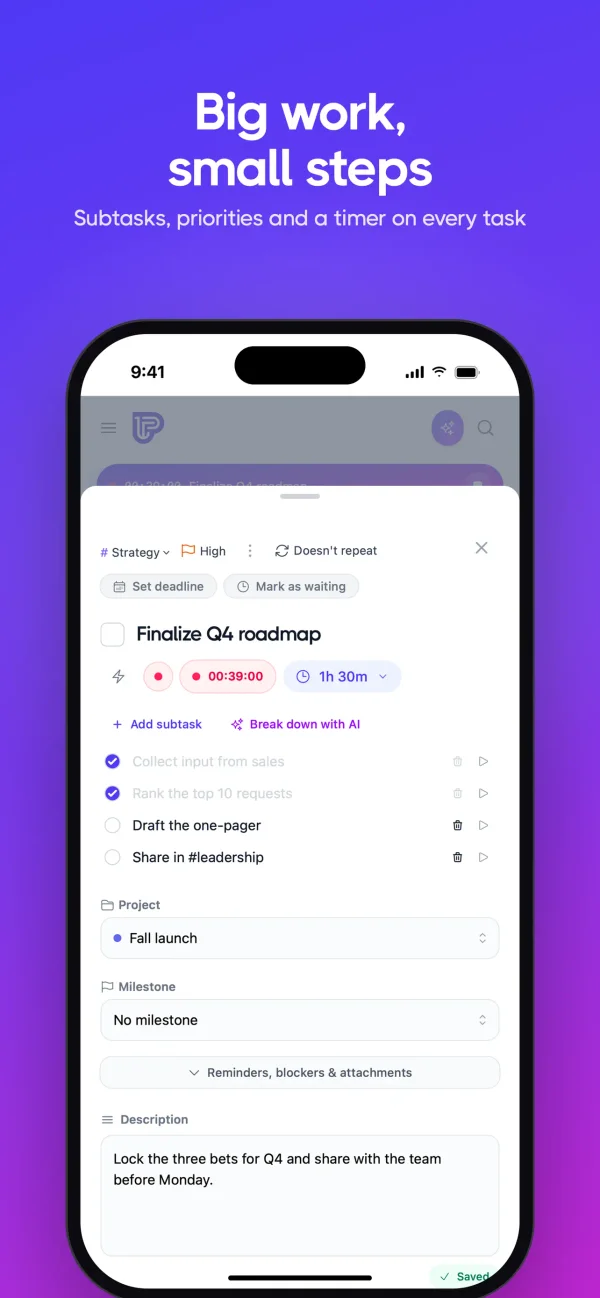
• AI turns a quick note into a task with the right date, and breaks big tasks into steps
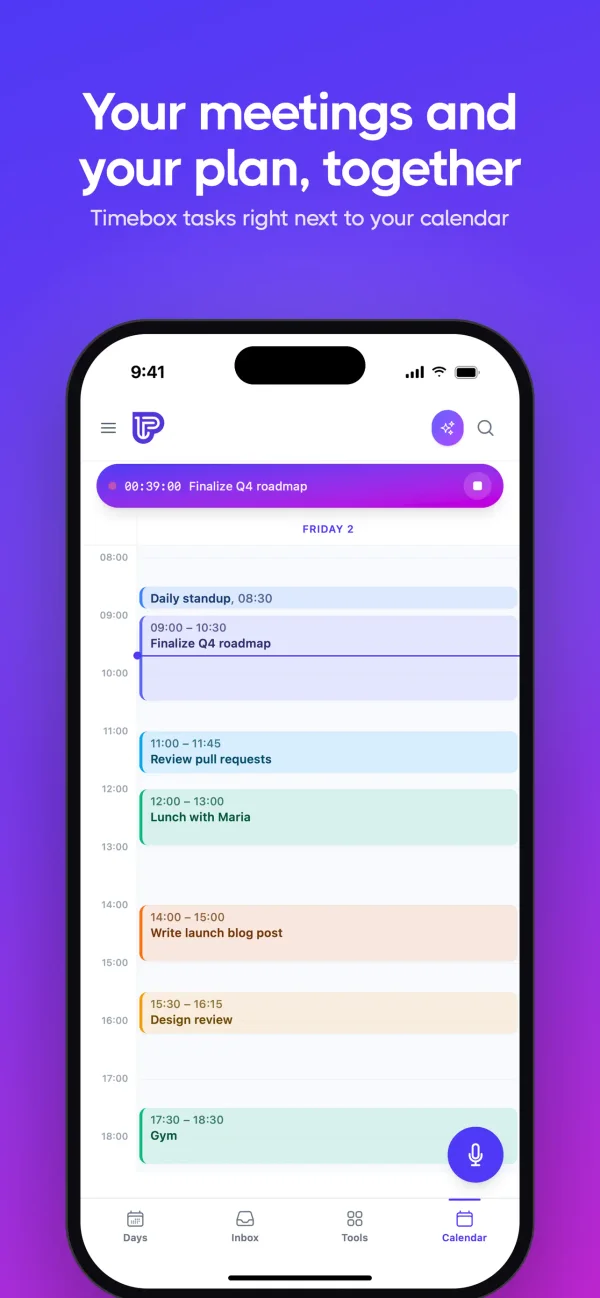
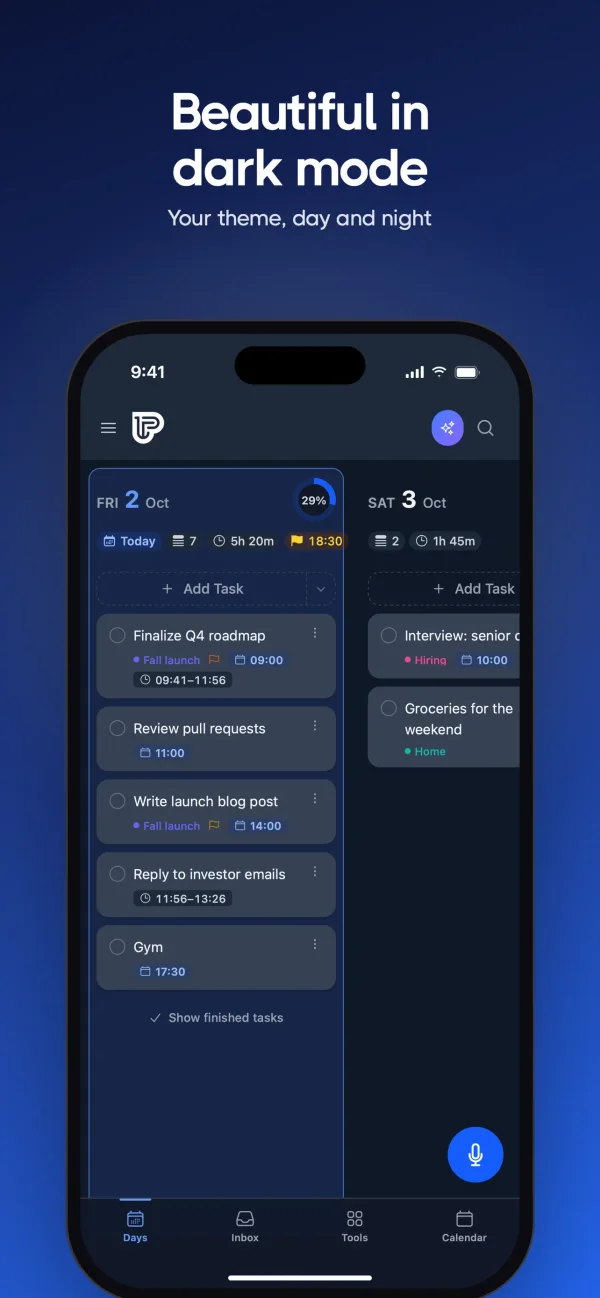
• Drag tasks straight onto your calendar to timebox your day
• Wrap up with a daily shutdown and a weekly review, and track progress towards your goals
TASKS THAT WORK THE WAY YOU THINK
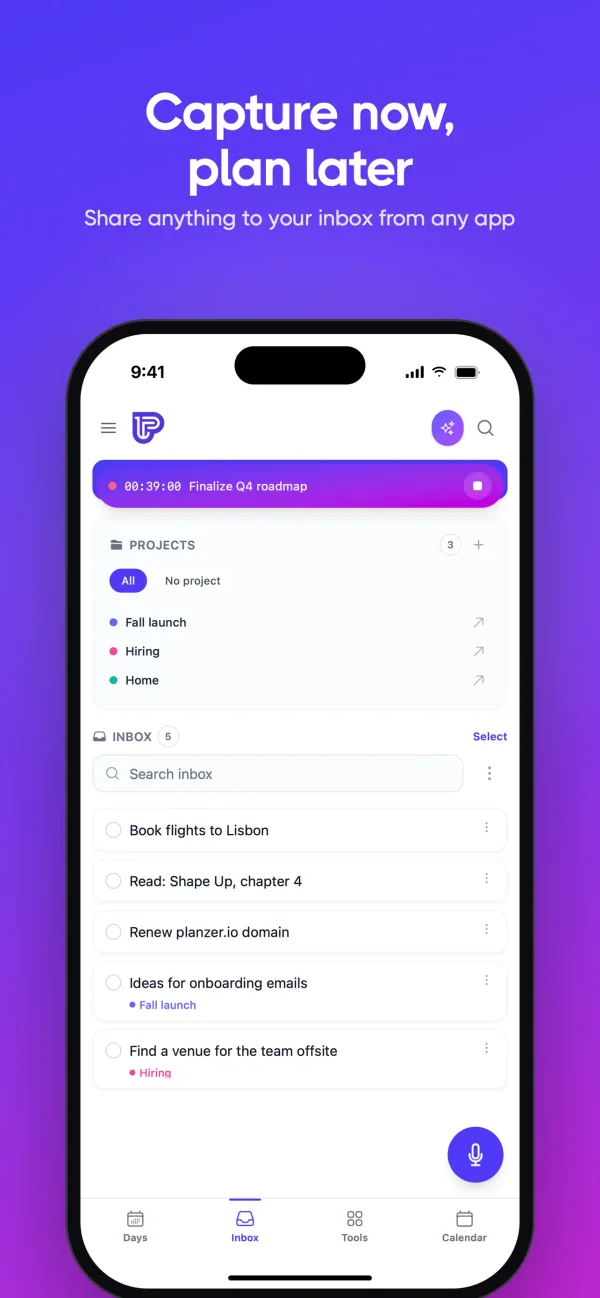
• Projects, tags, priorities and deadlines, without ceremony
• Routines and repeating tasks show up automatically
• Reminders with Done and Snooze right on the notification
A CALENDAR THAT CONNECTS EVERYTHING
• Two-way sync with Google Calendar, Outlook and iCloud Calendar
• See your meetings and your plan side by side
• Block focus time without switching apps
THE INTEGRATIONS YOU ACTUALLY WANT
• Todoist, Asana, ClickUp, Trello, monday.com and Notion
• Linear, Jira and GitHub
• Google Tasks, Microsoft To Do and Slack
• Everything in one place, so you stop checking five apps
FOCUS AND TIME TRACKING
• Start a timer on any task with one tap, and see when you'll be done today
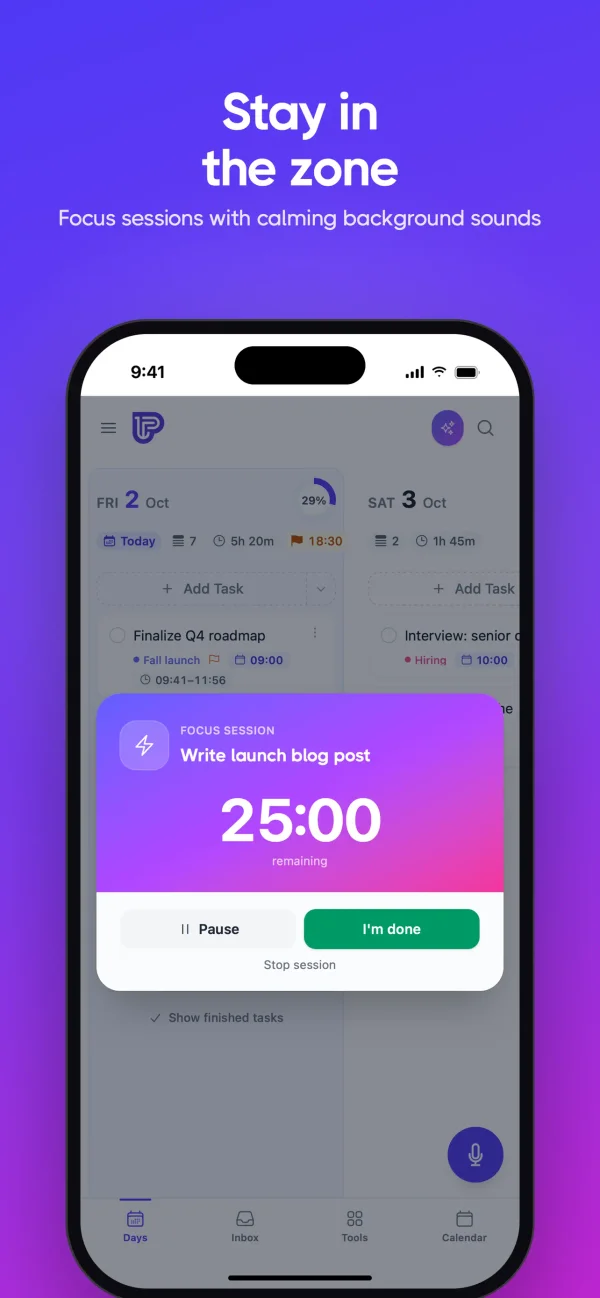
• Focus sessions with calming background sounds
• See where your week actually went
MADE FOR YOUR IPHONE
• Widgets and a Live Activity for your running timer on the Lock Screen
• Siri and Shortcuts: "Add a task in Planzer"
• Share links and text to your inbox from any app
• Speak your tasks instead of typing
• Themes: pick a colour that's yours, in light or dark mode
BUILT TO BE EVERYWHERE
• iPhone, iPad, Mac, Windows, Linux and the web
• Changes show up on all your devices within seconds, and Planzer keeps working offline
FREE, WITH NO ANNOYING LIMITS TO START
Planzer is free to use. Pro unlocks unlimited tasks, AI assistance, file attachments, and advanced integrations.
—
Privacy Policy: https://planzer.io/privacy-policy
Support: support@planzer.io
新機能
バージョン 1.6.0 · 2026/11/2
Apple Reminders: see your reminders next to your plan, drag them into your day, and they're ticked off in Reminders when you finish the task.
A better Outlook inbox: one row per conversation, read emails in Planzer, and drag them onto a day or straight into your calendar.
GitLab and Microsoft Teams (beta) integrations.
A new 3-day calendar view on narrower screens, and a layout made for foldable iPhones.
Smoother completing, undo and drag and drop, plus many small fixes.
アプリのプライバシー
このアプリのデータの取り扱いについて、Phillip StemannがApp Storeで申告している内容です。
-
ユーザーに関連付けられたデータ
収集され、ユーザーの識別情報に関連付けられる場合があります。
- 連絡先情報
-
ユーザーに関連付けられないデータ
収集される場合がありますが、ユーザーの識別情報には関連付けられません。
- 使用状況データ
プライバシーの取り扱いは、ご利用の機能やお客様の年齢などに応じて異なる場合があります。
情報
- 販売元
- Phillip Stemann
- カテゴリ
- 仕事効率化
- バージョン
- 1.6.0
- 更新日
- 2026/11/2
- リリース
- 2026/5/29
- サイズ
- 18.2 MB
- 必要条件
- iOS 15.0以降
- 対象年齢
- 4+
- 価格
- 無料
- 言語
- 英語
- 著作権
- © Copyright 2026 Planzer.io
こちらもおすすめ
-
 BRUTASK - タスク×ポモドーロ集中タスク管理
-
 Clarity: AI Daily Planner仕事効率化
-
 Nonne · To-Do List & Planner仕事効率化
-
 Dowyn: Habit & Task Tracker仕事効率化
-
 Diluta: ToDoリストとカレンダー次にやることを教えてくれる
-
 Kata: Weekly Planner & To-Do仕事効率化
-
 Tend – A Cozy To-Do List仕事効率化
-
 Visido: Floating To-Do List仕事効率化
-
 Ovelniva: My Tasks仕事効率化
-
 Sendi - Break the scroll仕事効率化