
- Clasificación por edad4+
- CategoríaProductividad
- DesarrolladorPhillip Stemann
- IdiomasInglés
- Tamaño18,2 MB
Enlaza a la página oficial de App Store
Download.org no aloja ningún archivo de Planzer. El botón abre la página de la aplicación en App Store, donde la publica Phillip Stemann. Ficha comprobada por última vez el 14/11/2026.
Capturas de pantalla

Acerca de
El desarrollador no ha proporcionado este texto en tu idioma.
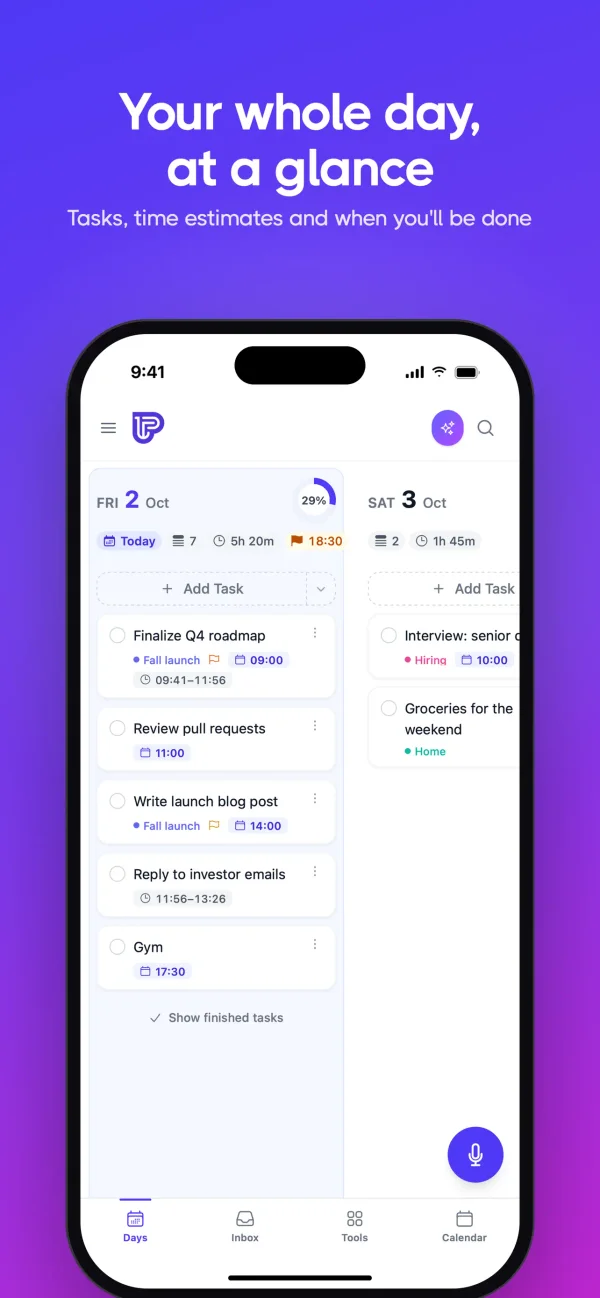
Planzer is the planner for people who actually want to get things done. Tasks, calendar, time tracking, and the tools you already use — together in one focused workspace.
Built for makers, founders, and anyone who'd rather plan their day in one place than juggle five tabs.
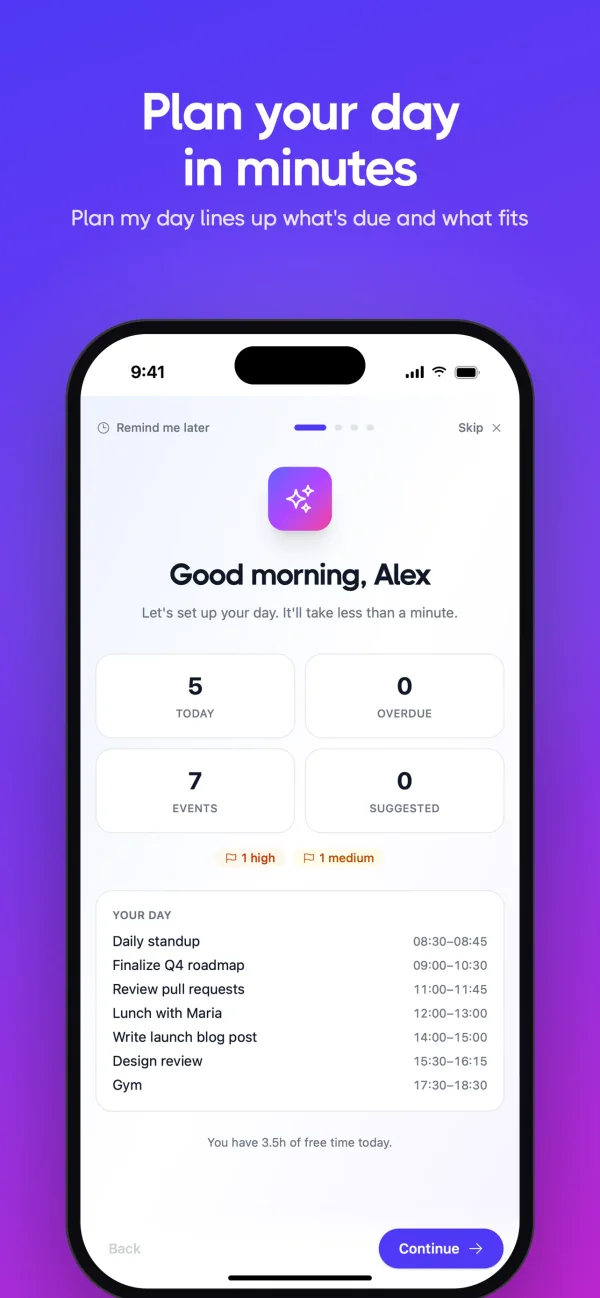
PLAN YOUR DAY IN MINUTES
• Plan my day walks you through today: what's due, what's on your calendar, and what fits
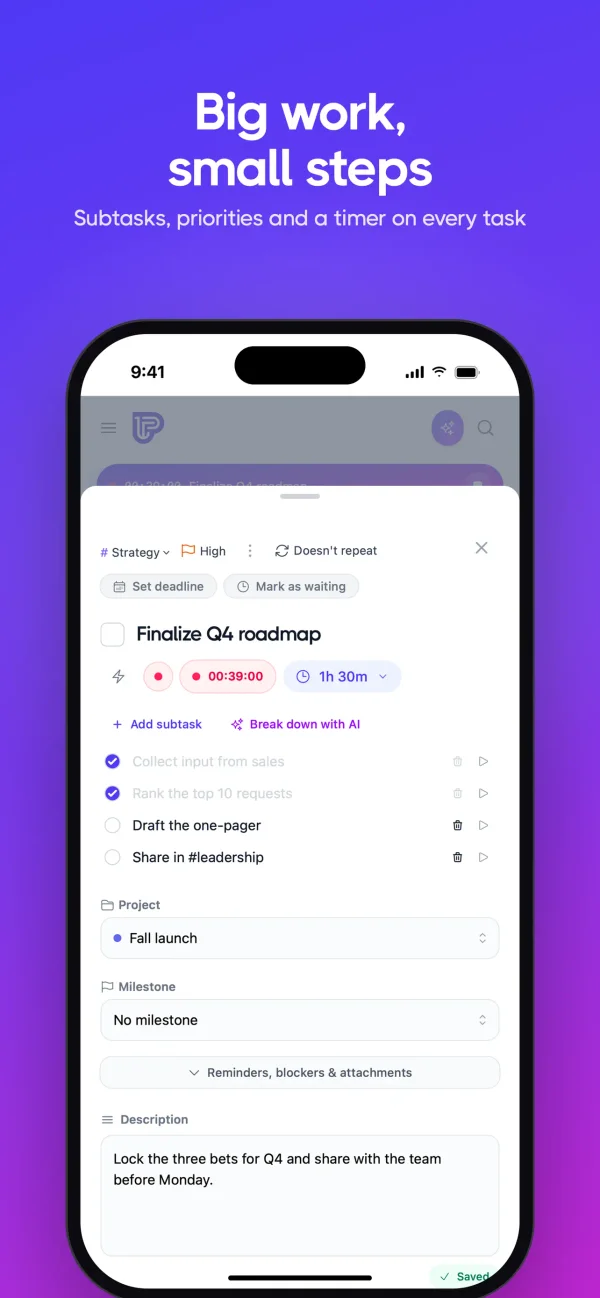
• AI turns a quick note into a task with the right date, and breaks big tasks into steps
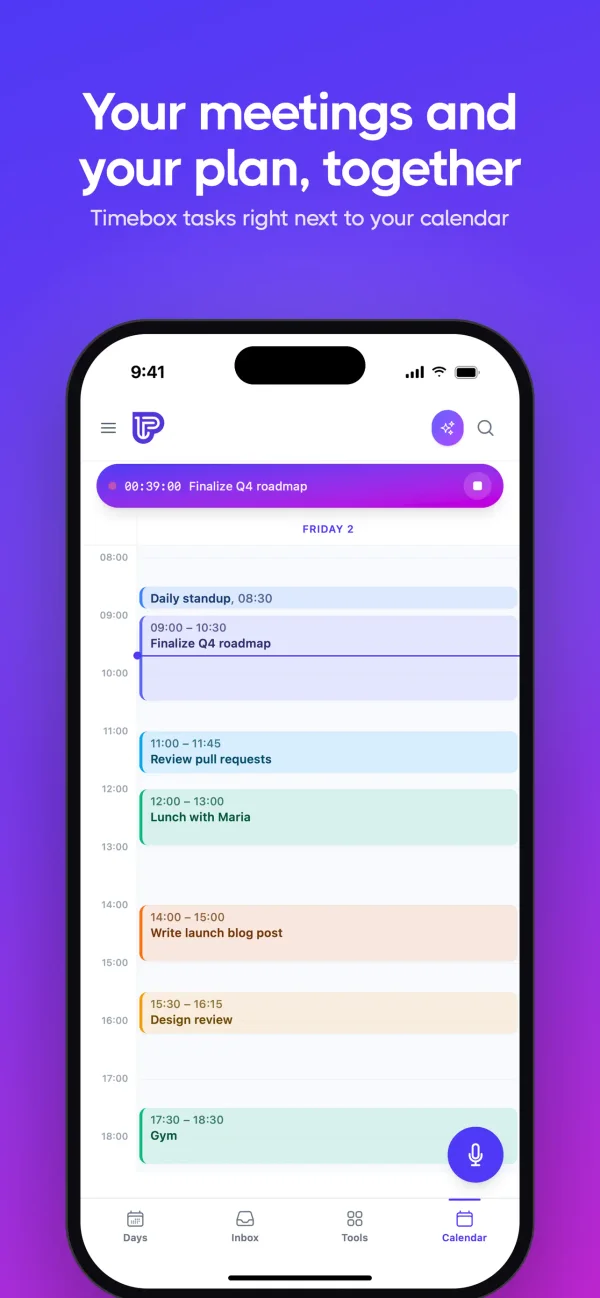
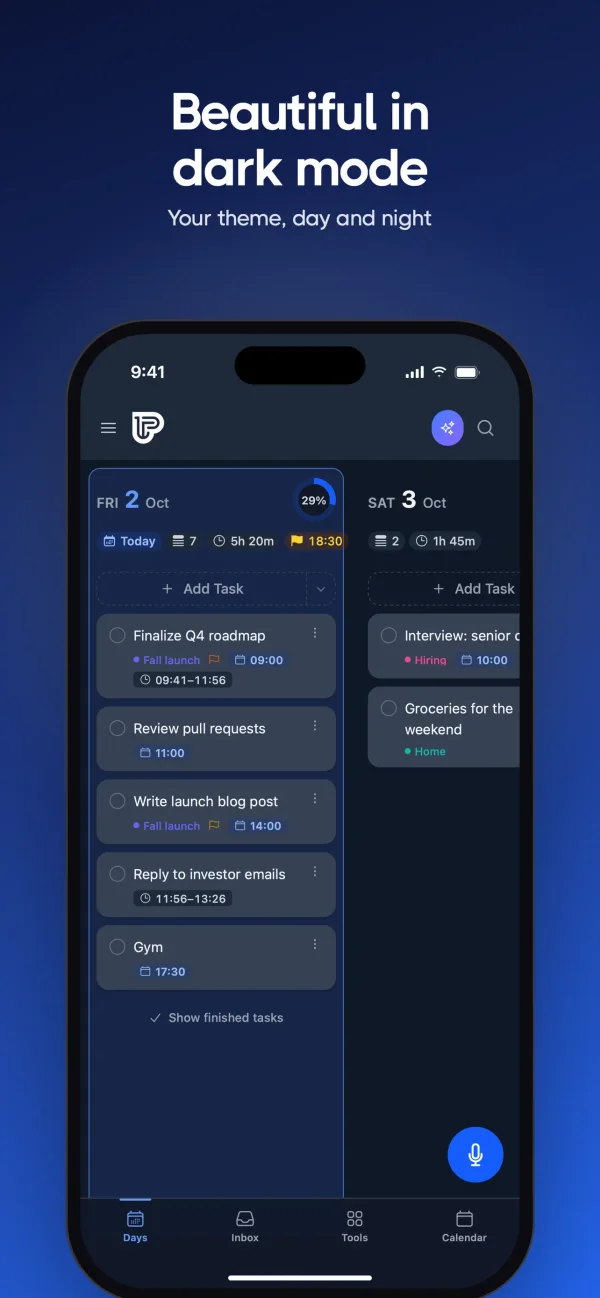
• Drag tasks straight onto your calendar to timebox your day
• Wrap up with a daily shutdown and a weekly review, and track progress towards your goals
TASKS THAT WORK THE WAY YOU THINK
• Projects, tags, priorities and deadlines, without ceremony
• Routines and repeating tasks show up automatically
• Reminders with Done and Snooze right on the notification
A CALENDAR THAT CONNECTS EVERYTHING
• Two-way sync with Google Calendar, Outlook and iCloud Calendar
• See your meetings and your plan side by side
• Block focus time without switching apps
THE INTEGRATIONS YOU ACTUALLY WANT
• Todoist, Asana, ClickUp, Trello, monday.com and Notion
• Linear, Jira and GitHub
• Google Tasks, Microsoft To Do and Slack
• Everything in one place, so you stop checking five apps
FOCUS AND TIME TRACKING
• Start a timer on any task with one tap, and see when you'll be done today
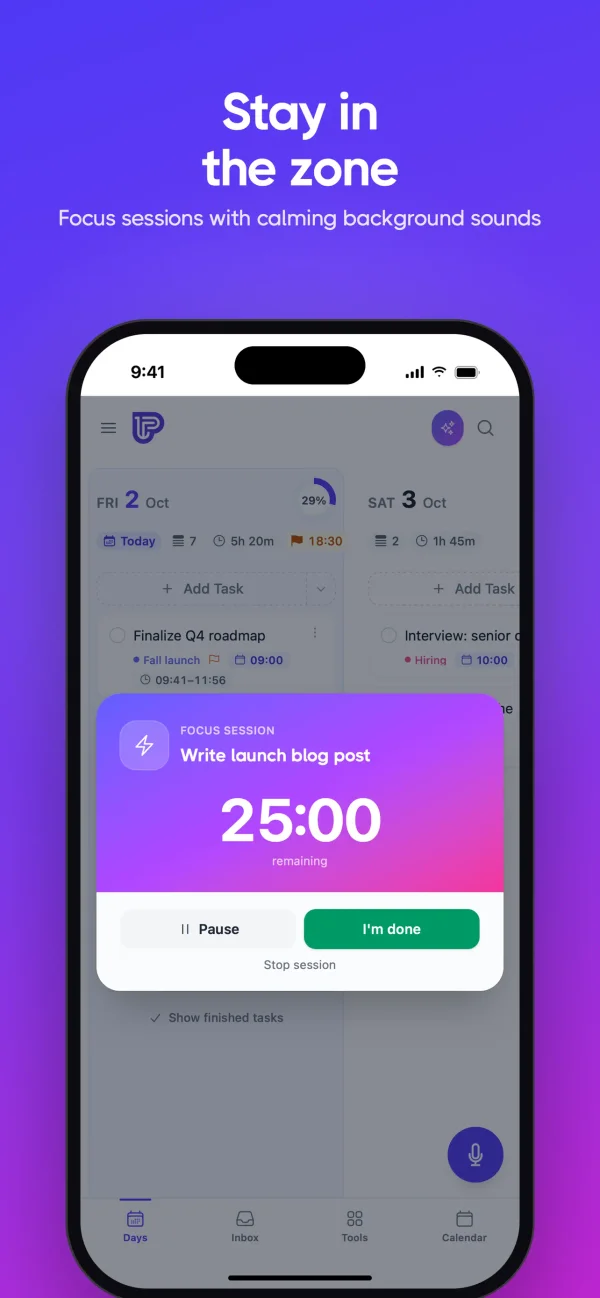
• Focus sessions with calming background sounds
• See where your week actually went
MADE FOR YOUR IPHONE
• Widgets and a Live Activity for your running timer on the Lock Screen
• Siri and Shortcuts: "Add a task in Planzer"
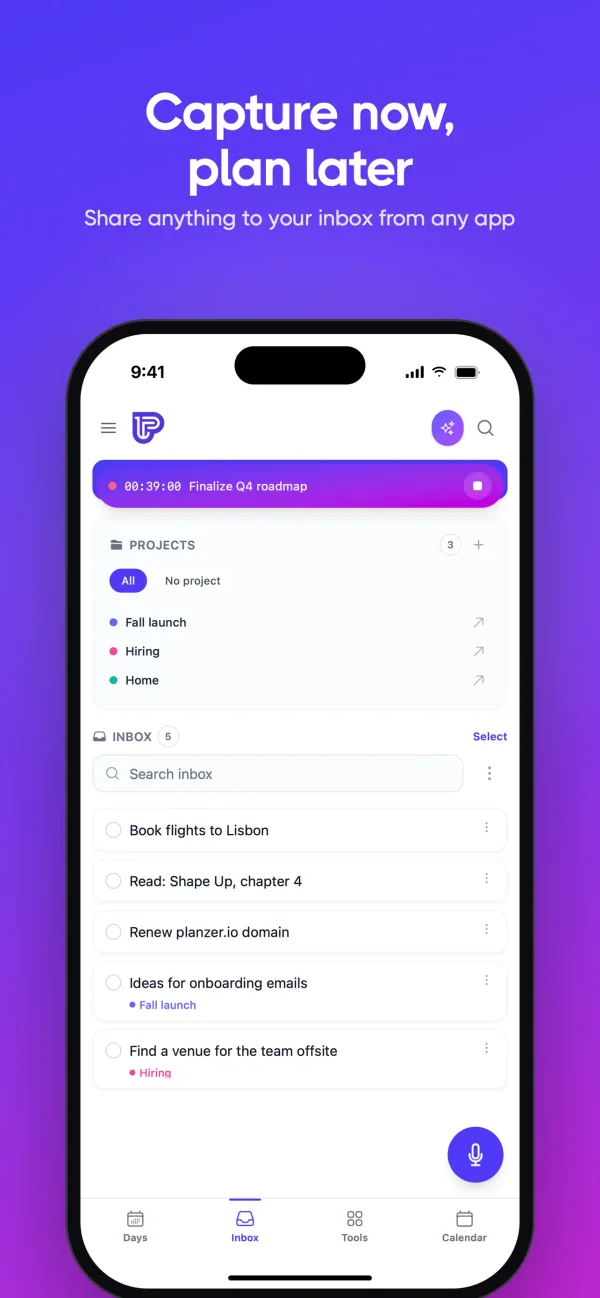
• Share links and text to your inbox from any app
• Speak your tasks instead of typing
• Themes: pick a colour that's yours, in light or dark mode
BUILT TO BE EVERYWHERE
• iPhone, iPad, Mac, Windows, Linux and the web
• Changes show up on all your devices within seconds, and Planzer keeps working offline
FREE, WITH NO ANNOYING LIMITS TO START
Planzer is free to use. Pro unlocks unlimited tasks, AI assistance, file attachments, and advanced integrations.
—
Privacy Policy: https://planzer.io/privacy-policy
Support: support@planzer.io
Novedades
Versión 1.6.0 · 2/11/2026
Apple Reminders: see your reminders next to your plan, drag them into your day, and they're ticked off in Reminders when you finish the task.
A better Outlook inbox: one row per conversation, read emails in Planzer, and drag them onto a day or straight into your calendar.
GitLab and Microsoft Teams (beta) integrations.
A new 3-day calendar view on narrower screens, and a layout made for foldable iPhones.
Smoother completing, undo and drag and drop, plus many small fixes.
Privacidad de la aplicación
Lo que Phillip Stemann declara en App Store sobre cómo esta aplicación gestiona los datos.
-
Datos vinculados a ti
Pueden recopilarse y vincularse a tu identidad.
- Información de contacto
-
Datos no vinculados a ti
Pueden recopilarse, pero no se vinculan a tu identidad.
- Datos de uso
Las prácticas de privacidad pueden variar, por ejemplo, según las funciones que uses o tu edad.
Información
- Vendedor
- Phillip Stemann
- Categoría
- Productividad
- Versión
- 1.6.0
- Actualizado
- 2/11/2026
- Publicado
- 29/5/2026
- Tamaño
- 18,2 MB
- Requiere
- iOS 15.0 o posterior
- Clasificación por edad
- 4+
- Precio
- Gratis
- Idiomas
- Inglés
- Copyright
- © Copyright 2026 Planzer.io
Quizá también te guste
-
 BRUTASKProductividad
-
 Clarity: AI Daily PlannerProductividad
-
 Nonne · Agenda diaria y tareasLista de pendientes sencilla
-
 Dowyn: Habit & Task TrackerProductividad
-
 Diluta: Tareas y CalendarioTe dice qué hacer ahora
-
 Kata: Weekly Planner & To-DoProductividad
-
 Tend – A Cozy To-Do ListProductividad
-
 Visido: Floating To-Do ListProductividad
-
 Ovelniva: Mis tareasNo guardes tareas en mente
-
 Sendi - Break the scrollProductividad