PullKey - Korean Keyboard
One thumb, learn as you type
Entwickelt für iPhone, iPod touch
In-App-Käufe
- Altersfreigabe4+
- KategorieDienstprogramme
- EntwicklerBluecosmium
- SprachenEnglisch+ 4 weitere
- Größe20,7 MB
PullKey - Korean Keyboard ist bei App Store derzeit möglicherweise nicht verfügbar
Bei unserer letzten Prüfung war der Store-Eintrag nicht erreichbar. Der Link führt weiterhin zur offiziellen App Store-Seite.
Screenshots
Info
Der Entwickler hat diesen Text nicht in Ihrer Sprache bereitgestellt.
Type Korean with one thumb — and learn Hangul while you do.
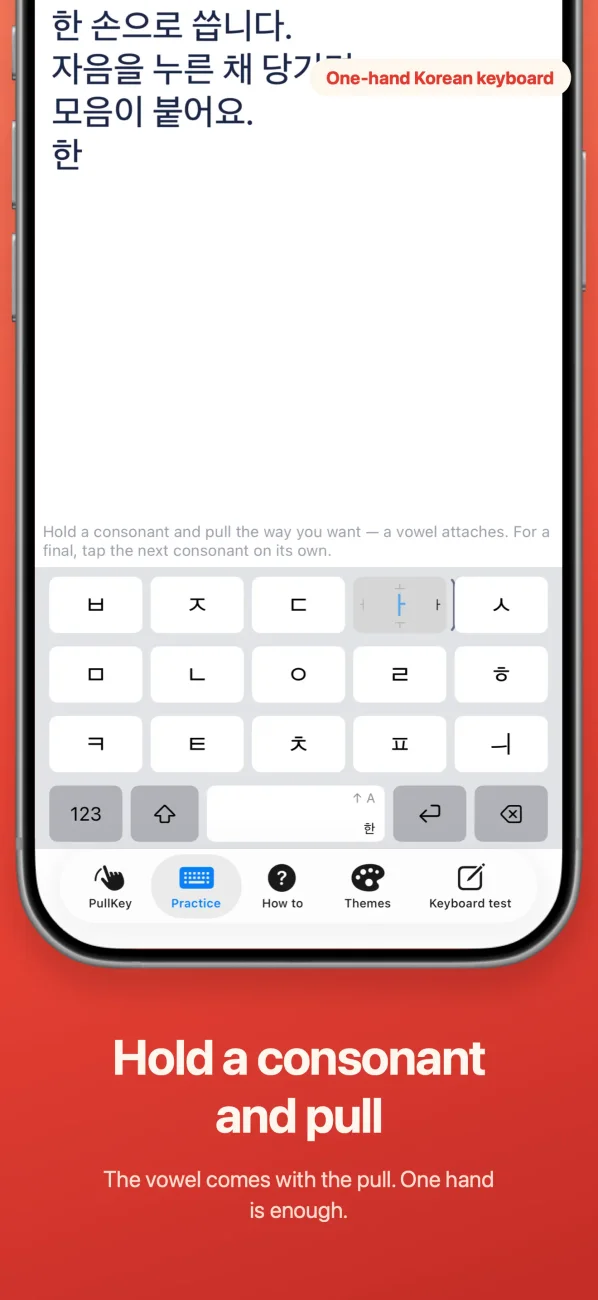
Hold a consonant and pull the way the vowel is written.
Pull ㄱ right and you get 가. Pull it up and you get 고.
There is no vowel side to cross to, so your thumb stays where it is.
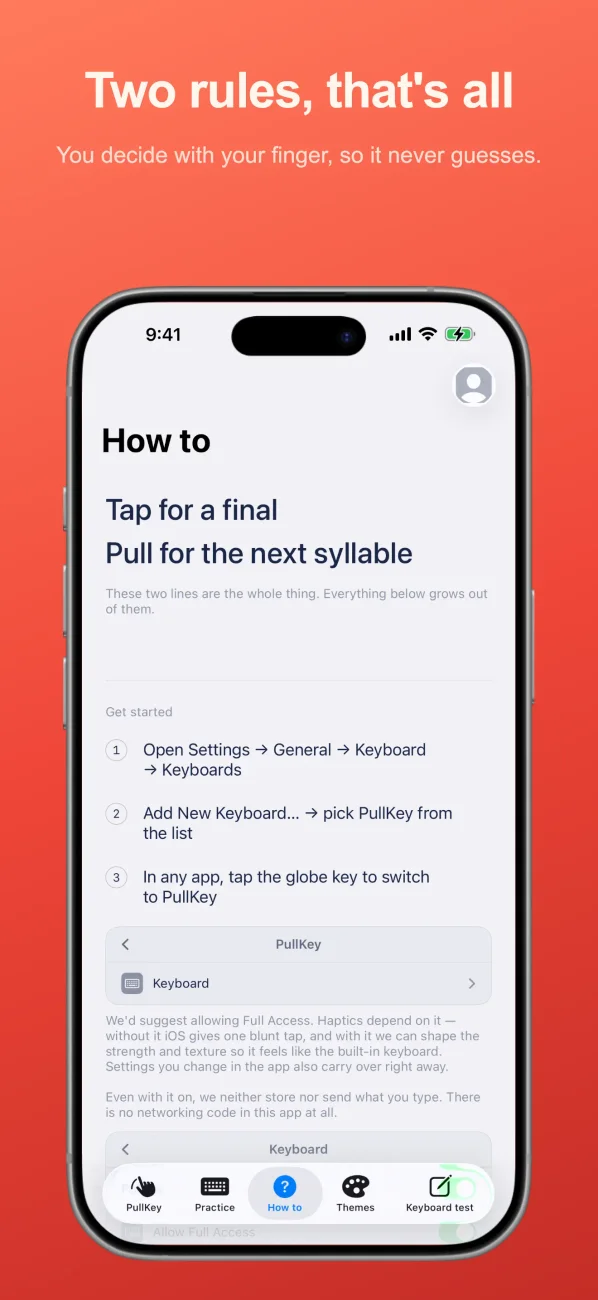
Tap for a final consonant, pull for the next syllable.
Those two lines are the whole rule.
Because your finger says which one you meant, the keyboard never guesses —
and nothing you have already typed changes shape behind the cursor.
■ How it types
ㅏ is a vertical stroke with a mark to the right, so you pull right.
ㅗ is a horizontal stroke with a mark above, so you pull up.
The shape of the letter is the direction of your thumb.
Because a vowel arrives with the consonant that carries it, one gesture makes a
whole syllable.
■ It stays where your thumb is
Every vowel is reached from the consonant key itself, so your thumb doesn't
travel — and no shift trip for tense consonants: press ⇧ and pull, or
double-tap.
One-handed mode moves the keys to either edge, and you can set the keyboard
height — on a large phone that decides whether one hand is enough.
■ It doesn't guess
No autocorrect. No word suggestions. No learning what you write.
What you type is what you get, every time.
■ It doesn't take anything
Nothing you type is stored. Nothing is sent anywhere. There is no networking
code in this app at all — turn on airplane mode and everything still works.
To fit the pull distance to your hand we count how far and which way your
gestures go — never which letters, and never off your phone.
■ Learning Korean?
The gesture itself teaches the structure: pulling ㄱ right is "consonant + ㅏ"
written with your hand, and a separate tap is what a final consonant is.
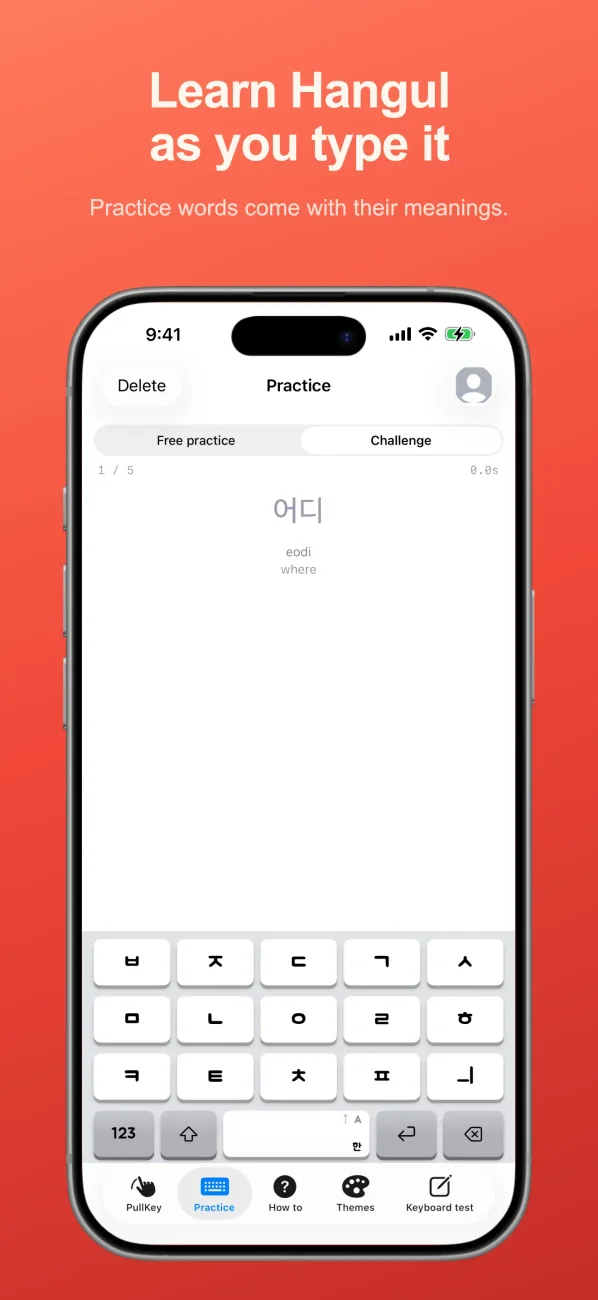
Practice comes in four stages, from simple pulls to full sentences, with each
word's meaning beside it — 화장실, 얼마예요, 카드 돼요.
■ What you can change
· Pull sensitivity, or let it measure your habits and set itself
· How long a linked pull stays open (하하 vs 햐)
· When haptics fire and how strong
· Keyboard height and skin
· Hand fit — we watch where you actually land and move the target under it
From the app or from inside the keyboard, either way.
■ Pick a layout
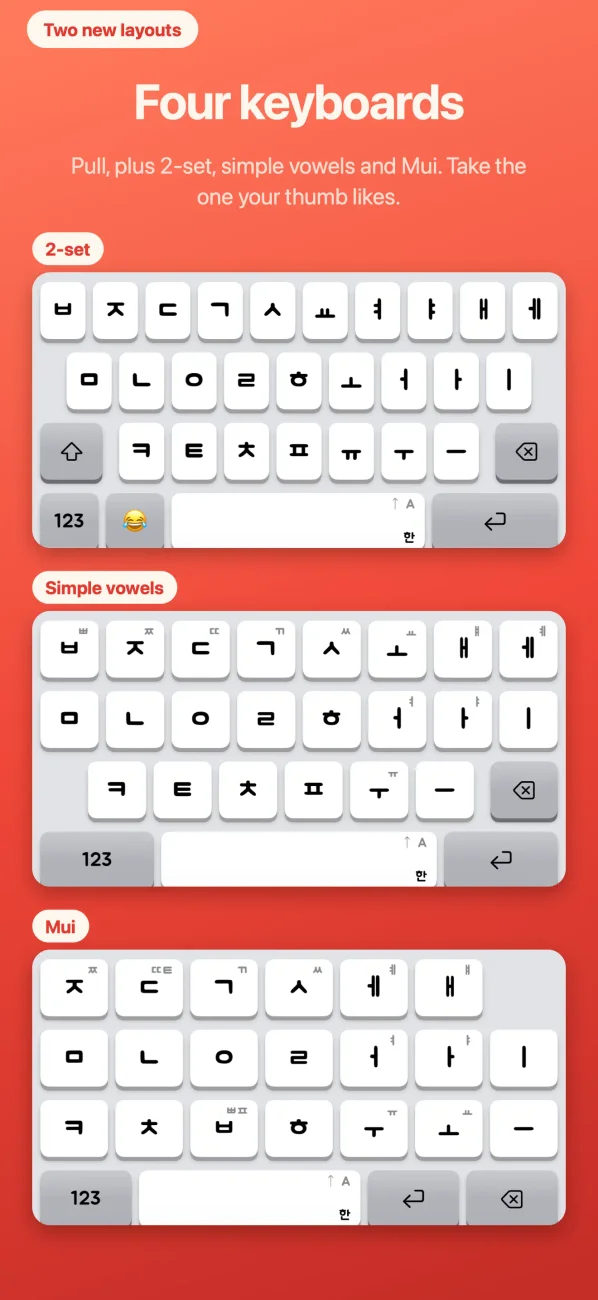
Four, switchable any time in Settings.
· PullKey — pull a consonant and the vowel attaches.
· Simple vowels — 2-set minus ㅑㅕㅛㅠ, so every key grows.
Those four come from tapping a key twice, quickly.
· Mui — simple vowels minus ㅌ and ㅍ; twenty keys.
· Standard 2-set — the same layout as the stock iPhone keyboard.
Until PullKey feels natural, use the one you know.
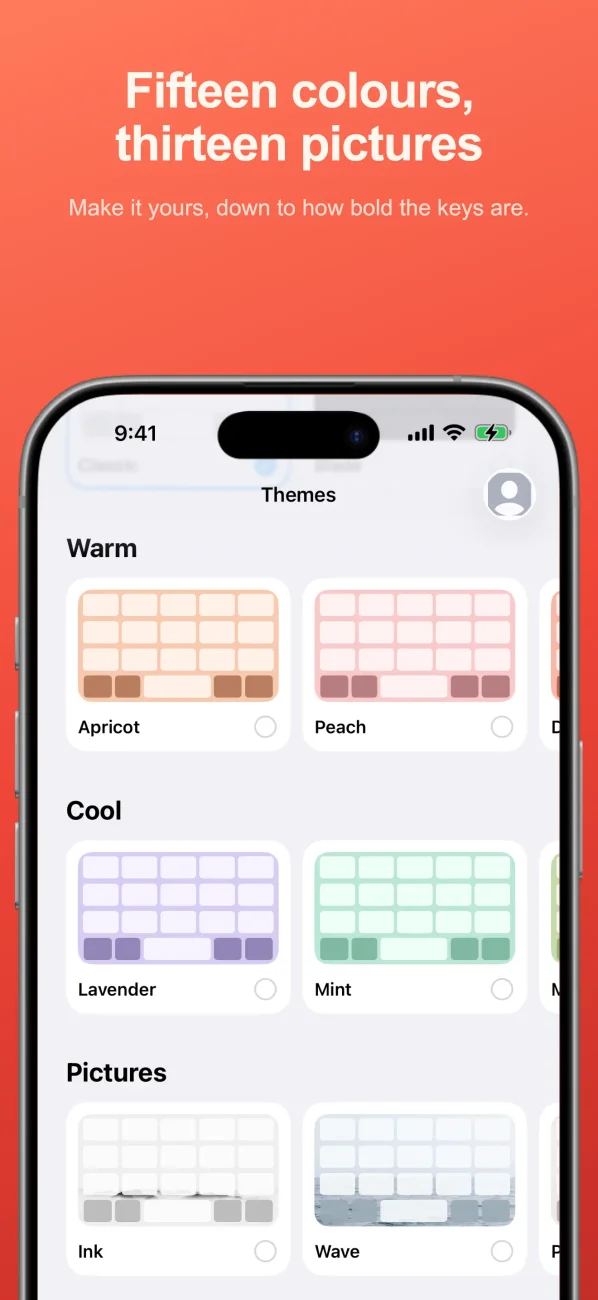
■ Pick how it looks
Fifteen colours and thirteen quiet pictures.
Each one is drawn as a small keyboard, so what you pick is what you get.
On a picture you also choose how solidly the keys sit on top of it.
■ Also
· Latin letters, numbers, symbols, emoji
· Pull space sideways to move the cursor, up to switch Hangul/Latin
· Pull delete left to erase a word, up to erase to the end of the line
· Save phrases with a title, enter in one tap; {오늘} {시각} fill in date and time
· Abbreviations — only pairs you wrote, expanded on space
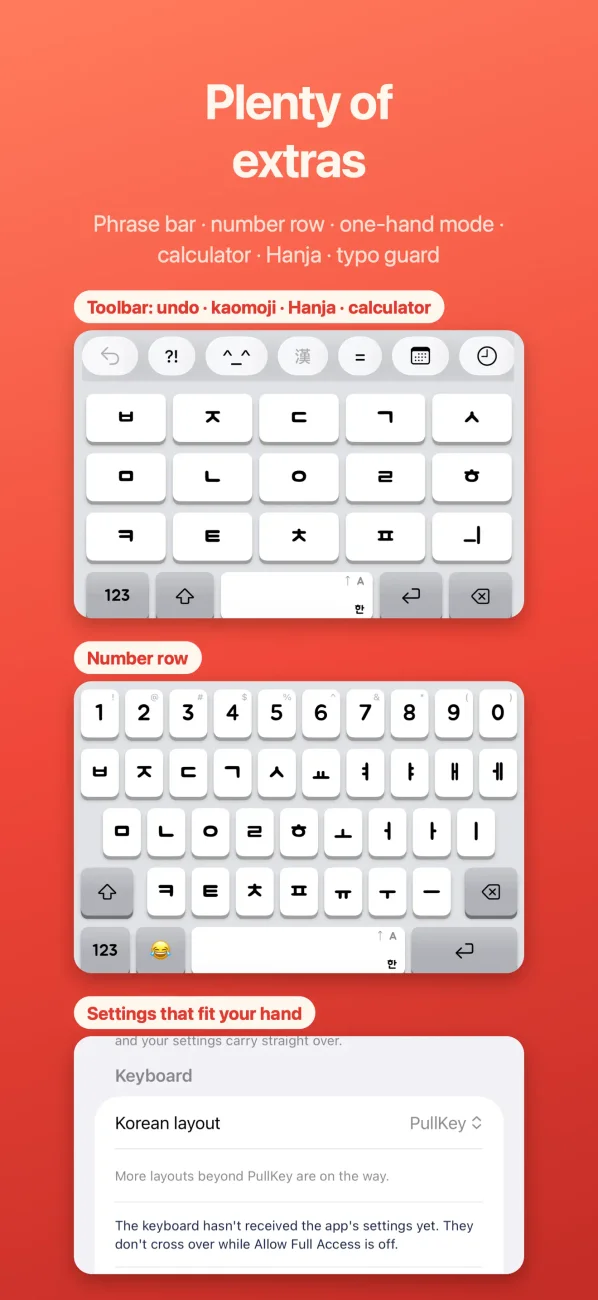
· Optional row above the keys — Hanja, kaomoji, calculator, romanize, swap 한/A, date math
· Five key sounds, three loudness levels
· Number row; two spaces for a full stop
■ Free and Pro
The keyboard is free: all four layouts, Latin and symbols, sensitivity, hand fit,
one-hand mode, haptics, cursor pulls, word delete, typo guard and practice.
No trial, no expiry.
PullKey Pro opens looks and extras:
· Themes — 15 colours, 13 pictures (three free)
· Six fonts, five key sounds
· Toolbar — phrases, Hanja, calculator, kaomoji, romanize, swap 한/A, date math
· Abbreviations, phrase placeholders, the Lab
$6.99 once, yours for good. No renewals, no subscription.
Terms of Use: https://www.apple.com/legal/internet-services/itunes/dev/stdeula/
Privacy Policy: https://bluecosmium.com/danggyeoki/privacy/
Neue Funktionen
Version 1.2.0 · 24.09.2026
· The keyboard is now free — no trial, no expiry
· PullKey Pro: themes, fonts, key sounds, toolbar, abbreviations, Lab — $6.99 once
· Improvements
App-Datenschutz
Was Bluecosmium im App Store zum Umgang dieser App mit Daten angibt.
-
Keine Daten erfasst
Der Entwickler erfasst keine Daten von dieser App.
Die Datenschutzpraktiken können variieren, zum Beispiel je nach den von Ihnen verwendeten Funktionen oder Ihrem Alter.
Informationen
- Anbieter
- Bluecosmium
- Kategorie
- Dienstprogramme
- Version
- 1.2.0
- Aktualisiert
- 24.09.2026
- Veröffentlicht
- 29.08.2026
- Größe
- 20,7 MB
- Erfordert
- iOS 15.0 oder neuer
- Altersfreigabe
- 4+
- In-App-Käufe
- Ja
- Sprachen
- Englisch, Japanisch, Koreanisch, Tradit. Chinesisch, Vietnamesisch
- Copyright
- © 2026 Bluecosmium
Das könnte Ihnen auch gefallen
-
 키닥 - AI 키보드Dienstprogramme
-
 KeyCorderDienstprogramme
-
 My Keyboard - Korean HangulDienstprogramme
-
 또각또각 - 한글 키보드Dienstprogramme
-
 편한키보드 - 맞춤법, 클립보드, 상용구, 번역Dienstprogramme
-
 타닥 — 한글 키보드Dienstprogramme
-
 한자 한글 키보드Dienstprogramme
-
 Han KeyboardDienstprogramme
-
 King Sejong KeyboardDienstprogramme
-
 한글키보드(4천지인)Dienstprogramme