- Altersfreigabe4+
- KategorieDienstprogramme
- EntwicklerYongdae Park
- SprachenEnglisch+ 9 weitere
- Größe16,4 MB
KeyCorder ist bei App Store derzeit möglicherweise nicht verfügbar
Bei unserer letzten Prüfung war der Store-Eintrag nicht erreichbar. Der Link führt weiterhin zur offiziellen App Store-Seite.
Screenshots


Info
Der Entwickler hat diesen Text nicht in Ihrer Sprache bereitgestellt.
KeyCorder is a free Korean keyboard, redesigned from scratch.
One key holds the plain, aspirated and tense consonants,
so the whole layout fits in five columns — and the keys get bigger.
Nothing you type leaves your device.
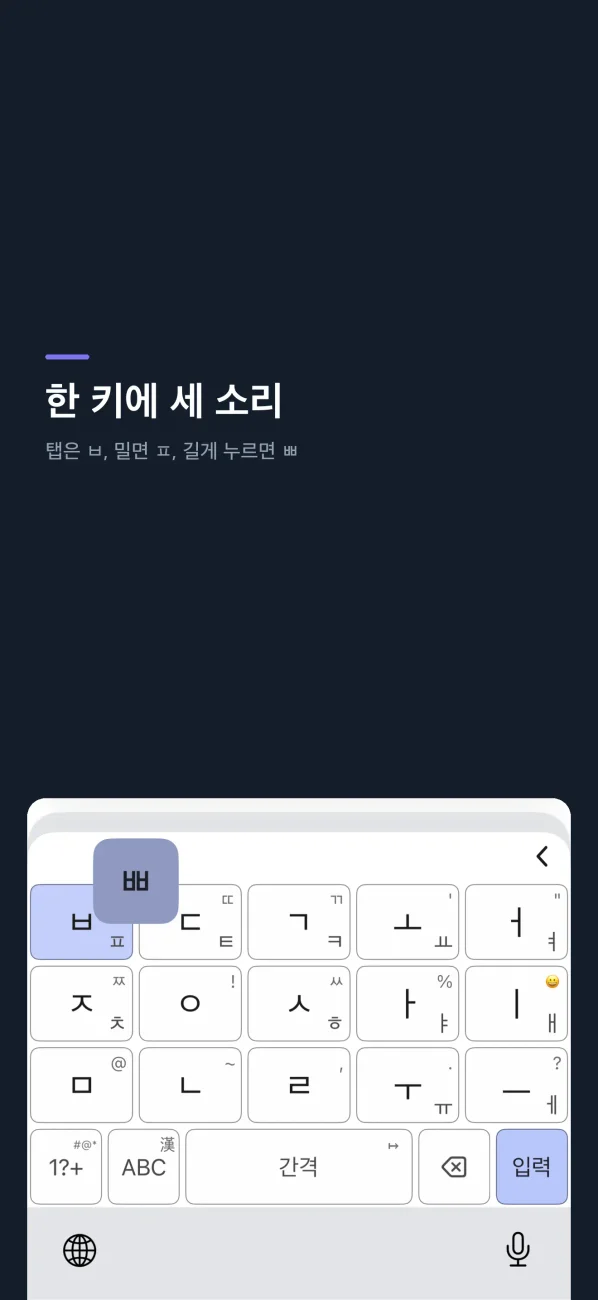
■ One key, three sounds
· Tap → plain (ㅂ)
· Slide → aspirated (ㅍ)
· Hold → tense (ㅃ)
Tap twice quickly and it picks the right one from context.
■ Same key twice? It works it out
On layouts where one key carries several letters, a repeat tap is
ambiguous: is ㄱㄱ the single letter ㅋ, or a final ㄱ followed by an
initial ㄱ? Usually you have to break it up yourself with a slide or a pause.
KeyCorder decides from a dictionary instead.
· 5-key, 7-key, full QWERTY — picks between ㅋ and final+initial
· Simple-vowel — decides between the tense ㄲ and two separate letters
· Cheonjiin — type straight through even when a final and the next
initial share a key (장마, 안녕), no slide needed
If it read you wrong, one tap on the suggestion bar switches it.
■ Features
· 5-key Korean input, repeat-tap auto-resolution tuned per layout
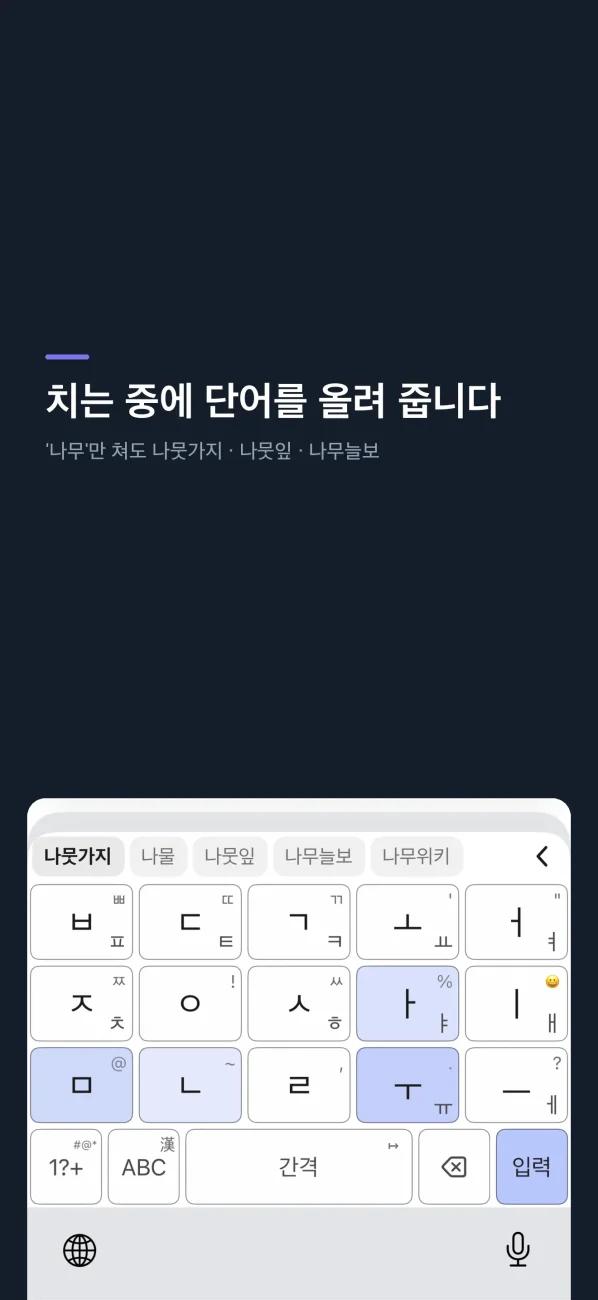
· Word suggestions — next-word prediction, initial-consonant search, emoji hints
· Emoji, symbols and Hanja conversion
· Clipboard history with pinning
· Press effects (ripple, bolt, snow, petal, ice) that react to touch
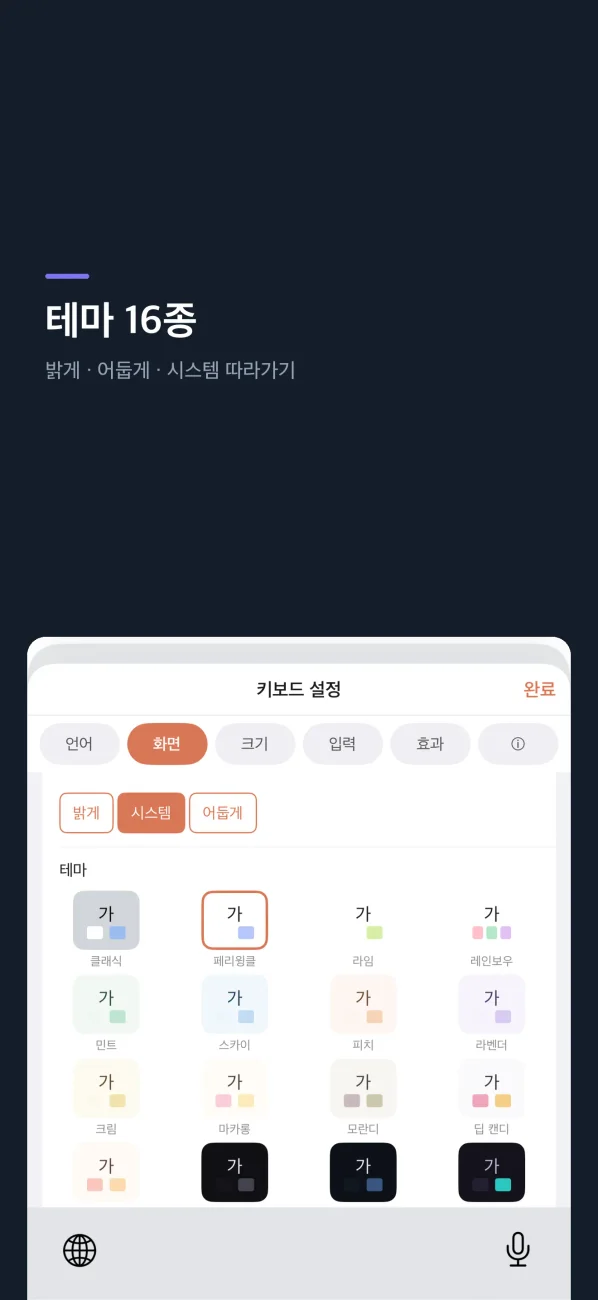
· 16 themes, bundled fonts, your photo as keyboard background
· Key size, font size, weight and border — all adjustable
· Learned-word manager: review and delete what it learned
· Typing stats with weekly speed graph
· Split keyboard & one-handed mode
· Number-only fields open a large number pad automatically
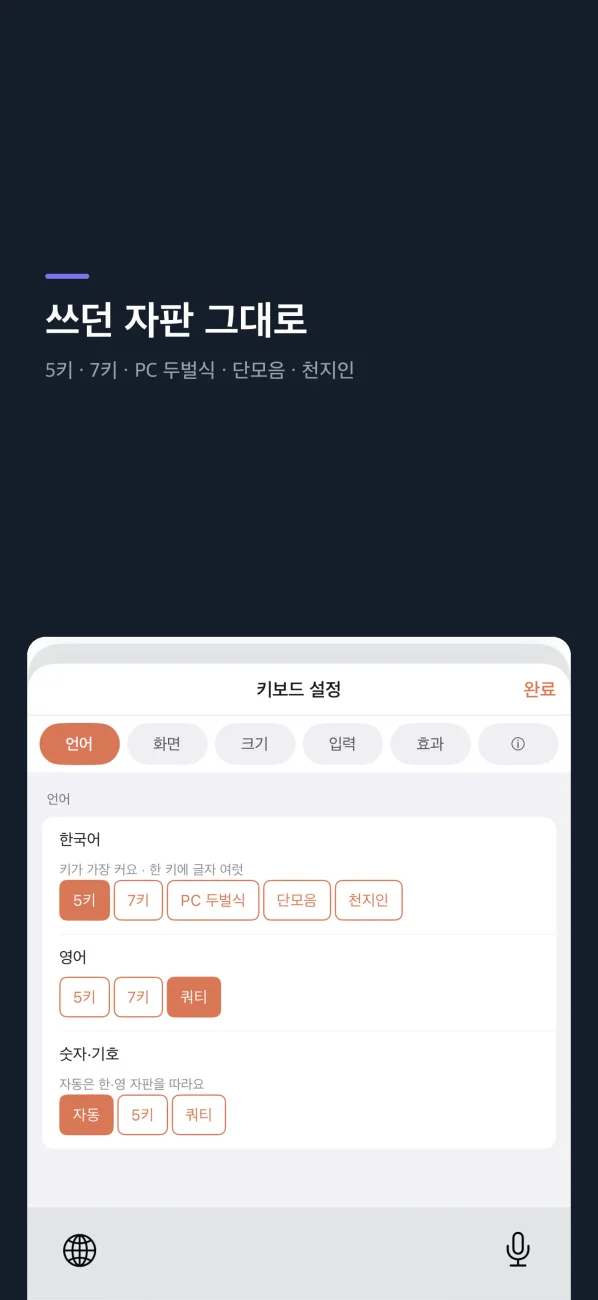
· Layouts: 5-key, 7-key, full QWERTY, simple-vowel, Cheonjiin
· Korean + English
On first launch you pick a layout and a look (calm, vivid, neon, elegant);
theme, font and press effect are set together. Reopen it anytime.
■ Privacy by default
No data collection, no servers, no ads or trackers.
The keyboard sends nothing you type anywhere, and learned data
is even excluded from iCloud backup.
Full Access is used only for clipboard history, haptic feedback,
and sharing settings between the app and the keyboard.
Clipboard history stays on-device, is excluded from iCloud backup,
and can be disabled or cleared at any time from the keyboard panel.
Every feature is free.
Feedback: https://corderlabs.com/keycorder/feedback
Neue Funktionen
Version 1.0.4 · 08.09.2026
Improved the accuracy and stability of Korean double-tap autocorrection, including repeated taps, verb forms ending in 하다, and deleting and retyping text.
App-Datenschutz
Was Yongdae Park im App Store zum Umgang dieser App mit Daten angibt.
-
Keine Daten erfasst
Der Entwickler erfasst keine Daten von dieser App.
Die Datenschutzpraktiken können variieren, zum Beispiel je nach den von Ihnen verwendeten Funktionen oder Ihrem Alter.
Informationen
- Anbieter
- Yongdae Park
- Kategorie
- Dienstprogramme
- Version
- 1.0.4
- Aktualisiert
- 08.09.2026
- Veröffentlicht
- 31.08.2026
- Größe
- 16,4 MB
- Erfordert
- iOS 15.0 oder neuer
- Altersfreigabe
- 4+
- Sprachen
- Englisch, Niederländisch, Französisch, Deutsch, Italienisch, Koreanisch, Portugiesisch, Russisch, Spanisch, Türkisch
- Copyright
- © 2026 박용대
Das könnte Ihnen auch gefallen
-
 글쇠 키보드 - 한글 키보드, 자동완성Dienstprogramme
-
 마멋 키보드Dienstprogramme
-
 HeekeyDienstprogramme
-
 PullKey - Korean KeyboardDienstprogramme
-
 또각또각 - 한글 키보드Dienstprogramme
-
 천지inDienstprogramme
-
 푸키 - 이모지, 천지인, 나랏글Dienstprogramme
-
 My Keyboard - Korean HangulDienstprogramme
-
 Ppokkuk - StundensignalJede Stunde ein Kuckuck
-
 DeepPad: Korean KeyboardDienstprogramme