
- Altersfreigabe4+
- KategorieDienstprogramme
- EntwicklerChristopher Benjamin
- SprachenEnglisch
- Größe48,8 MB
Screenseer ist bei App Store derzeit möglicherweise nicht verfügbar
Bei unserer letzten Prüfung war der Store-Eintrag nicht erreichbar. Der Link führt weiterhin zur offiziellen App Store-Seite.
Screenshots

Info
Der Entwickler hat diesen Text nicht in Ihrer Sprache bereitgestellt.
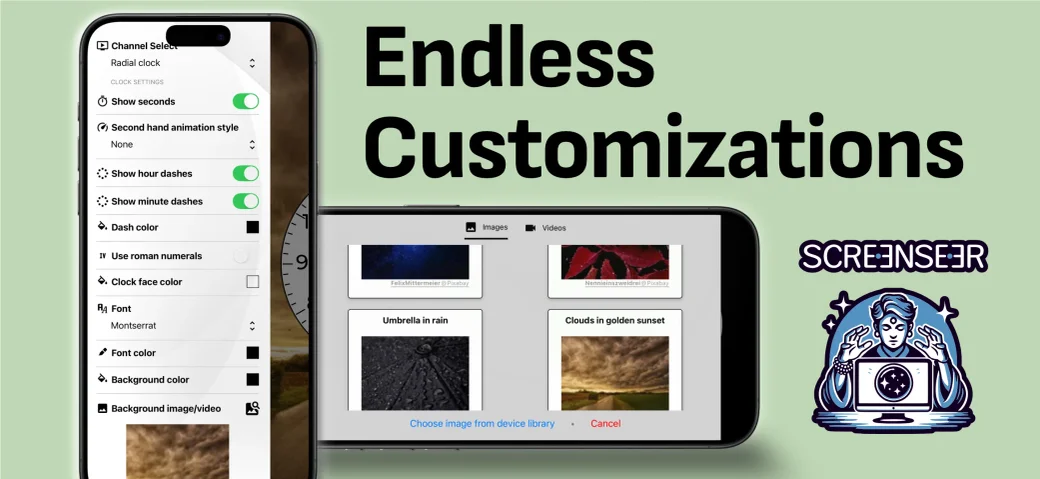
Do you have a modern phone or tablet that lies idle when you're at home or work? Or perhaps you have an old device gathering dust in a drawer? Give them a new purpose with Screenseer—the endlessly-on, fully-customizable clock app you never knew you needed (but now won’t live without).
What it does:
Turns any screen into a stylish clock—because time waits for no one, but your screen definitely can.
Runs 24/7 so your device finally has something productive to do (unlike you during meetings).
Works well on modern devices and lots of "vintage" models.
Why it’s awesome:
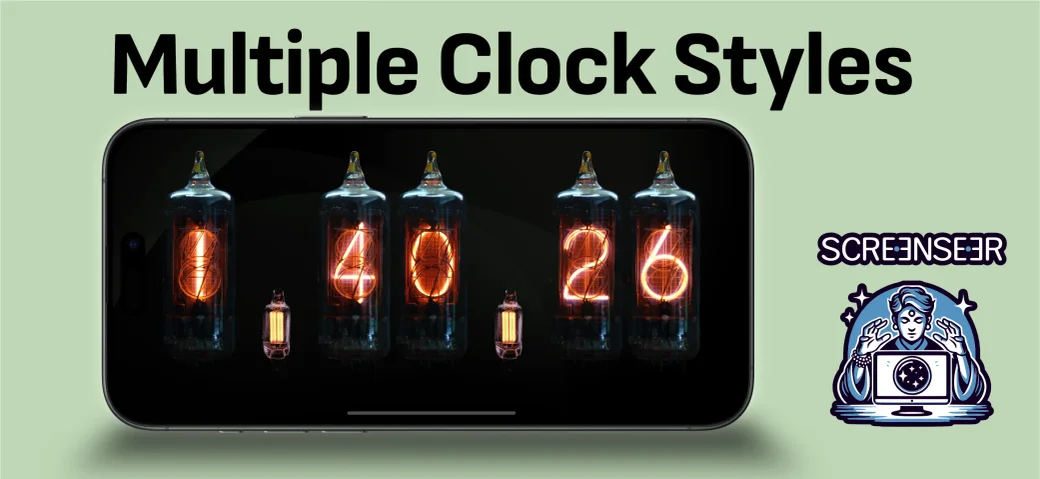
Comes with multiple clock faces—analog, digital, maybe even existential (we’re working on it).
Customize colors, fonts, and backgrounds like a true design diva.
Use solid colors, your favorite static image, or even a moody video background.
Use Screenseer to:
Add flair to your desk, nightstand, kitchen counter, or shrine of obsolete gadgets.
Give new life to your old hardware instead of tossing it into the eternal drawer of tech shame.
So go ahead, install Screenseer. It’s free, it’s fabulous, and it makes your screen look like it actually belongs in 2025. It's meant to be run on a device that it permanently powered and it's a perfect use for an older phone or tablet!
Current clock channels:
Basic clock - It's anything but basic! Maximize the screen with the time and a ton of customizable options
Countdown - Countdown a number of minutes or to a specific date and time in style
Dementia clock - A simplified clock meant for senior citizens
Flip clock - An animated clock in the style of retro flip clock (also known as a split flap).
Meeting schedule - Countdown to upcoming meetings and events from your calendar
Nixie clock - Show the time using glowing nixie (cold cathode display) tubes
Pomodoro timer - A customizable pomodoro timer to keep you productive in a visually appealing way
Radial clock - A classic and customizable round clock
Slot wheel clock - An animated display that mimics the look of rotating vertical dials
We also have a new slide show channel that can combine your photos and cloud photos together in an endless display of images.
Neue Funktionen
Version 1.4.1 · 30.12.2025
Fixes for screen rotation and content fitting in pomodoro and countdown timers.
App-Datenschutz
Was Christopher Benjamin im App Store zum Umgang dieser App mit Daten angibt.
-
Keine Daten erfasst
Der Entwickler erfasst keine Daten von dieser App.
Die Datenschutzpraktiken können variieren, zum Beispiel je nach den von Ihnen verwendeten Funktionen oder Ihrem Alter.
Informationen
- Anbieter
- Christopher Benjamin
- Kategorie
- Dienstprogramme
- Version
- 1.4.1
- Aktualisiert
- 30.12.2025
- Veröffentlicht
- 26.04.2025
- Größe
- 48,8 MB
- Erfordert
- iOS 15.1 oder neuer
- Altersfreigabe
- 4+
- Sprachen
- Englisch
- Copyright
- © 2025 Christopher Benjamin
Das könnte Ihnen auch gefallen
-
 Agilezip ClockDienstprogramme
-
 Amaze ClockDienstprogramme
-
 World-Digital-ClockDienstprogramme
-
 My Table ClockDienstprogramme
-
 NiteTime ClockDienstprogramme
-
 Cool Digital Clock: WidgetsUhr, Digitaluhr Gestalten
-
 A Flip ClockDienstprogramme
-
 Big Time Digital ClockDienstprogramme
-
 Digital Clock UltraDienstprogramme
-
 Screen Clock DigitalDienstprogramme