
- Clasificación por edad4+
- CategoríaUtilidades
- DesarrolladorChristopher Benjamin
- IdiomasInglés
- Tamaño48,8 MB
Es posible que Screenseer no esté disponible en App Store en este momento
No se pudo acceder a la ficha de la tienda en nuestra última comprobación. El enlace sigue llevando a la página oficial de App Store.
Capturas de pantalla

Acerca de
El desarrollador no ha proporcionado este texto en tu idioma.
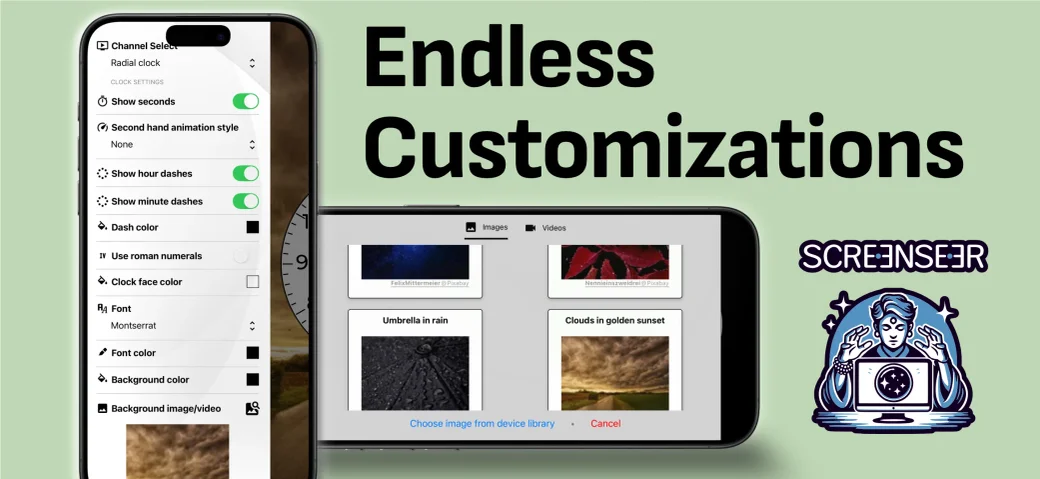
Do you have a modern phone or tablet that lies idle when you're at home or work? Or perhaps you have an old device gathering dust in a drawer? Give them a new purpose with Screenseer—the endlessly-on, fully-customizable clock app you never knew you needed (but now won’t live without).
What it does:
Turns any screen into a stylish clock—because time waits for no one, but your screen definitely can.
Runs 24/7 so your device finally has something productive to do (unlike you during meetings).
Works well on modern devices and lots of "vintage" models.
Why it’s awesome:
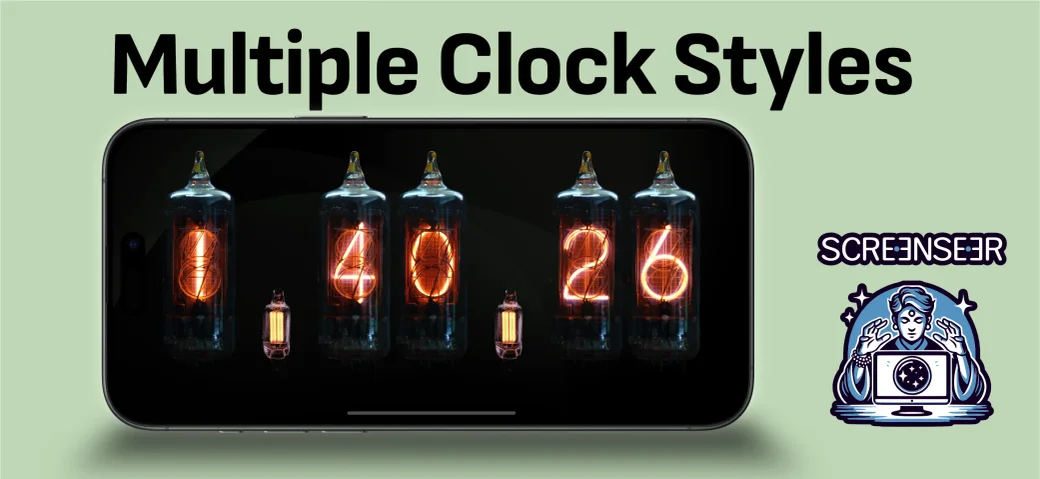
Comes with multiple clock faces—analog, digital, maybe even existential (we’re working on it).
Customize colors, fonts, and backgrounds like a true design diva.
Use solid colors, your favorite static image, or even a moody video background.
Use Screenseer to:
Add flair to your desk, nightstand, kitchen counter, or shrine of obsolete gadgets.
Give new life to your old hardware instead of tossing it into the eternal drawer of tech shame.
So go ahead, install Screenseer. It’s free, it’s fabulous, and it makes your screen look like it actually belongs in 2025. It's meant to be run on a device that it permanently powered and it's a perfect use for an older phone or tablet!
Current clock channels:
Basic clock - It's anything but basic! Maximize the screen with the time and a ton of customizable options
Countdown - Countdown a number of minutes or to a specific date and time in style
Dementia clock - A simplified clock meant for senior citizens
Flip clock - An animated clock in the style of retro flip clock (also known as a split flap).
Meeting schedule - Countdown to upcoming meetings and events from your calendar
Nixie clock - Show the time using glowing nixie (cold cathode display) tubes
Pomodoro timer - A customizable pomodoro timer to keep you productive in a visually appealing way
Radial clock - A classic and customizable round clock
Slot wheel clock - An animated display that mimics the look of rotating vertical dials
We also have a new slide show channel that can combine your photos and cloud photos together in an endless display of images.
Novedades
Versión 1.4.1 · 30/12/2025
Fixes for screen rotation and content fitting in pomodoro and countdown timers.
Privacidad de la aplicación
Lo que Christopher Benjamin declara en App Store sobre cómo esta aplicación gestiona los datos.
-
No se recopilan datos
El desarrollador no recopila ningún dato de esta aplicación.
Las prácticas de privacidad pueden variar, por ejemplo, según las funciones que uses o tu edad.
Información
- Vendedor
- Christopher Benjamin
- Categoría
- Utilidades
- Versión
- 1.4.1
- Actualizado
- 30/12/2025
- Publicado
- 26/4/2025
- Tamaño
- 48,8 MB
- Requiere
- iOS 15.1 o posterior
- Clasificación por edad
- 4+
- Idiomas
- Inglés
- Copyright
- © 2025 Christopher Benjamin
Quizá también te guste
-
 Agilezip ClockUtilidades
-
 Amaze ClockUtilidades
-
 World-Digital-ClockUtilidades
-
 My Table ClockUtilidades
-
 NiteTime ClockUtilidades
-
 Cool Digital Clock Reloj 24hWidget, Segundos, Temas
-
 A Flip ClockUtilidades
-
 Big Time Digital ClockUtilidades
-
 Digital Clock UltraUtilidades
-
 Screen Clock DigitalReloj digital de pantalla